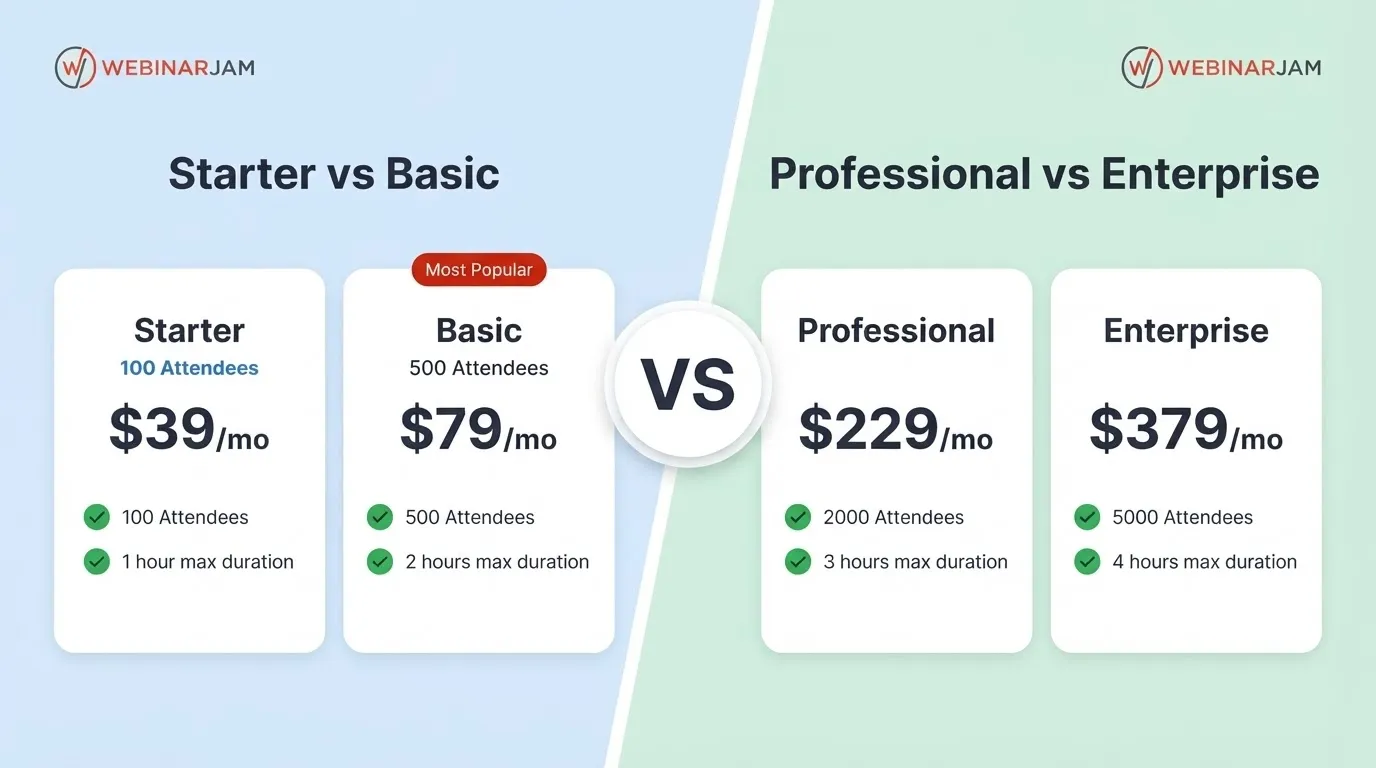
WebinarJam pricing starts at $49/month for the Starter plan, while higher-tier plans cost $99/month, $299/month, and $499/month. If you choose annual billing, the effective monthly price drops to $39, $79, $229, or $379, depending on the plan.
WebinarJam also currently promotes a $1 trial, making it possible to test the platform before committing to a full subscription.
In this guide, we break down WebinarJam pricing and plans, monthly vs. yearly costs, what each plan includes, how much you can save with annual billing, and which WebinarJam plan makes the most sense for your webinar needs.
WebinarJam Pricing at a Glance
WebinarJam has four plans: Starter, Basic, Professional, and Enterprise. The main differences are the number of attendees, hosts, webinar duration, and access to features such as automated webinars.
Plan | Monthly Price | Annual Price* | Attendees | Hosts | Max Duration |
Starter | $49/mo | $39/mo | 100 | 1 | 1 hour |
Basic | $99/mo | $79/mo | 500 | 2 | 2 hours |
Professional | $299/mo | $229/mo | 2,000 | 4 | 3 hours |
Enterprise | $499/mo | $379/mo | 5,000 | 6 | 4 hours |
*Annual prices are the monthly equivalent when billed yearly.
All four plans include unlimited webinars and no hidden fees. The Basic plan is currently marked as Most Popular.
WebinarJam Monthly Pricing 2026
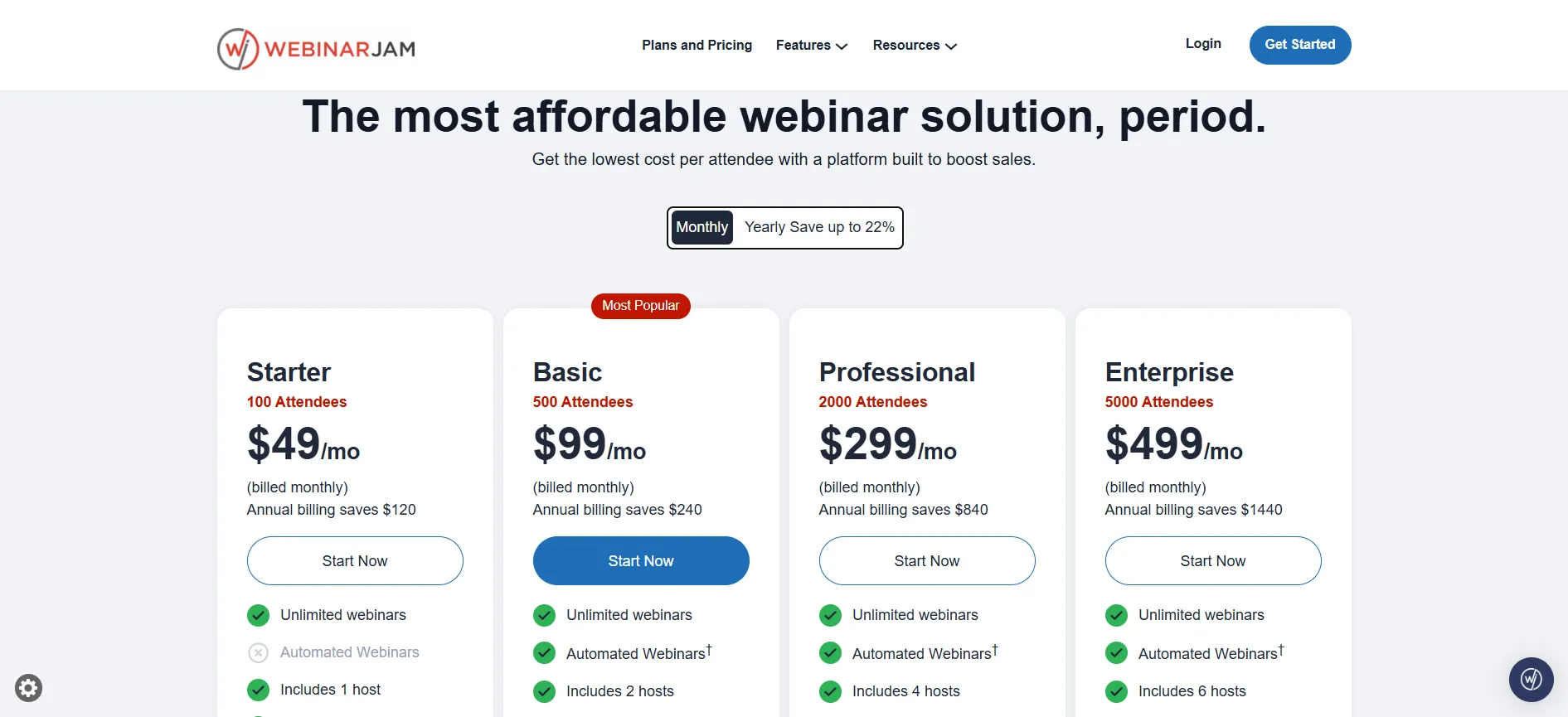
If you prefer paying month-to-month, these are the current WebinarJam monthly prices:
Starter – $49/month
The Starter plan is the entry-level WebinarJam subscription and supports up to 100 attendees per webinar.
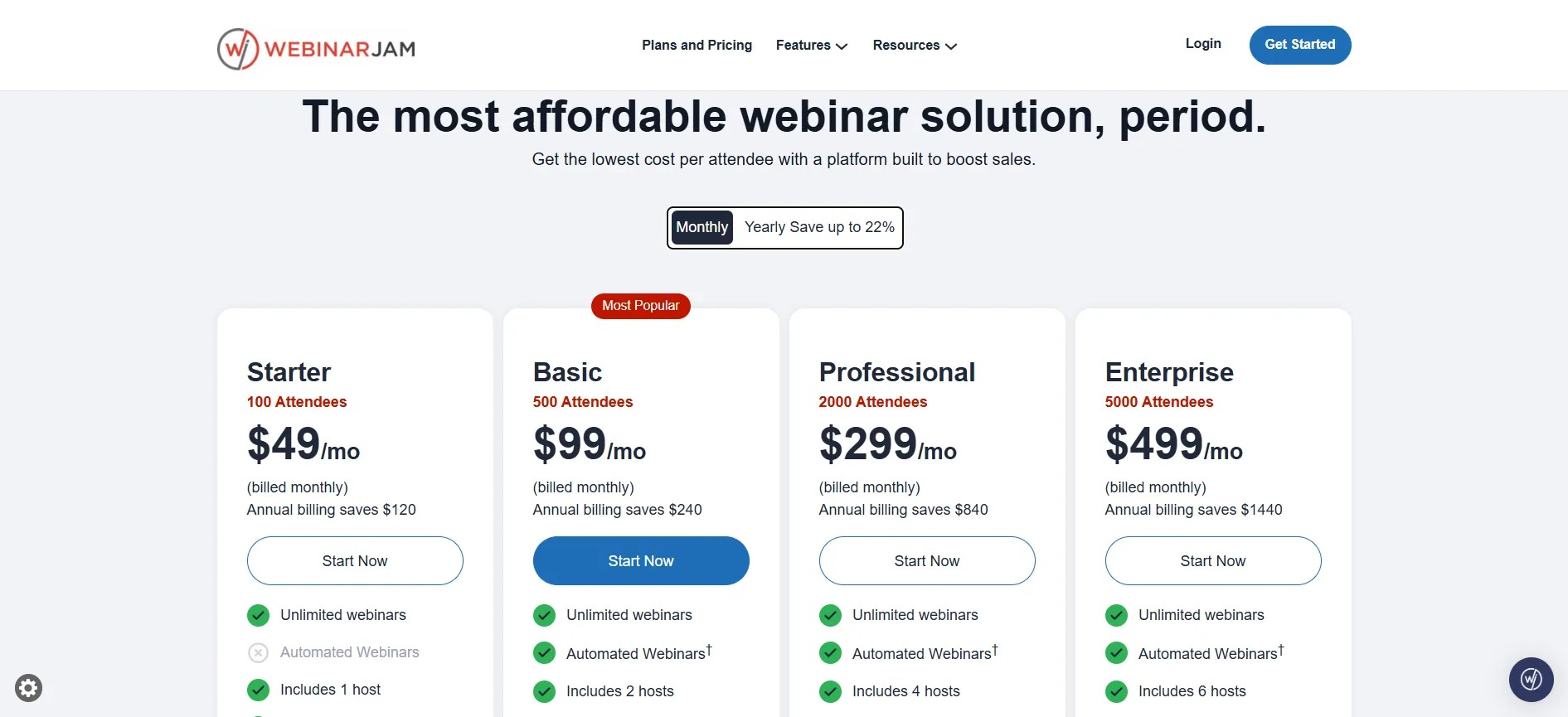
It includes:
Unlimited webinars
1 host
Up to 100 attendees per webinar
1-hour maximum webinar duration
Live chat
Flexible scheduling
Customizable pages
Email & SMS system
Live offer displays
Polls and surveys
On-screen whiteboard
Video injections
Custom backgrounds
Facebook and YouTube broadcasting
A/B split testing
Automated webinars and some advanced features aren’t included in Starter.
Best for: Individuals, coaches, consultants, and small businesses running smaller live webinars.
Basic – $99/month
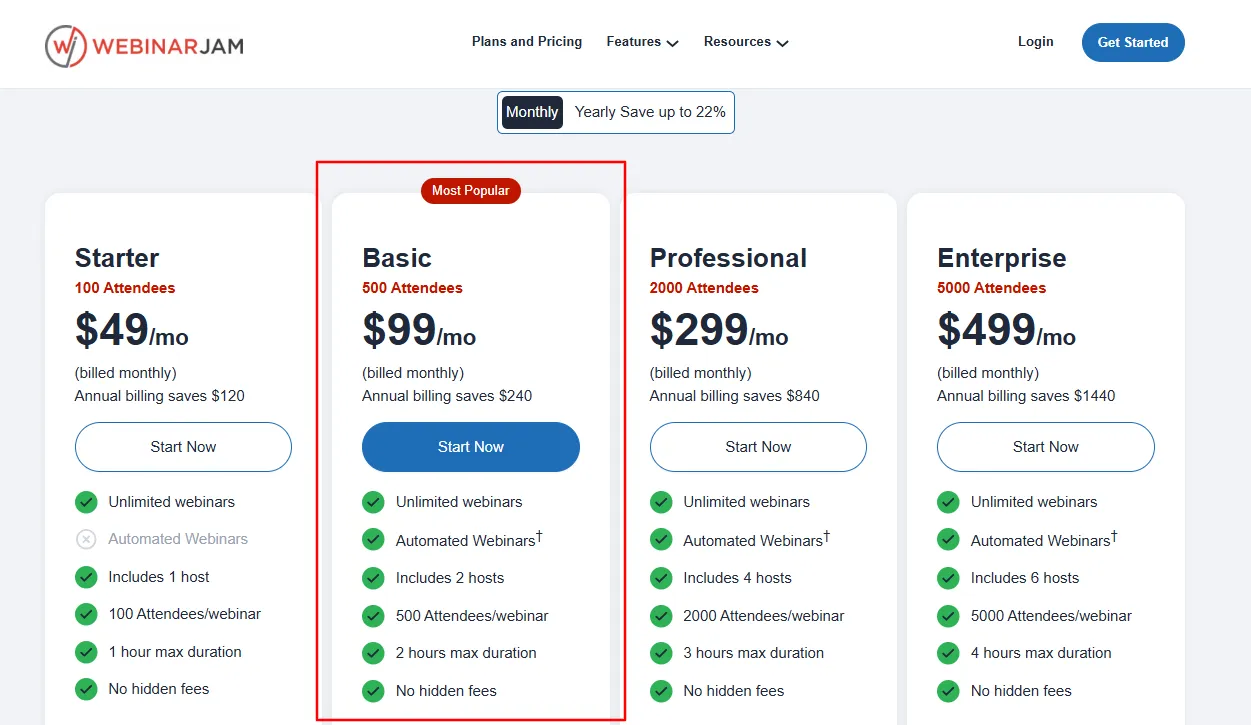
The Basic plan costs $99/month and is currently marked as WebinarJam’s Most Popular option.
You get:
Up to 500 attendees
2 hosts
2-hour maximum webinar duration
Unlimited webinars
Automated webinars
Live chat
Email & SMS tools
Polls and surveys
Live offer displays
A/B split testing
Attendee Spotlight
Customizable webinar pages
Best for: Businesses and creators that regularly host webinars with a few hundred attendees.
If you’re deciding between Starter and Basic, the additional attendee capacity and automated webinar functionality make Basic the more practical choice for growing webinar campaigns.
Professional – $299/month
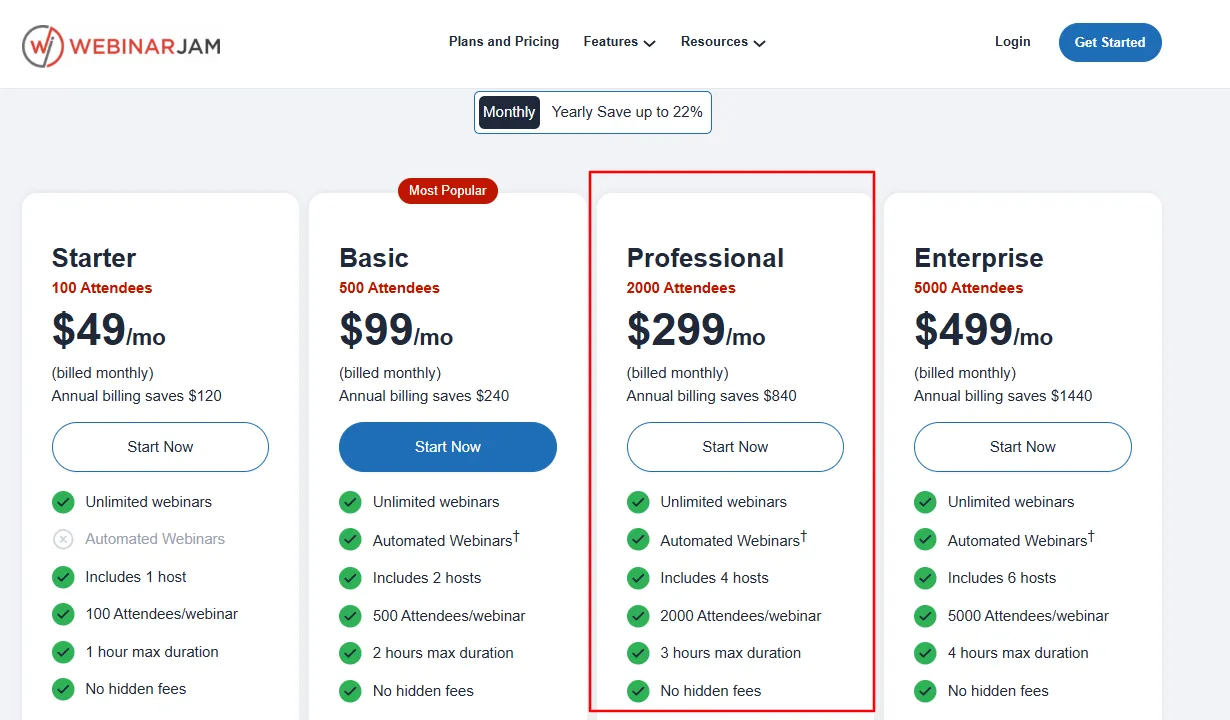
The Professional plan costs $299/month and increases capacity to 2,000 attendees.
It includes:
Up to 2,000 attendees
4 hosts
3-hour maximum webinar duration
Automated webinars
Attendee Spotlight
Always-on Live Room
Panic Button
Unlimited webinars
Advanced engagement features
Email and SMS tools
Broadcasting to Facebook and YouTube
Best for: Established businesses, larger launches, online educators, and teams hosting high-attendance webinars.
Enterprise – $499/month
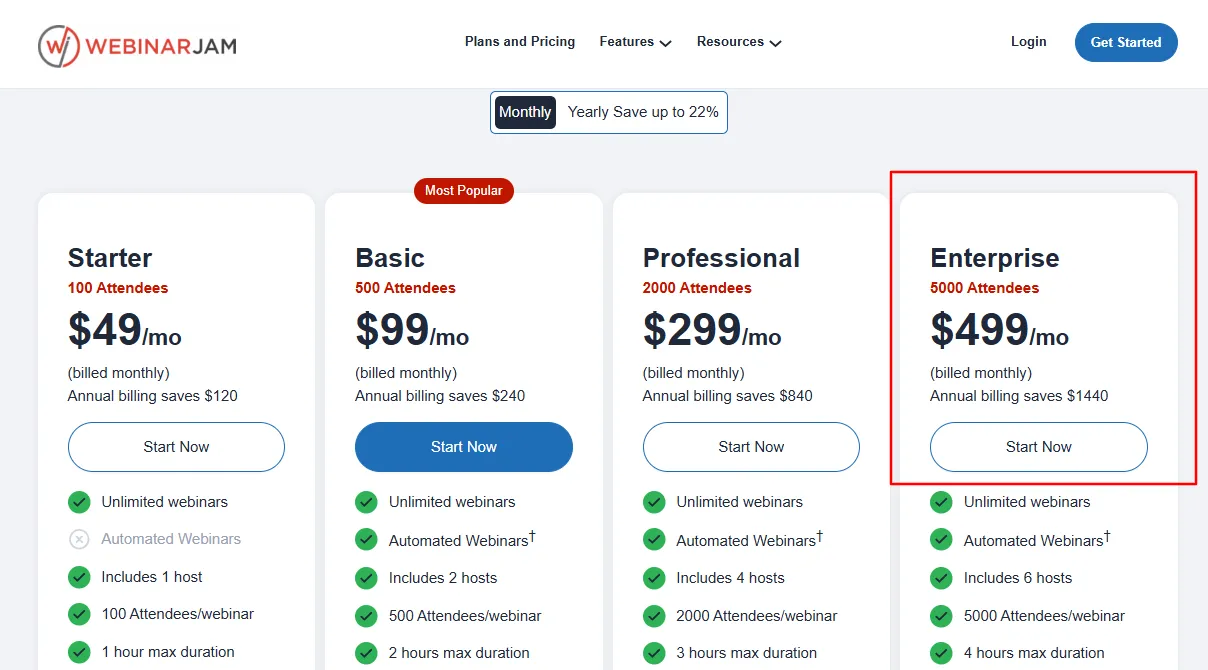
The Enterprise plan costs $499/month and is designed for organizations that need the highest attendee capacity.
It supports:
Up to 5,000 attendees
6 hosts
4-hour maximum webinar duration
Automated webinars
Attendee Spotlight
Always-on Live Room
Panic Button
Control Panel
Unlimited webinars
Webinar engagement and marketing features
Best for: Large businesses, organizations, and teams running webinars for thousands of attendees.
WebinarJam Yearly Pricing
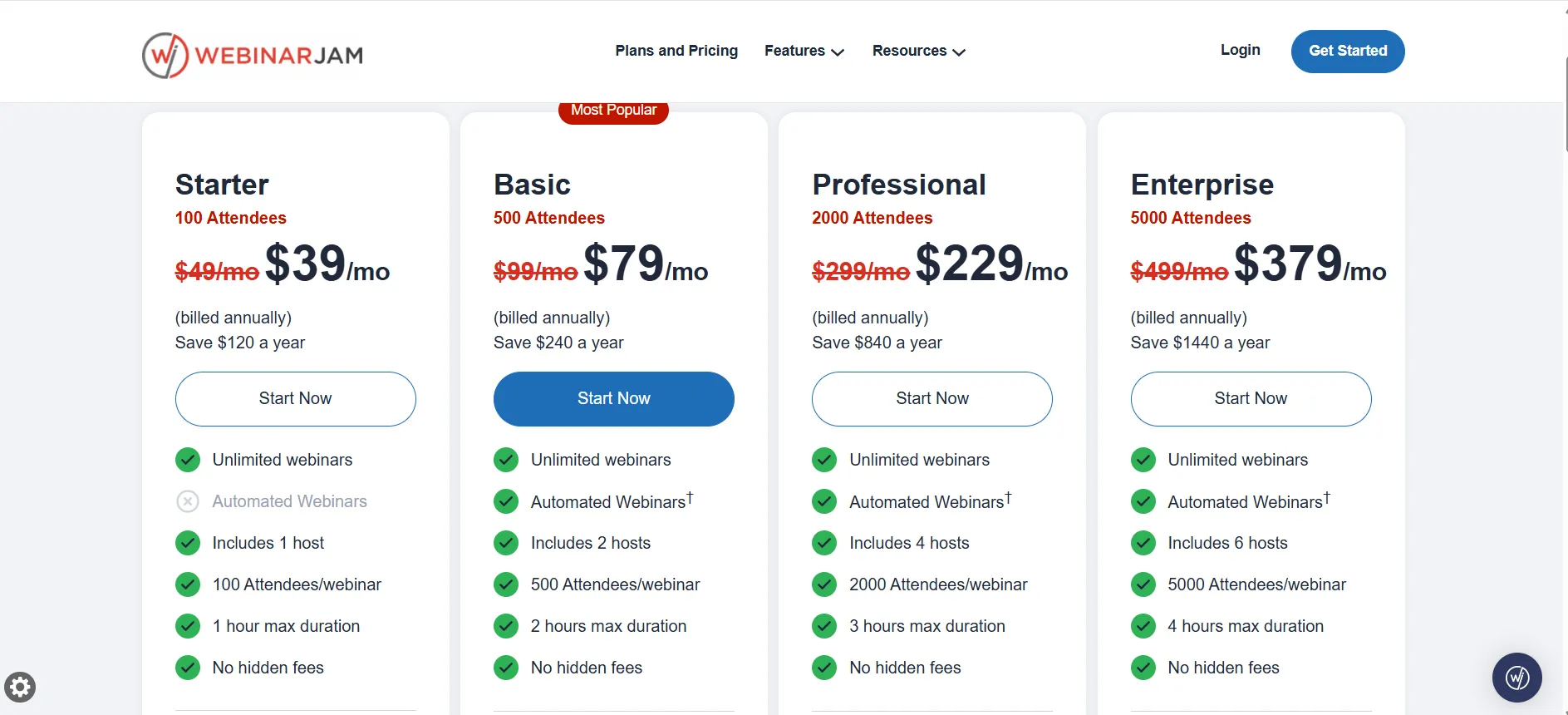
Choosing annual billing reduces the effective monthly price of every WebinarJam plan.
Plan | Monthly Billing | Yearly Billing | Savings Per Year |
Starter | $49/mo | $39/mo | $120 |
Basic | $99/mo | $79/mo | $240 |
Professional | $299/mo | $229/mo | $840 |
Enterprise | $499/mo | $379/mo | $1,440 |
WebinarJam displays annual billing as “Save up to 22%.”
Starter costs $49 when paid monthly, but its yearly billing rate works out to $39 per month. That’s a $10 monthly-equivalent saving, or $120 over a year.
The savings become more significant on the higher plans. Professional saves $840 per year compared with paying the monthly rate for 12 months, while Enterprise saves $1,440.
Is WebinarJam yearly pricing worth it?
If you already know you’ll use WebinarJam throughout the year, annual billing offers better value. The monthly plan makes more sense if you’re testing the platform or only need it for a short-term campaign.
WebinarJam Monthly vs. Yearly Pricing
Here’s the simple comparison:
Monthly billing
More flexible
No long-term annual commitment
Better for testing the platform
Higher overall cost if you stay subscribed for a full year
Yearly billing
Lower effective monthly price
Up to 22% savings according to the pricing page
Better value for consistent webinar users
Requires annual billing
If you’re confident that WebinarJam fits your business, the yearly option is the more cost-effective choice.
Which WebinarJam Plan Should You Choose?
The right plan depends mainly on how many people you expect to attend your webinars and whether you need advanced features.
Choose Starter if you need:
Up to 100 attendees
One host
Shorter webinars
Basic webinar and engagement tools
The lowest-cost WebinarJam plan
At $49/month, Starter is the cheapest way to access WebinarJam without committing to a higher-tier subscription.
Choose Basic if you need:
Up to 500 attendees
Two hosts
Automated webinars
Longer 2-hour sessions
More flexibility for growing campaigns
At $99/month, Basic is the middle-ground option and is currently labeled Most Popular.
Choose Professional if you need:
Up to 2,000 attendees
Four hosts
Up to three-hour webinars
Advanced webinar functionality
Features such as Always-on Live Room and Panic Button
At $299/month, Professional is aimed at larger webinar operations.
Choose Enterprise if you need:
Up to 5,000 attendees
Six hosts
Up to four-hour webinars
The most complete feature set
Control Panel access
At $499/month, Enterprise is the option for organizations running very large webinars.
WebinarJam $1 Trial
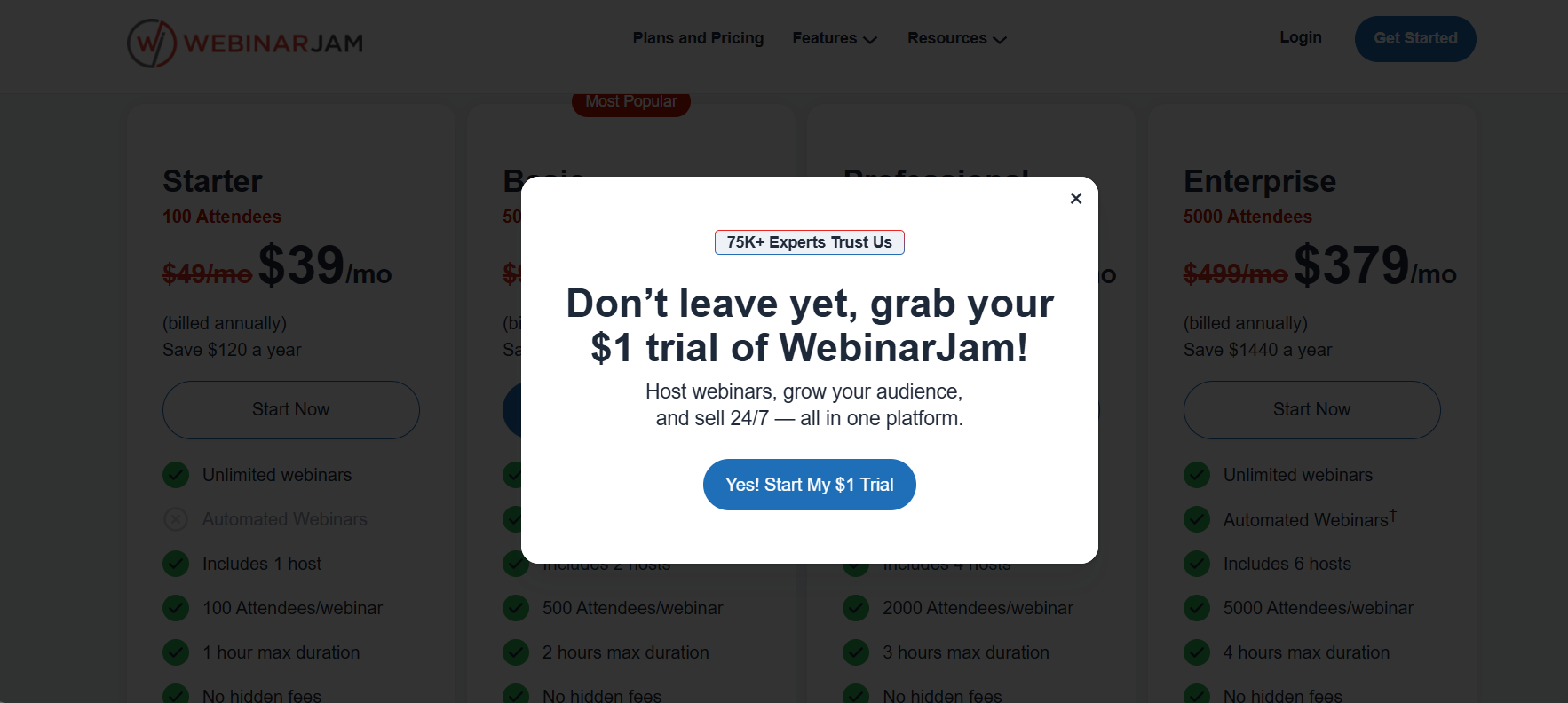
The platform is currently promoting a $1 trial, giving prospective customers a low-cost way to try WebinarJam before committing to a regular plan.
This can be particularly useful if you’re comparing WebinarJam with other webinar platforms and want to test its interface, webinar setup, engagement tools, and overall workflow before choosing a plan.
Important: Trial availability and promotional terms can change, so check the current offer before purchasing.
Does WebinarJam Have a Money-Back Guarantee?
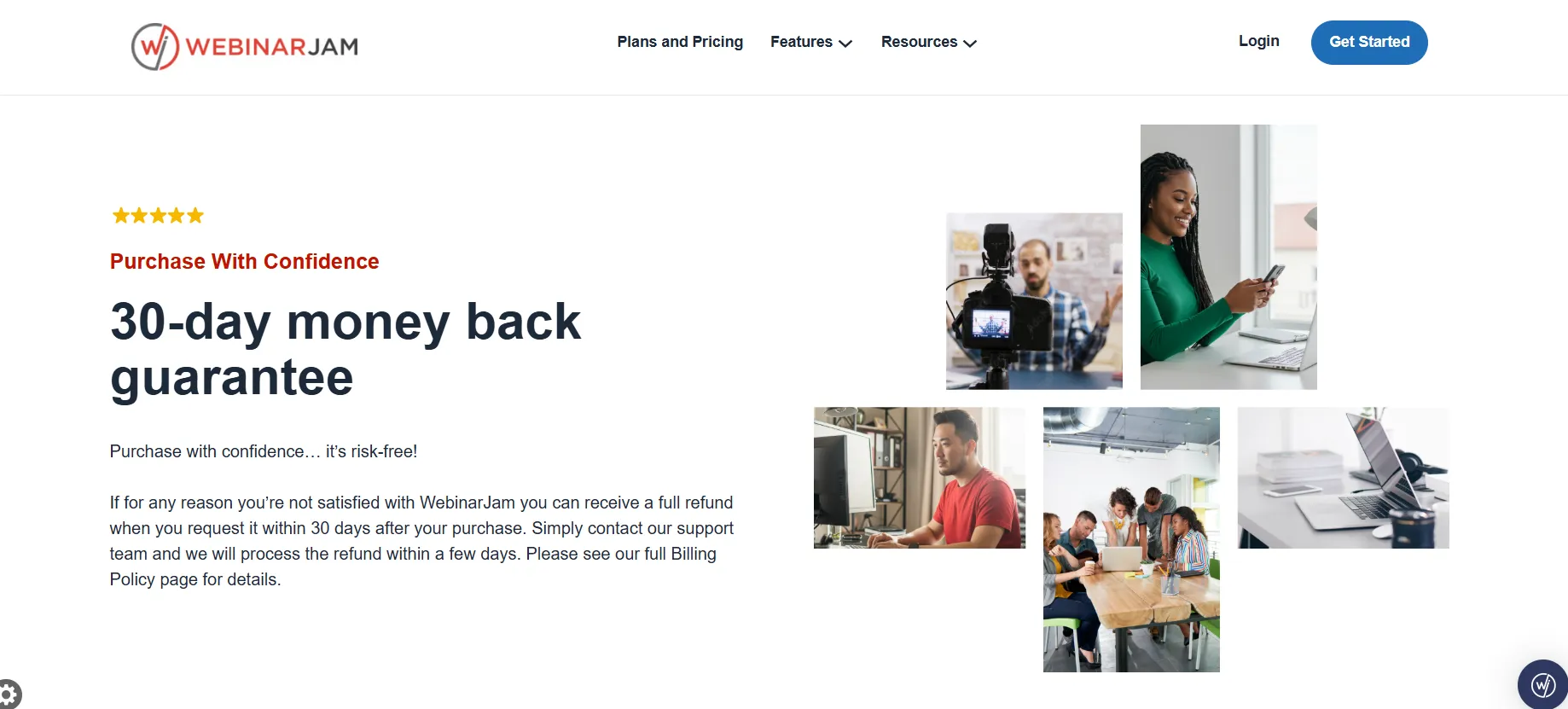
WebinarJam also displays a 30-day money-back guarantee.
According to the information shown on its website, customers who aren’t satisfied can request a full refund within 30 days of purchase by contacting the support team.
This gives users another layer of flexibility when deciding whether a paid WebinarJam subscription is right for them.
Based on the current pricing page, WebinarJam states that there are no hidden fees across its listed plans. The plans clearly show their monthly or annual-billing prices, attendee limits, hosts, and webinar duration.
However, it’s still worth checking the checkout page for the exact terms of any current promotion or trial before subscribing.
WebinarJam Pricing: What’s the Cheapest Plan?
The cheapest WebinarJam plan is Starter at $49/month when billed monthly. With annual billing, the effective price drops to $39/month.
So, if your primary concern is finding the lowest WebinarJam cost:
Cheapest monthly option: $49/month
Cheapest annual equivalent: $39/month
Maximum attendees: 100
Hosts: 1
Maximum webinar length: 1 hour
For users who need automated webinars or higher attendee limits, moving up to Basic may provide better value.
What Is WebinarJam?
WebinarJam is an all-in-one webinar platform designed for businesses, creators, coaches, consultants, and educators who want to host live webinars, engage attendees, and promote offers from one place. Depending on the plan you choose, WebinarJam supports anywhere from 100 to 5,000 attendees, with multiple hosts and longer webinar durations available on higher-tier plans.
One of its main advantages is that you get more than just a live webinar room. WebinarJam includes tools for audience engagement, webinar promotion, and conversions, including live chat, polls and surveys, live offer displays, customizable webinar pages, and email and SMS communication tools.
It also supports A/B split testing, helping users test different webinar pages and improve registrations.
For users who want to run webinars beyond live sessions, selected plans include automated webinars, while higher-tier plans add features such as Attendee Spotlight, Always-on Live Room, Panic Button, and Control Panel access.
WebinarJam also supports broadcasting to Facebook and YouTube, giving hosts additional ways to reach their audience.
Key Features of WebinarJam
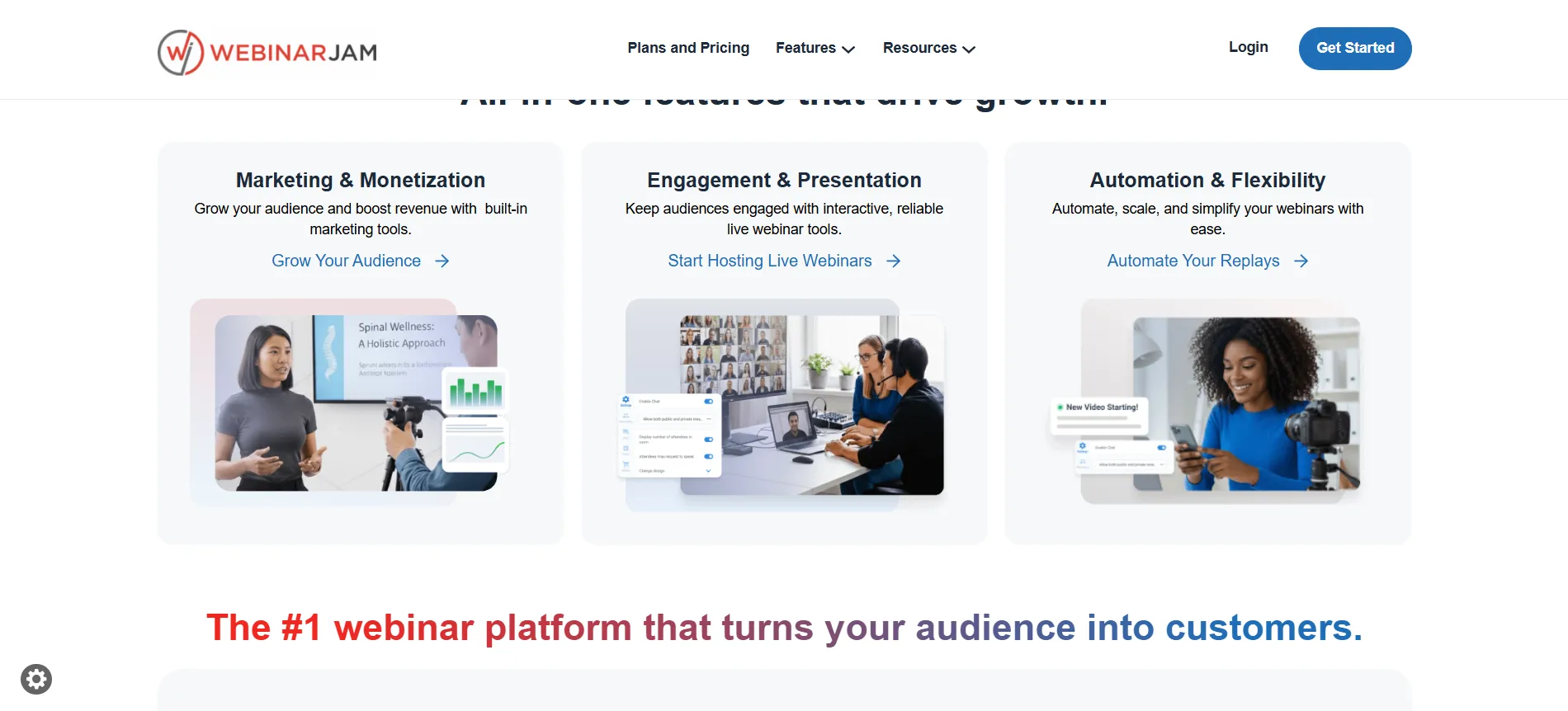
Live webinars: Host online webinars with attendee limits based on your plan.
Unlimited webinars: All four plans allow unlimited webinars.
Live chat: Interact with attendees during your sessions.
Polls and surveys: Collect audience feedback and keep participants engaged.
Live offer displays: Present offers or calls-to-action during your webinar.
Email & SMS tools: Communicate with registrants and attendees.
Customizable pages: Create webinar registration and event pages.
A/B split testing: Test different versions of webinar pages.
Automated webinars: Available on higher plans for users who want more automated webinar campaigns.
Facebook & YouTube broadcasting: Extend your webinar reach beyond the WebinarJam platform.
Attendee Spotlight: Bring selected participants into focus during a webinar.
Always-on Live Room: Available on higher-tier plans for ongoing webinar access.
Panic Button: Provides an additional control feature during live webinars.
Control Panel: Included with Enterprise for organizations managing larger webinar operations.
Overall, WebinarJam is particularly useful if you need a platform that combines webinar hosting, attendee engagement, marketing tools, and conversion-focused features rather than relying on separate tools for each part of your webinar workflow.
WebinarJam Pros and Cons
Pros
- All plans allow you to host unlimited webinars, so you aren't restricted by the number of sessions you can run.
- Plans scale from 100 to 5,000 attendees, making WebinarJam suitable for both small and large webinar campaigns.
- Features such as live chat, polls, surveys, attendee spotlight, and live offer displays help keep audiences engaged.
- Email and SMS tools, customizable pages, live offers, and A/B testing help support webinar promotion and conversions.
- Available on selected plans, making it easier to run webinar campaigns without hosting every session live.
- WebinarJam supports broadcasting to Facebook and YouTube, helping businesses reach audiences across multiple platforms.
- Monthly and annual billing are available, with annual billing offering a lower effective monthly price.
Cons
- Professional costs $299/month and Enterprise costs $499/month, which may be costly for smaller businesses.
- Users expecting larger audiences may need to upgrade from Starter or Basic.
- Features such as Always-on Live Room, Panic Button, and Control Panel are not available across every plan.
- While yearly billing reduces the effective monthly cost, monthly billing is more flexible for users who are still testing the platform.
Quick Links
WebinarJam Reveiw 2026
WebinarJam Pricing FAQs
WebinarJam costs $49/month for Starter, $99/month for Basic, $299/month for Professional, and $499/month for Enterprise when billed monthly.
With annual billing, WebinarJam costs the equivalent of $39/month for Starter, $79/month for Basic, $229/month for Professional, and $379/month for Enterprise.
Starter is the cheapest plan at $49/month or $39/month when billed annually.
Yes. WebinarJam's annual pricing reduces the effective monthly cost, with the pricing page advertising savings of up to 22%.
The current promotional offer shown by WebinarJam is a $1 trial, rather than a completely free trial.
Basic is currently marked as the Most Popular plan on the pricing page.
The plans support 100, 500, 2,000, or 5,000 attendees per webinar, depending on the plan.
Yes. WebinarJam currently displays a 30-day money-back guarantee for eligible purchases.
Final Verdict: Which WebinarJam Pricing Plan Is Best in 2026?
WebinarJam Starter is the best option for small webinars and individual users, while Basic offers the best balance of price and capacity for many growing businesses. Professional and Enterprise make more sense when you regularly need to accommodate thousands of attendees and multiple hosts.
If you’re planning to use WebinarJam for a full year, annual billing is the better-value option, reducing the effective monthly price from $49 to $39 on Starter and from $99 to $79 on Basic.
And if you’re still unsure, the currently displayed $1 trial gives you a relatively inexpensive way to test WebinarJam before committing to a full subscription.

Jitendra Vaswani is a well-known figure in the SEO and affiliate marketing communities. He is regarded as a legitimate authority due to his deep knowledge and game-changing contributions to the field. He is the founder of Digiexe.com, a digital marketing agency, and VenueLabs.com, a full-service PR marketing agency. His strategic acquisition of AffiliateBooster.com has further solidified his status as a leader, bringing forth groundbreaking solutions that are revolutionizing affiliate marketing. Follow Jitendra on Instagram, Facebook, and LinkedIn