
Looking for real Snapchat coupons and the cheapest way to get Snapchat+? Here’s what actually works, straight from Snapchat’s own pricing and redemption pages, with no fake codes and no fluff.
Snapchat doesn’t run sitewide discount codes the way some SaaS tools do. What it does offer is tiered pricing, a family plan that splits the cost between users, and occasional promo codes handed out through specific partners. Here’s exactly what’s on the table right now, what each plan gets you, and how to redeem a code if you have one.
Snapchat+ Offers at a Glance
|
Plan |
Price |
Billed As |
Best For |
|
Annual Plan |
$2.25/mo |
$26.99/year |
Anyone who already knows they’ll keep it past a few months |
|
Monthly Plan |
$4.49/mo |
$4.49/month |
Testing the waters before committing |
|
Family Plan |
$6.49/mo |
Split across household members |
Households with more than one Snapchat+ user |
|
Lens+ |
$7.99/mo |
$7.99/month |
Users who want exclusive AR and GenAI lenses only |
|
Platinum |
$13.49/mo |
$13.49/month |
Users who want an ad-reduced experience plus every other perk |
The annual plan is the closest thing Snapchat has to a “coupon.” Paying yearly brings the cost down to $2.25 a month instead of $4.49, which works out to $26.99 total instead of $53.88 if you paid month to month. That’s just under 50% off, without needing a code at all.
What Snapchat+ Actually Sells
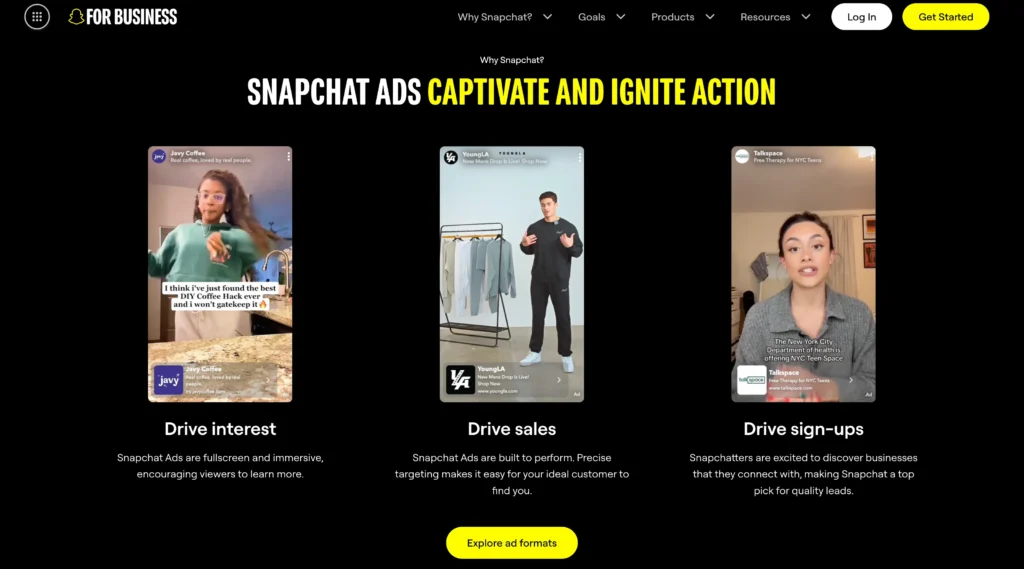
Snapchat+ is a subscription layer on top of the free app. It doesn’t gate messaging, Stories, or Snaps behind a paywall; the core app stays free for everyone. What you’re paying for is a set of exclusive, experimental, and pre-release features that regular users don’t get. That includes things like custom app icons, Story rewatch indicators, a Best Friend pin, and early access to features Snapchat is still testing.
Lens+ is a separate add-on focused entirely on AR and GenAI lenses that aren’t available anywhere else. Platinum sits above the standard plan and adds an ad-reduced feed on top of the regular Snapchat+ perks. The Family Plan is built for households, letting you split a Snapchat+ subscription across multiple accounts instead of everyone paying full price individually.
None of these plans function as a discount code system. There’s no “SNAP20OFF” style coupon you can type in at checkout. The savings come from picking the right billing cycle, not from hunting for a promo code that probably doesn’t exist.
How to Redeem a Snapchat+ Promo Code
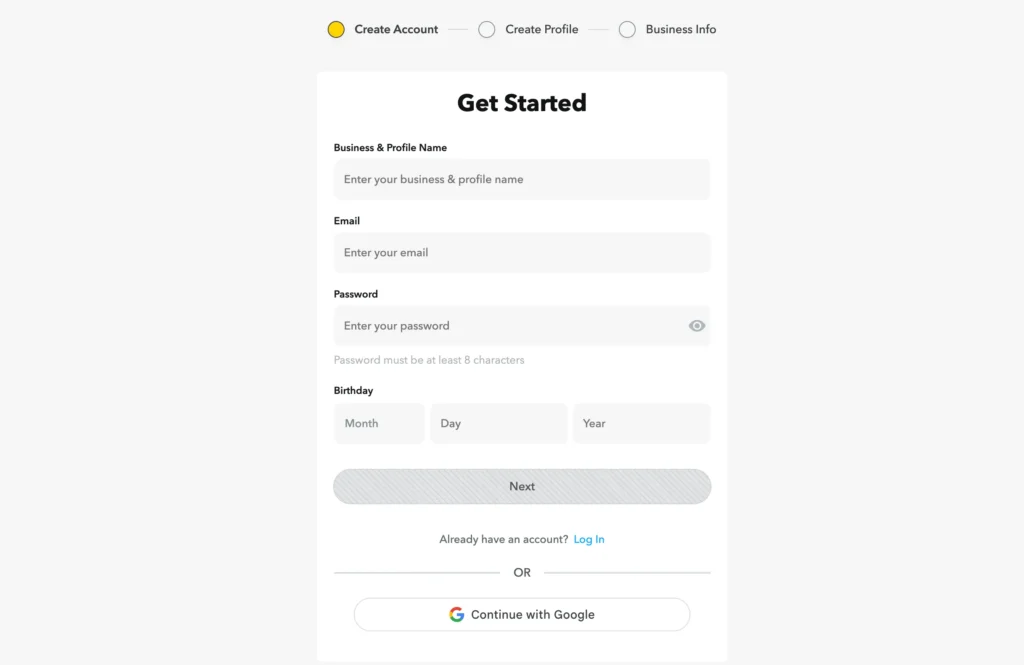
If a Snapchat partner has actually given you a code, here’s the real process, straight from Snapchat’s help documentation:
-
Check the eligibility requirements from whoever gave you the code. Some codes only work if you’ve never subscribed to Snapchat+ before.
-
Go to the redemption link the partner gave you, or head to Snapchat’s own promo redemption page at accounts.snapchat.com/plus/promo-redeem.
-
Log into your Snapchat account, or create one if you don’t have it yet.
-
Enter the code and tap Continue.
-
If it’s valid, you’ll be walked through picking a plan and starting your free trial.
A few things worth knowing before you redeem anything:
-
You’ll need a valid credit or debit card on file to start a trial, even if it’s free.
-
If you don’t cancel before the trial ends, it converts automatically into a paid subscription.
-
In the EU or UK, cancelling a promotional subscription within 14 days removes it immediately. Cancel after day 15 and it just won’t renew.
-
In the US, cancelling right after redeeming means your subscription won’t renew once the promotional term ends.
If your code isn’t working, double check you’re logged into the right account first. That’s the most common issue. After that, confirm the code hasn’t expired or already been used, and if it still won’t apply, go back to whoever gave it to you rather than Snapchat support directly, since partner codes are managed on their end.
Full Pricing Comparison
|
Plan |
Monthly Cost |
Annual Cost (if applicable) |
What’s Included |
|
Monthly |
$4.49 |
— |
All standard Snapchat+ features |
|
Annual |
$2.25 |
$26.99/year |
All standard Snapchat+ features, billed once a year |
|
Family Plan |
$6.49 |
— |
Snapchat+ shared across a household |
|
Lens+ |
$7.99 |
— |
Exclusive AR and GenAI lenses only |
|
Platinum |
$13.49 |
— |
All Snapchat+ perks plus an ad-reduced experience |
If you’re only after the core Snapchat+ perks and plan to stick around, the annual plan is the cheapest route per month by a wide margin. Lens+ and Platinum are separate tracks aimed at specific use cases, not upgrades on top of the base plan, so pick based on what you actually want rather than assuming a higher price means more of everything.
Free Trial
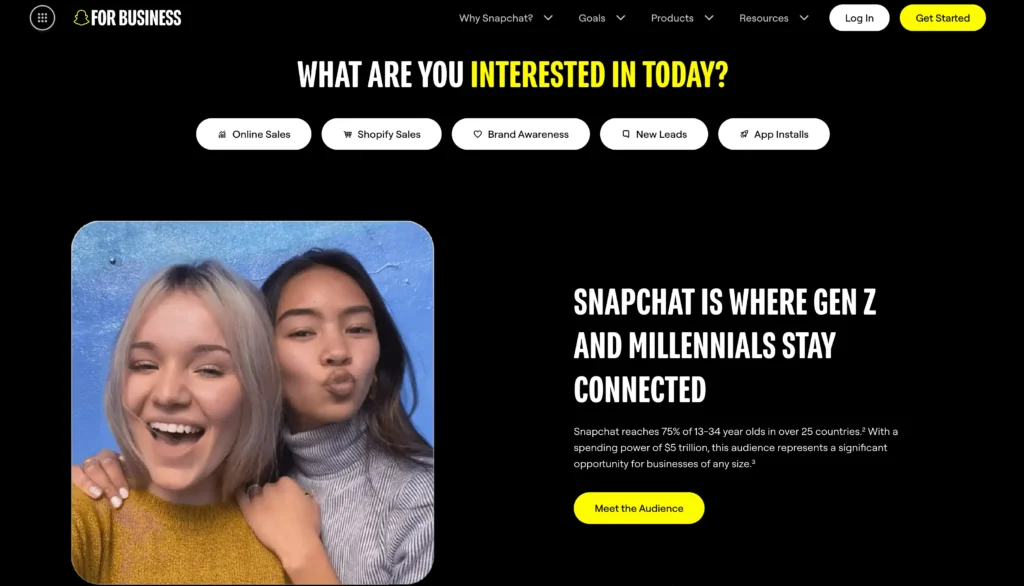
Snapchat+ trials are handled through the redemption flow rather than being a permanent fixture on every signup. Availability depends on your region and whether you’ve subscribed before, so it’s not guaranteed for every account. If a trial is offered, remember it still requires a card on file, and it rolls into a paid plan automatically unless you cancel first.
Refund Policy
Snapchat doesn’t offer a blanket refund policy for Snapchat+ subscriptions. Because billing goes through the Apple App Store or Google Play Store depending on your device, refund requests are handled by whichever store you subscribed through, not by Snapchat directly. If you’re within a promotional period in the EU or UK, cancelling within 14 days removes the subscription immediately rather than waiting for renewal.
Customer Support
Support for Snapchat+ billing issues runs through Snapchat’s own help center rather than a dedicated subscriber line. If a promo code fails to apply after you’ve checked the basics, Snapchat’s support bot is the next step for troubleshooting. For anything related to a partner-issued code specifically, the partner is usually faster to resolve it than Snapchat support, since they control the code’s terms.
Pros and Cons
Pros
-
Annual plan cuts the effective monthly price nearly in half
-
Family Plan makes multi-user households cheaper than separate subscriptions
-
Core app stays completely free regardless of subscription
-
Lens+ and Platinum let you pay only for what you want instead of one bloated tier
Cons
-
No public sitewide coupon codes exist
-
Trial availability isn’t guaranteed and varies by region
-
Refunds go through the App Store or Play Store, not Snapchat directly
-
Auto-renewal after a trial can catch people off guard if they forget to cancel
Quick Facts
|
Detail |
Info |
|
Cheapest plan |
Annual, at $2.25/month |
|
Standard monthly price |
$4.49/month |
|
Annual total cost |
$26.99/year |
|
Family Plan cost |
$6.49/month |
|
Lens+ cost |
$7.99/month |
|
Platinum cost |
$13.49/month |
|
Public coupon codes |
None; partner-issued codes only |
|
Refunds |
Handled by App Store or Play Store |
|
Trial requirement |
Valid card on file, even for free trials |
|
Core app cost |
Free, no subscription required |
Smart Ways to Save
-
Go annual from the start if you already know you’ll keep using it past three months.
-
Watch for partner promo codes through brands or creators Snapchat occasionally partners with.
-
Split a Family Plan with people in your household instead of everyone paying separately.
-
Only add Lens+ or Platinum if you’ll actually use what they unlock.
-
Set a calendar reminder before any trial ends so you don’t get charged by accident.
-
Redeem codes through Snapchat’s own portal if a partner link seems unfamiliar or unverified.
-
Check regional pricing if you’re travelling or have accounts tied to different app stores.
-
Cancel and resubscribe around new promotional periods if you’ve lapsed before, since new-user codes sometimes apply.
Final Verdict
Snapchat+ doesn’t need a coupon hunt. The real savings sit in choosing annual billing over monthly, which brings the cost down by nearly half without any code required. If you’re part of a household with multiple users, the Family Plan does the same job. Lens+ and Platinum are worth adding only if you specifically want what they unlock, not as a default upgrade. Skip anything claiming a sitewide “Snapchat coupon code,” since the platform simply doesn’t run one.
FAQs
No, Snapchat+ doesn't run public sitewide coupons. Any code you use comes from a specific partner promotion.
The annual plan is the cheapest option, costing $2.25 a month when billed as $26.99 a year.
Refunds are processed through the app store you subscribed with, either Apple or Google, not directly through Snapchat.
Only if you specifically want the exclusive AR and GenAI lenses, since it doesn't include the other Snapchat+ perks.
Make sure you're logged into the correct account and that the code hasn't expired or already been used. If it still fails, contact whoever issued the code rather than Snapchat support.
Does Snapchat have official discount codes?
No. Snapchat+ doesn’t run public sitewide coupons. Any code you use comes from a specific partner promotion.
What’s the cheapest way to get Snapchat+?
The annual plan, at $2.25 a month billed as $26.99 a year.
Do I need a credit card for the free trial?
Yes. A valid card is required even when the trial itself is free.
Can I get a refund if I don’t use Snapchat+?
Refunds go through whichever app store you subscribed with, either Apple or Google, not through Snapchat directly.
What’s the difference between Platinum and regular Snapchat+?
Platinum includes everything in standard Snapchat+ plus an ad-reduced experience, at roughly triple the monthly cost.
Is Lens+ worth it on its own?
Only if you specifically want the exclusive AR and GenAI lenses. It doesn’t include the rest of the Snapchat+ perks.
Why isn’t my promo code working?
Check you’re logged into the correct account first, then confirm the code hasn’t expired or been used already. If it still fails, contact whoever issued the code rather than Snapchat support.

![Best SEO Agencies | Top International SEO Firms List [Year]](/_next/image?url=https%3A%2F%2Fcms.jitendra.co%2Fwp-content%2Fuploads%2F2025%2F06%2FEzrankings-2-scaled.png&w=3840&q=75)
