WhatsApp is making its biggest privacy change in years. The app is adding usernames, so you can chat without handing over your phone number. Reservations open this week, and the feature itself rolls out later this year. If you care about the handle you get, the move is to reserve it now, before three billion other people grab the good ones.
Here is the quick version:
-
Privacy first. You can connect with new people using a username instead of your phone number.
-
Reserve now, use later. Reservations open this week; the full feature arrives later this year in a phased rollout.
-
Not searchable. There is no directory. Only someone who knows your exact username can message you.
What is actually changing
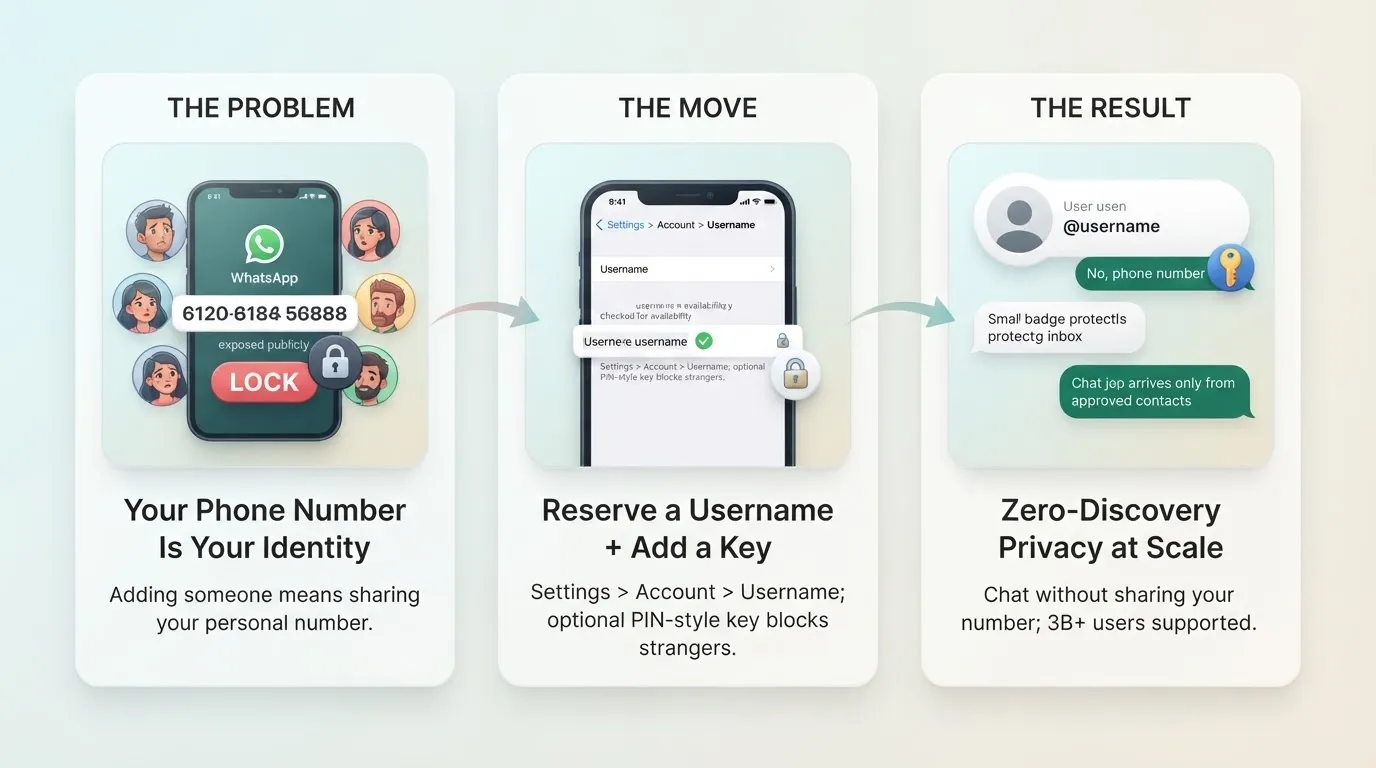
Right now, your phone number is your identity on WhatsApp. To add someone, you swap numbers. That is fine for friends and family, but awkward with a classmate, a neighbor, or someone you just met. Your number is personal and tied to a lot of your life.
Usernames fix that. Once the feature launches, people who use a username will no longer show their phone number when messaging someone new. You still need a phone number to create the account. You just do not have to share it anymore.
One important limit to understand. Turning on a username only protects your privacy in new chats. Anyone already in your contacts or groups who has your number will still see it.
How to reserve your username (step by step)
The reservation process is simple. Here is how to do it:
-
Update WhatsApp. Open your app store and make sure you are on the latest version. Reservations only show up there.
-
Open Settings. Tap Settings inside WhatsApp.
-
Go to Account. Tap Account.
-
Type your desired username. The app checks availability instantly and confirms it, or shows suggestions if your first choice is taken.
-
Save it. Your username is now reserved for when the feature goes live.
If you do not see the option yet, wait a few days. The rollout is gradual over the coming months, and you will get an in-app notification when it is available in your country.
The rules for usernames
There are some constraints worth knowing before you pick. A username can be 3 to 35 characters. It must include at least one letter, and may only use lowercase letters, numbers, periods, and underscores. It cannot start with “www.” or end with domains like “.com” or “.net,” which helps cut down on impersonation and phishing.
Two more useful notes. WhatsApp has already reserved usernames for celebrities, politicians, and other public figures, so those cannot be claimed. And if you run a brand, creators, businesses, and organizations can claim the same username they already use on Instagram or Facebook, keeping a consistent identity across Meta’s apps.
The clever privacy layer: the username key
This is the part that sets WhatsApp apart from Telegram or Signal usernames. WhatsApp is adding an optional “username key.” It works like a PIN-style code that new contacts must enter before they can message you, even if they know your username. So if your handle leaks or gets posted publicly, strangers still cannot reach you without the key. Existing conversations are not affected.
Combined with the no-directory rule, this gives WhatsApp what one report called a zero-discovery model: no browsing, no search, no suggestions. You control exactly who can start a chat.
You stay in control
If usernames are not for you, nothing forces the change. Reservations are optional, and anyone who skips one can keep using WhatsApp with their phone number exactly as before. You can also change your username or turn the feature off at any time.
The takeaway
WhatsApp is late to this. Telegram, Signal, and Wire have had usernames for years. But WhatsApp’s version arrives with sharper privacy controls, especially the username key, and that matters at three-billion-user scale. The practical move today is simple: update the app, reserve the handle you want, and decide later whether to switch it on.
Here is a video walkthrough of the new feature:
https://www.youtube.com/watch?v=grIffveaHd8
Quick Links: