

- Free
- No sign-up
- Runs in your browser
- Updated November 12, 2026
How to use the Zalgo Glitch Text Generator
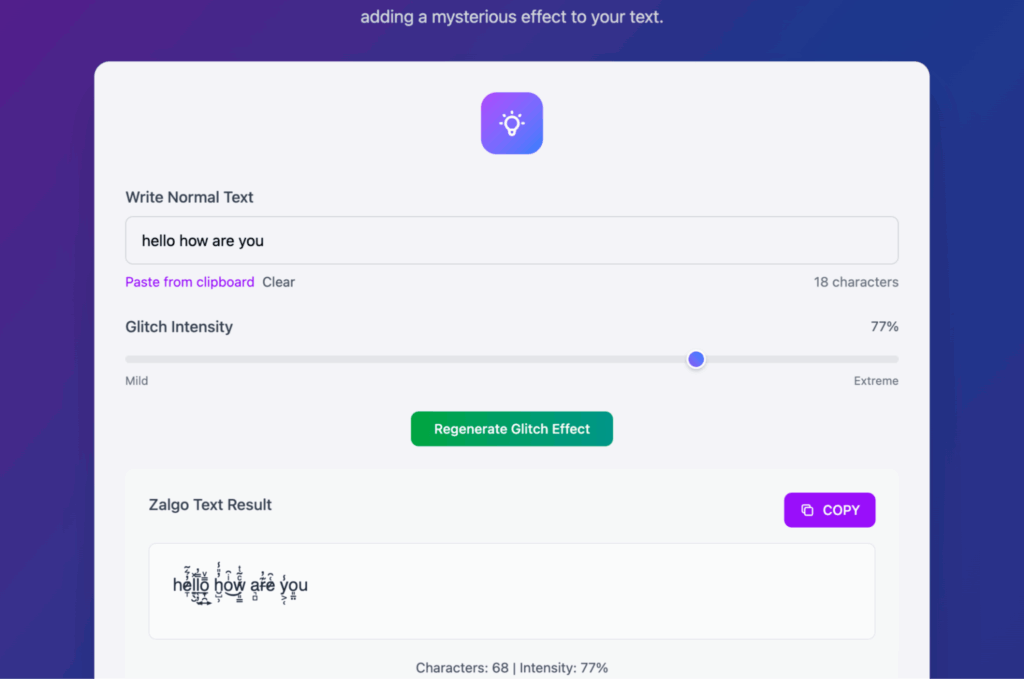
- Type your text.
- Choose Mild, Medium or Max glitch strength.
- Copy the glitch text and paste it where you want it.
What happens to your text
Your text never leaves your device. This tool runs entirely in your browser with JavaScript, so nothing you type is uploaded, saved or shared with anyone.
Refresh or close the page and it is gone.
FAQ
Zalgo Glitch Text Generator FAQs
What is Zalgo text?
Zalgo text, also called glitch or cursed text, is normal text with many Unicode combining marks stacked above, through and below each letter. The marks pile up and spill into nearby lines, which gives the creepy, corrupted look used in horror memes. This tool adds random marks from the standard combining diacritics block to every letter you type.
Is Zalgo text safe to use?
Yes. It is just Unicode characters, so it cannot run code, carry malware or harm a device. The only real problems are visual: heavy glitch text can overlap other messages or make a chat hard to read, and some communities ban it for that reason. Keep it light in shared spaces and follow the rules of the server or group.
Why does my Zalgo text get cut down on Discord?
Discord trims combining marks when a message is sent, keeping only a handful per letter, even though the full text shows in your message box before you press Enter. Use the Mild setting for Discord and nicknames. Other apps behave differently: WhatsApp generally keeps the marks, while some forms and username fields strip them or reject the text entirely.
What do the Mild, Medium and Max settings change?
They control how many marks are added to each letter. Mild adds a couple, so the words stay readable and survive apps that trim marks. Medium is a balanced default. Max piles on many more marks for the most chaotic look, which is best for images, short headings and places that do not limit combining characters.
How do I remove Zalgo text and get the plain words back?
Zalgo is your original letters with extra marks after each one, so removing every combining mark restores the plain text. The easiest route is to keep your original in this tool's input box. If you only have the glitched version, a Unicode normaliser or "remove diacritics" tool will strip the marks, though it also removes real accents.
Does Zalgo text work in usernames and game names?
Sometimes. Many platforms limit display names by character or byte count, and each combining mark counts, so heavy glitch text hits the limit fast. Some games and sites strip or block combining marks completely. Try the Mild setting with a short name, and check that the platform saves it the way you expect.

Built by Jitendra Vaswani. AI SEO and digital marketing consultant, founder of Digiexe and AffiliateBooster, best-selling author and international speaker. More about Jitendra