


- Free
- No sign-up
- AI-powered
- Updated November 12, 2026
How to use the Text Humanizer
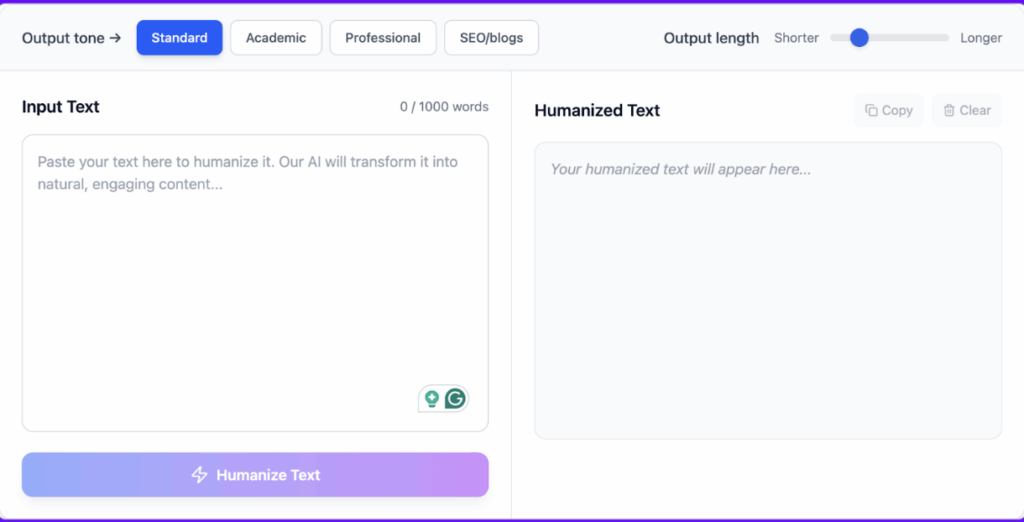
- Paste your AI-generated draft (up to 6,000 characters).
- Pick a tone: Natural, Casual, Professional, Friendly, Academic or Persuasive.
- Press Humanize text, then read and edit the result before you use it.
What happens to your text
When you press the button, what you entered is sent over an encrypted connection to our API on Cloudflare, processed by Meta's Llama model on Cloudflare Workers AI, and the result comes straight back to your browser. This tool does not save your text or link it to an account.
Free fair use is about 12 requests a minute per visitor. Please do not paste passwords or sensitive personal data.
FAQ
Text Humanizer FAQs
What does an AI text humanizer actually do?
It rewrites a draft so it reads more like a person wrote it. This tool varies sentence length, removes filler and stock phrases such as "delve" or "in today's fast-paced world", prefers plain words and adds contractions where they sound natural, while keeping your facts and meaning. It is a rewriting aid, not a way to hide who wrote something.
Will humanized text pass AI detectors like Turnitin or GPTZero?
Nobody can honestly promise that. Detectors keep changing, Turnitin says its English detector now looks for AI text that was paraphrased or run through bypasser tools, and all detectors make mistakes in both directions. Use this tool to make writing clearer and more natural, then add your own experience and edits. Follow your school or employer's rules on AI use.
Is it okay to use a humanizer for school or work?
That depends on the rules where you submit it. Many schools ban undisclosed AI writing, so check your course policy before using any AI tool on assignments. At work, rewriting your own AI-assisted drafts is common, but you are still responsible for accuracy. Read the output carefully and fix anything that changed your meaning.
How long can the text be?
You can paste up to 6,000 characters per run, which is roughly 900 to 1,000 words. For longer articles, humanize one section at a time. That also gives better results, because you can check each part and keep the tone consistent across the piece.
Which tone should I choose?
Natural is a safe default that keeps your original register. Casual and Friendly suit social posts, emails and newsletters. Professional fits business writing and LinkedIn. Academic keeps a formal style for essays and reports, and Persuasive works for sales pages. You can run the same draft in two tones and compare.
Does the humanizer keep my facts and keywords?
It is instructed to keep every fact, point and the original meaning, and to stay roughly the same length. AI models can still reword a key term or slip on a detail, so compare the result with your draft, especially numbers, names, quotes and SEO keywords you need on the page.

Built by Jitendra Vaswani. AI SEO and digital marketing consultant, founder of Digiexe and AffiliateBooster, best-selling author and international speaker. More about Jitendra