If you are looking for an all-in-one platform to manage checkout pages, sales funnels, subscriptions, upsells, coupons, affiliates, payments, and digital products, ThriveCart is one of the platforms I would seriously consider.
I spent time going through ThriveCart’s checkout system, funnel tools, subscription management, analytics, affiliate features, integrations, and the current Standard and Pro+ plans. What stood out to me is that ThriveCart is not trying to be just another checkout builder.
ThriveCart is a strong choice for creators, course businesses, digital-product sellers, coaches, and other online businesses that want to control the entire buying journey instead of using a basic payment processor or checkout tool.
Pros
- Strong checkout customization
- Supports modal, single-page, and multi-step checkout experiences
- Order bumps, upsells, and downsells are built into the platform
- Strong subscription management
Cons
- Limited free plan
- Learning curve
Try Now
Buy NowThriveCart Review: My Rating
Overall Rating: 4.5/5
Category | My Rating |
Checkout & Cart | 4.7/5 |
Sales Funnels | 4.6/5 |
Upsells & Order Bumps | 4.8/5 |
Subscription Management | 4.5/5 |
Affiliate Management | 4.5/5 |
Analytics & Tracking | 4.4/5 |
Integrations | 4.5/5 |
Ease of Use | 4.3/5 |
Value for Money | 4.6/5 |
Overall | 4.5/5 |
ThriveCart is a strong choice for creators, course businesses, digital-product sellers, coaches, and other online businesses that want to control the entire buying journey instead of using a basic payment processor or checkout tool.
The biggest reason I rate it highly is the depth of its revenue-focused features. I particularly like the combination of checkout customization, order bumps, one-click upsells and downsells, subscriptions, coupon management, affiliate tools, A/B testing, analytics, and payment options within the same ecosystem.
What Is ThriveCart?
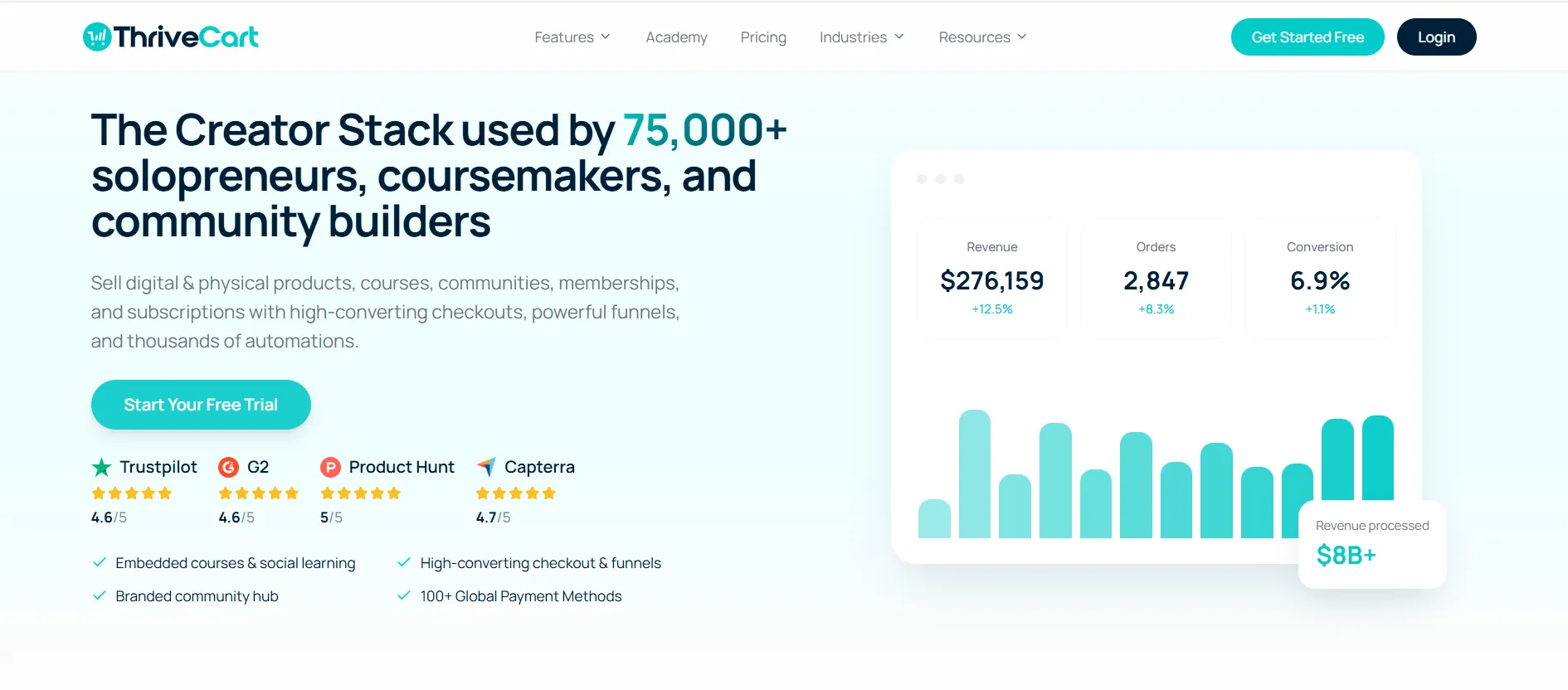
ThriveCart is a checkout and revenue optimization platform designed primarily for online businesses.
When I looked at the platform as a whole, I found that it goes well beyond simply accepting payments. The platform lets businesses create customized checkout pages, build funnels, add order bumps and upsells, manage subscriptions, create coupons, run affiliate programs, track offers, and connect the checkout with other tools in their existing technology stack.
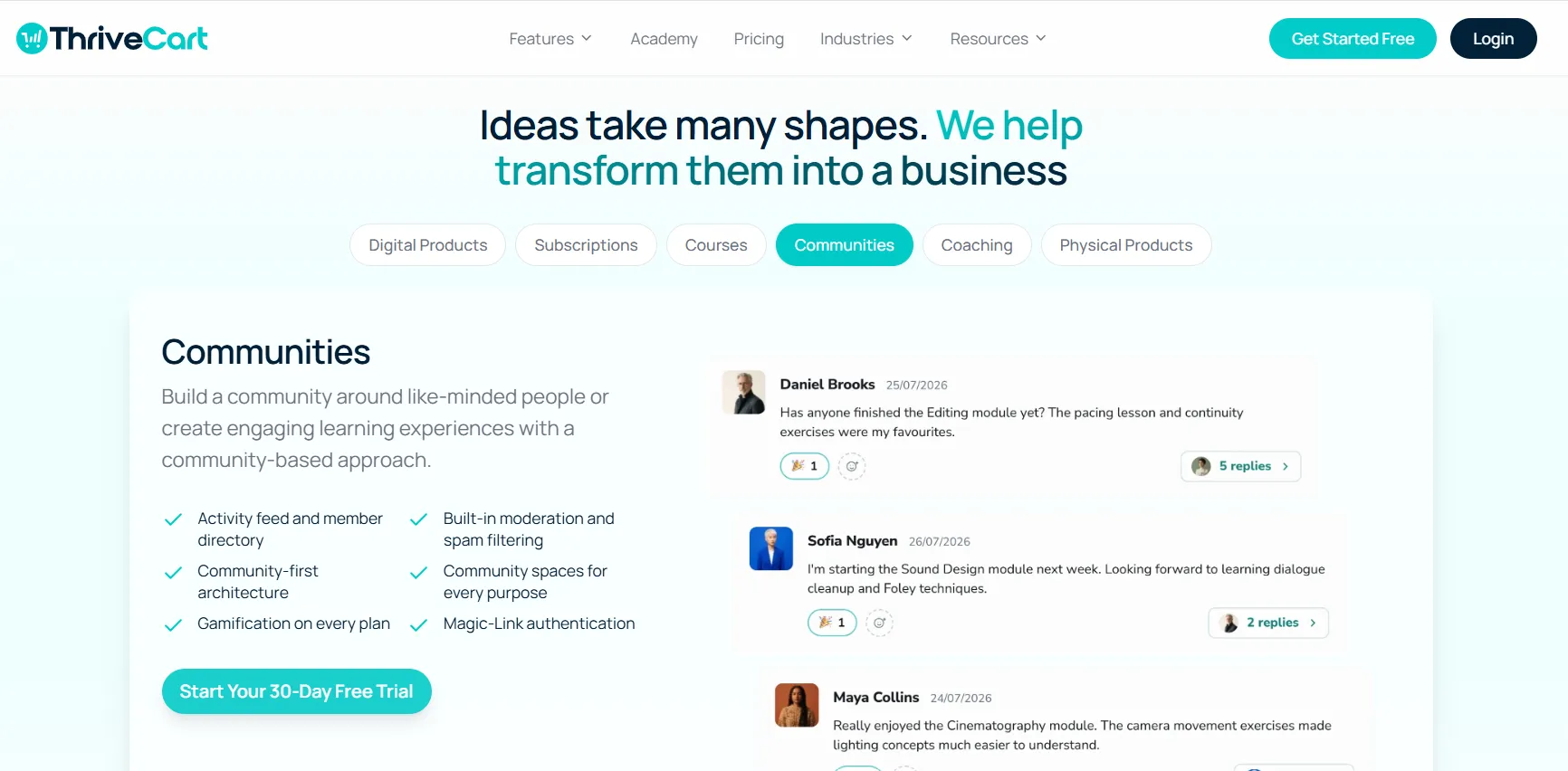
The platform also includes ThriveCart Academy, allowing businesses to host courses and communities alongside their checkout and revenue operations.
This makes ThriveCart particularly interesting for people selling:
Online courses
Digital products
Coaching programs
Memberships
Subscriptions
High-ticket products
Online services
Creator products
Educational programs
The overall idea is simple: instead of having separate systems for checkout, upsells, subscriptions, affiliates, and revenue tracking, ThriveCart brings many of these functions together.
My Experience With ThriveCart
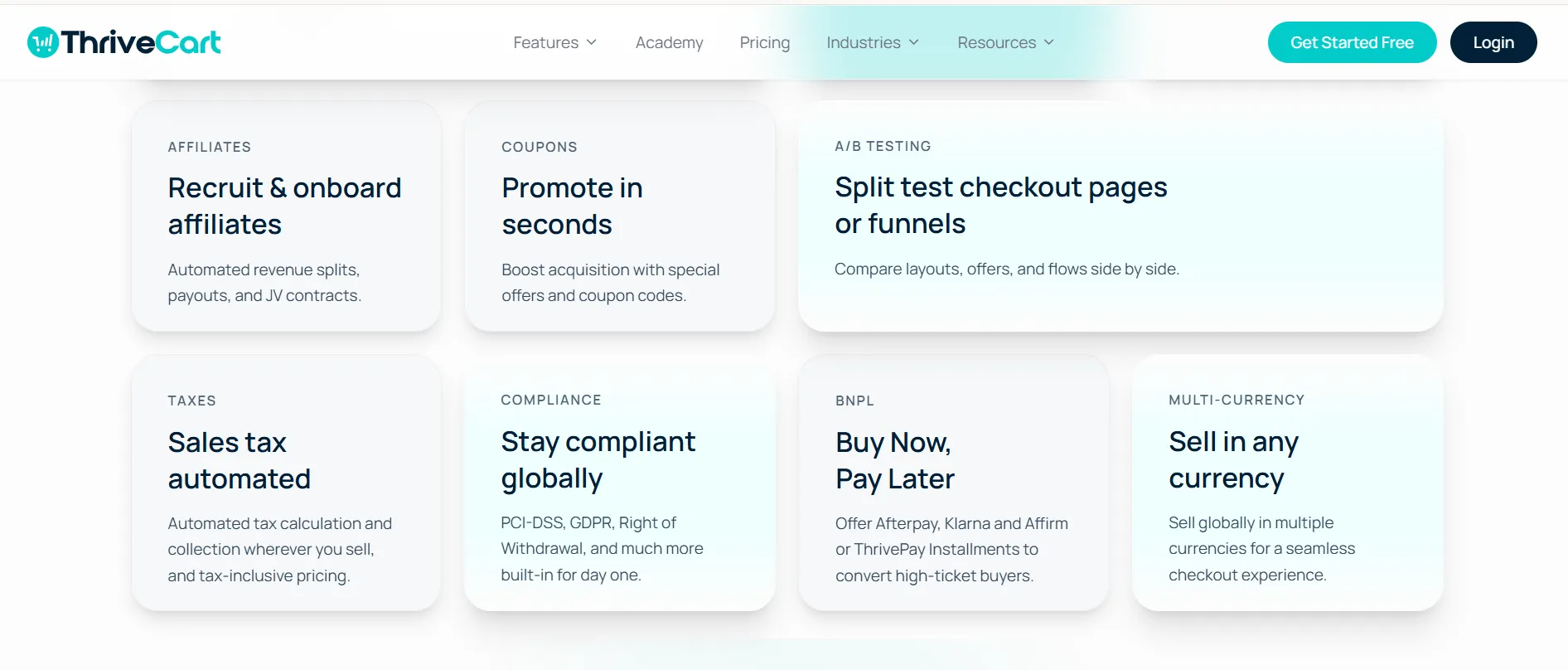
What I like most about ThriveCart is that the platform appears to have been designed around the question, “How can I get more value from every customer who reaches my checkout?”
That is very different from using a standard payment gateway where the main objective is simply to process the transaction.
For example, I can create a checkout experience and then add an order bump, an upsell, or a downsell instead of sending the customer through a completely separate buying journey. The platform also supports automated access rules, payment options, subscriptions, coupons, and other conversion-focused features.
I also liked the fact that ThriveCart doesn’t force everything into one rigid checkout layout. The platform supports modal, single-page, and multi-step checkout layouts, which gives me more flexibility when deciding how I want customers to complete their purchase.
Another thing I noticed is the breadth of integrations. ThriveCart can work with tools such as ConvertKit, Zapier, Mailchimp, Drip, Stripe, PayPal, ActiveCampaign, HubSpot, GetResponse, Webhooks, AWeber, Infusionsoft, Kajabi, and others.
That matters because I would not want to rebuild my entire existing technology stack just to introduce a new checkout platform.
1. ThriveCart Checkout Review
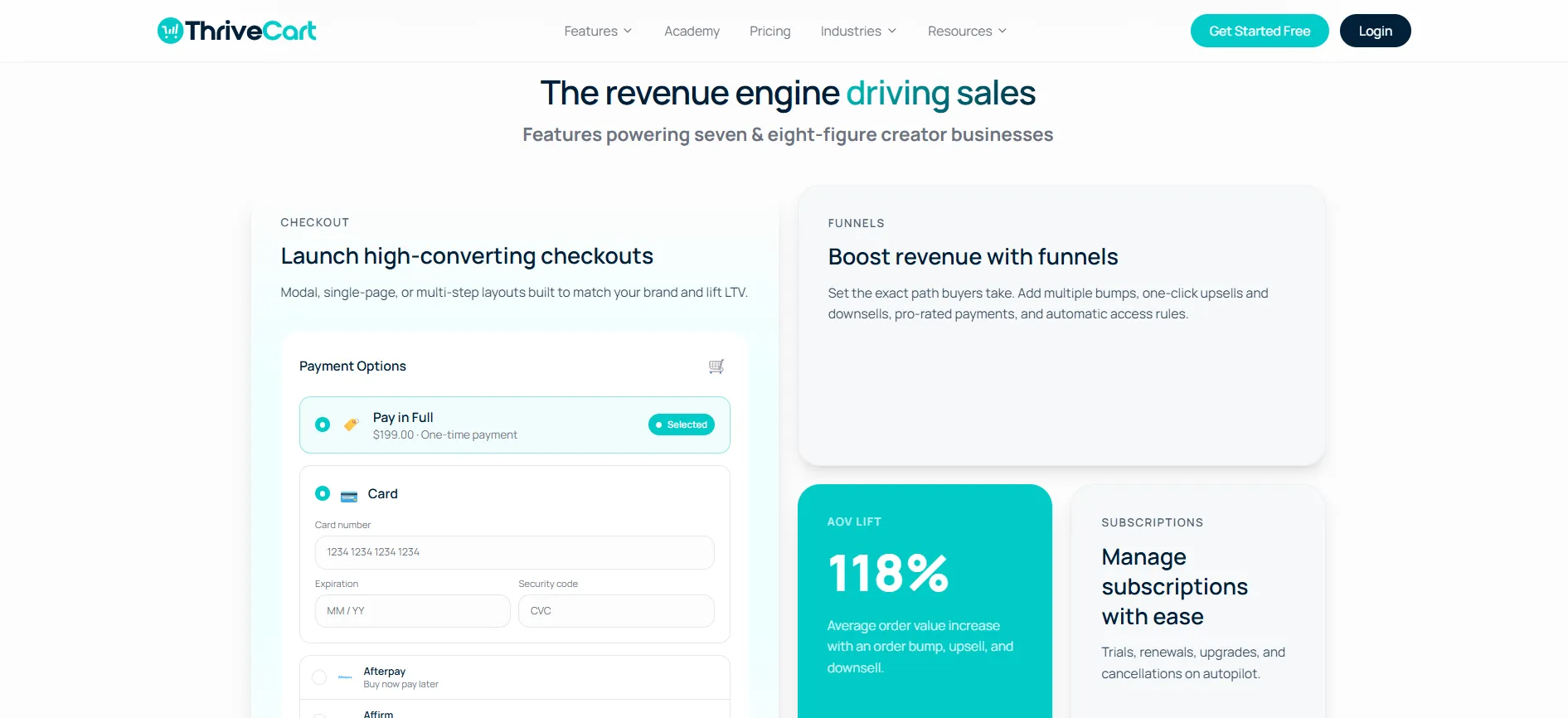
From my experience using ThriveCart, the checkout functionality is one of the areas I found most useful. I liked having the option to create customized, single-page, multi-step, or modal checkouts instead of being limited to a basic payment page. The platform also supports different payment options, including cards, Buy Now Pay Later, subscriptions, and split payments, which makes it easier to accommodate different customer preferences.
2. ThriveCart Sales Funnels
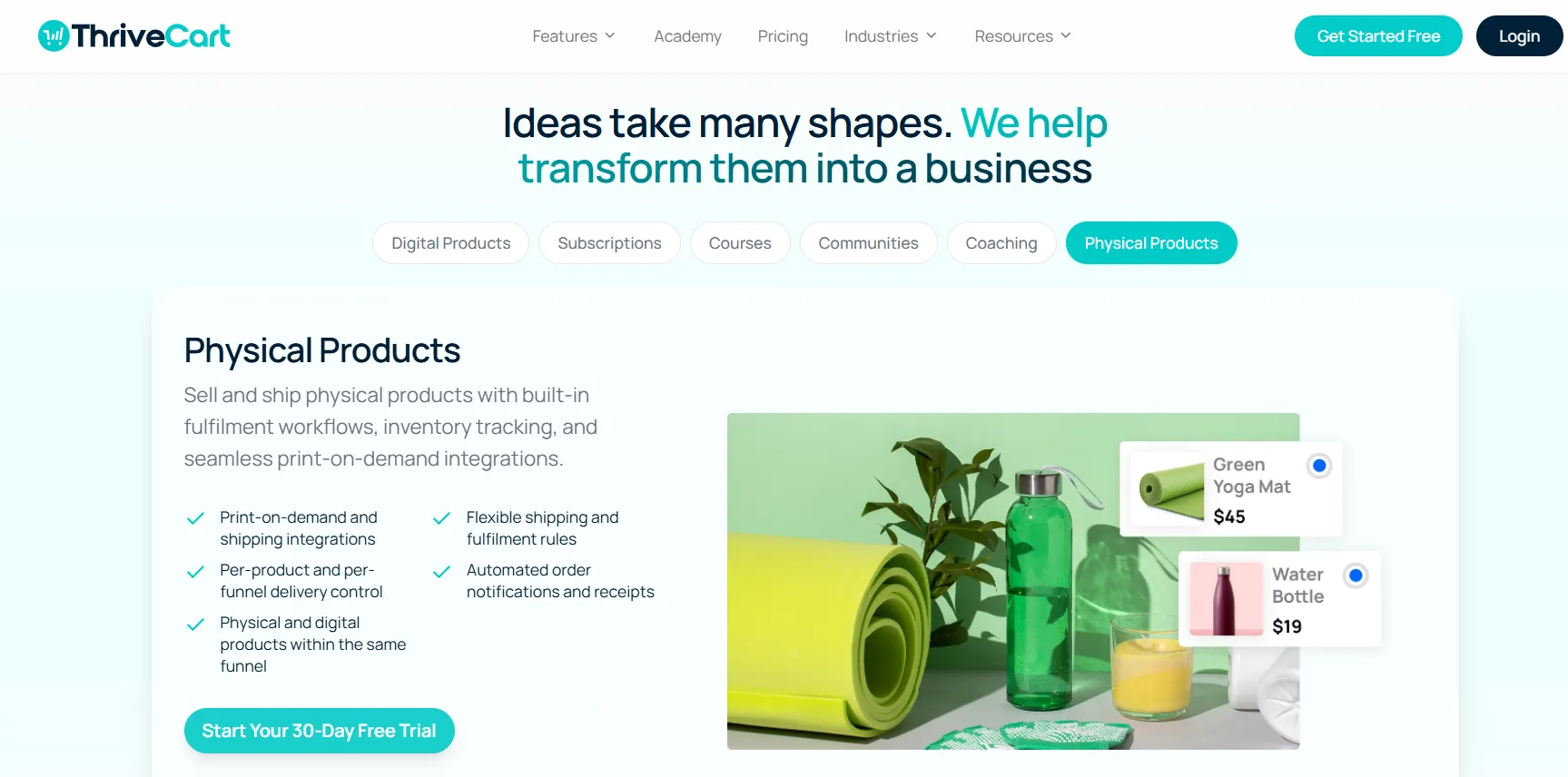
What I found particularly useful was that ThriveCart goes beyond checkout and lets me build the sales journey around it. I could use order bumps, one-click upsells, downsells, automated funnel steps, and A/B testing without sending customers to a completely different system. For a digital product business, this makes it easier to increase the value of an existing purchase.
3. Order Bumps, Upsells & Downsells
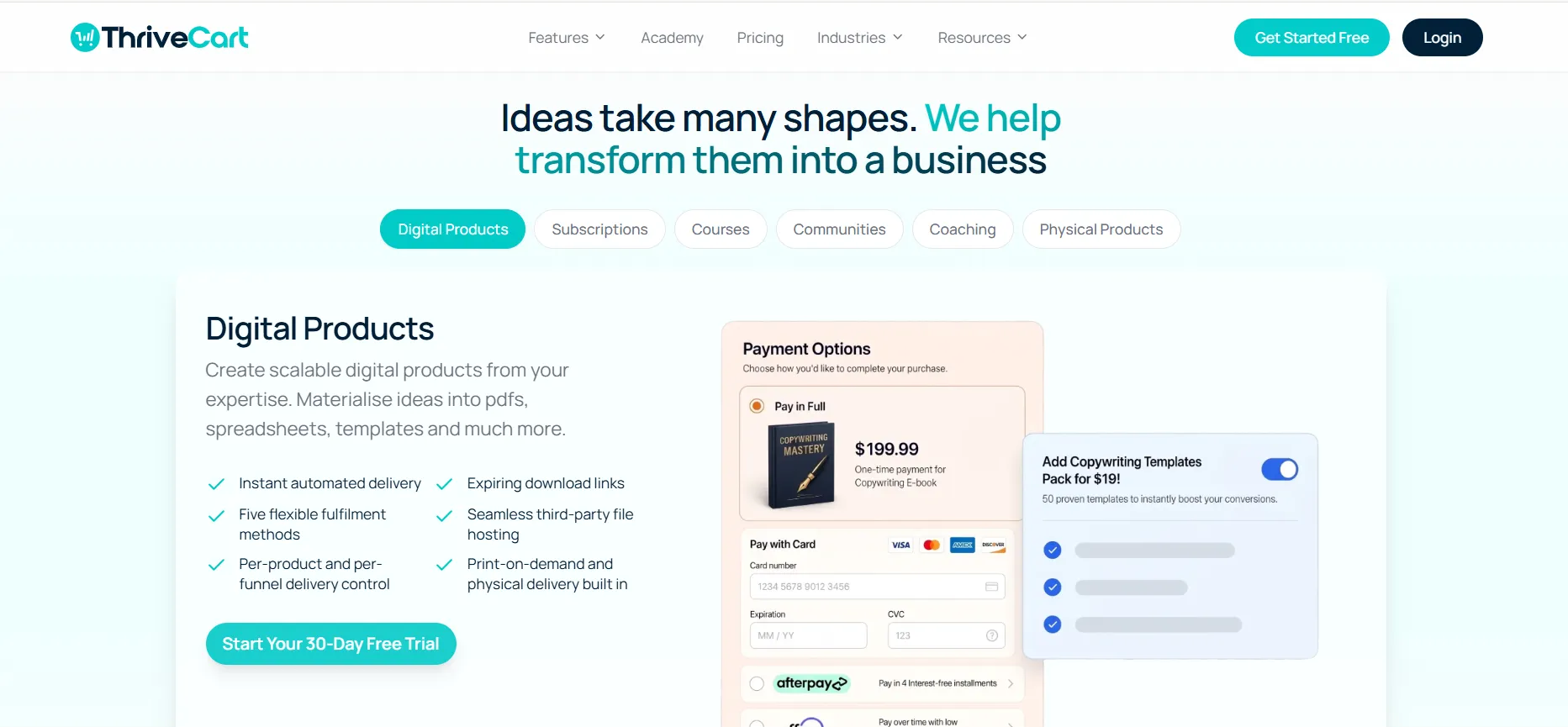
This is one of the features I would pay the most attention to if you’re selling digital products. I found it useful to present an additional offer during or after checkout without making the customer start the buying process again. Pro+ also allows multiple order bumps, giving you more flexibility when building your offers.
ThriveCart highlights specific AOV increases for these features, but I would treat those as platform claims rather than guaranteed results. Your actual results will depend on your products, pricing, traffic, and offers.
4. ThriveCart Integrations
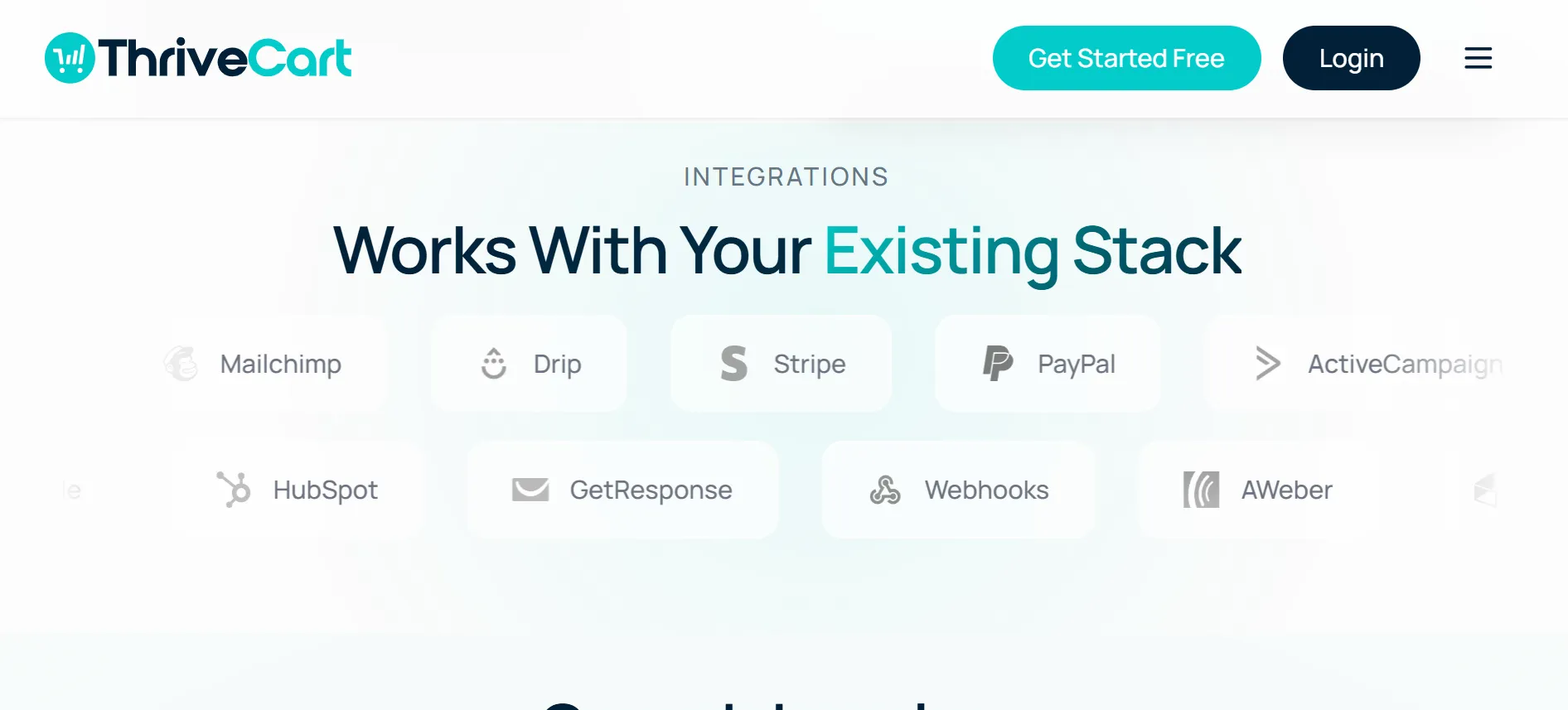
Another thing I liked was the number of integrations available. ThriveCart can connect with tools such as Stripe, PayPal, Mailchimp, ConvertKit, ActiveCampaign, HubSpot, Zapier, and Kajabi, while Standard includes 100+ direct integrations. This means you can keep using many of the tools already in your workflow rather than rebuilding everything around ThriveCart.
5. ThriveCart Academy
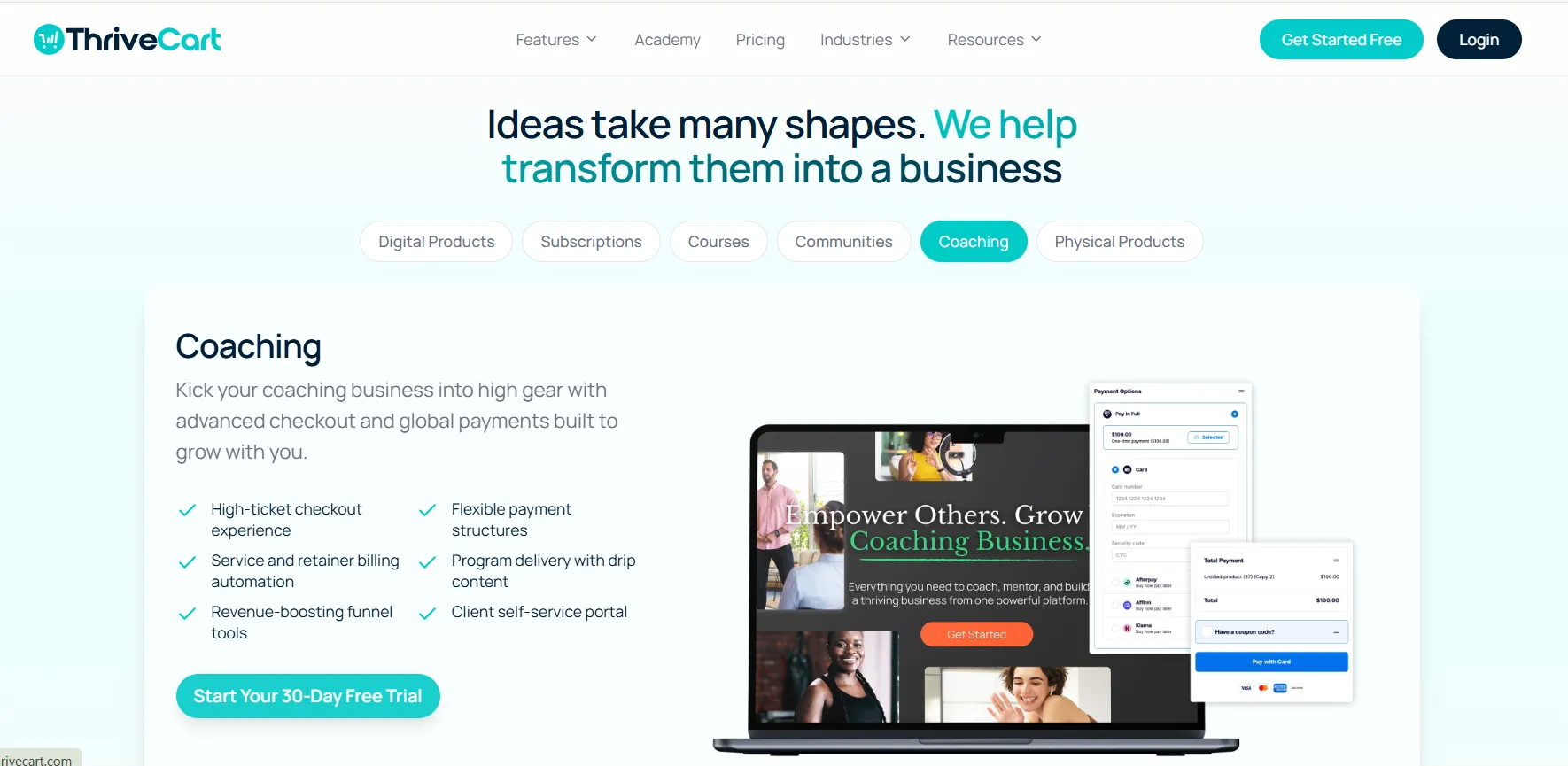
If you’re selling courses or digital products, the Academy features make ThriveCart more than just a checkout platform. I found the combination useful because you can handle the sale and course delivery ecosystem in one place. Depending on the plan, you get features for courses, students, communities, bundles, gamification, quizzes, certificates, and video hosting.
Overall, my experience with ThriveCart was that its biggest strength is how many parts of the selling process it brings together. I wouldn’t recommend every feature to every business, but if you’re already selling digital products, courses, memberships, or subscriptions, the combination of checkout, funnels, upsells, subscriptions, affiliates, and analytics can make the platform much more valuable than a basic payment processor.
ThriveCart Pro+ Features
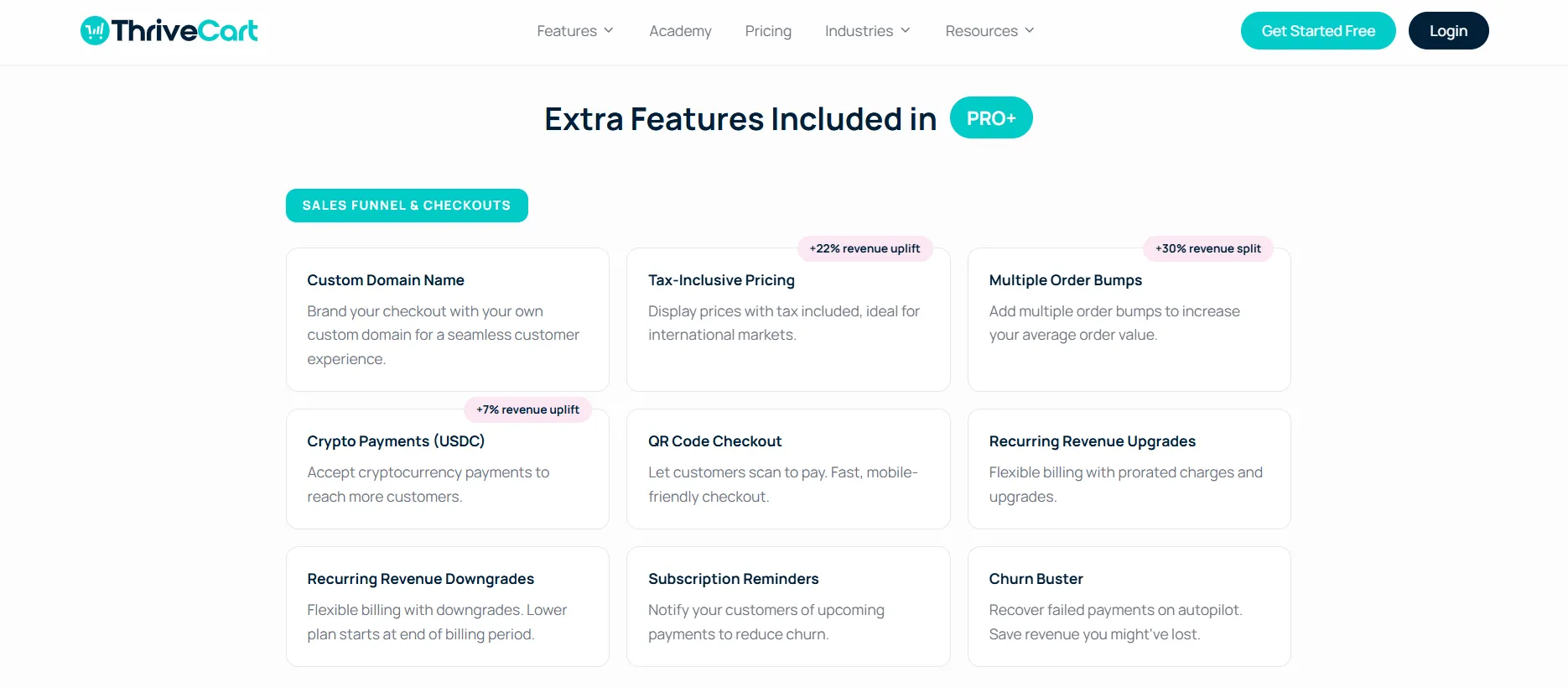
From my experience, Pro+ is the plan I would consider once the basic checkout and funnel features are no longer enough. It adds more control over sales, subscriptions, automation, tracking, and team management, which makes it better suited to an established business.
1. Sales Funnel & Checkout
With Pro+, I get features such as custom domains, tax-inclusive pricing, multiple order bumps, USDC crypto payments, and QR-code checkout. It also adds tools for managing recurring revenue, including upgrades, downgrades, subscription reminders, and Churn Buster.
2. Automation
The automation features give me more control over how payments, taxes, discounts, and partnerships are handled. I can manage tax calculation and collection, custom coupons, affiliate activities, automatic payouts, JV contracts, and revenue splits from the platform.
3. Analytics, Tracking & Reporting
This is one of the areas I find more valuable as a business grows. Pro+ provides BI reporting, funnel comparisons, coupon tracking, UTM tracking, subscription metrics, and revenue projections, making it easier to understand what is driving sales and where improvements may be needed.
4. Administration
Pro+ also adds useful administrative features such as multiple users, client-use accounts, and bulk invoice downloads. These become more practical when you’re working with a team or managing multiple clients and accounts.
Overall, I’d look at Pro+ if I were running an established business with regular sales, subscriptions, affiliates, or multiple offers. For someone just starting out, Standard may be enough, but Pro+ makes more sense when you actually need these advanced tools.
ThriveCart Pricing
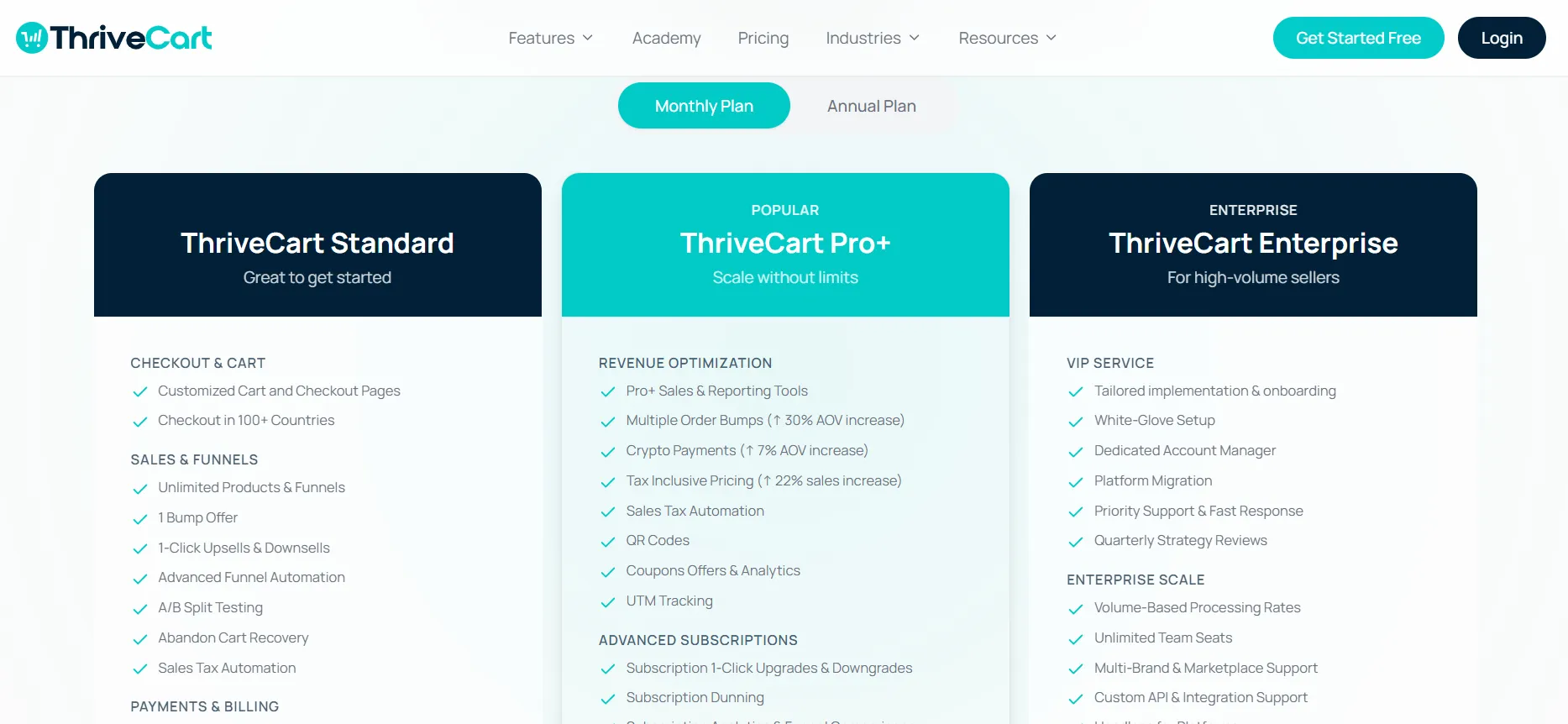
ThriveCart currently shows two main plans on the pricing page:
Plan | Annual Price | Best For |
ThriveCart Standard | $444/year | Businesses getting started |
ThriveCart Pro+ | $804/year | Businesses looking for advanced revenue tools |
Both plans shown on the page include:
30-day free trial
0% fees on sales
24/7 support
365-day world-class support
The pricing page also shows a Monthly Plan / Annual Plan selector, with the annual plan selected in the screenshots provided.
There is also a lifetime option mentioned beneath the plans for customers who are ready to commit for life.
ThriveCart Standard – $444/Year
The Standard plan is a good starting point if you mainly need the core tools for selling online.
It includes custom checkout pages, unlimited products and funnels, upsells and downsells, funnel automation, A/B testing, abandoned-cart recovery, payment options, subscription billing, ThriveCart Academy Starter, and 100+ integrations.
ThriveCart Pro+ – $804/Year
The Pro+ plan is better suited to businesses that need more advanced sales and revenue tools.
It includes everything in Standard, plus multiple order bumps, crypto payments, tax tools, coupon analytics, UTM tracking, advanced subscription management, affiliate tools, custom branding, multi-user permissions, business intelligence reporting, and the ThriveCart Academy Growth Plan.
Is ThriveCart Worth It?
For me, the answer depends on what I actually need.
If I only need a basic payment checkout, ThriveCart can feel like more software than I need.
But if I am selling courses, memberships, digital products, subscriptions, or higher-ticket offers, the value becomes much easier to understand.
The reason is that I’m not paying only for a checkout page; I’m getting a complete set of tools for checkout, sales funnels, upsells, subscriptions, coupons, affiliate management, analytics, tracking, and course delivery.
That combination makes the platform much more compelling. The 0% fees on sales shown on the pricing page also make the annual subscription easier to evaluate for a business that processes a meaningful amount of revenue.
ThriveCart vs SamCart vs ClickFunnels vs Kajabi
ThriveCart, SamCart, ClickFunnels, and Kajabi all offer tools for selling online, but each platform has a slightly different focus. Here’s how I would compare them based on the features and positioning discussed above.
1. ThriveCart vs SamCart
ThriveCart and SamCart are both strongly focused on checkout and conversion optimization, so they are natural alternatives to compare.
Feature | ThriveCart | SamCart |
|---|---|---|
Checkout pages | Yes | Yes |
Order bumps | Yes | Yes |
Upsells | Yes | Yes |
Downsells | Yes | Yes |
Subscription management | Yes | Yes |
Coupon tools | Yes | Yes |
Affiliate tools | Yes | Yes |
A/B testing | Yes | Yes |
Funnel analytics | Yes | Yes |
Course/community functionality | Yes, through ThriveCart Academy | Available through SamCart’s broader ecosystem |
0% sales fees | Shown on current ThriveCart pricing page | Plan-dependent |
Pro-level revenue tools | Pro+ | Higher-tier features |
My take: I would lean toward ThriveCart if my priority is having checkout, funnels, affiliate management, subscriptions, coupons, and revenue optimization together. SamCart is also a strong checkout-focused alternative, so the final decision would come down to the specific integrations, features, and pricing structure I need.
2. ThriveCart vs ClickFunnels
ClickFunnels is broader than ThriveCart. ClickFunnels is designed around building complete marketing funnels, landing pages, sales pages, and related marketing experiences, while ThriveCart is much more focused on the transaction and revenue side of the funnel.
Feature | ThriveCart | ClickFunnels |
|---|---|---|
Checkout | Strong | Yes |
Order bumps | Yes | Yes |
Upsells/Downsells | Yes | Yes |
Subscriptions | Yes | Yes |
Affiliate management | Yes | Yes |
A/B testing | Yes | Yes |
Funnel building | Strong | Very strong |
Website/landing-page ecosystem | More limited | Broader |
Course/community | ThriveCart Academy | Broader funnel ecosystem |
Revenue analytics | Strong | Strong |
My take: If I need a complete funnel-building ecosystem, I would look closely at ClickFunnels. If my website and marketing pages are already handled elsewhere and I mainly need a powerful checkout and revenue optimization system, ThriveCart makes more sense to me.
3. ThriveCart vs Kajabi
Kajabi and ThriveCart overlap in the creator and course space, but they approach the problem differently. Kajabi is more of an all-in-one creator platform covering courses, websites, email marketing, communities, and digital products, while ThriveCart’s strength is the checkout, transaction, funnel, subscription, affiliate, and revenue optimization side.
Feature | ThriveCart | Kajabi |
|---|---|---|
Checkout | Strong | Yes |
Funnels | Strong | Yes |
Order bumps | Yes | More limited |
Upsells/Downsell | Yes | Yes |
Affiliate management | Yes | Yes |
Course hosting | ThriveCart Academy | Strong |
Community | ThriveCart Academy | Strong |
Email marketing | Integrations | Built-in |
Website tools | Limited | Strong |
Revenue optimization | Strong | Strong |
My take: I would choose Kajabi if I wanted a broader creator business operating system. I would choose ThriveCart if checkout conversion, payment flexibility, upsells, subscriptions, affiliate management, and revenue optimization were the priorities.
ThriveCart Customer Reviews: What Users Are Saying
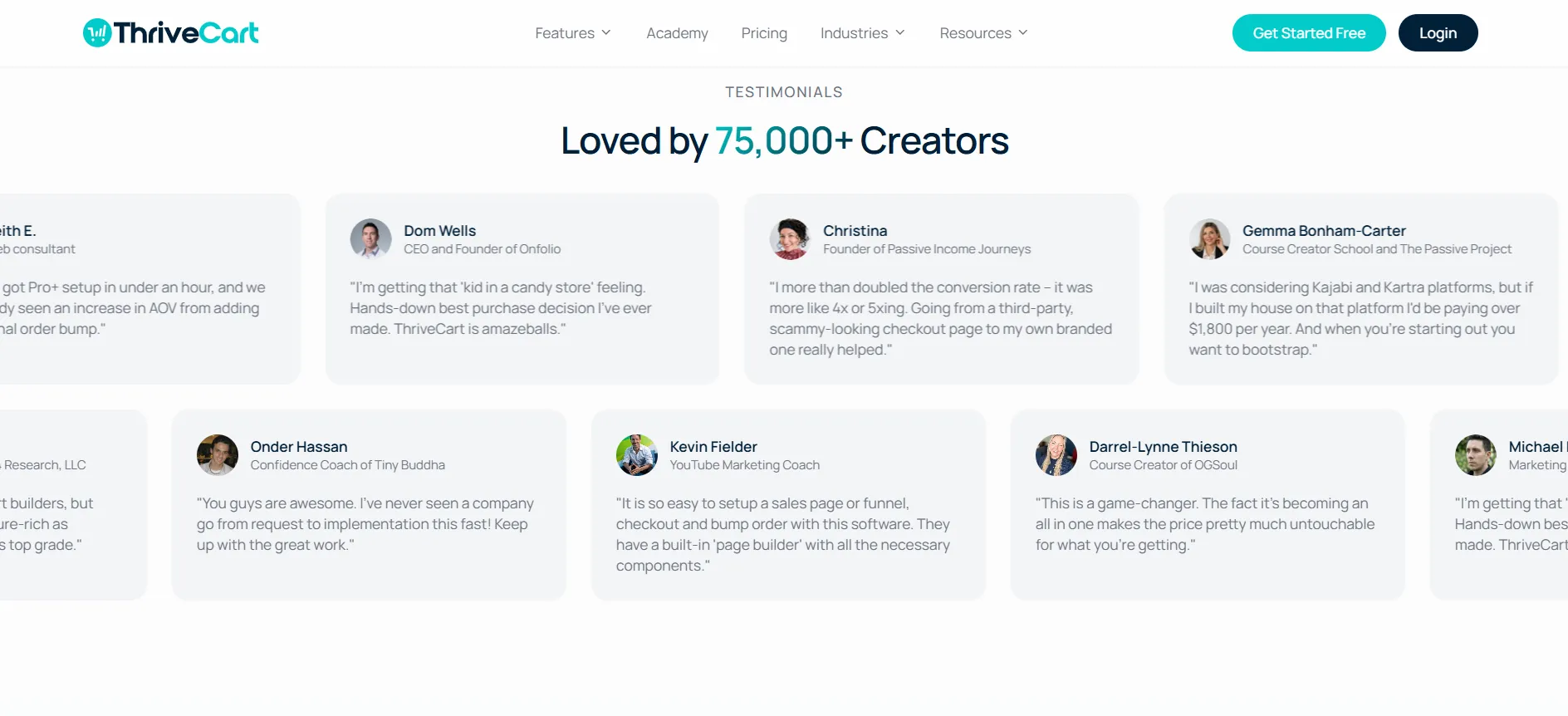
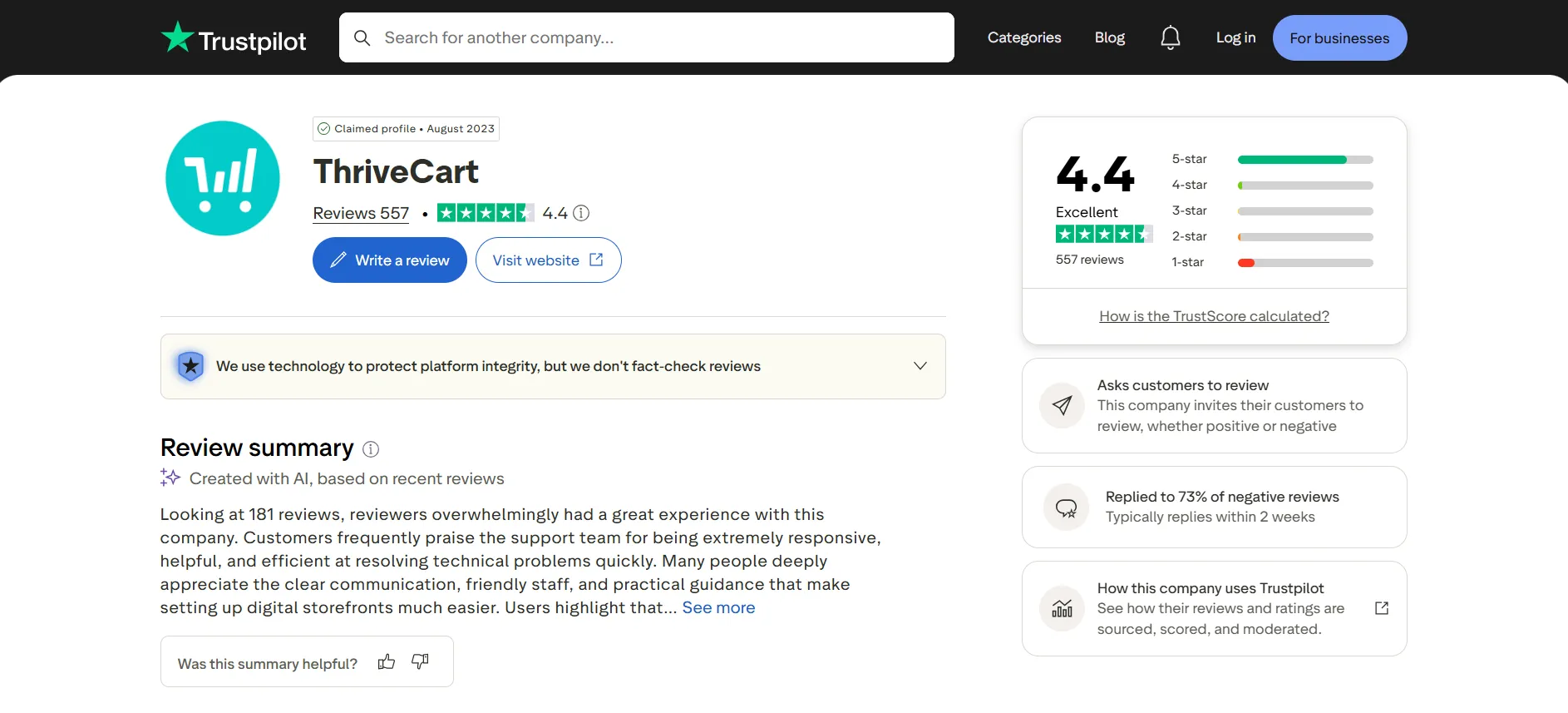
I also looked at the current Trustpilot feedback because I don’t like relying only on what a company says about its own software. ThriveCart had a 4.4/5 rating from 555 reviews on Trustpilot.
The Trustpilot review summary shown on the page says that, based on 189 reviews, customers frequently praise the support team for being fast, clear, practical, friendly, and responsive when dealing with technical questions and challenges.
That is consistent with something I noticed while evaluating the platform: ThriveCart puts a significant emphasis on customer support.
User review: Haille Norris – September 11, 2026
“The customer service team was really responsive and helpful. Even though it’s a little frustrating during this system upgrade from Learn to Academy, they were able to answer my questions and help me a…”
User review: Paul Crown – November 7,
“I first joined ThriveCart on the 23rd of February, 2016, and want to give them 5 stars because have never had a problem with them in all those years… Even throughout all of the updates. Plus,…”
What I Like Most About ThriveCart
After looking at the complete platform rather than just its pricing, these are the areas that stand out most to me.
1. It is built around revenue, not just payments
The biggest difference for me is that ThriveCart doesn’t stop at processing a transaction. The platform gives me tools to increase the value of the transaction through: Order bumps → Upsells → Downsells → Subscriptions → Coupons → Affiliate sales → Analytics
That makes the platform much more useful for businesses that already have customers and traffic.
2. The checkout is highly flexible
I can choose different checkout layouts and payment options rather than forcing every customer through the same experience.
3. Pro+ adds serious revenue tools
Features such as multiple order bumps, subscription dunning, coupon tracking, UTM tracking, BI reporting, and revenue projections make Pro+ considerably more powerful than a basic checkout platform.
4. Integrations are strong
I don’t have to abandon tools I already use. The 100+ direct integrations make ThriveCart easier to fit into an existing stack.
5. It can work for course businesses
ThriveCart Academy makes the platform more appealing to course creators because the product-selling and course-delivery sides can work together.
Who Should Use ThriveCart?
I think ThriveCart is best suited to:
Course creators
Coaches
Digital-product sellers
Membership businesses
Subscription businesses
Creators selling multiple products
Businesses using upsells and order bumps
Businesses with affiliate programs
Entrepreneurs who already have a marketing stack
Businesses looking to optimize average order value
Businesses that want detailed revenue and funnel tracking
Who Should Not Use ThriveCart?
I wouldn’t necessarily recommend ThriveCart if I only needed a very basic payment page.
If my business is extremely small, I have one product, no upsells, no subscription model, no affiliates, and very little need for analytics, I might not use enough of ThriveCart’s functionality to justify the platform.
Similarly, if I wanted one platform to build my entire website, email marketing system, landing pages, CRM, and marketing funnel from scratch, I would look at a broader all-in-one platform instead.
ThriveCart Pros and Cons
Pros
- Strong checkout customization
- Supports modal, single-page, and multi-step checkout experiences
- Order bumps, upsells, and downsells are built into the platform
- Strong subscription management
- A/B testing for checkout pages and funnels
- Coupon management and tracking
- Built-in affiliate functionality
- Extensive reporting and analytics
- UTM tracking
- Multiple payment options
- Buy Now, Pay Later support
- 100+ direct integrations
- ThriveCart Academy for courses and communities
Cons
- Could be improved
- The number of features can feel overwhelming when you are just getting started
- Standard and Pro+ have a noticeable feature gap
- Advanced features require Pro+
Is ThriveCart Worth It in 2026?
Yes, for the right type of business.
After looking at the platform as a complete product rather than just its pricing, I think ThriveCart makes the most sense for businesses where conversion optimization and revenue management are important parts of the business model.
The combination of customized checkout pages, funnels, order bumps, upsells, downsells, subscriptions, coupons, affiliates, analytics, tracking, payment options, integrations, and ThriveCart Academy gives it considerably more depth than a simple checkout solution.
The $444/year Standard plan is the more sensible starting point for someone who wants the core ThriveCart experience, while the $804/year Pro+ plan is better suited to businesses that specifically need the advanced revenue, subscription, affiliate, reporting, and customization features.
The 30-day free trial also gives potential users an opportunity to explore the platform before making a longer commitment.
Quick links
ThriveCart Review FAQs
Yes, especially if you sell courses, digital products, memberships, subscriptions, coaching, or other online offers. I find it more useful than a basic payment processor because it combines checkout, funnels, upsells, subscriptions, coupons, affiliate tools, and analytics.
ThriveCart is mainly used to create and manage checkout pages, sales funnels, order bumps, upsells, downsells, subscriptions, coupons, affiliate programs, and payment options. It also includes ThriveCart Academy for courses and communities.
The current pricing shown is $444/year for ThriveCart Standard and $804/year for ThriveCart Pro+. Both plans currently include a 30-day free trial.
Yes. ThriveCart currently offers a 30-day free trial for both Standard and Pro+.
Standard includes the core checkout, funnel, subscription, A/B testing, payment, and Academy features. Pro+ adds advanced tools such as multiple order bumps, subscription dunning, affiliate payouts, coupon analytics, UTM tracking, BI reporting, custom domains, and multi-user permissions.
Yes. ThriveCart supports one-click upsells, downsells, and order bumps. Pro+ also adds multiple order bumps.
Yes. ThriveCart supports subscription billing, trials, renewals, upgrades, downgrades, and recurring payments. Pro+ adds more advanced subscription management and analytics.
Yes. ThriveCart includes affiliate functionality, while Pro+ adds the Affiliate Center, automated affiliate payouts, and Joint Venture contracts.
Yes. You can create and manage coupons, while Pro+ adds more advanced coupon offers, tracking, and analytics.
Yes. ThriveCart includes ThriveCart Academy, which allows you to create courses and communities. Standard includes the Academy Starter Plan, while Pro+ includes the larger Academy Growth Plan.
Yes. ThriveCart supports integrations with tools including Stripe, PayPal, ConvertKit, Mailchimp, ActiveCampaign, HubSpot, GetResponse, Zapier, Kajabi, Teachable, and many others.
I found ThriveCart manageable once I understood how its different tools worked together. However, because it includes checkout, funnels, subscriptions, affiliates, analytics, and other features, there is more to learn than with a basic payment platform.
I would recommend it mainly for course creators, coaches, digital-product sellers, membership businesses, subscription businesses, and online businesses that want to increase revenue through upsells, order bumps, funnels, and better checkout optimization.
If you only need a simple payment page or basic payment processing, ThriveCart may offer more functionality than you actually need. In that situation, a simpler payment solution could be a better fit.
For most users starting out, I would begin with Standard. It already includes the core ThriveCart features. I would move to Pro+ when I actually need advanced subscription management, affiliate tools, detailed reporting, multiple order bumps, custom branding, or the larger Academy limits.
Final ThriveCart Review Verdict
My final rating: 4.5/5
ThriveCart is a powerful revenue and checkout platform for creators and online businesses that want more control over what happens before, during, and after a customer makes a purchase.
What I like most is that it brings several important revenue functions together instead of making me rely on separate systems for every part of the customer journey.
The strongest parts for me are checkout customization, order bumps, upsells and downsells, subscription management, affiliate tools, coupon tracking, analytics, integrations, and the ability to host courses and communities through ThriveCart Academy.
The biggest downside is that the platform can feel feature-heavy for someone who only needs basic checkout functionality. I would also carefully compare Standard with Pro+ before upgrading because the advanced features are concentrated in the higher-tier plan.
Overall, though, if I were running a digital-product, course, coaching, membership, or subscription business and wanted to optimize the revenue I generate from each customer, ThriveCart would definitely be on my shortlist.
ThriveCart isn’t just a payment checkout tool. It is a complete revenue optimization platform built around helping online businesses turn more of their existing traffic and customers into revenue.

Jitendra Vaswani is a well-known figure in the SEO and affiliate marketing communities. He is regarded as a legitimate authority due to his deep knowledge and game-changing contributions to the field. He is the founder of Digiexe.com, a digital marketing agency, and VenueLabs.com, a full-service PR marketing agency. His strategic acquisition of AffiliateBooster.com has further solidified his status as a leader, bringing forth groundbreaking solutions that are revolutionizing affiliate marketing. Follow Jitendra on Instagram, Facebook, and LinkedIn