
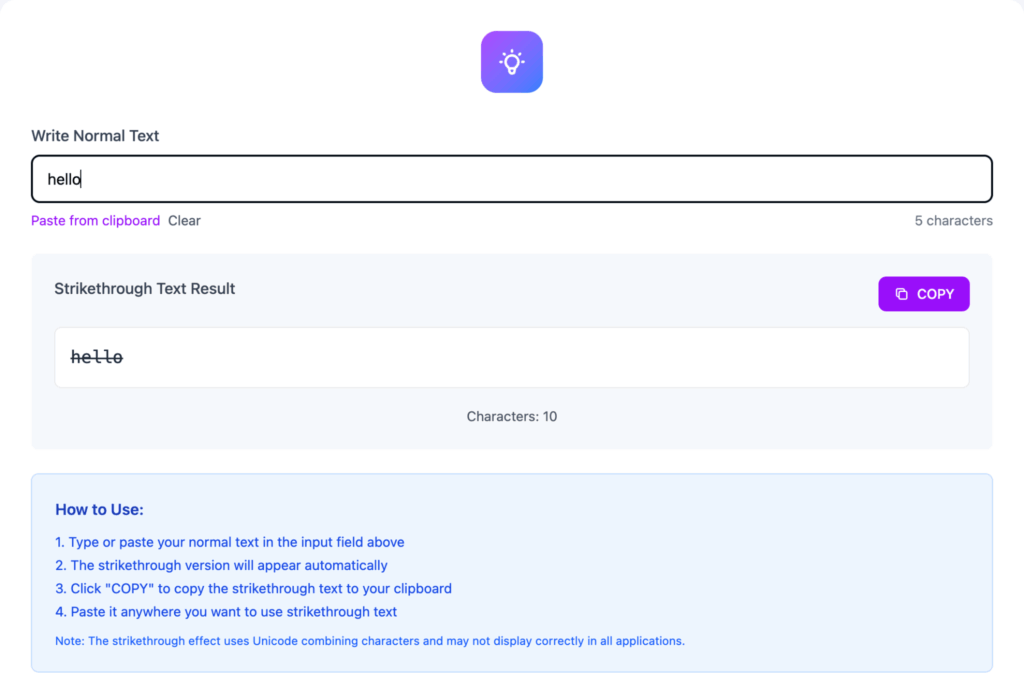

Strikethrough Text Generator

The Strikethrough Text Generator crosses out text or sentences. Simply type in the provided text box, and the generator will strike through the phrase.

✨ What Is This Tool?

The Free AI Strikethrough Generator by Affiliate Booster is a handy, AI-powered tool designed to help users quickly apply strikethrough formatting to any text. Whether you’re editing documents, creating social media posts, or drafting content that requires crossing out text for emphasis or correction, this tool makes it easy to transform your typed or pasted text into striking strikethrough style instantly.

✨ Why We Created This Tool

At Affiliate Booster, we know how important clear and visually effective communication is, especially when highlighting edits, corrections, or changes in writing. Manually adding strikethrough formatting can be tedious and inconsistent across different platforms. Our Free AI Strikethrough Generator simplifies this process by instantly converting your text, saving time and ensuring professional formatting. Our mission is to provide simple, free tools that enhance users’ writing and editing workflows effortlessly.

✨ How It Works

✔️ Step 1 :

  • Paste or type your text into the input box
  • Click “Generate Strikethrough”
  • Your text is instantly converted into strikethrough format with a clean line crossing the words
  • Copy the formatted text with one click and use it anywhere—documents, blogs, social media, or messaging apps
  • Generate unlimited strikethrough text with no sign-ups or restrictions

What Makes It Different?

Instant Formatting

Get your text formatted with a strikethrough line in seconds without needing extra software or manual effort.

Easy To Use

A simple interface designed for anyone to use—no tech skills required.

Versatile Application

Perfect for writers, editors, content creators, teachers, and social media managers who want to mark revisions, crossed-out options, or humorous effects.

Completely Free and Unlimited

Enjoy unlimited use with no fees or subscription—always accessible thanks to Affiliate Booster’s creator support.

Who Is This Tool For?

  • Writers and editors marking changes or corrections
  • Social media content creators adding style or humor
  • Teachers preparing educational materials
  • Anyone needing clear, crossed-out text formatting

Why Strikethrough Text Matters

Strikethrough formatting clearly shows removed or changed text while keeping the original visible, which is great for editing, collaboration, or creative effect. With the Free AI Strikethrough Generator by Affiliate Booster, adding this useful style is just a click away.

🤍 Ready to Cross Out Your Text?

Paste your content and generate strikethrough text instantly with Affiliate Booster’s Free AI Strikethrough Generator—simple, fast, and free!

  • Free
  • No sign-up
  • Runs in your browser
  • Updated November 12, 2026

How to use the Strikethrough Text Generator

  1. Type the text you want crossed out.
  2. Choose strikethrough, short stroke, slash or tilde style.
  3. Copy the result and paste it into your post, bio or chat.

What happens to your text

Your text never leaves your device. This tool runs entirely in your browser with JavaScript, so nothing you type is uploaded, saved or shared with anyone.

Refresh or close the page and it is gone.

FAQ

Strikethrough Text Generator FAQs

How do I cross out text on Instagram, LinkedIn or X?

None of them has a strikethrough button, so the tool adds a Unicode combining stroke after each character, which draws a line through it. Type your text, copy the style you like and paste it into a caption, post, comment or bio. It is often used for jokes, price drops or self-corrections.

What are the four strikethrough styles?

Strikethrough draws a long line through the middle of each letter, short stroke uses a shorter line, slash through puts a diagonal slash across each character, and tilde through adds a wavy line. They use different combining marks, so their look varies slightly by font. Pick the one that reads best in your app.

Should I use this in WhatsApp, Discord or Slack?

You can, but those apps have built-in strikethrough that is cleaner and searchable. WhatsApp uses ~tildes~ around text, Discord uses ~~double tildes~~ and Slack uses ~single tildes~. Use the Unicode version for apps with no formatting, such as Instagram, TikTok, X and LinkedIn posts.

Why does my crossed-out text look patchy?

The stroke is attached to each character separately, so some fonts leave small gaps or draw the lines at slightly different heights. Spaces get a stroke too, which helps the line stay continuous. If it looks patchy in one app, try the short stroke or tilde style.

Does strikethrough text use more characters?

Yes. Each letter becomes two characters, the letter and the stroke mark, so crossed-out text roughly doubles in length. That matters on X and in bios with tight limits. Cross out only the words that need it and keep the rest of the message plain.

Jitendra Vaswani

Built by Jitendra Vaswani. AI SEO and digital marketing consultant, founder of Digiexe and AffiliateBooster, best-selling author and international speaker. More about Jitendra

Last updated:

Scroll to Top