I used WebinarJam to see how well it actually works for hosting live webinars, engaging attendees, promoting offers, and turning a single webinar into something that can continue generating leads and sales.
After using the platform, I’d rate WebinarJam 4.5/5.
What I liked most is that WebinarJam feels designed around the complete webinar journey, rather than simply giving you a video room. I could work with registration pages, reminders, live chat, polls, offers, recordings, and follow-up from the same ecosystem.

This product earns a solid recommendation. It delivers excellent value with a robust feature set.
Pros
- Excellent performance
- Great value
- Easy to use
- Regular updates
Cons
- Limited free plan
- Learning curve
Start Now
Buy NowI especially liked the fact that a webinar doesn’t have to end when the live session is over. I can turn the same session into a replay, future content, or even a sales asset, which makes the time spent preparing the webinar feel more worthwhile.
The main reason I’m not giving WebinarJam a full 5/5 is that it can be more than you need if your goal is simply to hold occasional online meetings. The higher-priced plans also make more sense for businesses with larger audiences or more serious webinar requirements.
In this WebinarJam review, I’ll cover my experience, the features I found most useful, current WebinarJam pricing and plans, the $1 trial, pros and cons, WebinarJam vs Zoom, who should use it, which plan I’d choose, and whether WebinarJam is worth the money.
WebinarJam Review: My Rating
Category | My Rating |
Ease of use | 4.5/5 |
Webinar features | 4.7/5 |
Audience engagement | 4.6/5 |
Marketing & sales tools | 4.7/5 |
Automation | 4.4/5 |
Integrations | 4.3/5 |
Pricing/value | 4.4/5 |
Overall | 4.5/5 |
My overall verdict
WebinarJam gets 4.5/5 from me because it combines webinar hosting, audience engagement and conversion-focused tools particularly well.
The biggest reason I wouldn’t give it a perfect score is that the platform can be more than necessary for someone who simply wants to conduct basic online meetings.
What Is WebinarJam?
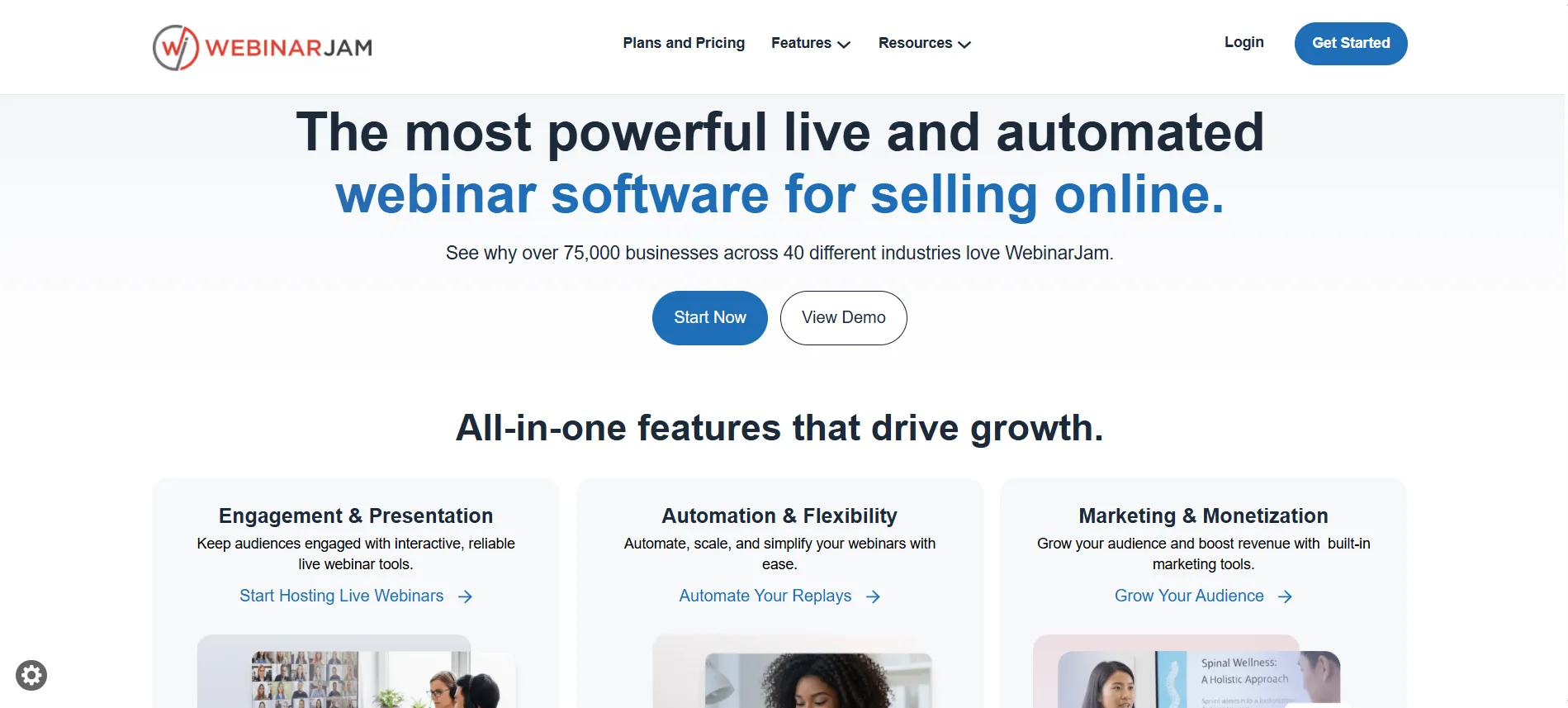
WebinarJam is a webinar platform I found particularly suited to businesses that want to teach, demonstrate, promote, or sell through webinars.
While using WebinarJam, I found it goes beyond basic video calls. I could manage live and automated webinars, registration pages, email and SMS reminders, live chat, polls, product offers, recordings, replays, analytics, social broadcasting, presenters, and marketing integrations from the same platform.
The official platform currently positions WebinarJam around creating webinars that help businesses connect with audiences and generate sales. Its current plans support between 100 and 5,000 attendees, depending on the plan.
My Experience Using WebinarJam
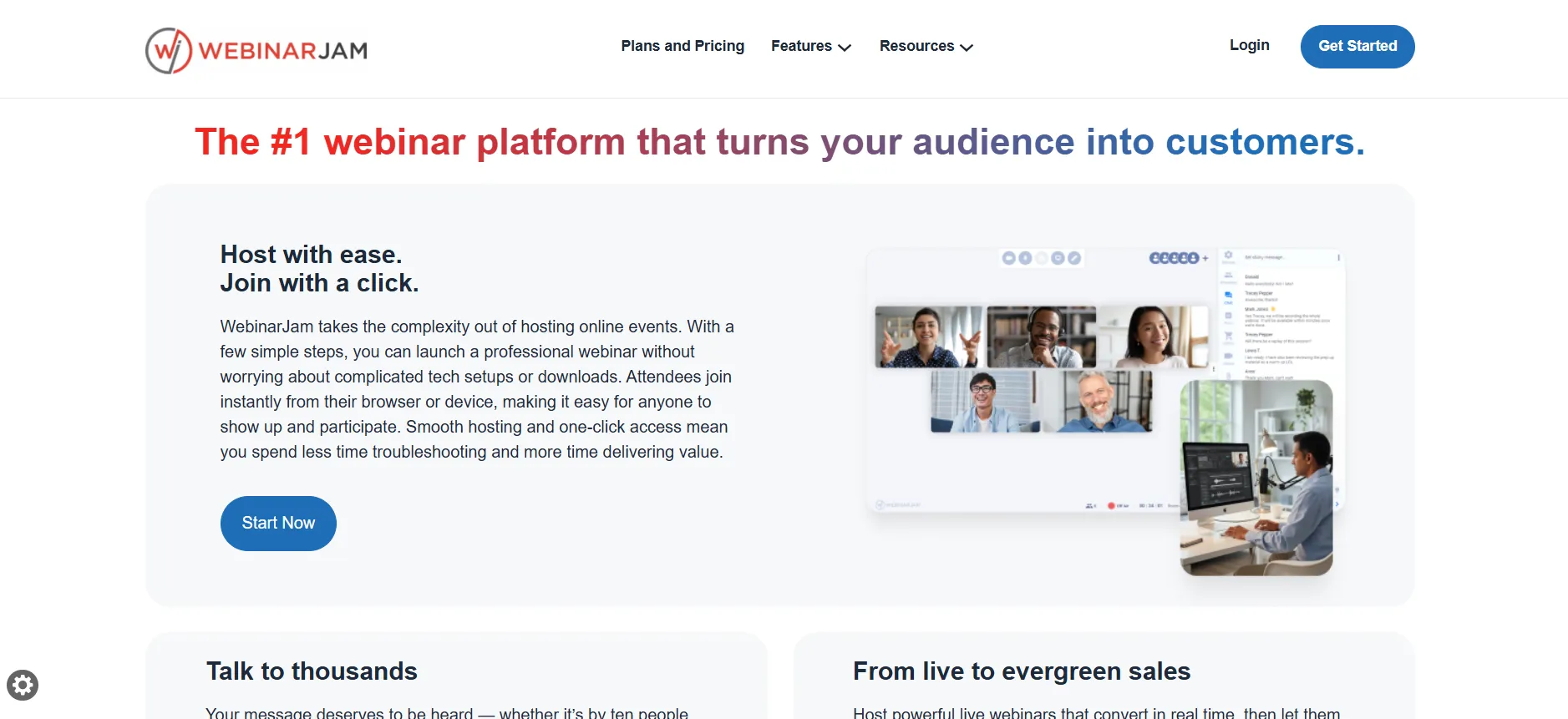
I found the platform more sales-focused than a normal meeting tool. One of the first things I noticed while using WebinarJam was that it isn’t really trying to compete only as a generic video-conferencing platform.
The workflow made more sense to me when I thought about a webinar as a marketing funnel:
What I liked about WebinarJam was that I could manage different parts of the webinar experience from one platform. I could set up the registration page, communicate with attendees before the event, engage with them during the webinar, and continue using the recording afterward.
This made the platform more useful to me than a basic video-conferencing tool, particularly when the webinar was being used to promote a product, course, or service. That is where I think WebinarJam has an advantage.
From my experience, WebinarJam makes the most sense for coaches, consultants, course creators, trainers, educators, product businesses, marketing teams, and creators who use webinars to teach, engage their audience, generate leads, or promote a product or service. It’s particularly useful when the webinar is an important part of the overall marketing or sales process rather than just a one-time online meeting.
WebinarJam Features I Personally Found Most Useful
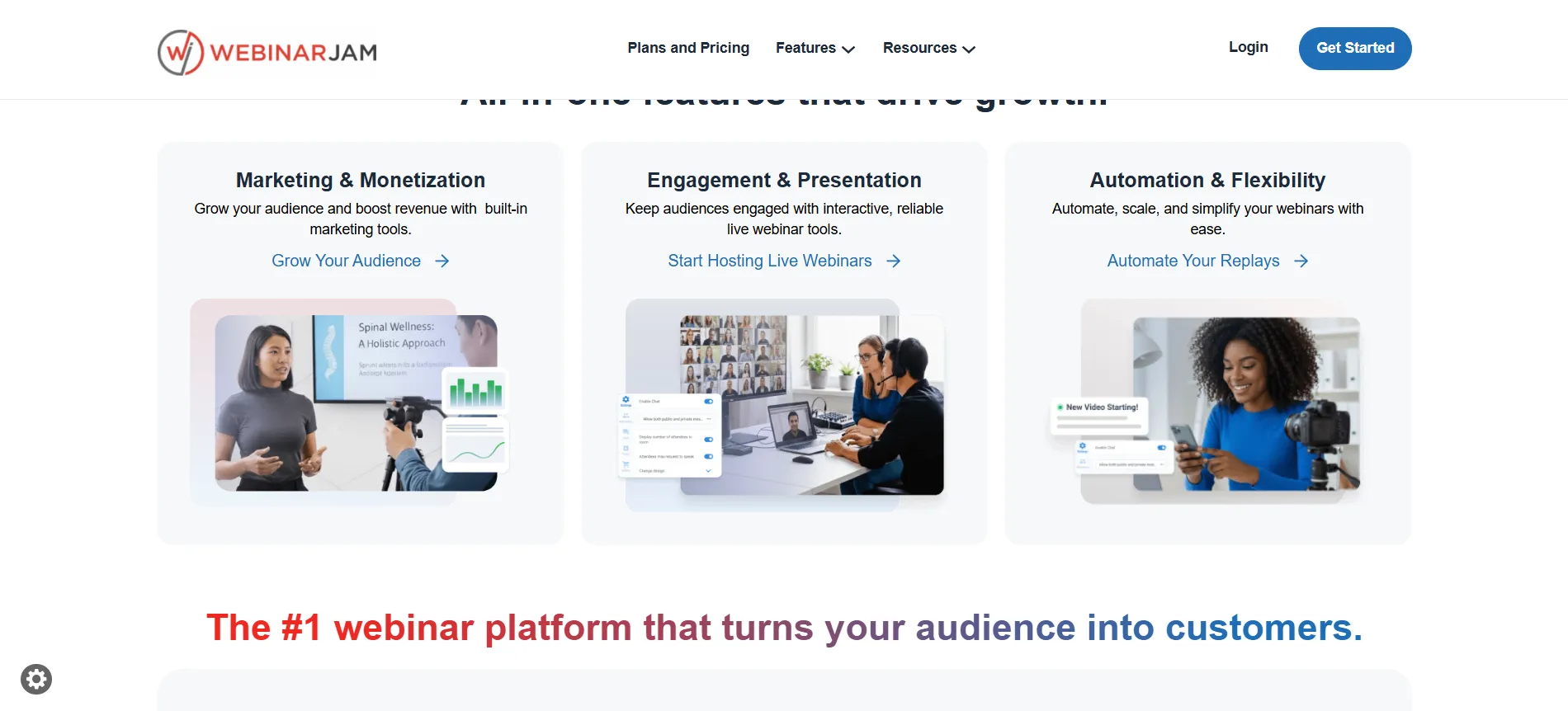
1. Live Webinar Hosting
The main reason I would use WebinarJam is its live webinar functionality. I could host presentations in real time while using chat, polls, and other engagement tools to keep attendees involved. From my experience, this is one of WebinarJam’s strongest areas.
2. Webinar Registration Pages
I found the customizable registration pages useful because I could create a registration experience without building everything from scratch. WebinarJam also supports A/B testing, which can be helpful when webinar registrations are an important part of a marketing funnel.
3. Email & SMS Reminders
I liked having email and SMS functionality because registering for a webinar does not always mean someone will actually attend. Being able to send reminders makes it easier to keep attendees engaged before the event.
4. Live Chat
The live chat feature was practical for encouraging audience participation. Instead of making attendees passive viewers, I could use chat to encourage questions and interaction, which I think works particularly well for educational webinars, workshops, demonstrations, and coaching sessions.
5. Polls & Surveys
I found polls and surveys useful for making the webinar more interactive. I could use them to understand the audience, ask about their problems, check understanding, collect feedback, or simply create interaction during longer sessions.
6. Live Product Offers
One feature I particularly liked was the ability to present an offer directly during the webinar. I could display information about a course, product, or service with a button leading attendees to the relevant sales page, making the selling process easier without requiring them to search for the offer themselves.
7. Automated Webinars
Automated webinars stood out to me because I could reuse a recorded webinar instead of relying completely on live sessions. I see this being useful for lead generation, course sales, product education, and promoting offers. WebinarJam connects this functionality with EverWebinar, which is included with the Basic, Professional, and Enterprise plans according to the current pricing information.
8. Webinar Recordings & Replays
I liked that the value of a webinar does not necessarily end when the live session finishes. I could use the recording as a replay, future content, or even a sales asset. For me, this makes the economics of creating a webinar more attractive because one event can have multiple uses.
9. Video Injections & External Broadcasting
Video injections were useful for adding pre-recorded sections such as demonstrations, testimonials, introductions, and explanations into a live webinar. WebinarJam can also broadcast to YouTube Live and Facebook Live, although interactive elements such as polls, offers, and widgets remain inside the WebinarJam live room.
I found the reliability features particularly practical. The Panic Button is designed to help recover the webinar room if something goes wrong, while the testing options let me check registration, notifications, presenter access, room settings, and replay functionality before going live. For important launches, paid webinars, and large events, I consider this an important part of the overall experience.
WebinarJam Pricing & Plans 2026
Now comes the part I think most buyers care about – How much does WebinarJam cost?
As of the current pricing page, WebinarJam has a $1 14-day trial, followed by Starter, Basic, Professional and Enterprise plans. Annual billing reduces the monthly equivalent by up to 22%.
WebinarJam Plan | Monthly | Annual Monthly Equivalent | Attendees | Webinar Duration |
$1 Trial | $1/14 days | — | 500 | 2 hours |
Starter | $49/mo | $39/mo | 100 | 1 hour |
Basic | $99/mo | $79/mo | 500 | 2 hours |
Professional | $299/mo | $229/mo | 2,000 | 3 hours |
Enterprise | $499/mo | $379/mo | 5,000 | 4 hours |
The official pricing page currently lists these prices and limits.
WebinarJam Starter Plan Review
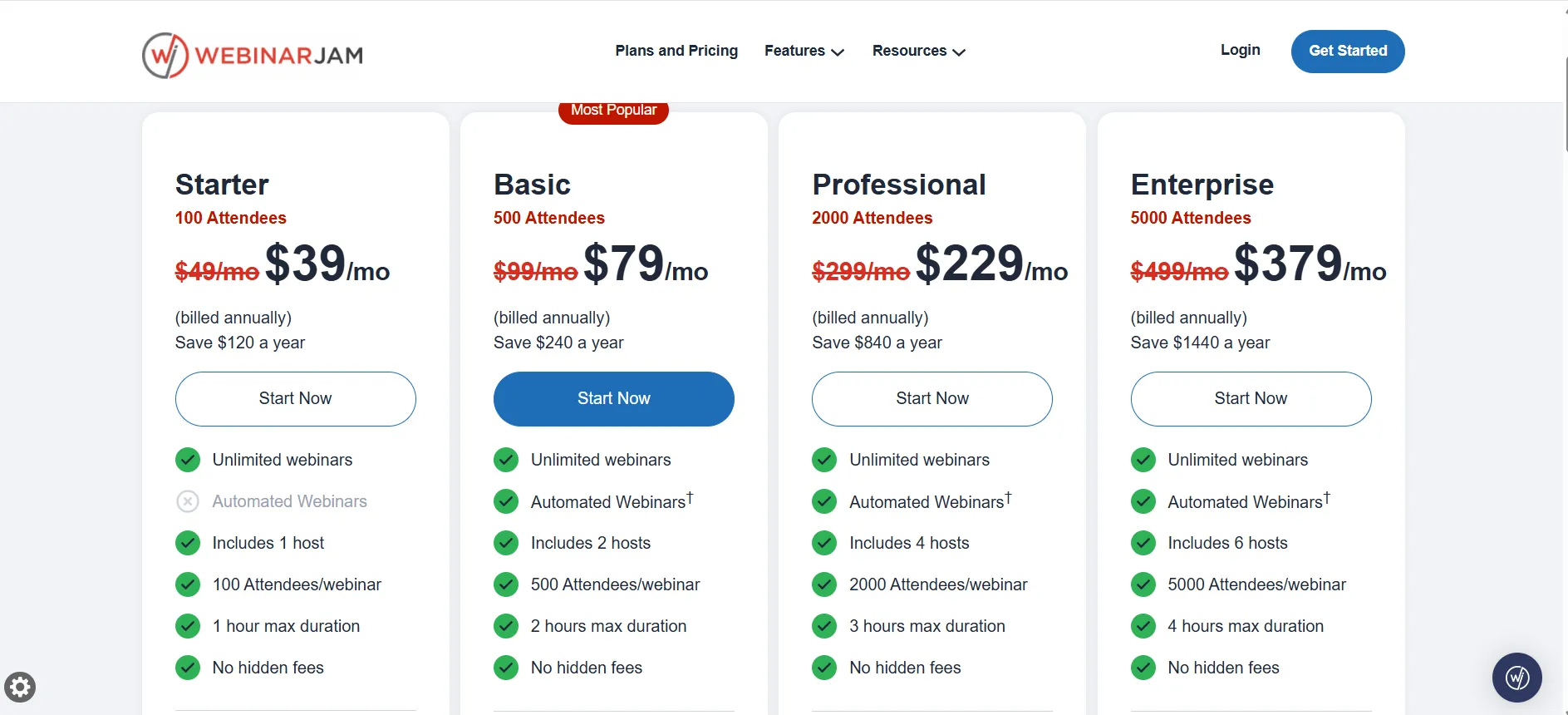
$49/month or $39/month annually
I found the Starter plan to be a good option if you’re just getting started with webinars or usually host smaller sessions. It supports up to 100 attendees, one host, and webinars of up to one hour, along with features such as live chat, polls, registration pages, email and SMS reminders, recording, replays, and live offers.
For me, the main limitation is the 100-attendee capacity. It’s enough for a solo coach, consultant, creator, or small business, but if I expected my audience to grow beyond that, I’d go with the Basic plan instead.
My verdict: Starter is a good entry-level option, but I’d choose Basic if I wanted more room to grow.
WebinarJam Basic Plan Review
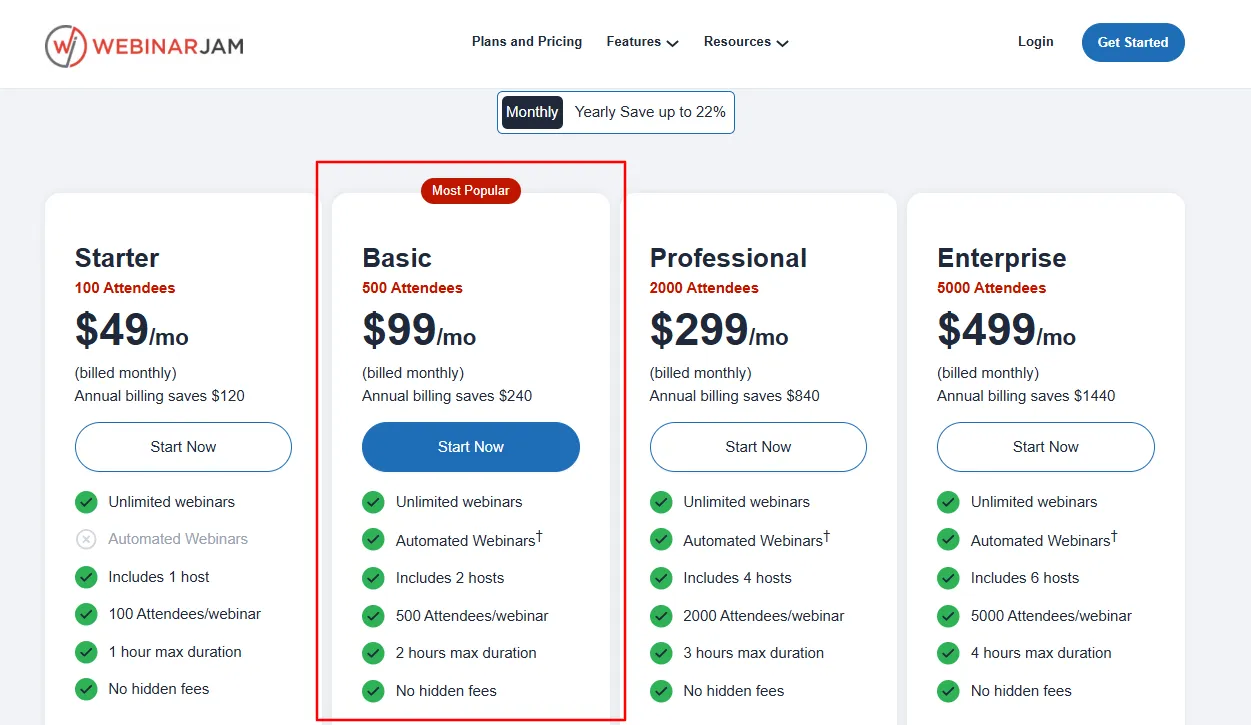
$99/month or $79/month annually
The Basic plan gives me more room to grow, with support for up to 500 attendees, 2 hosts, and 2-hour webinars. It also includes the main WebinarJam features such as live chat, polls, registration pages, reminders, offers, recordings, and replays.
I’d recommend this plan for course creators, coaches, marketers, small businesses, and anyone running regular sales or training webinars. Compared with Starter, the higher attendee limit makes it a more practical choice if I expect my audience to grow.
My pick: Basic is the plan for most users because it offers a good balance between price, capacity, and features without the much higher cost of Professional.
WebinarJam Professional Plan Review
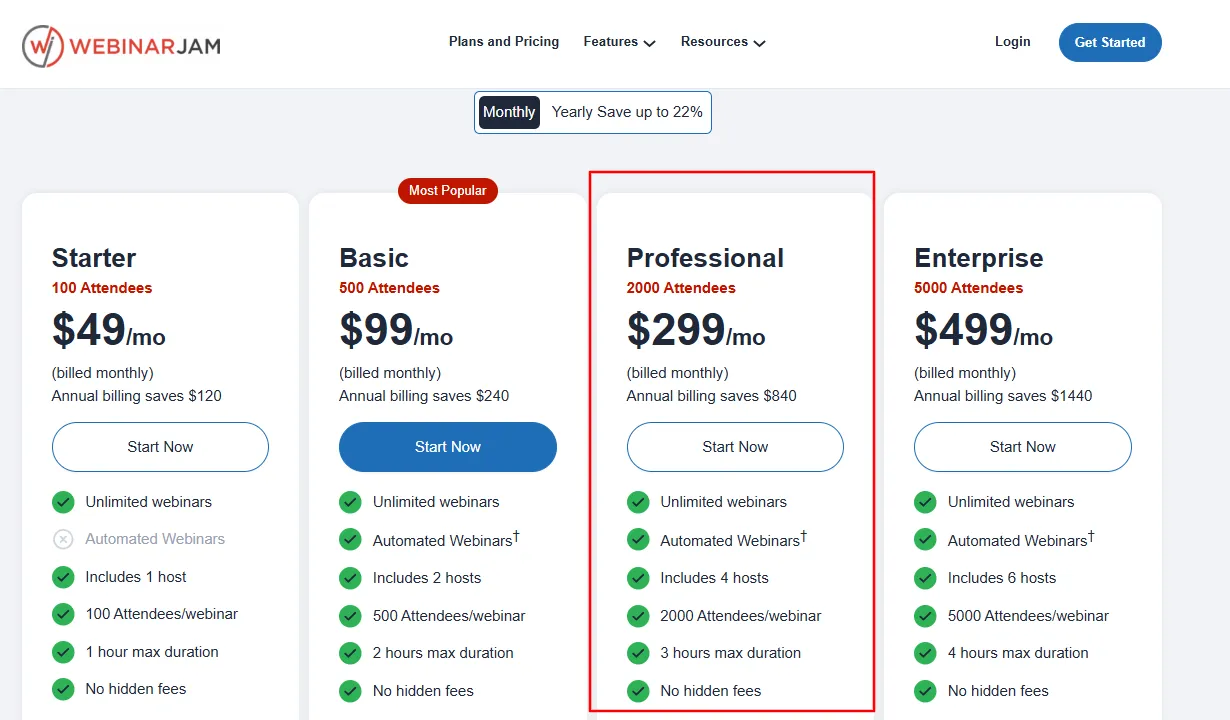
$299/month or $229/month annually
The Professional plan is designed for larger webinars, supporting up to 2,000 attendees, 4 hosts, and 3-hour webinars. It also gives teams more room to collaborate, with up to 10 additional team members.
From my perspective, this plan makes sense when webinars are already an important part of the business such as large product launches, training events, high-attendance sessions, or sales webinars.
I wouldn’t choose Professional just for the extra features if my webinars were still below 500 attendees.
The $299 monthly price is more suitable for businesses that need higher attendee capacity, additional hosts, longer webinars, and greater team support.
WebinarJam Enterprise Plan Review
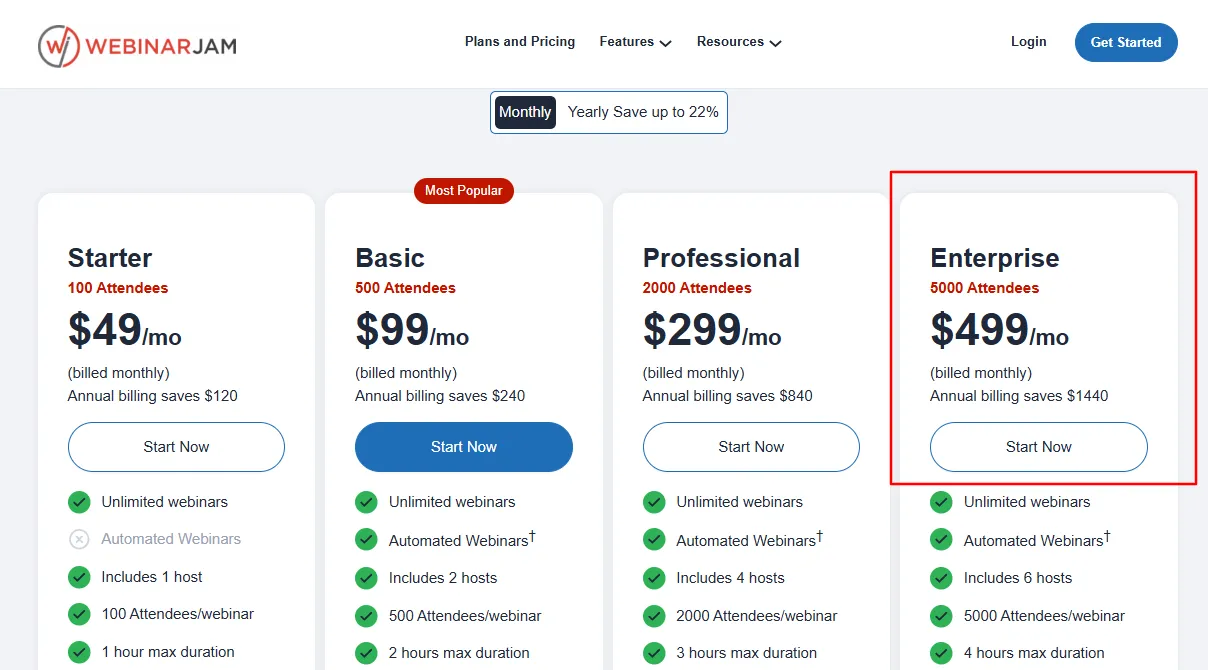
$499/month or $379/month annually
Enterprise supports:
Up to 5,000 attendees
6 hosts
4-hour webinars
25 additional team members
Which WebinarJam Plan Should You Choose?
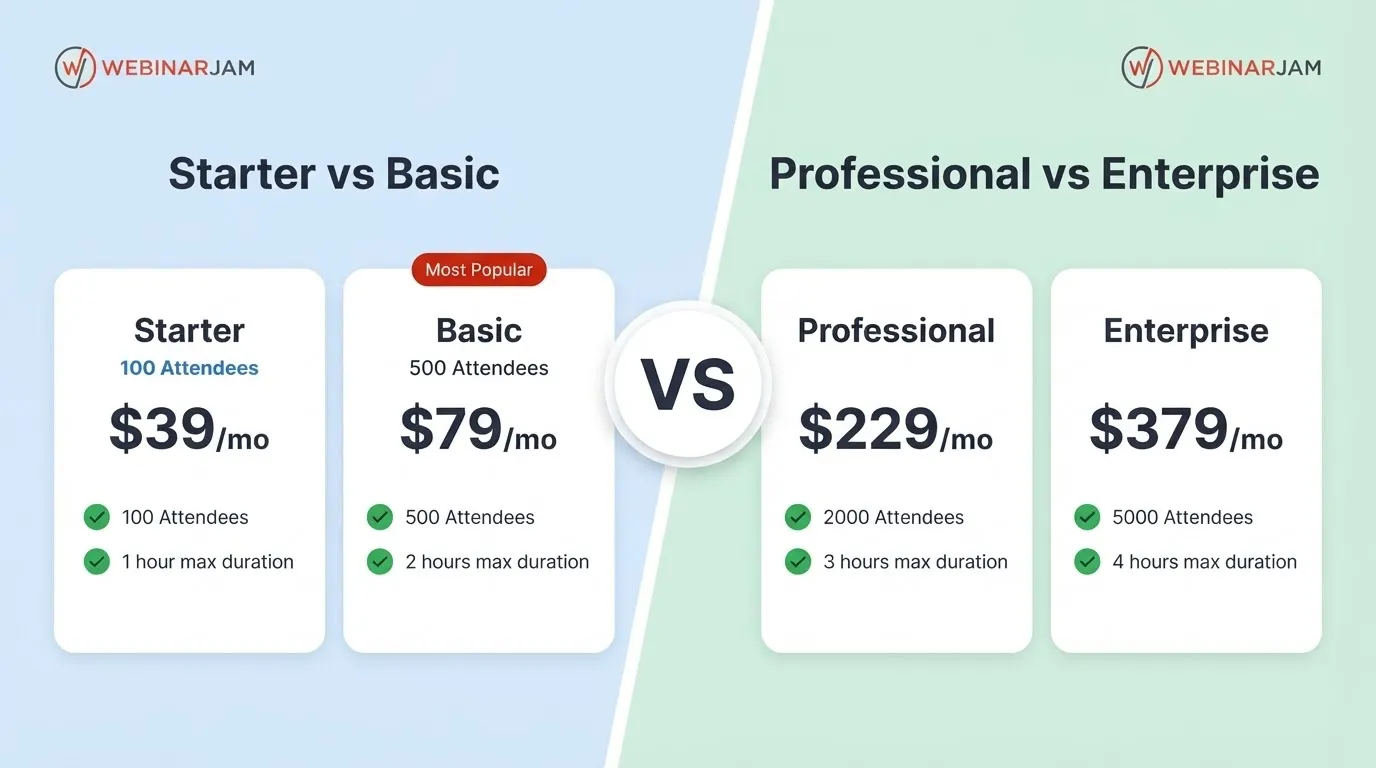
The right WebinarJam plan mainly depends on your expected audience size, webinar duration, and team requirements. You don’t need to choose the highest plan unless you actually need its additional capacity.
Plan | Best suited for | Why choose it |
Starter | Smaller webinars and beginners | Supports up to 100 attendees, making it suitable for smaller sessions and those starting with webinars. |
Basic | Most growing businesses and creators | Supports up to 500 attendees and offers a good balance of price, capacity, and features. This is the plan I’d recommend for most users. |
Professional | Larger webinars and marketing events | Supports up to 2,000 attendees, making it more suitable for businesses running larger launches, training sessions, or high-attendance webinars. |
Enterprise | Large-scale webinar programs | Supports up to 5,000 attendees and provides greater host and team capacity for businesses running large events regularly. |
My Recommendation : For most users, Basic is the most practical choice. Starter works well for smaller audiences, while Professional and Enterprise are better justified when attendee numbers and team requirements increase significantly.
My Experience With WebinarJam’s $1 Trial
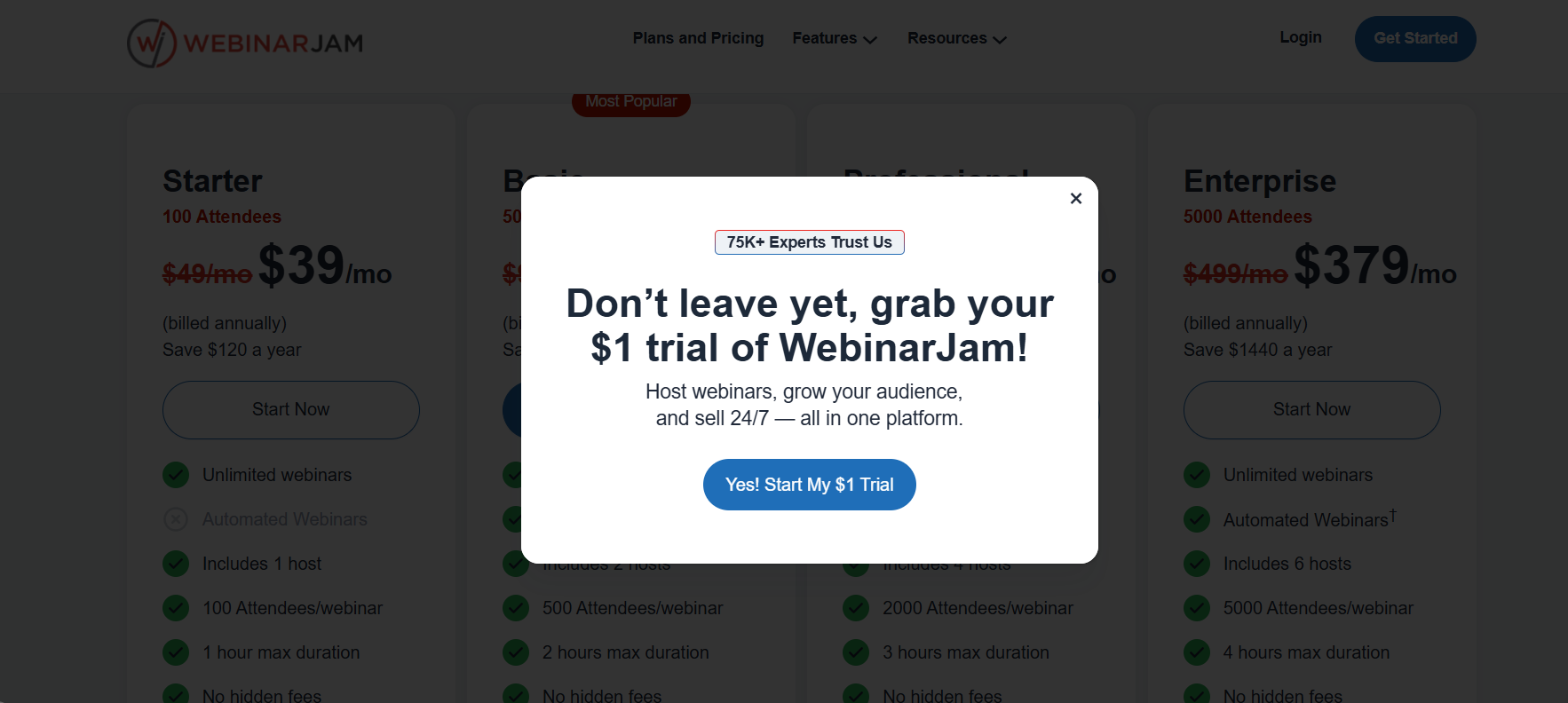
When I first started using WebinarJam, I chose the 14-day $1 trial so I could test the platform before committing to a paid plan. I found this useful because I could actually use the main features instead of just looking through the dashboard and reading about what the platform offers.
During the trial, I created a registration page, tested a webinar, and explored the live chat, polls, presenter controls, offers, recording, replay, and notification features. This gave me a much clearer idea of how the platform works in an actual webinar setup.
I also liked that the trial gave me enough access to test whether WebinarJam would fit my requirements before paying for a full subscription. For me, this was particularly helpful because webinar software can look good on paper but feel very different when you’re actually setting up and running a session.
WebinarJam $1 Free Trial: Is It Really Free?
This is an important distinction. WebinarJam doesn’t have a permanent free plan. Instead, it currently offers a 14-day trial for $1.
The trial provides a 500-attendee capacity and includes access to the platform so you can actually test the webinar experience before committing to a regular subscription.
One thing to keep in mind is that WebinarJam’s $1 trial is not a permanent free plan. It is a 14-day paid trial, after which you need to choose a regular subscription if you want to continue using the platform.
So, if you’re considering WebinarJam, I’d recommend using those 14 days to properly test the features you actually plan to use rather than simply exploring the dashboard.
Who Should Use WebinarJam?
Based on my experience using WebinarJam, I think it is most useful for people who use webinars as part of their teaching, marketing, lead generation, or sales process. The platform offers more value when you need more than basic video hosting.
Who it’s for | Why I recommend WebinarJam |
Course creators | WebinarJam works well for introducing a course through a live teaching session. I found features such as registration pages, audience interaction, offers, and recordings useful when the webinar is also being used to promote a course. |
Coaches & consultants | If webinars are part of your client acquisition strategy, WebinarJam can help you engage potential clients and present your services during the session. The live interaction features are particularly useful for answering questions and building trust. |
Product businesses | I found the live offer feature useful for product-focused webinars. You can demonstrate a product during the session and present an offer without sending attendees away from the webinar experience. |
Marketers | WebinarJam makes more sense for marketers who use webinars for lead generation or sales. Registration pages, reminders, engagement tools, offers, and follow-up features can support the wider marketing process. |
Educators & trainers | The combination of presentations, chat, polls, and recordings makes WebinarJam suitable for online classes, workshops, and training sessions where audience participation is important. |
Who Should Not Choose WebinarJam?
WebinarJam may not be the best fit for users who only need a simple video-meeting platform. If your requirements are limited to internal team meetings, occasional calls, or basic online communication, many of WebinarJam’s webinar-specific features may not be necessary.
It is better suited to users who need tools for hosting, engaging, promoting, and monetizing webinars rather than basic video conferencing.
My Favorite WebinarJam Features
After using WebinarJam, a few features stood out to me as particularly useful. The live product offers are valuable for sales-focused webinars because they let you present an offer without interrupting the session. I also found the registration pages, live chat, and polls useful for managing the audience experience before and during a webinar.
The automated webinar and replay features are helpful when you want to get more value from a webinar after the live session has ended. I also found email and SMS reminders useful for keeping registered attendees informed, while the testing tools helped me check the setup before going live and reduce the chances of technical issues during an actual webinar.
Is WebinarJam Worth It?
For me, yes; but only if webinars are actually important to my business. After using WebinarJam, I don’t see it as simply another video-conferencing platform.
WebinarJam is worth considering if webinars are an important part of your marketing, sales, training, or lead-generation strategy. Its value comes from having webinar hosting, audience engagement, registration, offers, recordings, automation, and follow-up tools in one platform.
For basic meetings or occasional video calls, the additional webinar-focused features may not be necessary. The platform makes more sense when webinars are being used to actively engage an audience or support a business goal.
Is WebinarJam Easy to Use?
I found WebinarJam reasonably easy to use once I understood how the different parts of the platform worked. Setting up a webinar involves more than creating a meeting link, as there are registration pages, notifications, presenters, audience engagement, offers, and replays to manage.
The setup may take some time initially, but the process becomes easier once the webinar structure is familiar.
Does WebinarJam Have Good Integrations?
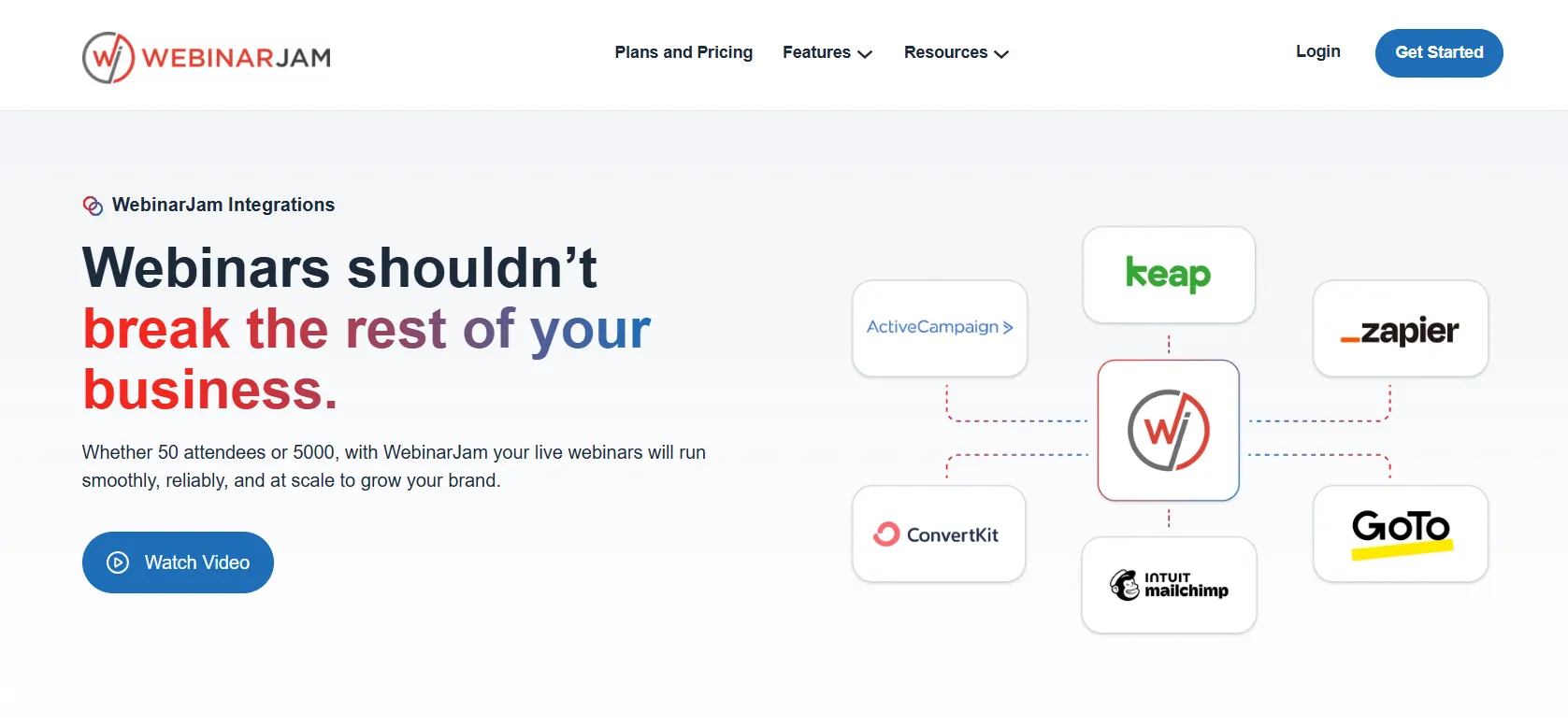
WebinarJam supports integrations with a range of email marketing, CRM, automation and related services, including ActiveCampaign, AWeber, GetResponse, Mailchimp, ConvertKit, Drip, Twilio and Zapier.
For me, integrations matter because webinar leads shouldn’t remain isolated inside the webinar platform.
If I’m using webinars as part of a marketing funnel, I want attendee and registration information to flow into the rest of my marketing system.
WebinarJam Pros and Cons
Pros
- Purpose-built for webinars
- Strong live engagement tools
- Built-in registration pages
- Email and SMS functionality
- Live product offers
- Automated webinar functionality
- Webinar recordings and replays
- A/B testing
- Multiple attendee capacity options
- YouTube and Facebook broadcasting
- Useful marketing integrations
- Testing/rehearsal capabilities
- 14-day $1 trial
- 30-day money-back guarantee on paid plans
Cons
- It can be overkill for basic meetings
- Higher-tier plans become expensive for smaller businesses
- Starter is limited to 100 attendees
- Some advanced functionality becomes more relevant only at larger scale
- Automated webinars can be confusing if you don't understand the WebinarJam/EverWebinar relationship
- The platform is more valuable when webinars are actually part of your marketing strategy
WebinarJam vs Alternatives: Which One Should You Choose?
The main difference between these platforms is what they are built to do. WebinarJam is focused on webinars used for marketing, teaching, and sales, while Zoom is primarily a general-purpose meeting platform. Demio focuses more on keeping the webinar experience simple, and EverWebinar is designed specifically for automated webinars.
1. WebinarJam vs Zoom
WebinarJam is a better fit when a webinar needs features such as registration pages, audience engagement, product offers, recordings, and webinar-focused marketing tools. Zoom is more suitable for regular meetings, team calls, and general video communication.
Choose WebinarJam if the webinar is part of your sales or marketing strategy. Choose Zoom if you mainly need online meetings.
2. WebinarJam vs Demio
Demio is worth considering when you want a simpler webinar setup with fewer features to manage. WebinarJam is more suitable when you need additional tools for promoting webinars, engaging attendees, and selling through them.
Choose Demio for simplicity. Choose WebinarJam for a broader webinar marketing setup.
3. WebinarJam vs EverWebinar
These platforms serve different purposes. WebinarJam is designed primarily for live webinars, while EverWebinar focuses on automated and evergreen webinars. EverWebinar is included with WebinarJam’s Basic, Professional, and Enterprise plans, so users can use both depending on their webinar strategy.
Choose WebinarJam when live interaction is important. Choose EverWebinar when the goal is to run recorded webinars automatically.
Quick Links :
WebinarJam Review FAQs
Yes, if webinars are an important part of your marketing, sales, education or lead-generation strategy. I wouldn't choose it just for basic meetings.
WebinarJam currently offers a 14-day trial for $1, rather than a permanent free plan.
Current plans start at $49/month for Starter, with annual billing reducing the equivalent monthly price to $39. Basic is $99/month, Professional is $299/month and Enterprise is $499/month. Annual pricing is $79, $229 and $379 respectively.
I'd choose Basic for most users because it supports up to 500 attendees and offers a strong balance between capacity and price.
Yes. WebinarJam supports automated webinars, with the current pricing page noting EverWebinar functionality for Basic, Professional and Enterprise plans.
For normal meetings, I would choose Zoom. For webinars focused on marketing, teaching, audience engagement and sales, I prefer WebinarJam.
Depending on the plan, WebinarJam currently supports 100, 500, 2,000 or 5,000 attendees per webinar.
Yes. WebinarJam has product-offer functionality that lets hosts display an offer inside the webinar room and send attendees to a sales page.
Yes. Recording and replay functionality is part of the WebinarJam experience.
Yes. It supports multiple email marketing, CRM and automation integrations, including services such as ActiveCampaign, Mailchimp, ConvertKit, GetResponse and Zapier.
It depends on what you're trying to accomplish. I'd consider Zoom for meetings, Demio if simplicity is the priority, and EverWebinar when the primary requirement is evergreen automated webinars.
My Final WebinarJam Verdict: Is WebinarJam Worth It?
After using WebinarJam, I’d give it 4.5/5. I found it most useful for webinars focused on teaching, lead generation, product promotion, and sales. The combination of registration, audience engagement, offers, recordings, and other webinar tools makes it more than a basic video-meeting platform.
For me, the biggest advantage is having these features together in one place. The main downside is that it can be more than necessary for users who only need simple meetings or occasional small webinars.
What I Liked Most : The combination of webinar hosting, engagement, and sales features. I found these particularly useful when the webinar had a clear marketing or business purpose.
What I Liked Least: The platform may feel like overkill for basic meetings, and the higher-priced plans aren’t necessary for smaller audiences.
Which Plan Would I Choose? I’d choose the Basic plan at $99/month or $79/month annually. The 500-attendee limit gives enough room for most growing businesses without the higher cost of Professional.
Who Should Use It? I’d recommend WebinarJam to course creators, coaches, consultants, educators, marketers, and businesses using webinars for sales or lead generation.
Final rating: 4.5/5 – A strong choice for serious webinar users, but unnecessary if all you need is basic video conferencing.

Jitendra Vaswani is a well-known figure in the SEO and affiliate marketing communities. He is regarded as a legitimate authority due to his deep knowledge and game-changing contributions to the field. He is the founder of Digiexe.com, a digital marketing agency, and VenueLabs.com, a full-service PR marketing agency. His strategic acquisition of AffiliateBooster.com has further solidified his status as a leader, bringing forth groundbreaking solutions that are revolutionizing affiliate marketing. Follow Jitendra on Instagram, Facebook, and LinkedIn