
Looking for the best appointment scheduling software, or just free booking software that works? The short answer: Calendly is the easiest pick for one-on-one meetings, Zoho Bookings and Setmore give you the most on a free plan, and Square Appointments is the best choice if you sell services in person and already take payments with Square. If you want an open source option, look at Cal.com. Acuity Scheduling is worth paying for when you need deep customization and intake forms. All of these let clients book online without calling you.
I run a consulting business, a podcast and a few websites, so my calendar is always full of client calls, guest interviews and team meetings. For years I fixed times over email. Five messages back and forth for a single 30 minute call. An online booking system ended that for me, and I have not gone back.
In this guide I compare 12 appointment scheduling apps, what each one is best for, exactly what you get for free and what the paid plans cost. Every price and free limit here comes from the vendor’s official website, checked on October 23, 2026. I have not run hands-on tests for this roundup, so I do not invent speed scores or test results. Where a vendor does not state something clearly, I say so.
What Is Appointment Scheduling Software?
Appointment scheduling software is a tool that lets your clients see when you are free and book a slot themselves, usually through a booking page or a widget on your website. You set your working hours, services and rules once. The software then handles the rest:
- A booking page that shows only the times you are free.
- Calendar sync with Google Calendar, Outlook or iCloud so you never get double booked.
- Confirmations and reminders by email, and on many paid plans by SMS.
- Payments and deposits through Stripe, PayPal or Square on most tools.
- Staff and resource management for salons, clinics, gyms and agencies with more than one person taking bookings.
You will see the same category called an online booking system, an appointment booking app, a free scheduling app or simply booking software. They all solve the same problem: they replace phone calls and email ping-pong with a link your client clicks.
Best Appointment Scheduling Software at a Glance
| Software | Best for | Free plan | Paid plans start at |
|---|---|---|---|
| Calendly | One-on-one meetings | Yes, 1 event type | $10 per seat/month (billed yearly) |
| Zoho Bookings | Free plan for 1 user, Zoho users | Yes, forever free for 1 user | US$6 per user/month (billed annually) |
| Square Appointments | Salons, spas and in-person services | Yes, $0 per location | $49 per location/month |
| Setmore | Small teams on a budget | Yes, up to 4 users | $5 per user/month (annual billing) |
| SimplyBook.me | Ready-made booking website | Yes, 50 bookings | $11.9 per month (billed annually) |
| Cal.com | Open source and developers | Yes, for individuals | $12 per user/month (yearly) |
| Acuity Scheduling | Advanced customization | No, 7-day trial | $16 per month |
| Trafft | Growing service businesses | Yes, 100 appointments | $5.99 per month (annual) |
| Appointy | Bookings from social media and Google | Yes, 100 appointments/month | $19.99 per month (billed annually) |
| Picktime | Cheapest paid upgrade | Yes, 3 users | $2.25 per user/month (billed annually) |
| Google Calendar appointment schedules | Google account users | Yes, 1 booking page | Business Standard (Workspace) |
| Microsoft Bookings | Microsoft 365 businesses | Included in eligible Microsoft 365 plans | Part of Microsoft 365 |
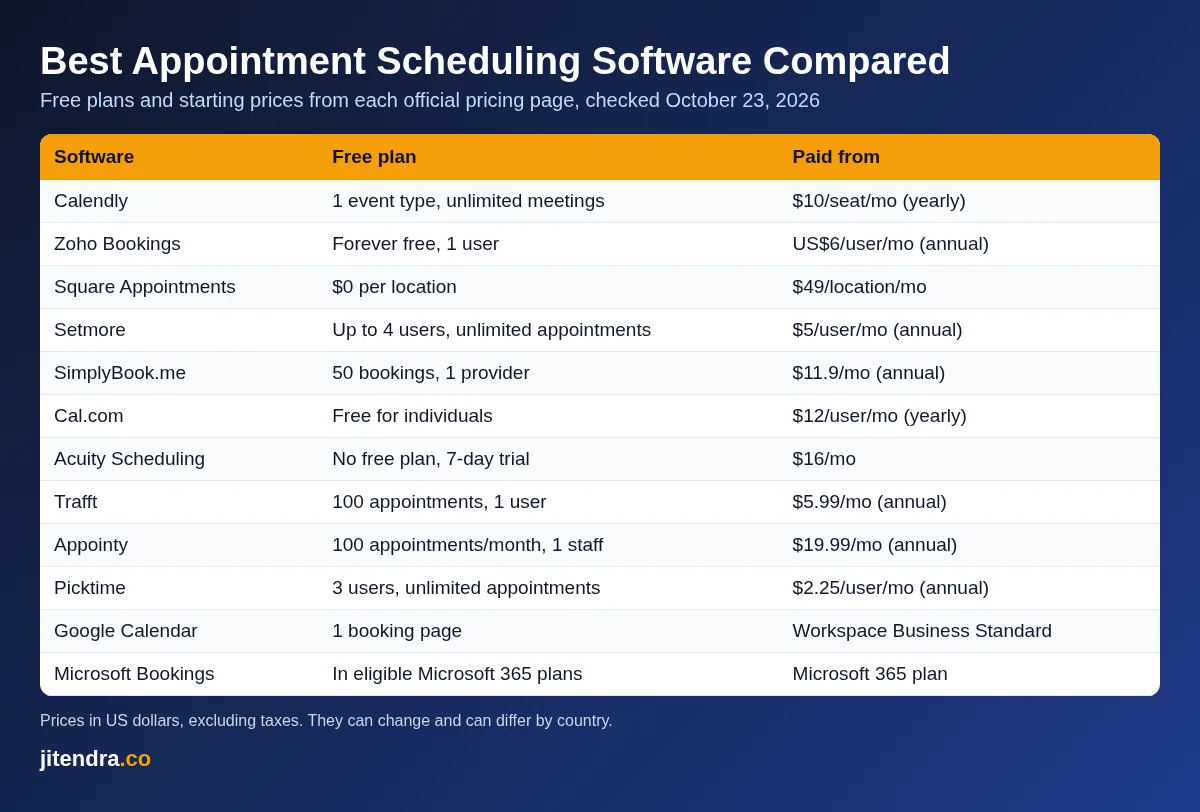
Prices are in US dollars as shown on each official pricing page and exclude taxes. Your price can differ by country, currency and billing cycle.
12 Best Appointment Scheduling Software in 2026
1. Calendly: Best for One-on-One Meetings
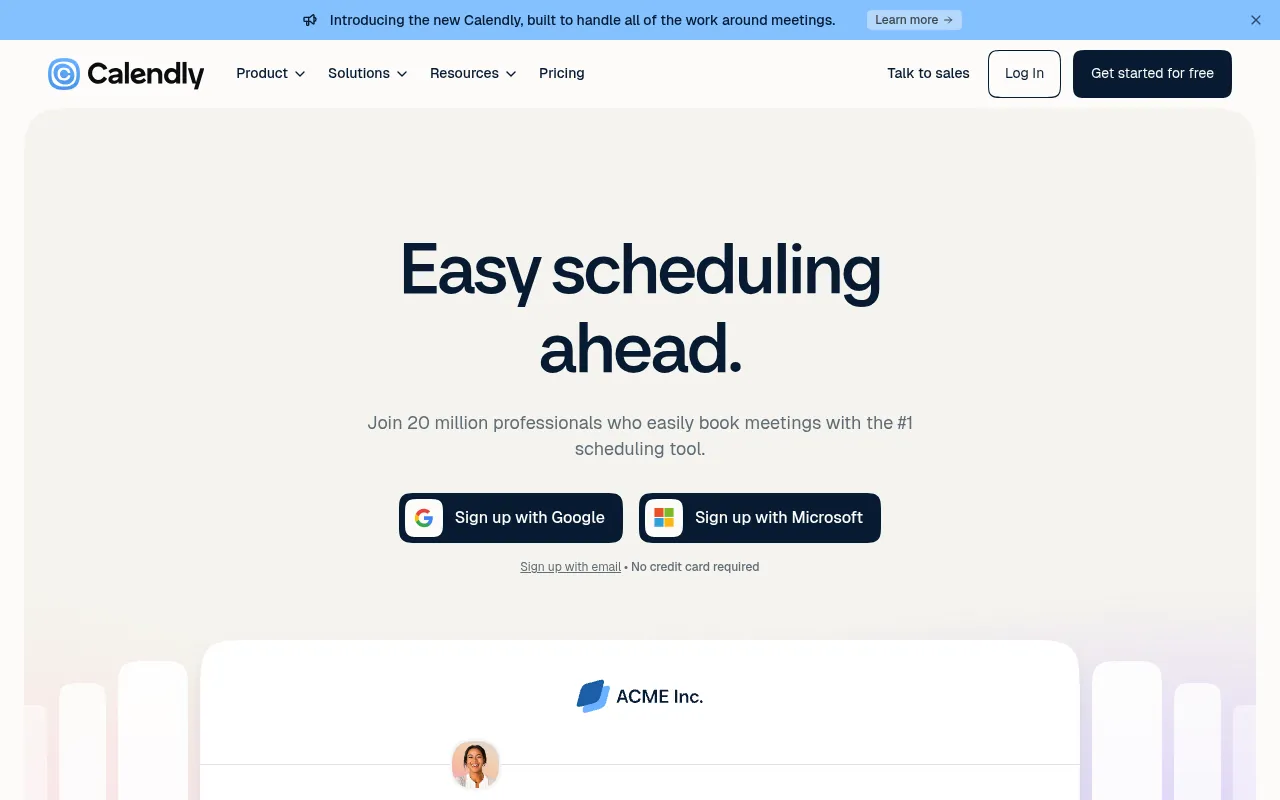
Calendly is the tool most people think of when they hear “scheduling link”. You connect your calendar, set your availability and share one link. The person on the other side picks a time and the meeting lands on both calendars.
I like Calendly for consultants, coaches, recruiters and salespeople who mostly book one-on-one calls. It does not try to be a salon system, and that keeps it simple.
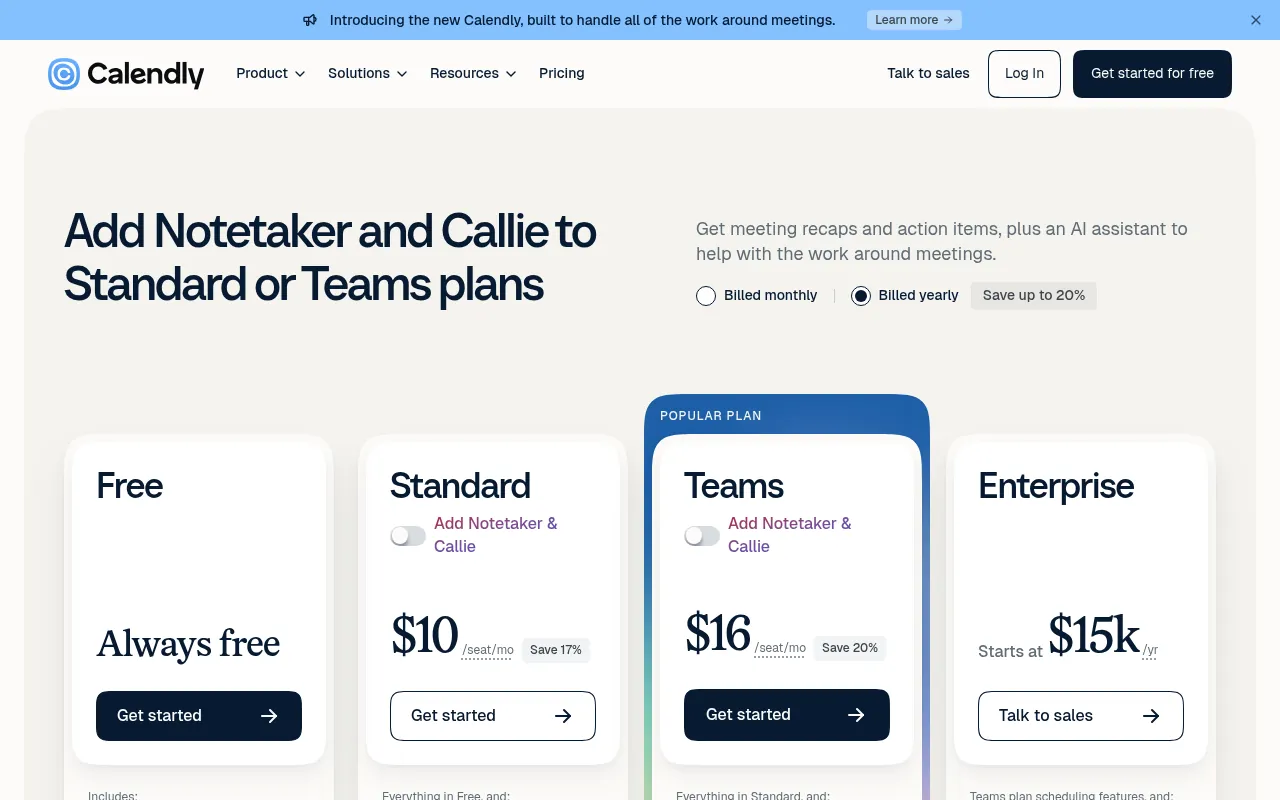
Free plan: Calendly’s pricing page lists 1 event type, 1 calendar connection, one-on-one meetings, a booking page and unlimited meetings.
Paid plans (billed yearly):
- Standard: $10 per seat/month. Adds unlimited event types, up to 6 calendar connections, automated reminders and workflows, and Stripe and PayPal payments.
- Teams: $16 per seat/month for team scheduling.
- Enterprise: starts at $15k per year, with a 50 seat minimum.
Who should use it: freelancers and professionals who want a clean scheduling link with almost no setup.
What I could not verify: the exact monthly (non-annual) price for every plan. Calendly’s page shows yearly prices with a “Save 17%” note.
2. Zoho Bookings: Best Free Plan for One User
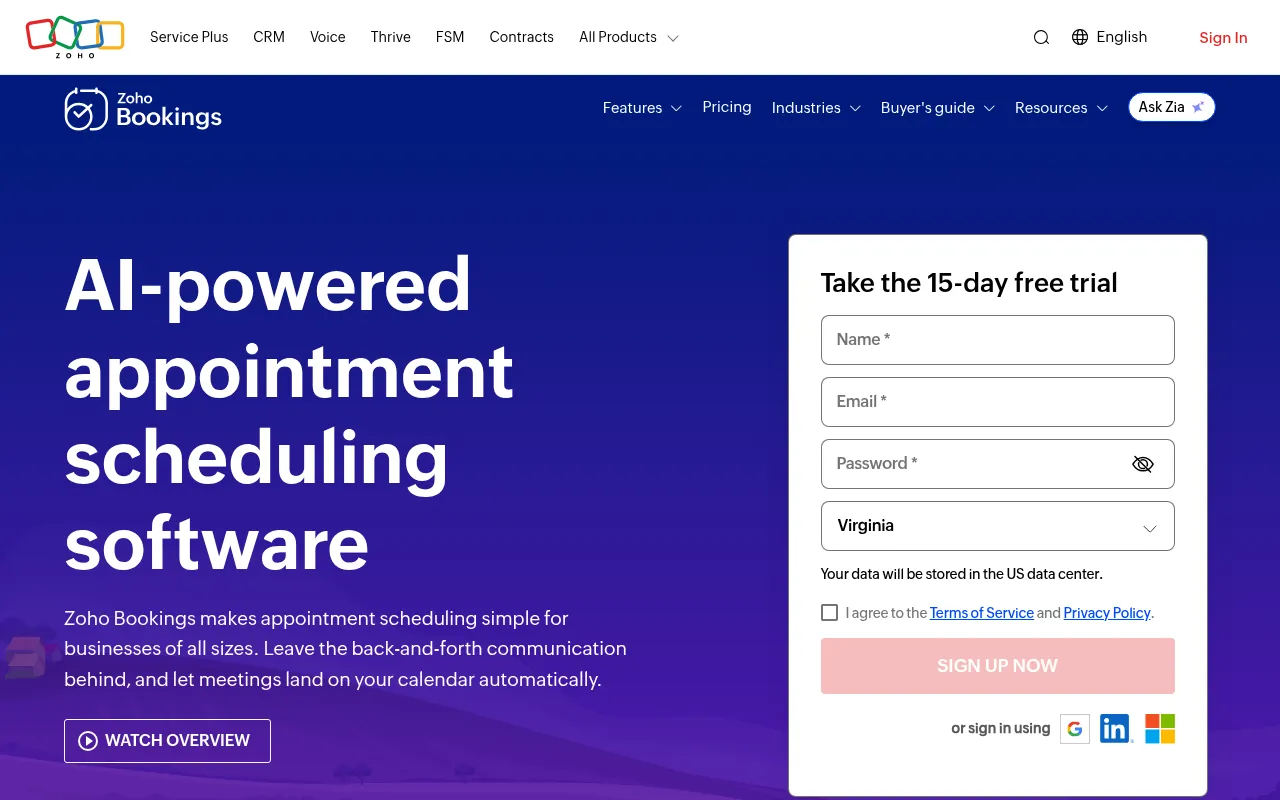
Zoho Bookings is part of the Zoho suite, and that is its biggest strength. If you already use Zoho CRM, Zoho Mail or Zoho Meeting, your appointments flow into the tools you already have. Zoho says more than 29,000 businesses use it.
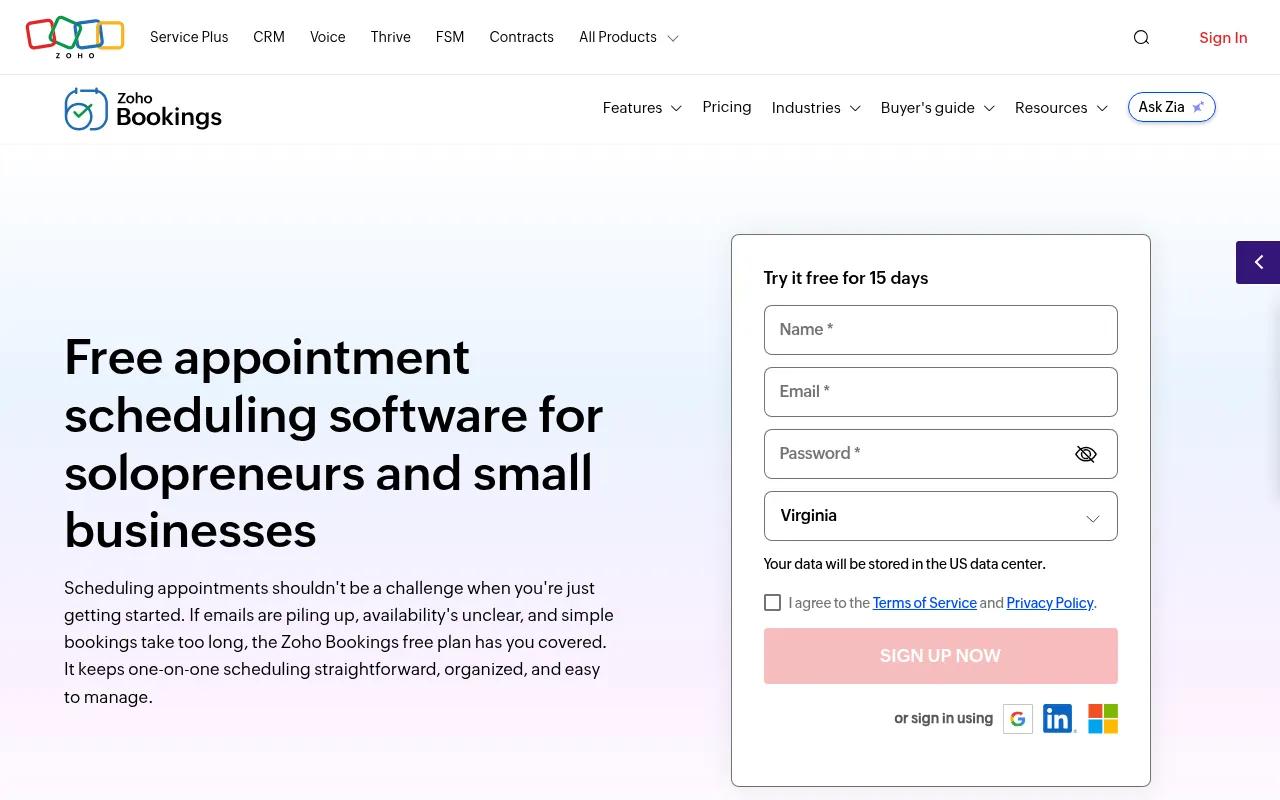
Free plan: Zoho offers a forever free plan for 1 user. Its free plan page lists online meetings, email reminders, two-way calendar sync with Zoho, Google and Microsoft calendars, unlimited customers and appointments, and Zoho CRM integration.
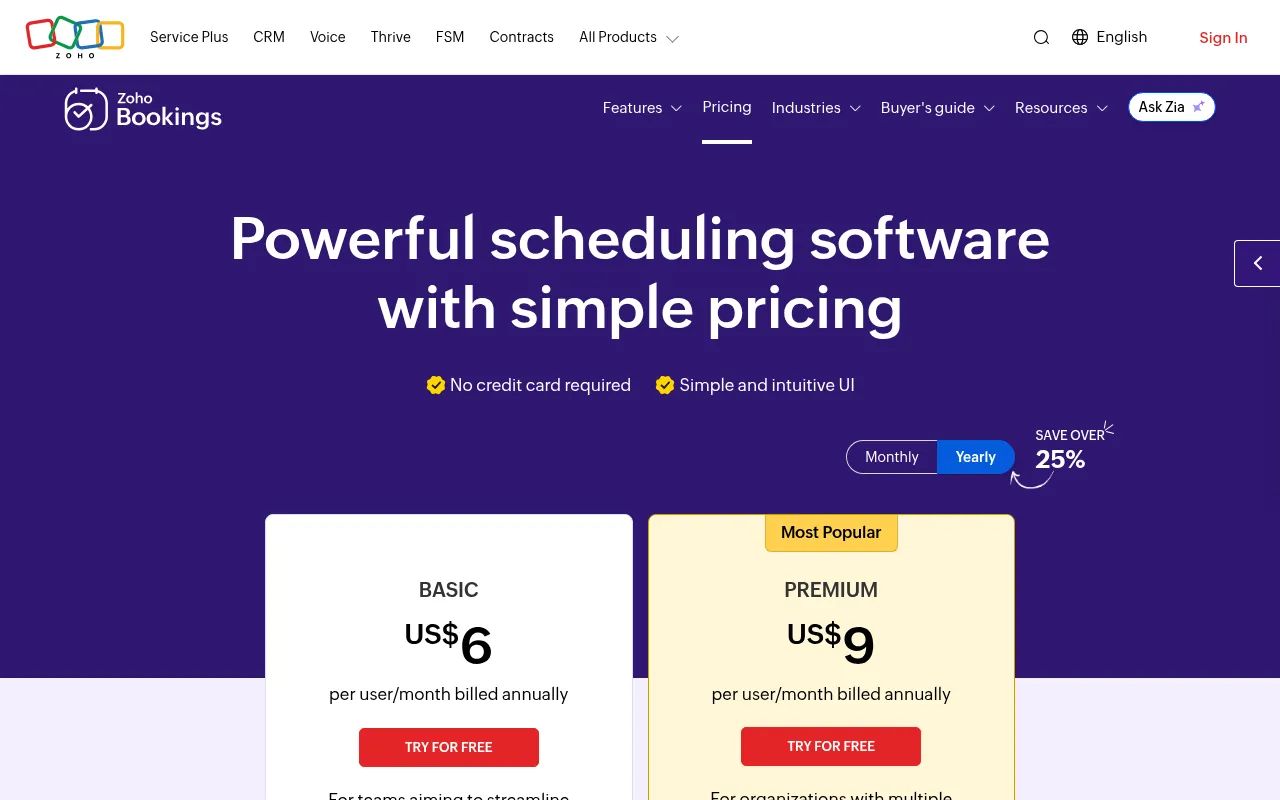
Paid plans (billed annually):
- Basic: US$6 per user/month.
- Premium: US$9 per user/month.
Zoho says you save over 25% with yearly billing.
Who should use it: solo professionals who want a capable free booking software, and any business already inside the Zoho ecosystem.
3. Square Appointments: Best for Salons and In-Person Services
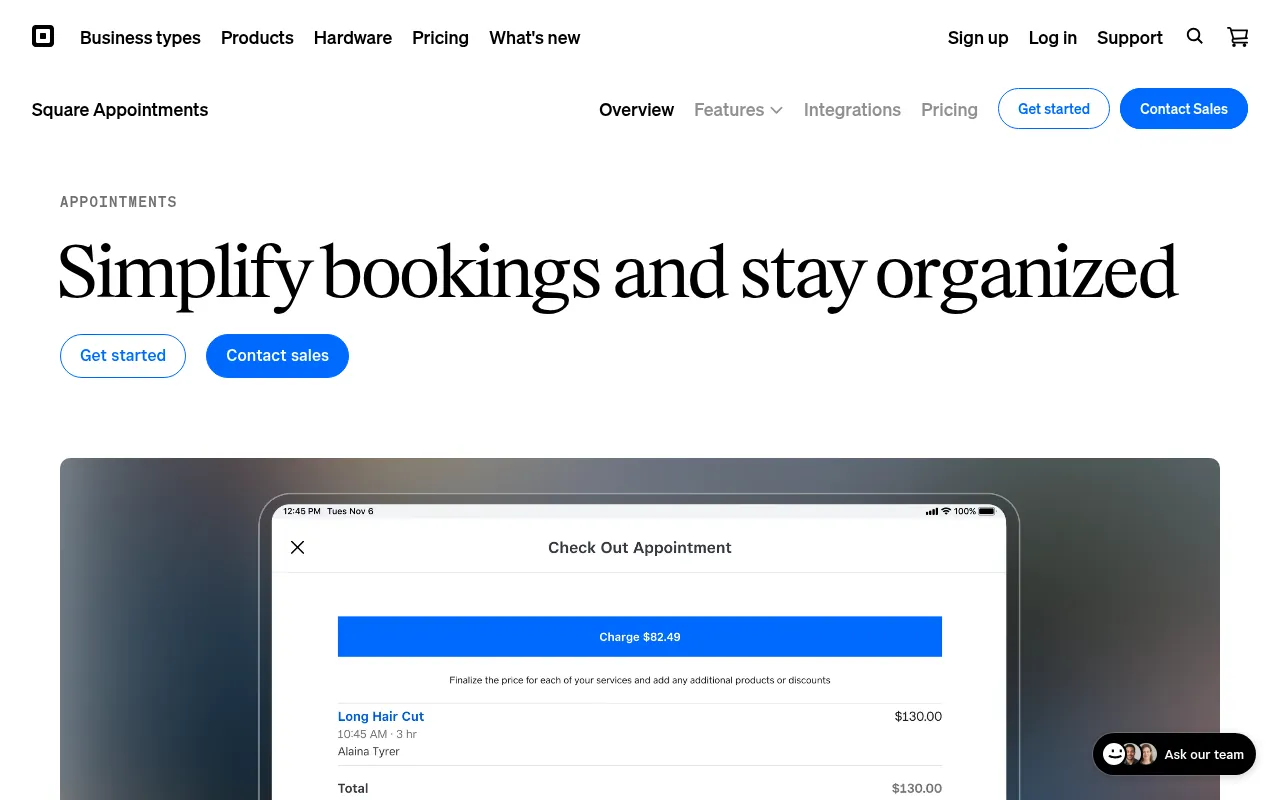
Square Appointments combines a booking system with Square’s point of sale. Clients book on a free booking site, you take card payments at the counter, and everything sits in one dashboard. For a salon, spa, barber or massage studio, that is a big plus.
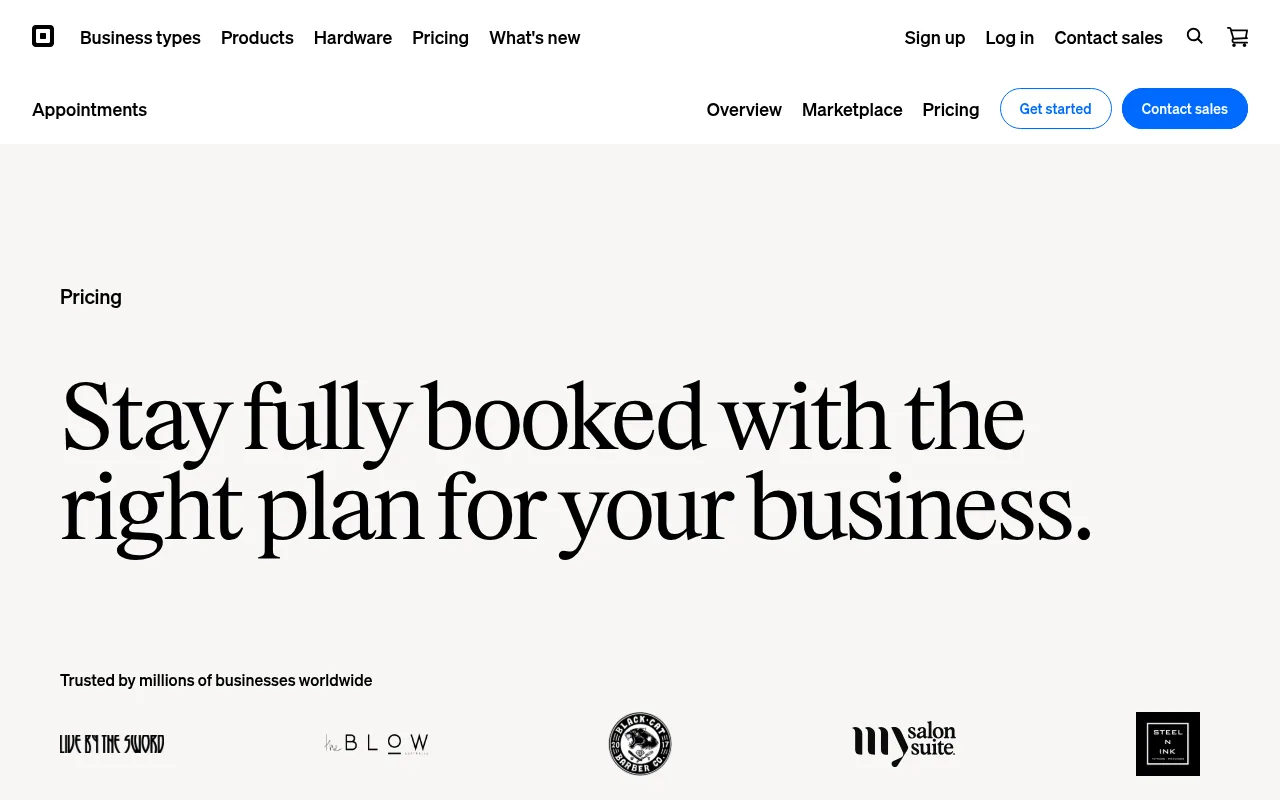
Free plan: Square lists the Free plan at $0 per month per location. There is no subscription fee, and you pay only processing fees when you take payments. Across its plans, Square’s page lists a free online booking site, staff schedules, Google Calendar sync, reminders and no-show protection.
Paid plans (per location):
- Plus: $49 per month. Includes 500 text messages, then 3¢ per text.
- Premium: $149 per month. Includes 2,500 text messages, then 1.5¢ per text.
Plus and Premium come with a 30-day free trial. Text messages are not included in the Free plan. Letting clients book several staff members in one appointment needs Plus or Premium.
Important for readers in India: Square’s developer documentation lists payment processing only in Australia, Canada, France, Ireland, Japan, Spain, the United Kingdom and the United States. If your business is in India, Square is not a practical choice today. Zoho Bookings, Setmore or SimplyBook.me are better options for you.
Who should use it: service businesses in Square’s supported countries that want booking and payments in one place.
I explain the Square online booking settings step by step in a separate section below.
4. Setmore: Best Free Plan for Small Teams
Setmore has one of the most generous free plans I came across. Small teams can share it without paying, which is rare.
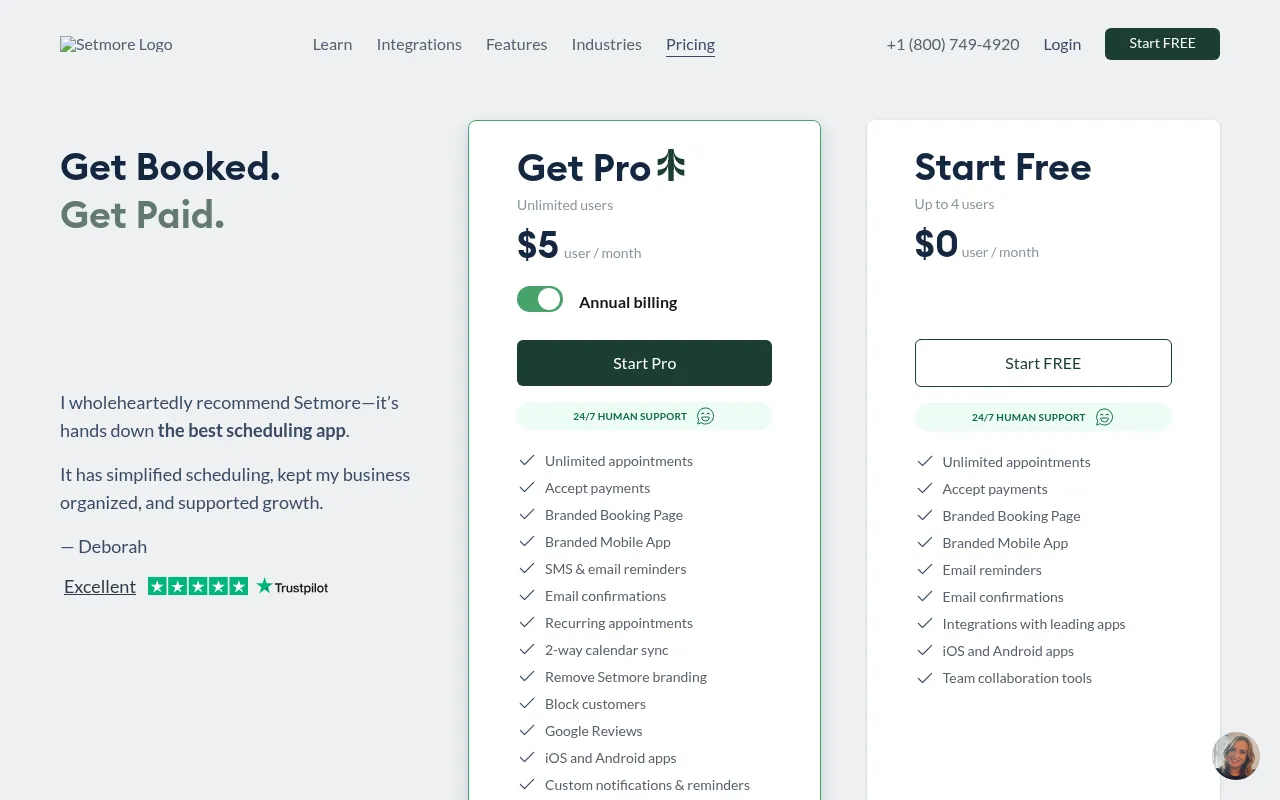
Free plan: up to 4 users, unlimited appointments, a booking page, online payments, email reminders and Reserve with Google, according to Setmore’s pricing page.
Paid plan: Pro costs $5 per user/month with annual billing. It adds SMS reminders, two-way calendar sync, recurring appointments, video appointments and removal of Setmore branding.
Who should use it: small salons, tutors, clinics and agencies with 2 to 4 people who want a free scheduling app for the whole team.
What I could not verify: some third-party sites quote a cap of 200 appointments on the free plan. Setmore’s own pricing page says unlimited appointments, so I go with the official page.
5. SimplyBook.me: Best for a Ready-Made Booking Website
SimplyBook.me gives you a full booking website out of the box, plus a widget for your existing site and a WordPress widget. It also has a long list of optional “custom features” you switch on as you need them, such as intake forms, packages or memberships.
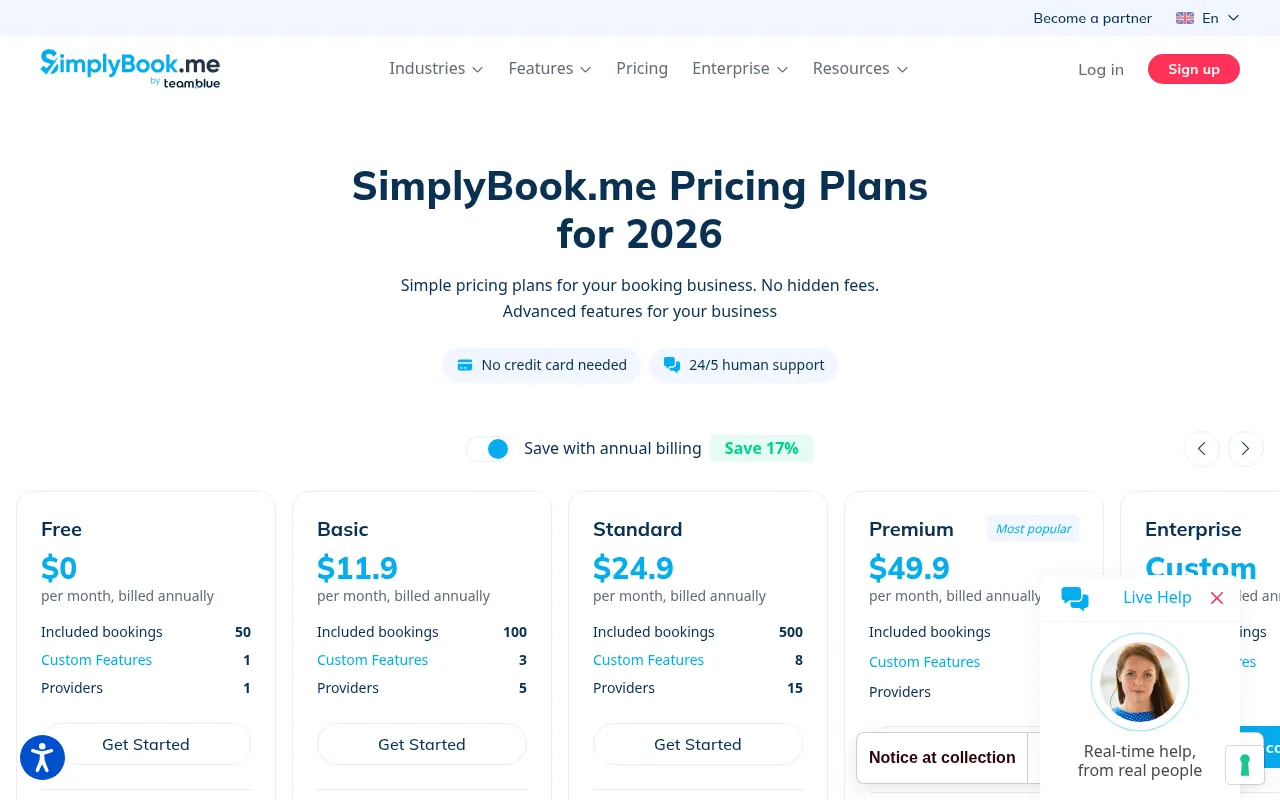
Free plan: $0 with 50 bookings, 1 custom feature and 1 provider. It includes the booking website, booking widget, admin app and WordPress widget.
Paid plans (per month, billed annually):
- Basic: $11.9, with 100 bookings, 3 custom features and 5 providers. Adds the client app, payments, deposits, tips and POS.
- Standard: $24.9, with 500 bookings, 8 custom features and 15 providers.
- Premium: $49.9, with 2,000 bookings, unlimited custom features and 30 providers.
SimplyBook.me says annual billing saves 17%, and no credit card is needed to start.
Who should use it: businesses without a website that want a professional online booking system live in one afternoon.
6. Cal.com: Best Open Source Scheduling Tool
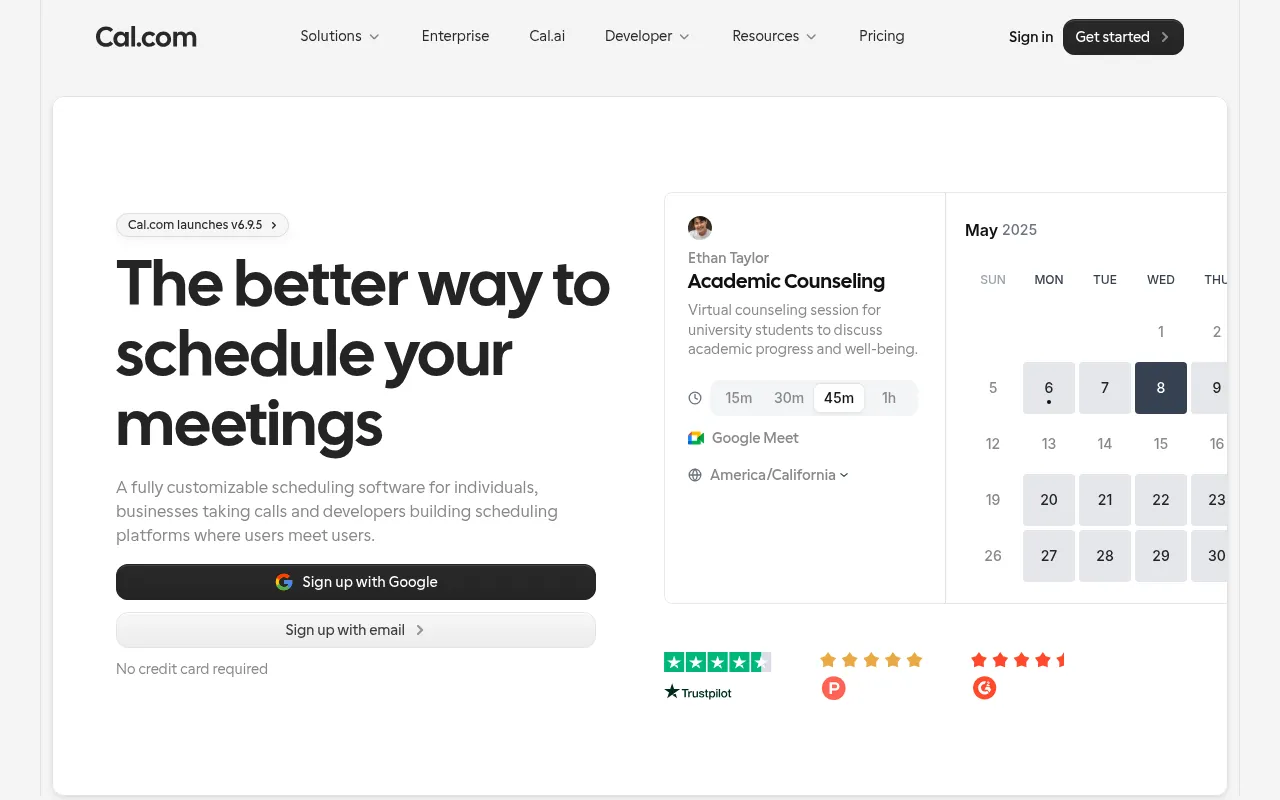
Cal.com is the open source alternative to Calendly, with a self-hosted option and its code on GitHub. If you care about owning your data, or you have a developer who wants to customize the booking flow, it is the most flexible option here.
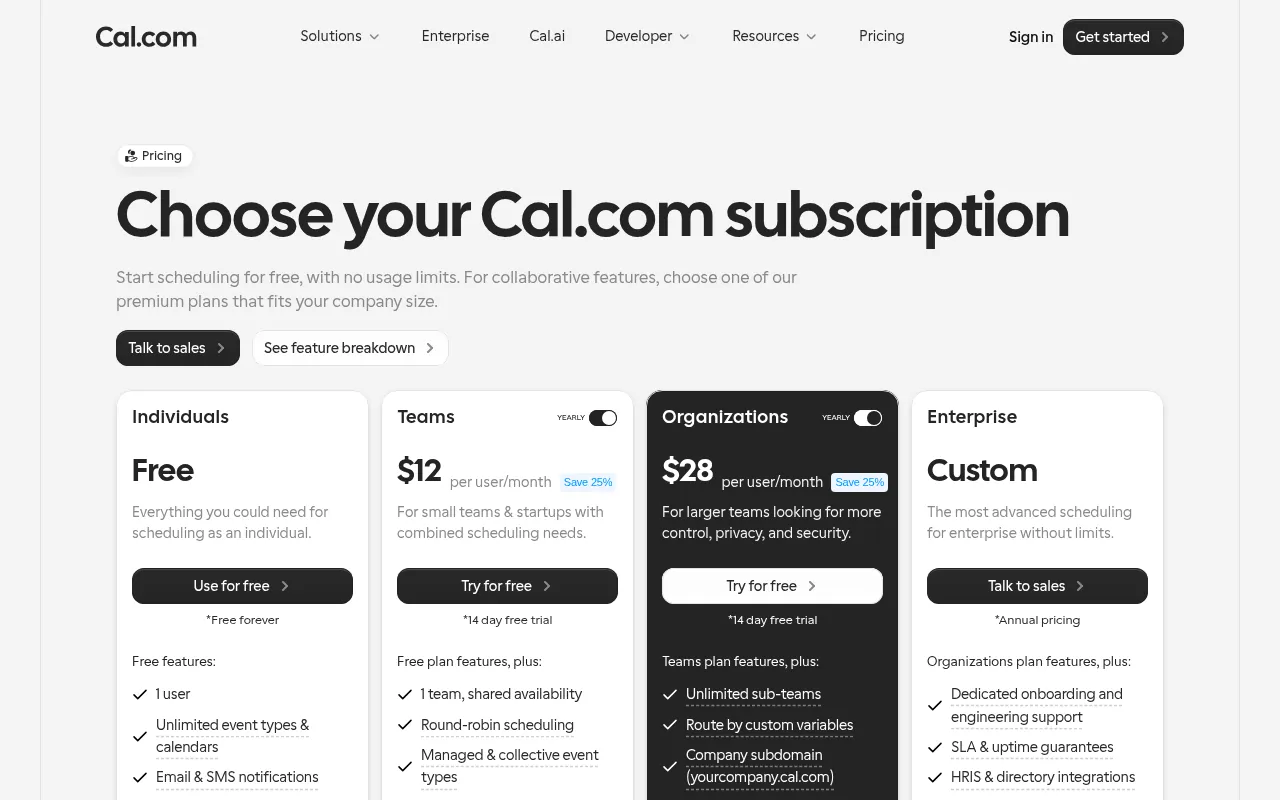
Free plan: free for individuals. Cal.com lists 1 user, unlimited event types, unlimited calendars, email and SMS notifications, 100+ apps, Stripe and PayPal payments, Salesforce and HubSpot sync, and an import tool for Calendly users.
Paid plans (per user/month, billed yearly):
- Teams: $12.
- Organizations: $28.
There is a 14-day free trial on paid plans.
Who should use it: tech-savvy users, developers and teams looking for Calendly alternatives with a stronger free plan.
7. Acuity Scheduling: Best for Advanced Customization
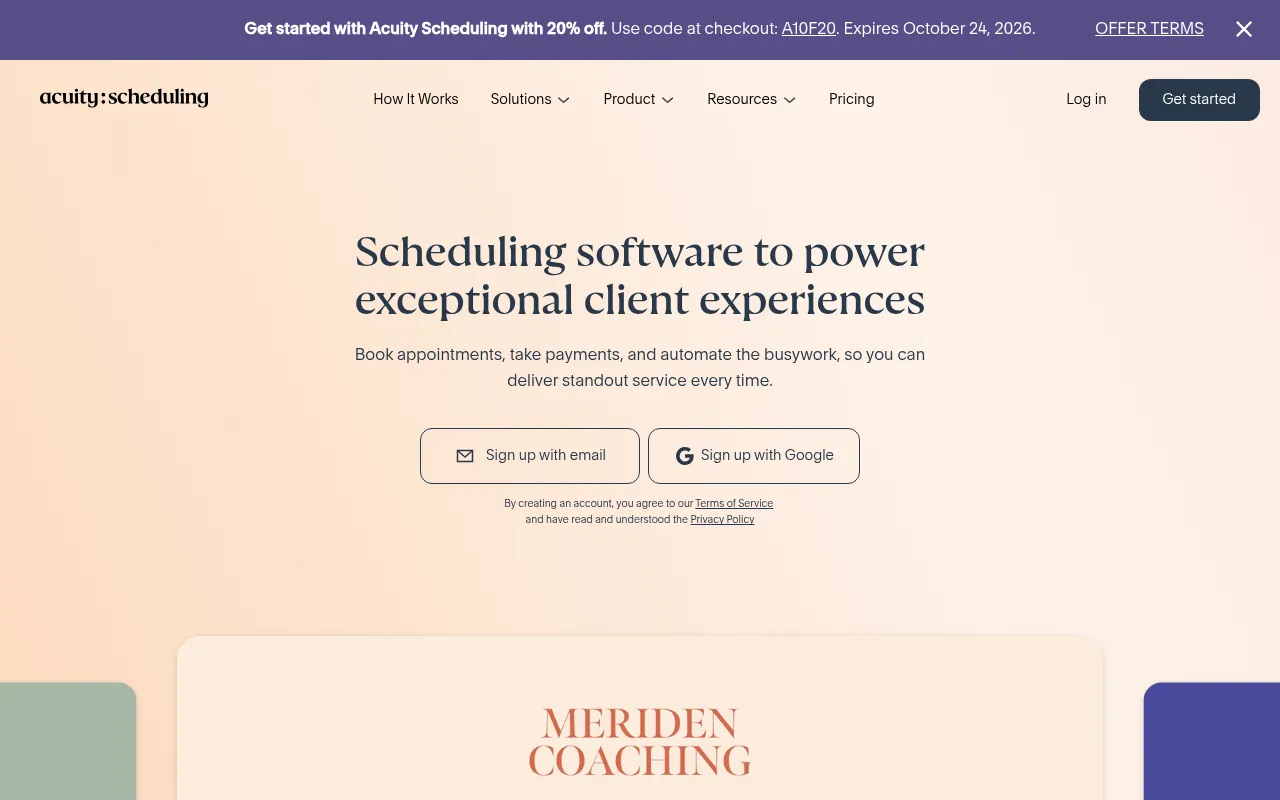
Acuity Scheduling is the most customizable tool in this list. Its site lists intake forms, packages, subscriptions, gift certificates, add-ons and coupons, and you can control almost every detail of the booking page.
Free plan: none. Acuity offers a 7-day free trial and does not ask for a card.
Paid plans (per month):
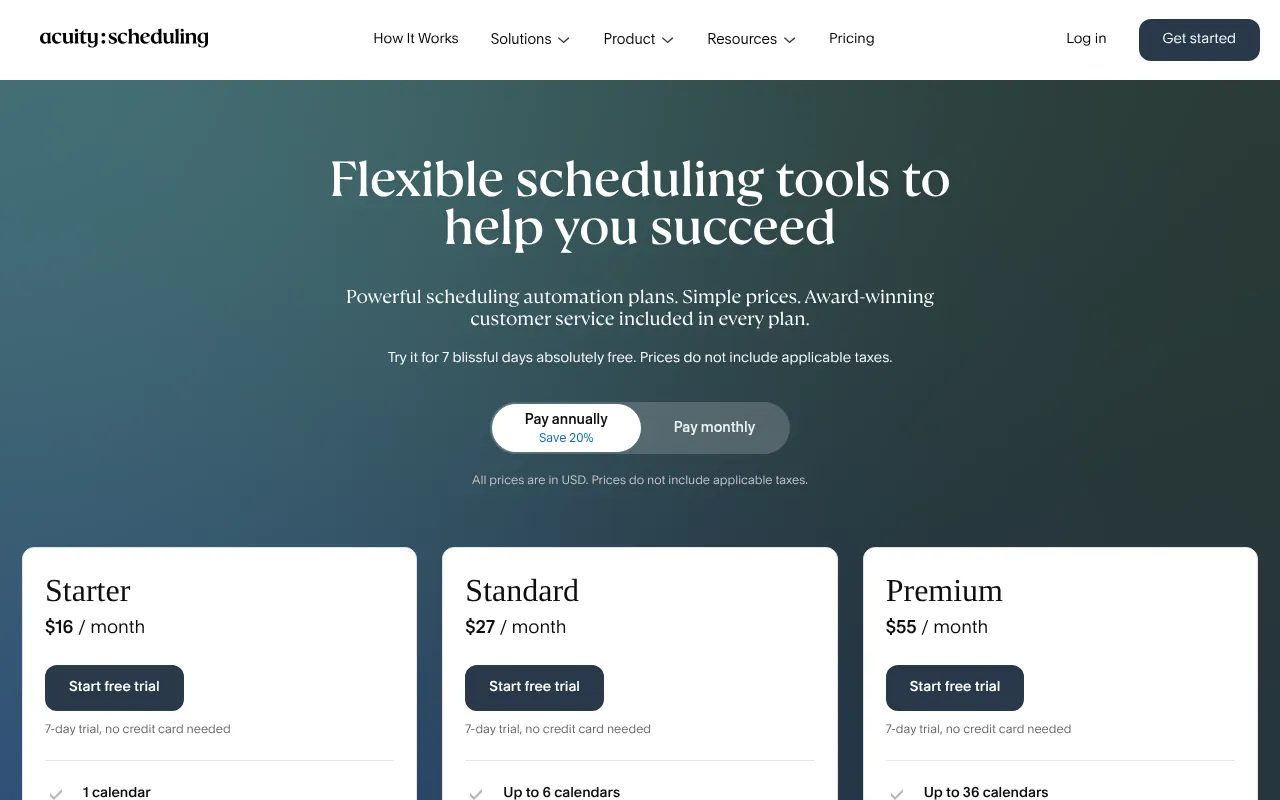
- Starter: $16, 1 calendar.
- Standard: $27, 6 calendars, adds text message reminders.
- Premium: $55, 36 calendars, adds HIPAA BAA support and logo removal.
Acuity says annual billing saves 20%, so these look like the annual-billing prices. Check the toggle on the pricing page before you buy.
Who should use it: therapists, coaches and clinics that need detailed forms and are happy to pay for control.
8. Trafft: Best for Growing Service Businesses
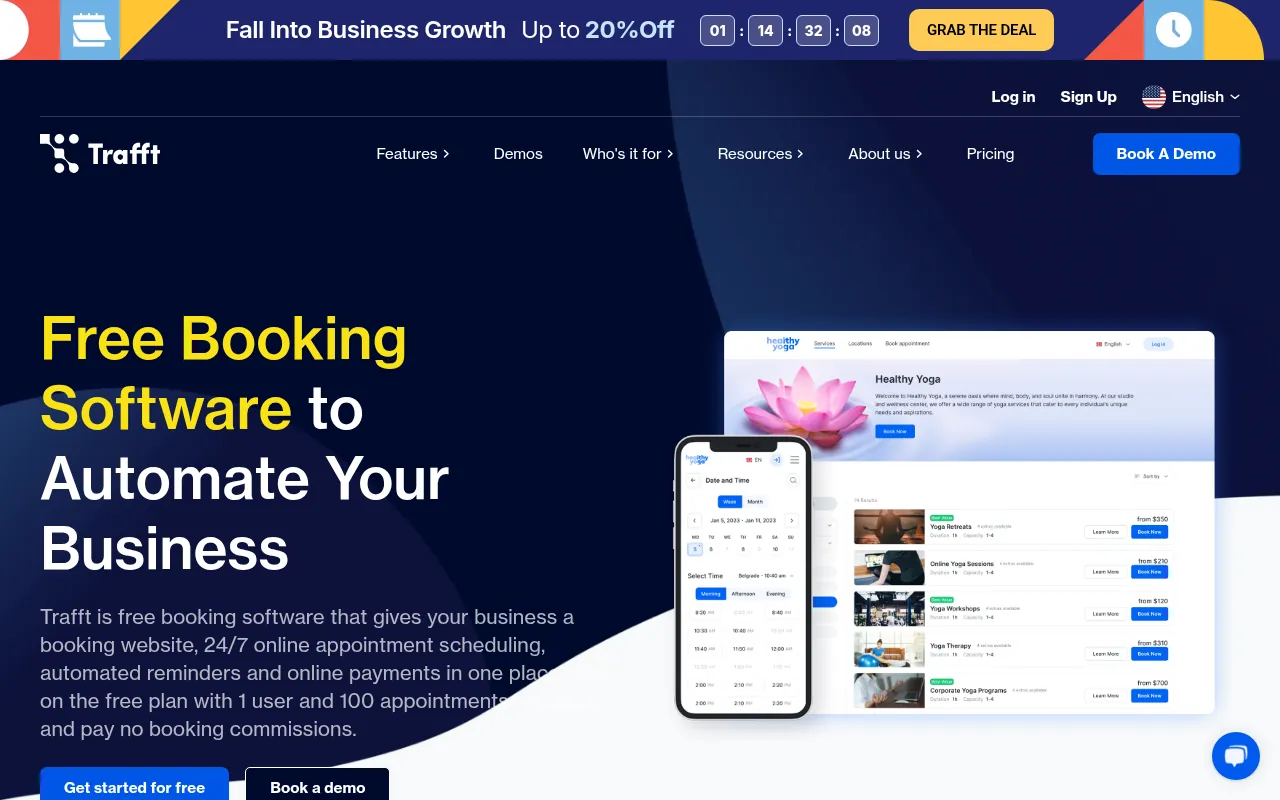
Trafft is a modern booking platform with a booking website, embeddable booking form, QR code booking and even a booking chatbot. It is built for service businesses that plan to add staff and locations over time.
Free plan: $0 forever with 100 appointments, 1 location and 1 user, as listed on Trafft’s pricing page today. Older reviews describe a bigger free plan, so this has changed.
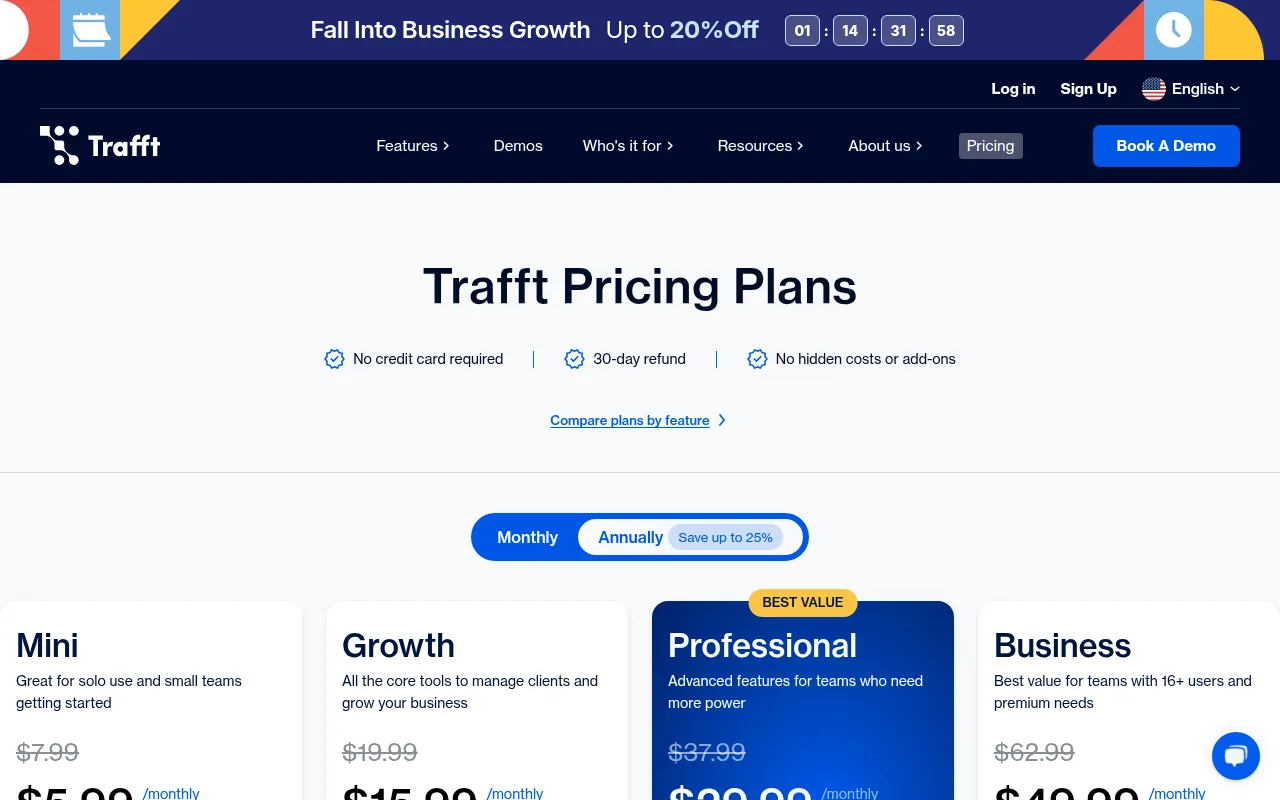
Paid plans (annual price per month, monthly price in brackets):
- Mini: $5.99 ($7.99), 3 users.
- Growth: $15.99 ($19.99), 5 users.
- Professional: $29.99 ($37.99), 15 users.
- Business: $49.99 (annual), 30 users.
Trafft offers a 30-day refund and does not ask for a credit card. When I checked, it was also showing a seasonal discount, which can change at any time.
Who should use it: clinics, studios and agencies that expect to grow from one person to a team.
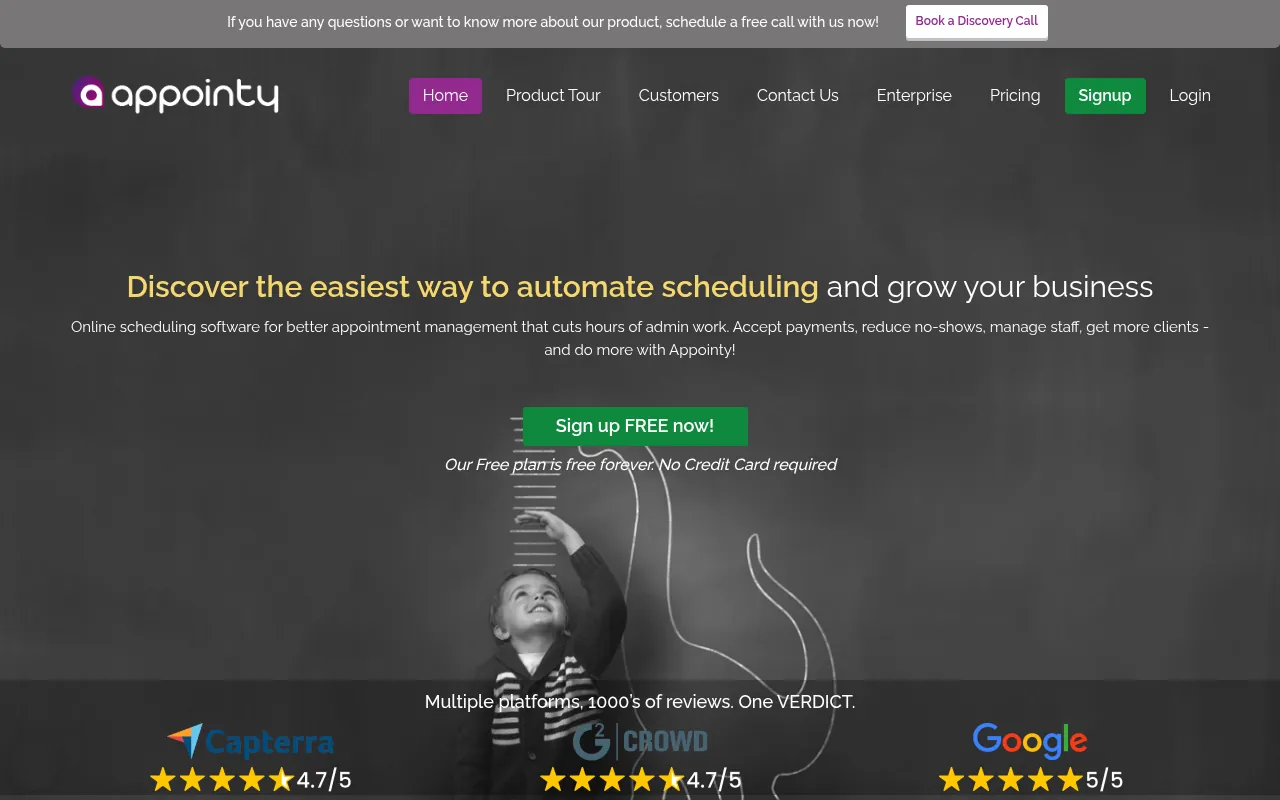
Appointy focuses on getting you more bookings. Its homepage says you can take bookings directly from Facebook, Instagram, Google and your business website, and it lists industries from salons and clinics to tutors and gyms.
Free plan: USD 0 with 1 staff member, 5 services and 100 appointments per month. It includes Square payments, reminders and a Zapier integration.
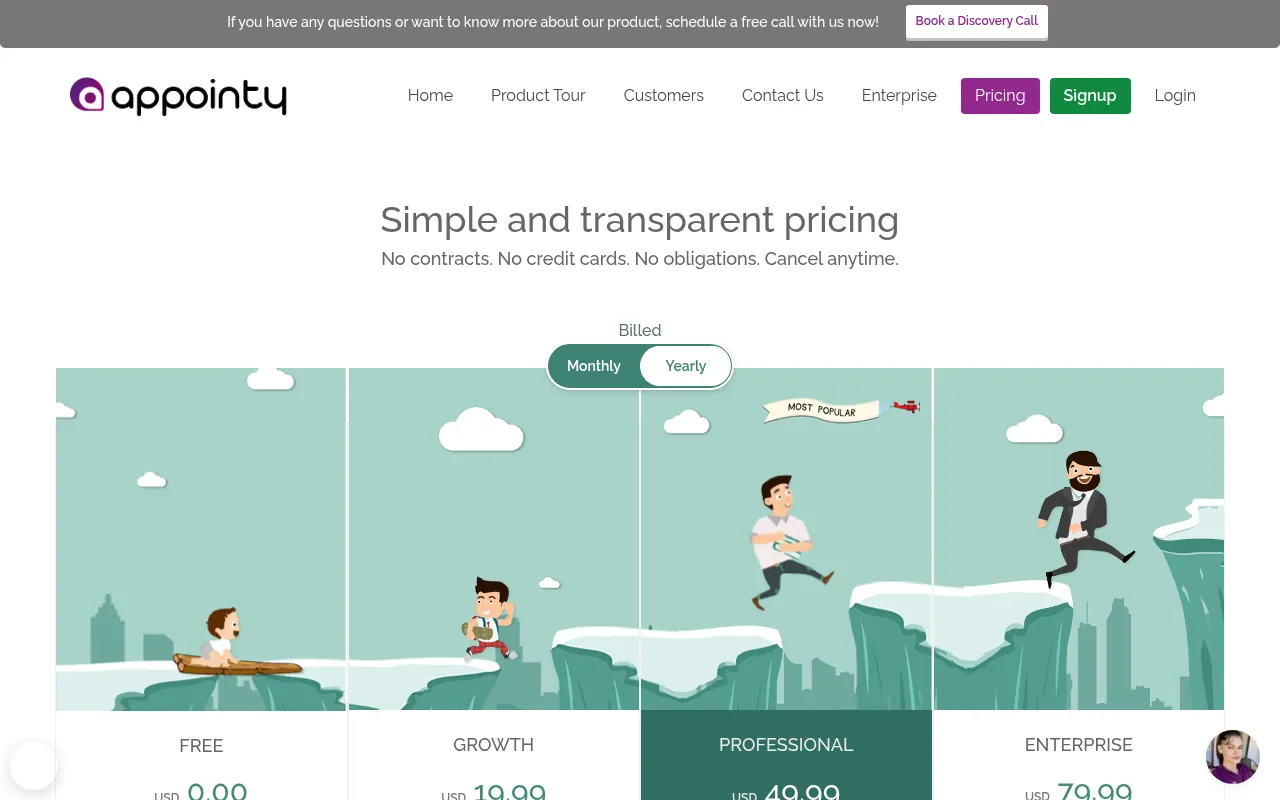
Paid plans (billed annually):
- Growth: $19.99 per month.
- Professional: $49.99 per month for 5 staff.
- Enterprise: $79.99 per month.
Paid plans come with a 14-day free trial.
Who should use it: local service businesses that get a lot of enquiries through Instagram, Facebook or Google.
10. Picktime: Best Cheap Upgrade
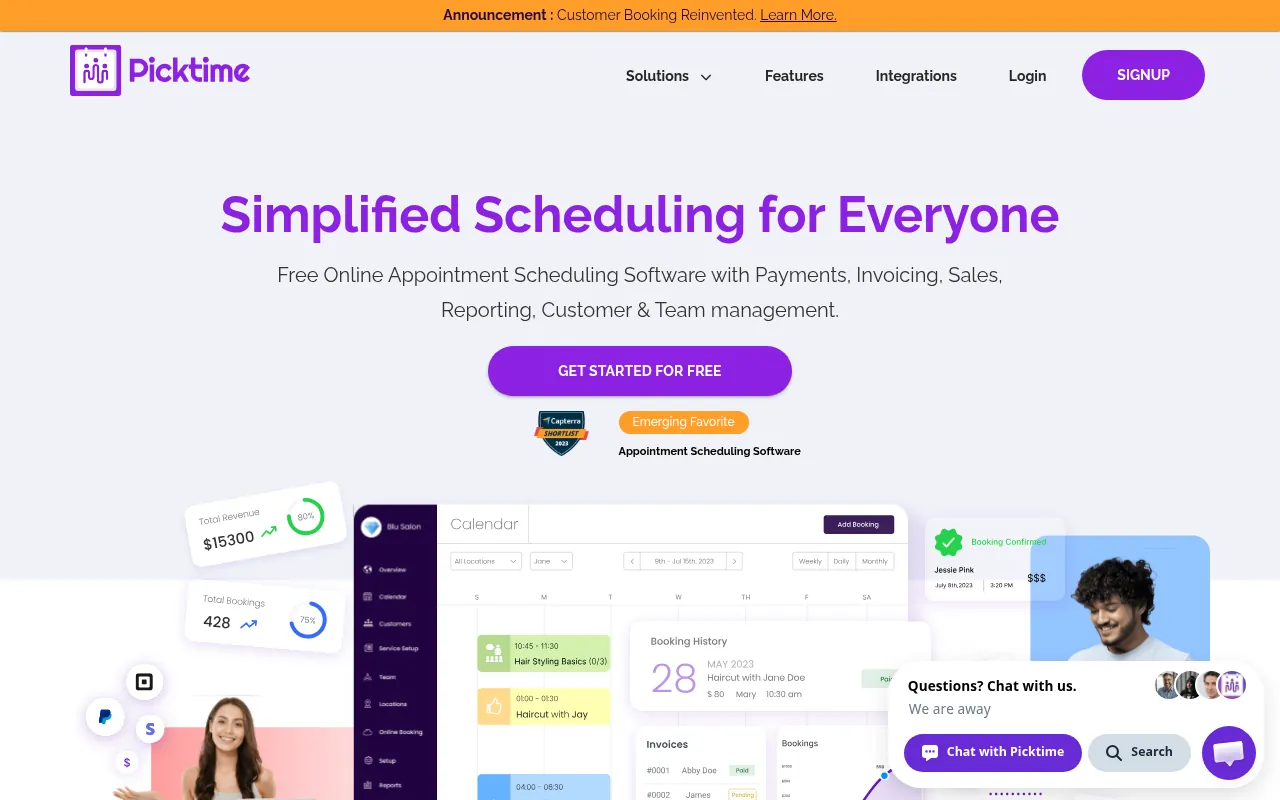
Picktime is not as famous as the others, but its free plan is strong and its paid plans are some of the cheapest I found.
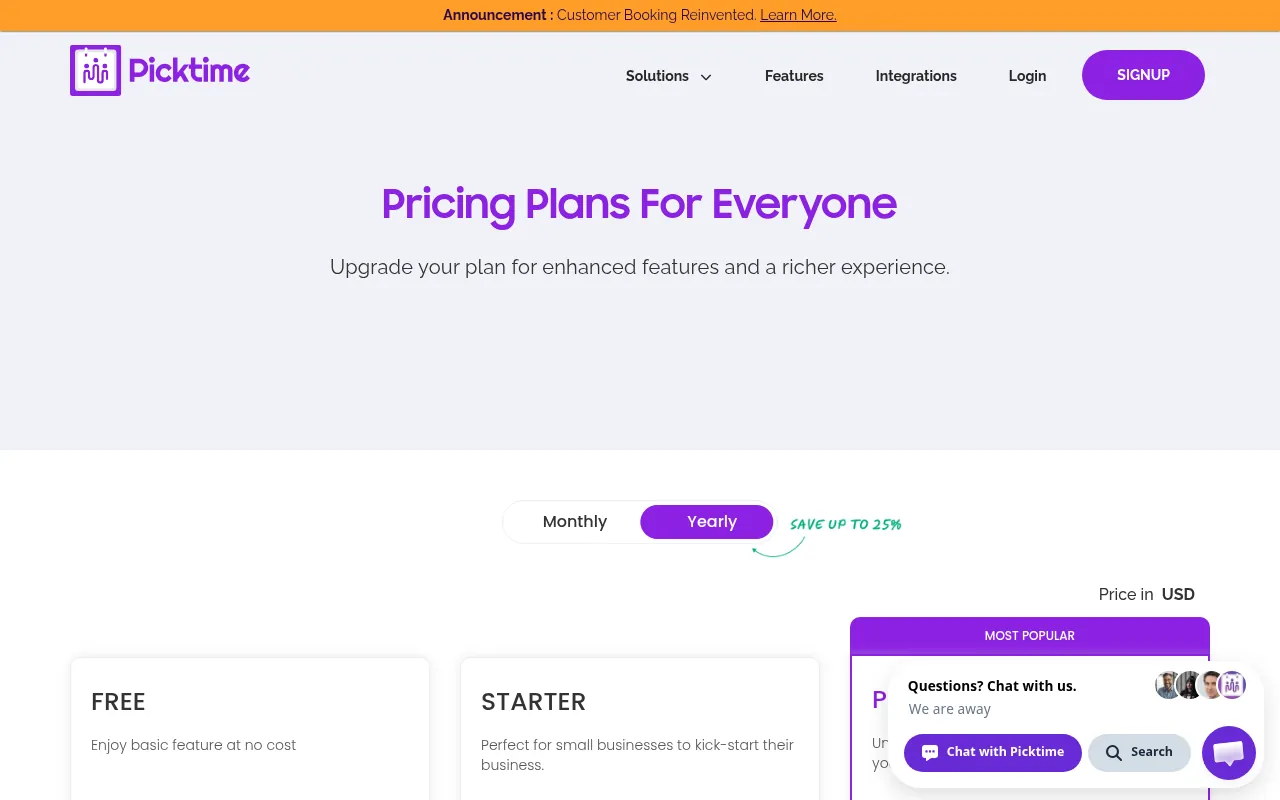
Free plan: 3 users, 3 resources, 2 locations, 2 classes, unlimited appointments, PayPal payments and email notifications.
Paid plans (per user/month, billed annually):
- Starter: $3.
- Pro: $2.25 (Picktime’s page lists Pro for 10 users).
Who should use it: small businesses that want free booking software today and a low-cost upgrade later.
What I could not verify: why Pro shows a lower per-user price than Starter. It appears tied to team size, so read the plan details on Picktime’s page before you choose.
11. Google Calendar Appointment Schedules: Best for Google Users
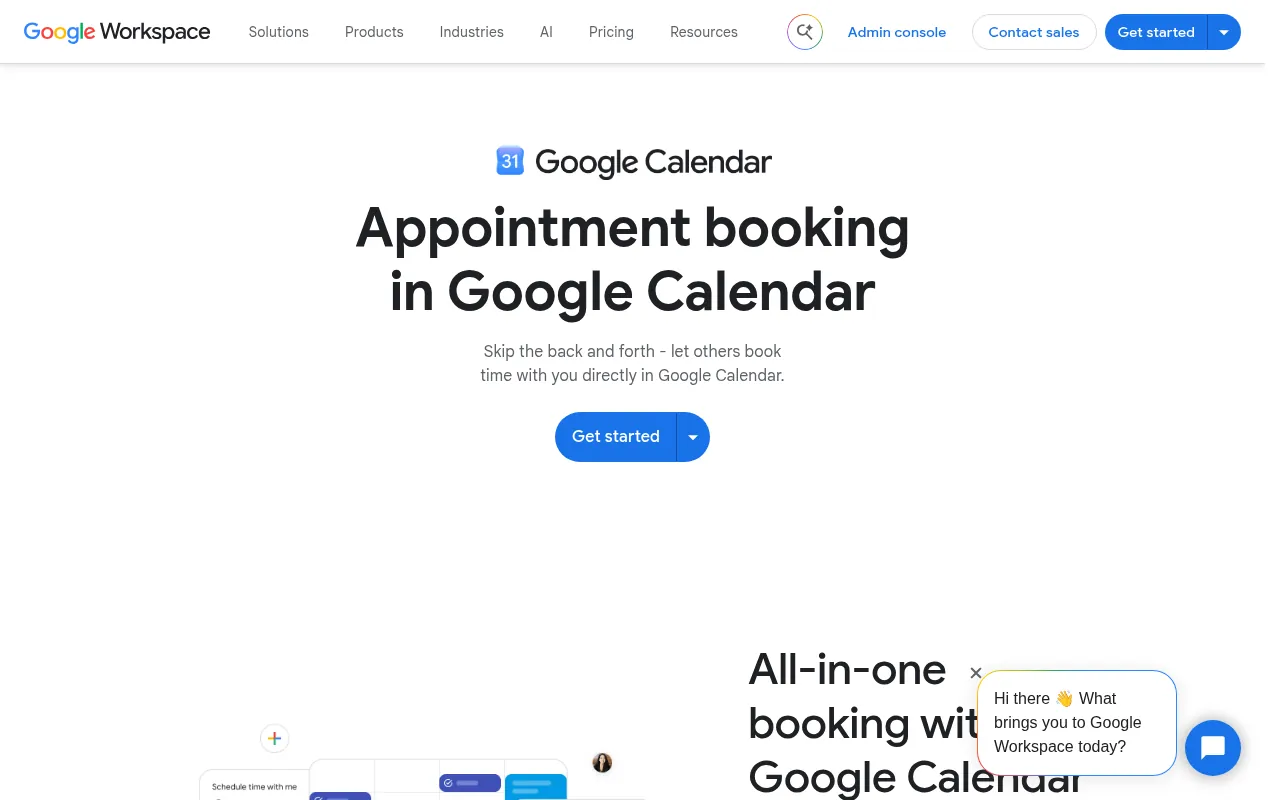
Many people do not know that Google Calendar has a built-in booking page. If you already live in Gmail and Google Meet, you may not need another tool at all.
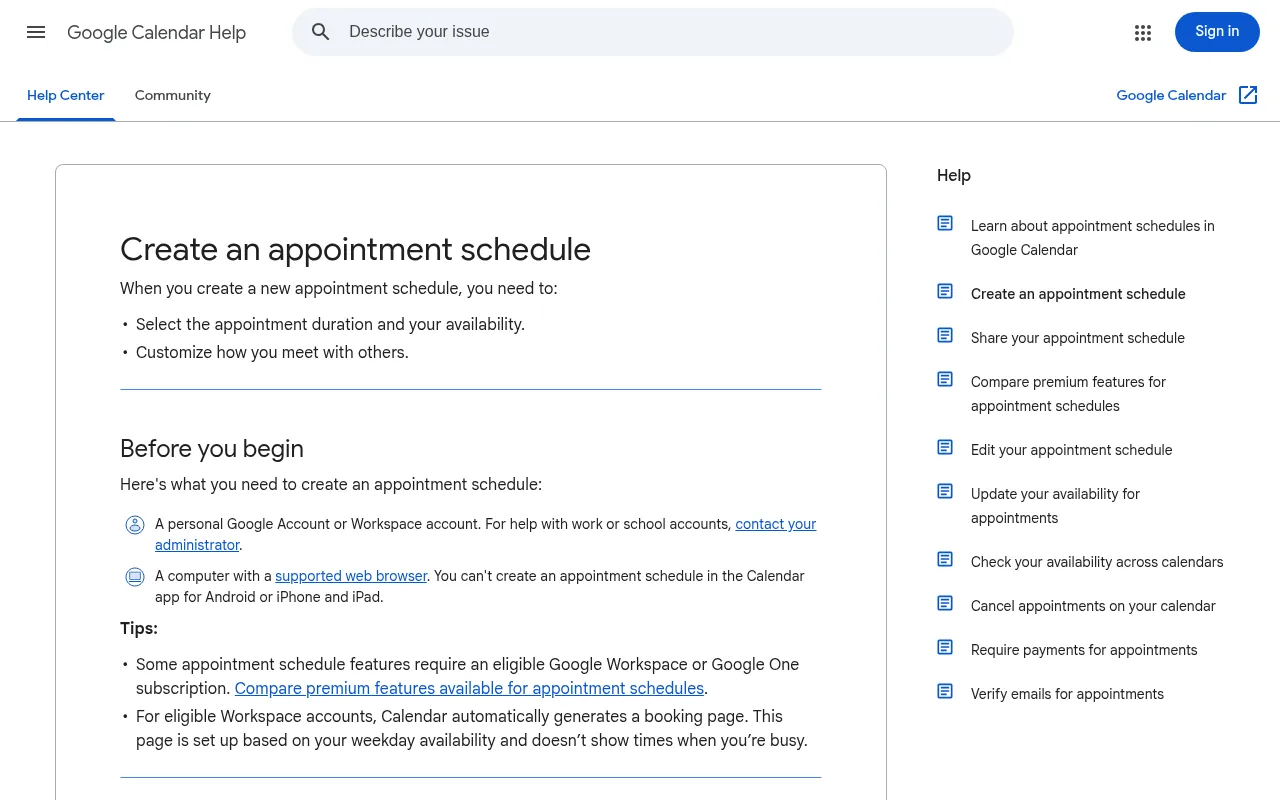
Free version: Google lists a no-cost booking page for one appointment type. You can set buffer time, a scheduling window, custom questions and a maximum number of bookings per day. You need a personal Google Account or a Workspace account, and you create appointment schedules on a computer, not in the mobile app.
Paid version: with Google Workspace Business Standard you can create multiple booking pages, connect Stripe to collect payments, send automated email reminders, verify guest emails and check several calendars for conflicts. Google’s help page says some features need an eligible Google Workspace or Google One subscription. I compare Google One plans in my guide to Google One plans in India.
Who should use it: solo professionals on Google who need one simple booking link.
12. Microsoft Bookings: Best for Microsoft 365 Businesses
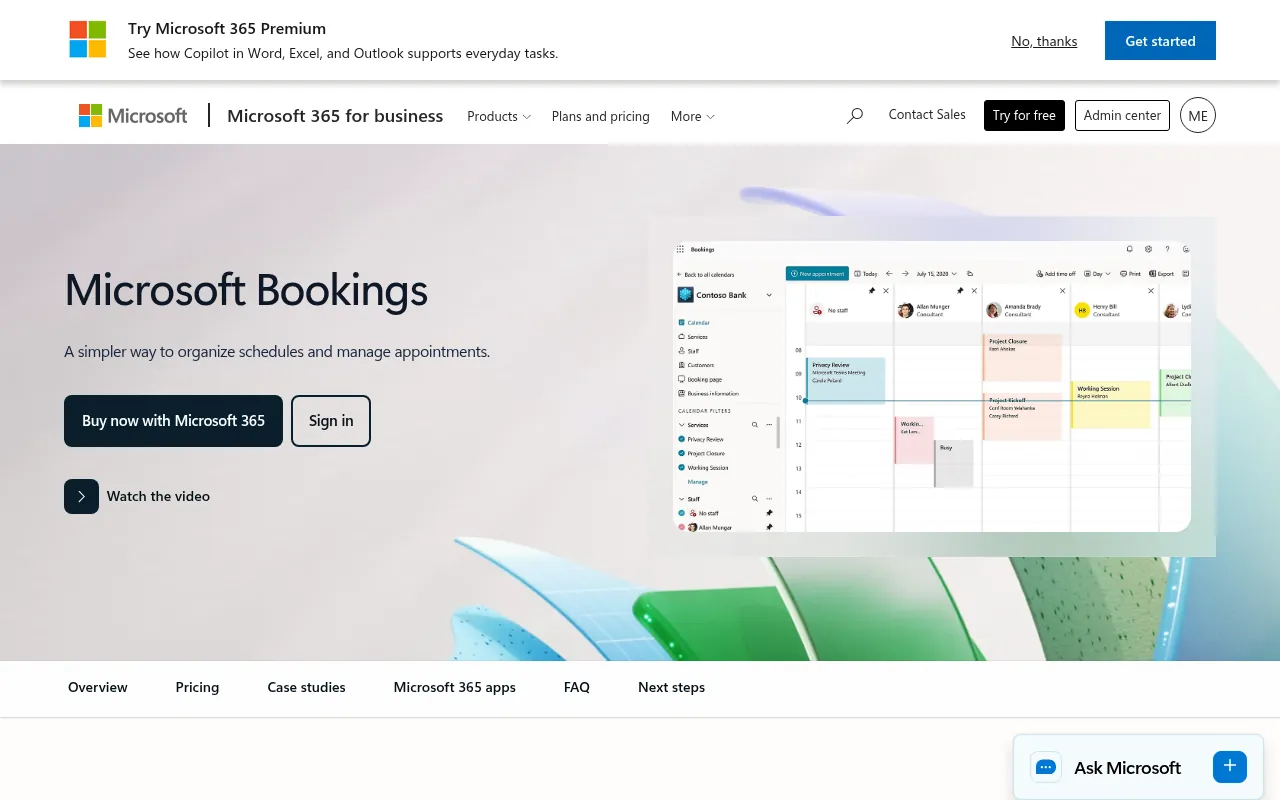
Microsoft Bookings is the Microsoft 365 answer to appointment scheduling. It gives you a web booking page that syncs with Outlook, and online appointments get a Microsoft Teams link automatically. Microsoft says it sends email and SMS notifications to cut no-shows.
Free plan: none on its own. Microsoft lists Bookings as part of eligible subscriptions, including Microsoft 365 Business Basic, Business Standard and Business Premium, several Enterprise and Education plans, Teams Essentials and Teams Premium.
Who should use it: businesses already paying for Microsoft 365 that want shared team booking pages with no extra subscription.
What I could not verify: a standalone Bookings price. Microsoft does not sell it separately on the page I checked.
How to Set Up Square Online Booking Settings (Step by Step)
If you picked Square Appointments, these are the Square online booking settings you should set before you share your booking link. The steps come from Square’s own Help Center.
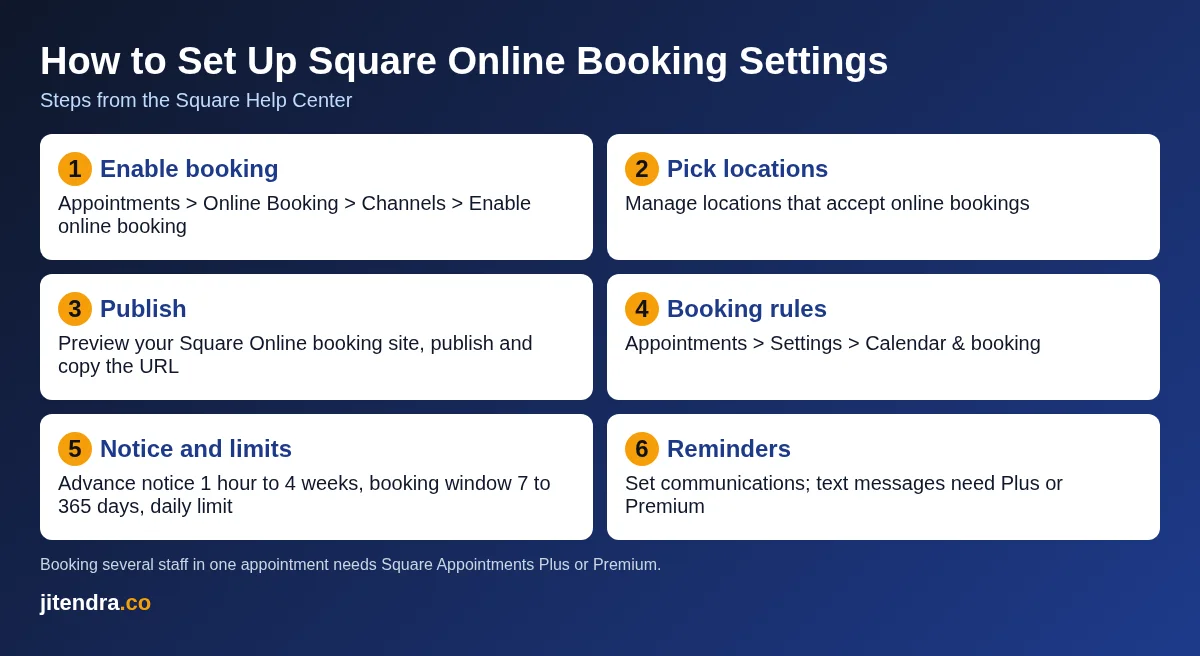
Step 1: Turn on online booking
- Sign in to your Square Dashboard.
- Go to Appointments, then Online Booking, then Channels.
- Toggle on Enable online booking.
- Click Manage locations to choose which locations accept bookings.
- Preview and edit your Square Online booking site, then click Publish and copy your booking URL.
You can also turn on online booking from the Square Point of Sale app.
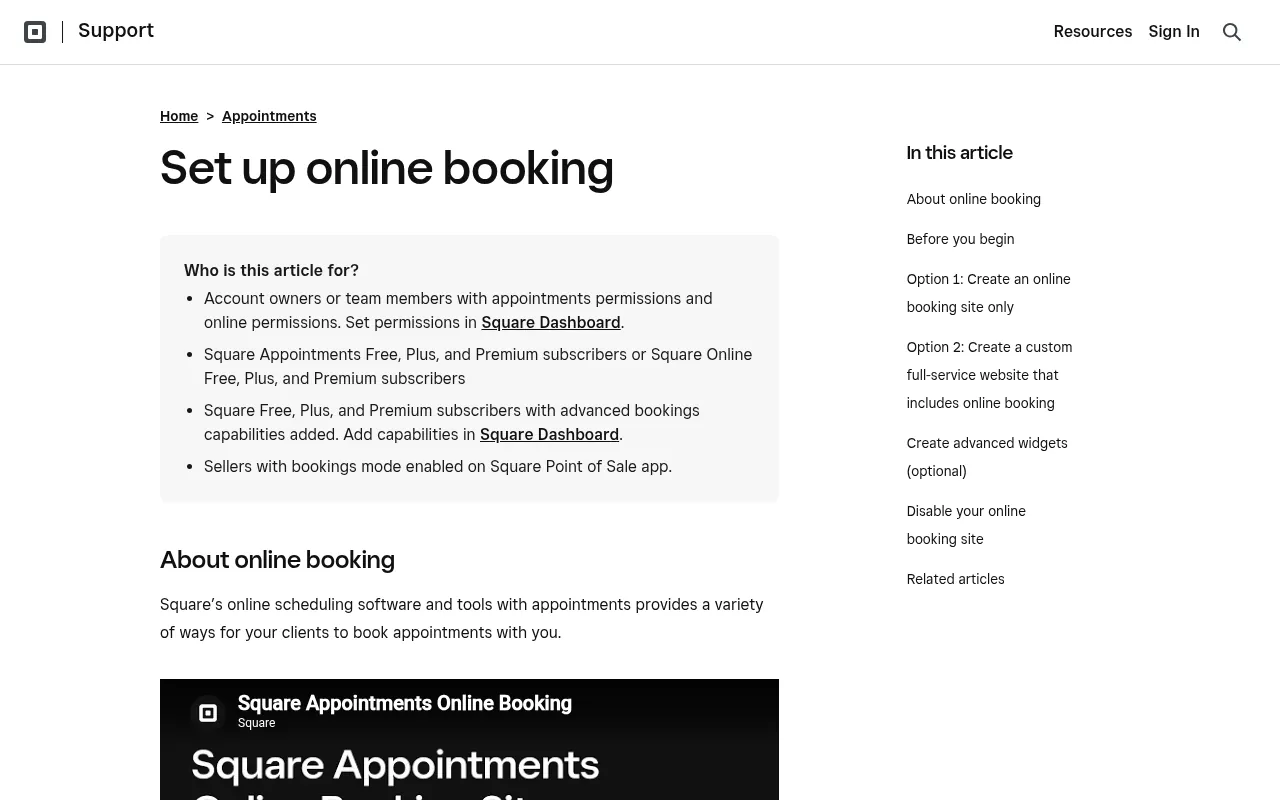
Step 2: Open calendar and booking settings
In your Square Dashboard, go to Appointments, then Settings, then Calendar & booking. This is where all the main booking rules live.
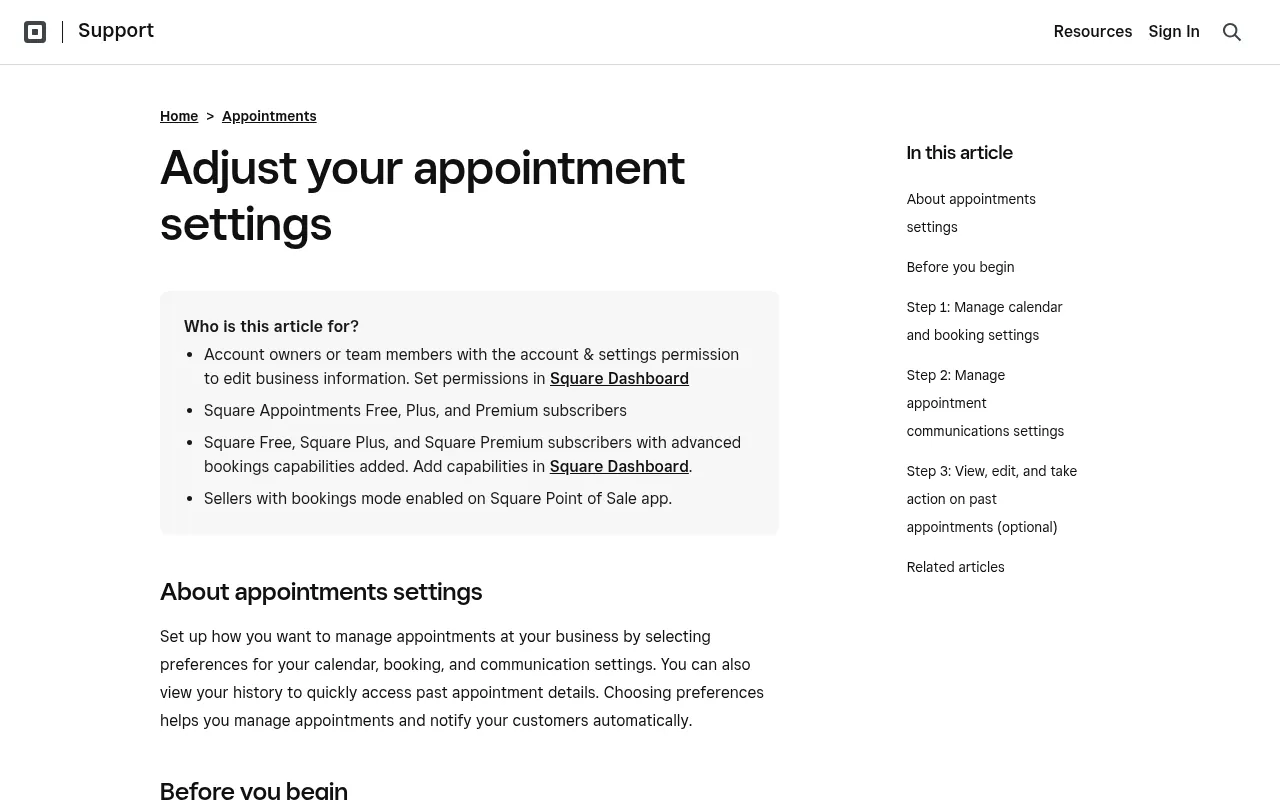
Step 3: Set your booking rules
Square’s help page lists these options:
- Appointment location types: choose where you offer services, for example at your business or at the client’s place.
- Reservation Guarantee: auto-accept bookings, or accept and decline each request manually.
- Customer booking timezone: show times in your timezone or the client’s.
- Scheduling intervals: offer slots by service duration or every 10, 15, 20 or 30 minutes.
- Minimum advance notice: from 1 hour up to 4 weeks before the appointment.
- Maximum advance booking: from 7 days up to 365 days ahead.
- “Any Available” staff: let clients pick any free staff member.
- Multiple services in one booking: let clients book more than one service at a time.
- Multiple staff: let clients book with several staff members (Plus and Premium only).
- Hide staff: remove specific staff from the booking site.
- Daily appointment limit: cap how many bookings you take per day.
- Fake-it Filter: make your calendar look busier by limiting the slots shown.
Step 4: Set up communications
Finally, open the communications settings to control confirmation and reminder messages. Remember that text reminders need a paid Square plan.
Best Appointment Scheduling Software by Business Type
Not every business books time the same way. A consultant sells hours, a salon sells services by staff member, and a yoga studio sells seats in a class. Here is where I would start for each.
Consultants, coaches and freelancers
Most of your bookings are video calls. Calendly or Cal.com is the natural fit, because both put a meeting link on the invite and keep the booking page clean. If you already pay for Google Workspace or Microsoft 365, try Google Calendar appointment schedules or Microsoft Bookings first, since you may not need another subscription.
Salons, spas and barbers
You need staff calendars, services with different lengths and a way to take payment at the counter. Square Appointments fits best in Square’s supported countries. Elsewhere, look at Setmore, SimplyBook.me or Trafft, which all handle multiple staff members.
Clinics and therapists
Intake forms and privacy matter here. Acuity Scheduling lists intake forms and HIPAA BAA support on its Premium plan, and SimplyBook.me lists HIPAA on Standard and above. Always confirm the compliance rules that apply in your own country before you store patient details in any tool.
Gyms, studios and tutors
Classes and group sessions change the setup, because many people book the same slot. Picktime and SimplyBook.me both list classes, and Trafft lists group bookings. Check how each tool handles class capacity before you move your timetable over.
Agencies and sales teams
Round-robin meetings, team pages and CRM sync are the features to look for. Calendly Teams, Cal.com Teams and Zoho Bookings (with Zoho CRM) are the strongest options here.
Free vs Paid Appointment Scheduling Software
Free booking software is good enough for a lot of people. Here is how I think about it.
A free plan is enough when:
- You work alone or with 2 to 4 people.
- You only need email confirmations and reminders.
- You book fewer than about 50 to 100 appointments a month (check the exact cap; Calendly, Zoho Bookings, Setmore and Picktime list unlimited appointments on their free plans).
- You do not mind the vendor’s branding on your booking page.
Upgrade to paid when:
- No-shows cost you money and you need SMS reminders.
- You want to take deposits or full payments at booking.
- Several staff members need their own calendars.
- You need intake forms, packages, memberships or HIPAA support.
- You want your own logo and no vendor branding.
| Need | Best free pick | Best paid pick |
|---|---|---|
| One-on-one calls | Calendly or Cal.com | Calendly Standard |
| Small team | Setmore (4 users) or Picktime (3 users) | Setmore Pro |
| Salon or spa | Square Appointments Free | Square Appointments Plus |
| No website yet | SimplyBook.me | SimplyBook.me Basic |
| Zoho or Google user | Zoho Bookings or Google Calendar | Zoho Bookings Basic or Workspace Business Standard |
| Classes | Picktime | Picktime Starter |
| Deep customization | Not available free | Acuity Scheduling |
Benefits of Using an Online Booking System
Clients can book 24/7
Your booking page works while you sleep. A client who finds you at 11 pm can book right away instead of forgetting to call you tomorrow.
Fewer no-shows
Automatic email and SMS reminders are the simplest way to cut missed appointments. Square, Microsoft Bookings, Cal.com and others list reminders as a core feature.
No double bookings
Two-way calendar sync blocks out busy times, so you stop booking two clients into the same slot.
Payments up front
Tools like Square, Calendly, Acuity and SimplyBook.me let you take deposits or full payment at booking. Paid clients tend to show up.
Easier team management
Staff schedules, services and locations sit in one place. Managers can see who is busy without asking around.
Better data for marketing
Booking history tells you which services sell, which days are busy and which clients come back. Some tools, like Appointy and Square, add marketing features on top. If you also use chat to answer customer questions, my roundup of chatbot statistics is worth a look.
My Tips to Get More Bookings and Fewer No-Shows
Picking the tool is the easy part. How you set it up decides whether clients actually book. These are the habits I recommend:
- Keep the booking form short. Ask only what you need before the meeting. Every extra field gives people a reason to leave.
- Add buffer time. A 10 or 15 minute gap between calls saves you from running late all day.
- Set a minimum notice period. Stop people from booking a slot 20 minutes from now when you cannot prepare for it.
- Send two reminders. One a day before and one an hour before works well for most service businesses.
- Put the link everywhere. Add your booking link to your website menu, email signature, social profiles and Google Business Profile.
- Take a deposit for long sessions. Even a small deposit makes people think twice before skipping.
- Review your calendar every month. Look at which slots never get booked and which ones fill first, then adjust your hours.
How to Choose the Right Appointment Booking App
Ask yourself these questions before you sign up:
- How many people take bookings? Solo users can start with Calendly, Zoho Bookings or Cal.com. Teams should look at Setmore, Picktime, Trafft or Square.
- Do you meet online or in person? Online meetings need Zoom, Google Meet or Teams links. In-person businesses need staff, resources and locations.
- Do you need payments? Check which payment gateways work in your country. For example, Square processes payments only in its supported countries.
- Do you need SMS reminders? Most tools only offer them on paid plans.
- What do you already use? Google users can try Google Calendar first, Microsoft 365 users already have Bookings, and Zoho users should try Zoho Bookings.
- Do you have a website? If not, SimplyBook.me or Square give you a booking site. If you plan to build one, my Hostinger coupon code page covers how to get a cheaper start.
Local businesses should also link their booking page from their Google Business Profile. My chat with Andrea Abbondanza on restaurant SEO and ranking on Google and LLMs has useful ideas here.
How I Picked These Appointment Scheduling Tools
I started with the tools that show up most in Google’s top results for appointment scheduling software and free booking software, plus the ones I see recommended in business communities. Then I kept only tools that:
- Have a free plan or a free trial.
- Publish clear pricing on an official page.
- Offer a shareable booking page and calendar sync.
- Cover a different type of user, so the list is not 12 copies of the same app.
Every price, free limit and feature in this guide comes from the vendor’s official website, checked on October 23, 2026. I did not rely on third-party review sites for numbers, because many of them are out of date (Trafft’s free plan is a good example). I also flagged anything I could not confirm.
FAQs
What is the best free booking software?
For most solo users, Zoho Bookings and Calendly are the best free booking software. For small teams, Setmore stands out because its free plan covers up to 4 users with unlimited appointments.
What is the best appointment scheduling software for small businesses?
Setmore and Square Appointments are strong picks for small service businesses. Choose Square if you take payments in person and Square is available in your country; choose Setmore if you want a free team plan.
Is there a completely free appointment scheduling software?
Yes. Calendly, Zoho Bookings, Setmore, SimplyBook.me, Cal.com, Trafft, Appointy, Picktime, Square Appointments and Google Calendar all have free plans. Each has limits, such as one event type, one user or a monthly booking cap.
Do my customers need to download an app?
No. Your customers book through a booking page in their web browser on mobile or desktop. Some tools also offer apps, but they are optional for clients.
Can appointment scheduling software send reminders?
Yes. All the tools in this list can send email confirmations or reminders. SMS reminders are usually limited to paid plans; Cal.com is one exception that lists SMS notifications on its free individual plan.
Where do I find Square online booking settings?
In your Square Dashboard, go to Appointments, then Settings, then Calendar & booking. To turn booking on, go to Appointments, then Online Booking, then Channels.
Is Square Appointments available in India?
Square’s developer documentation lists payment processing in Australia, Canada, France, Ireland, Japan, Spain, the United Kingdom and the United States, not India. Businesses in India should look at Zoho Bookings, Setmore or SimplyBook.me instead.
What is a good Calendly alternative?
Cal.com is the closest Calendly alternative and is open source. Zoho Bookings and Google Calendar appointment schedules are also good free options.
Can I accept payments when clients book?
Yes, on most tools. Calendly, Cal.com, Acuity, SimplyBook.me, Square and Setmore all list online payments, though some only offer it on paid plans.
Publisher Stack Fit for Appointment Scheduling Software (Pass 1)
This pass is about BloggersIdeas publishing calendar. The audience is writers and editors. For appointment scheduling software, I refuse to add fake benchmark tables. I add habits that survive plan renames.
On BloggersIdeas, the question is whether a writer can finish without a huddle. On DigiExe, the question is whether a freelancer can be onboarded in one sitting and removed cleanly later. AffiliateBooster cares whether a creative can ship under a commercial license without guessing. SchemaNinja cares whether a screenshot still matches the UI after a vendor update. Podcast and YouTube work care whether the asset remains readable on a phone.
Practical moves I repeat:
- Name a default tool from this article and write it in the team sheet.
- Capture the official pricing or docs page the same day you cite a number.
- Store cancel and refund URLs beside the receipt.
- Limit overlapping paid seats unless jobs are truly different.
- Re-check the page before a scheduled publish goes live.
India notes stay boring on purpose. Confirm currency, payment methods, and invoice needs. If USD is the only option, say so and budget forex. If a GST PDF matters for DigiExe books, test a small charge before annual billing.
If you only remember one line: defaults beat novelty. A stable appointment scheduling software stack with screenshots and a cancel plan will outperform a graveyard of trials.
Agency Retainer Fit for Appointment Scheduling Software (Pass 2)
This pass is about DigiExe client retainers. The audience is freelancers and leads. For appointment scheduling software, I refuse to add fake benchmark tables. I add habits that survive plan renames.
On BloggersIdeas, the question is whether a writer can finish without a huddle. On DigiExe, the question is whether a freelancer can be onboarded in one sitting and removed cleanly later. AffiliateBooster cares whether a creative can ship under a commercial license without guessing. SchemaNinja cares whether a screenshot still matches the UI after a vendor update. Podcast and YouTube work care whether the asset remains readable on a phone.
Practical moves I repeat:
- Name a default tool from this article and write it in the team sheet.
- Capture the official pricing or docs page the same day you cite a number.
- Store cancel and refund URLs beside the receipt.
- Limit overlapping paid seats unless jobs are truly different.
- Re-check the page before a scheduled publish goes live.
India notes stay boring on purpose. Confirm currency, payment methods, and invoice needs. If USD is the only option, say so and budget forex. If a GST PDF matters for DigiExe books, test a small charge before annual billing.
If you only remember one line: defaults beat novelty. A stable appointment scheduling software stack with screenshots and a cancel plan will outperform a graveyard of trials.
Affiliate Creative Fit for Appointment Scheduling Software (Pass 3)
This pass is about AffiliateBooster campaigns. The audience is design contractors. For appointment scheduling software, I refuse to add fake benchmark tables. I add habits that survive plan renames.
On BloggersIdeas, the question is whether a writer can finish without a huddle. On DigiExe, the question is whether a freelancer can be onboarded in one sitting and removed cleanly later. AffiliateBooster cares whether a creative can ship under a commercial license without guessing. SchemaNinja cares whether a screenshot still matches the UI after a vendor update. Podcast and YouTube work care whether the asset remains readable on a phone.
Practical moves I repeat:
- Name a default tool from this article and write it in the team sheet.
- Capture the official pricing or docs page the same day you cite a number.
- Store cancel and refund URLs beside the receipt.
- Limit overlapping paid seats unless jobs are truly different.
- Re-check the page before a scheduled publish goes live.
India notes stay boring on purpose. Confirm currency, payment methods, and invoice needs. If USD is the only option, say so and budget forex. If a GST PDF matters for DigiExe books, test a small charge before annual billing.
If you only remember one line: defaults beat novelty. A stable appointment scheduling software stack with screenshots and a cancel plan will outperform a graveyard of trials.
Software Docs Fit for Appointment Scheduling Software (Pass 4)
This pass is about SchemaNinja help and marketing pages. The audience is product marketers. For appointment scheduling software, I refuse to add fake benchmark tables. I add habits that survive plan renames.
On BloggersIdeas, the question is whether a writer can finish without a huddle. On DigiExe, the question is whether a freelancer can be onboarded in one sitting and removed cleanly later. AffiliateBooster cares whether a creative can ship under a commercial license without guessing. SchemaNinja cares whether a screenshot still matches the UI after a vendor update. Podcast and YouTube work care whether the asset remains readable on a phone.
Practical moves I repeat:
- Name a default tool from this article and write it in the team sheet.
- Capture the official pricing or docs page the same day you cite a number.
- Store cancel and refund URLs beside the receipt.
- Limit overlapping paid seats unless jobs are truly different.
- Re-check the page before a scheduled publish goes live.
India notes stay boring on purpose. Confirm currency, payment methods, and invoice needs. If USD is the only option, say so and budget forex. If a GST PDF matters for DigiExe books, test a small charge before annual billing.
If you only remember one line: defaults beat novelty. A stable appointment scheduling software stack with screenshots and a cancel plan will outperform a graveyard of trials.
Podcast and YouTube Fit for Appointment Scheduling Software (Pass 5)
This pass is about Inside A Hustler’s Brain production. The audience is editors and guests. For appointment scheduling software, I refuse to add fake benchmark tables. I add habits that survive plan renames.
On BloggersIdeas, the question is whether a writer can finish without a huddle. On DigiExe, the question is whether a freelancer can be onboarded in one sitting and removed cleanly later. AffiliateBooster cares whether a creative can ship under a commercial license without guessing. SchemaNinja cares whether a screenshot still matches the UI after a vendor update. Podcast and YouTube work care whether the asset remains readable on a phone.
Practical moves I repeat:
- Name a default tool from this article and write it in the team sheet.
- Capture the official pricing or docs page the same day you cite a number.
- Store cancel and refund URLs beside the receipt.
- Limit overlapping paid seats unless jobs are truly different.
- Re-check the page before a scheduled publish goes live.
India notes stay boring on purpose. Confirm currency, payment methods, and invoice needs. If USD is the only option, say so and budget forex. If a GST PDF matters for DigiExe books, test a small charge before annual billing.
If you only remember one line: defaults beat novelty. A stable appointment scheduling software stack with screenshots and a cancel plan will outperform a graveyard of trials.
India Checkout Fit for Appointment Scheduling Software (Pass 6)
This pass is about INR and UPI reality. The audience is accounts and founders. For appointment scheduling software, I refuse to add fake benchmark tables. I add habits that survive plan renames.
On BloggersIdeas, the question is whether a writer can finish without a huddle. On DigiExe, the question is whether a freelancer can be onboarded in one sitting and removed cleanly later. AffiliateBooster cares whether a creative can ship under a commercial license without guessing. SchemaNinja cares whether a screenshot still matches the UI after a vendor update. Podcast and YouTube work care whether the asset remains readable on a phone.
Practical moves I repeat:
- Name a default tool from this article and write it in the team sheet.
- Capture the official pricing or docs page the same day you cite a number.
- Store cancel and refund URLs beside the receipt.
- Limit overlapping paid seats unless jobs are truly different.
- Re-check the page before a scheduled publish goes live.
India notes stay boring on purpose. Confirm currency, payment methods, and invoice needs. If USD is the only option, say so and budget forex. If a GST PDF matters for DigiExe books, test a small charge before annual billing.
If you only remember one line: defaults beat novelty. A stable appointment scheduling software stack with screenshots and a cancel plan will outperform a graveyard of trials.
Cancellation Drill for Appointment Scheduling Software (Pass 7)
This pass is about renewal calendar hygiene. The audience is seat owners. For appointment scheduling software, I refuse to add fake benchmark tables. I add habits that survive plan renames.
On BloggersIdeas, the question is whether a writer can finish without a huddle. On DigiExe, the question is whether a freelancer can be onboarded in one sitting and removed cleanly later. AffiliateBooster cares whether a creative can ship under a commercial license without guessing. SchemaNinja cares whether a screenshot still matches the UI after a vendor update. Podcast and YouTube work care whether the asset remains readable on a phone.
Practical moves I repeat:
- Name a default tool from this article and write it in the team sheet.
- Capture the official pricing or docs page the same day you cite a number.
- Store cancel and refund URLs beside the receipt.
- Limit overlapping paid seats unless jobs are truly different.
- Re-check the page before a scheduled publish goes live.
India notes stay boring on purpose. Confirm currency, payment methods, and invoice needs. If USD is the only option, say so and budget forex. If a GST PDF matters for DigiExe books, test a small charge before annual billing.
If you only remember one line: defaults beat novelty. A stable appointment scheduling software stack with screenshots and a cancel plan will outperform a graveyard of trials.
QA Before Schedule for Appointment Scheduling Software (Pass 8)
This pass is about future-post preflight on jitendra.co. The audience is SEO editors. For appointment scheduling software, I refuse to add fake benchmark tables. I add habits that survive plan renames.
On BloggersIdeas, the question is whether a writer can finish without a huddle. On DigiExe, the question is whether a freelancer can be onboarded in one sitting and removed cleanly later. AffiliateBooster cares whether a creative can ship under a commercial license without guessing. SchemaNinja cares whether a screenshot still matches the UI after a vendor update. Podcast and YouTube work care whether the asset remains readable on a phone.
Practical moves I repeat:
- Name a default tool from this article and write it in the team sheet.
- Capture the official pricing or docs page the same day you cite a number.
- Store cancel and refund URLs beside the receipt.
- Limit overlapping paid seats unless jobs are truly different.
- Re-check the page before a scheduled publish goes live.
India notes stay boring on purpose. Confirm currency, payment methods, and invoice needs. If USD is the only option, say so and budget forex. If a GST PDF matters for DigiExe books, test a small charge before annual billing.
If you only remember one line: defaults beat novelty. A stable appointment scheduling software stack with screenshots and a cancel plan will outperform a graveyard of trials.
Security and Access for Appointment Scheduling Software (Pass 9)
This pass is about password manager and 2FA norms. The audience is ops leads. For appointment scheduling software, I refuse to add fake benchmark tables. I add habits that survive plan renames.
On BloggersIdeas, the question is whether a writer can finish without a huddle. On DigiExe, the question is whether a freelancer can be onboarded in one sitting and removed cleanly later. AffiliateBooster cares whether a creative can ship under a commercial license without guessing. SchemaNinja cares whether a screenshot still matches the UI after a vendor update. Podcast and YouTube work care whether the asset remains readable on a phone.
Practical moves I repeat:
- Name a default tool from this article and write it in the team sheet.
- Capture the official pricing or docs page the same day you cite a number.
- Store cancel and refund URLs beside the receipt.
- Limit overlapping paid seats unless jobs are truly different.
- Re-check the page before a scheduled publish goes live.
India notes stay boring on purpose. Confirm currency, payment methods, and invoice needs. If USD is the only option, say so and budget forex. If a GST PDF matters for DigiExe books, test a small charge before annual billing.
If you only remember one line: defaults beat novelty. A stable appointment scheduling software stack with screenshots and a cancel plan will outperform a graveyard of trials.
Backup Tool Rule for Appointment Scheduling Software (Pass 10)
This pass is about one default plus one backup. The audience is team leads. For appointment scheduling software, I refuse to add fake benchmark tables. I add habits that survive plan renames.
On BloggersIdeas, the question is whether a writer can finish without a huddle. On DigiExe, the question is whether a freelancer can be onboarded in one sitting and removed cleanly later. AffiliateBooster cares whether a creative can ship under a commercial license without guessing. SchemaNinja cares whether a screenshot still matches the UI after a vendor update. Podcast and YouTube work care whether the asset remains readable on a phone.
Practical moves I repeat:
- Name a default tool from this article and write it in the team sheet.
- Capture the official pricing or docs page the same day you cite a number.
- Store cancel and refund URLs beside the receipt.
- Limit overlapping paid seats unless jobs are truly different.
- Re-check the page before a scheduled publish goes live.
India notes stay boring on purpose. Confirm currency, payment methods, and invoice needs. If USD is the only option, say so and budget forex. If a GST PDF matters for DigiExe books, test a small charge before annual billing.
If you only remember one line: defaults beat novelty. A stable appointment scheduling software stack with screenshots and a cancel plan will outperform a graveyard of trials.
Why Trust Me

I am Jitendra Vaswani, an SEO consultant with 12 years in search. I founded Digiexe and AffiliateBooster, I am an author and international speaker, and I host a podcast where I book guests from around the world. You can read more about me.
Scheduling is a daily part of my work, from client calls to podcast recordings. For this guide, every price and free limit comes from each vendor’s official website, checked on October 23, 2026, and I have clearly marked what the vendors do not state.
Final Verdict
You do not need to pay for appointment scheduling software to get started in 2026. Calendly, Zoho Bookings and Cal.com are great free picks for solo professionals. Setmore and Picktime are the best free options for small teams. Square Appointments is the best all-in-one choice for salons and in-person services in Square’s supported countries, and Acuity Scheduling is worth paying for when you need full control.
My advice: start on a free plan, share your booking link for a month and watch how many no-shows you get. If no-shows hurt, upgrade for SMS reminders and deposits. If you also want AI help with your admin work, see my list of the best free AI apps.
Sources
Prices, free limits and features come from the official pages of Calendly, Zoho Bookings, Square (Appointments pricing, Square Help Center and Square Developer documentation), Setmore, SimplyBook.me, Cal.com, Acuity Scheduling, Trafft, Appointy, Picktime, Google Workspace and Google Calendar Help, and Microsoft Learn (Microsoft Bookings), all checked on October 23, 2026.

Jitendra Vaswani is a globally recognized expert in SEO and AI-driven digital marketing. He has spoken at leading international events and is the founder of Digiexe, a results-driven digital marketing agency; Venuelabs, a platform that helps brands amplify their voice with expert PR and marketing solutions; and AffiliateBooster, an affiliate marketing news site. With over a decade of hands-on experience, Jitendra has empowered countless businesses to thrive online. His bestselling book, Inside A Hustler’s Brain: In Pursuit of Financial Freedom, has sold more than 20,000 copies worldwide, reflecting his influence and dedication to helping digital marketers achieve success. Follow Jitendra on Instagram, X/Twitter, Facebook, and LinkedIn.