Best dark mode extension for Chrome, the short answer: Dark Reader is the best dark mode extension for Chrome for most people. It is free, has about 7 million users on the Chrome Web Store, and gives you brightness, contrast, sepia and per-site controls. Pick Night Eye if you want a polished paid option with PDF support, Turn Off the Lights if you mostly watch videos, and DocsAfterDark if you only need a dark Google Docs.
I spend most of my working day in Chrome, often late at night, writing, checking rankings and reading long reports. A bright white screen at midnight is not fun. Chrome has its own dark mode, but it only darkens Chrome’s menus, new tab page and settings. To make every website dark, you need a dark mode extension.
In this guide I compare the 9 best dark mode extensions for Chrome in 2026. For each one I give the user count, rating and last update date exactly as the Chrome Web Store showed them on October 20, 2026, plus the price and who it suits. I also show you Chrome’s built-in options, including a hidden flag that forces dark mode on all websites. No invented speed tests, just facts you can check.
What Is a Dark Mode Extension?
A dark mode extension is a small add-on that changes the colours of the websites you visit, turning white backgrounds dark and dark text light. Good ones do this intelligently: they keep photos and videos looking normal, let you adjust brightness and contrast, and let you switch the effect off on sites that already have their own dark theme.
People search for this in many ways: dark mode extension, dark mode chrome extension, dark theme for Chrome, or even “black chrome”. They usually mean one of two things:
- Make Chrome itself dark (tabs, toolbar, menus). Chrome can do this on its own, no extension needed.
- Make every website dark. This is what a dark mode extension does.
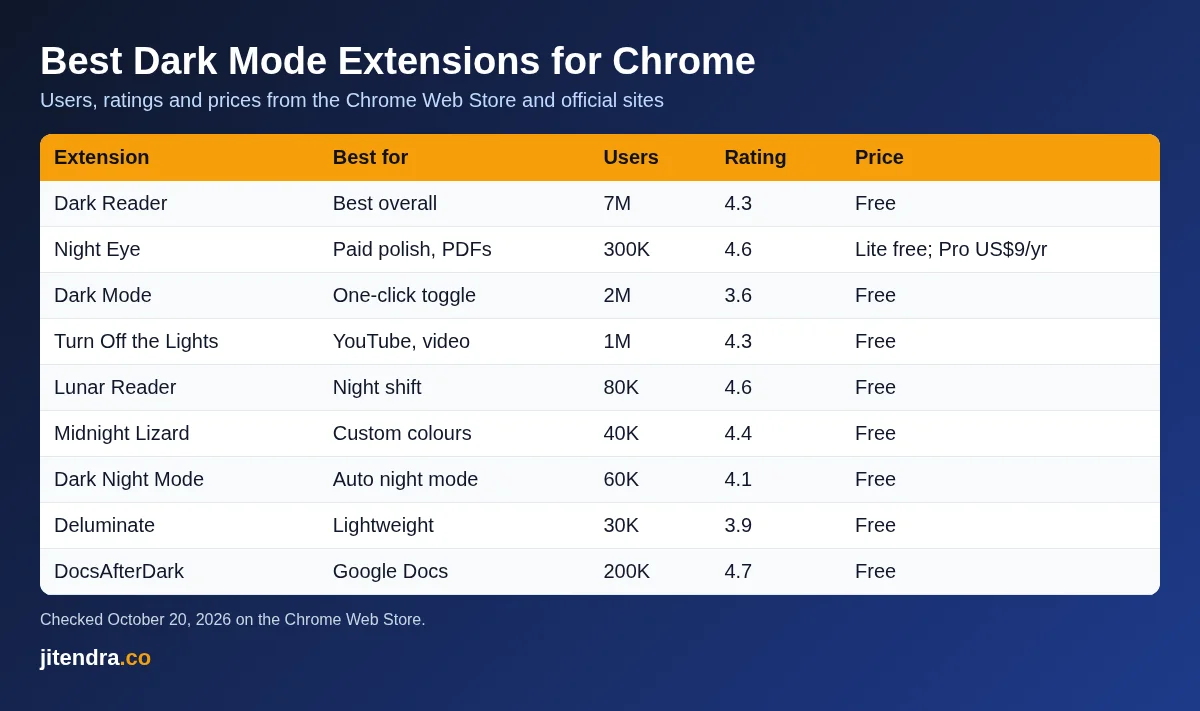
Best Dark Mode Extensions for Chrome: Quick Comparison Table
| Extension | Best for | Users (Chrome Web Store) | Rating | Last updated | Price |
|---|---|---|---|---|---|
| Dark Reader | Best overall, every website | 7,000,000 | 4.3 (13.3K ratings) | Sep 24, 2026 | Free |
| Night Eye | Polished paid dark mode, PDFs | 300,000 | 4.6 (3.3K ratings) | Aug 27, 2026 | Free Lite; Pro US$9 a year |
| Dark Mode | One-click on/off switch | 2,000,000 | 3.6 (2.2K ratings) | Sep 26, 2026 | Free |
| Turn Off the Lights | YouTube and video watching | 1,000,000 | 4.3 (33.5K ratings) | Sep 16, 2026 | Free |
| Lunar Reader | Dark mode plus warm night shift | 80,000 | 4.6 (1.4K ratings) | Oct 15, 2026 | Free |
| Midnight Lizard | Custom colour schemes | 40,000 | 4.4 (822 ratings) | Jan 2, 2026 | Free |
| Dark Night Mode | Simple automatic night mode | 60,000 | 4.1 (735 ratings) | Jan 15, 2025 | Free |
| Deluminate | Lightweight luminance inversion | 30,000 | 3.9 (1K ratings) | May 9, 2026 | Free |
| DocsAfterDark | Dark mode for Google Docs | 200,000 | 4.7 (485 ratings) | Feb 21, 2026 | Free |
Source: each extension’s Chrome Web Store listing, checked October 20, 2026. Night Eye pricing from nighteye.app.
How I Picked These Dark Mode Extensions
I did not run lab tests or invent scores. To pick the best dark mode chrome extension options, I used facts you can check yourself:
- Listed and available on the Chrome Web Store. One popular extension from older lists, Super Dark Mode, now shows “This item is not available”, so it is out.
- User count and rating shown on the official listing.
- Recent updates. An extension that has not been updated in a long time can break on modern websites. I flag the ones that have not been updated in 2026.
- Featured badge. Most picks carry Google’s Featured badge on the Chrome Web Store, which Google gives to extensions that follow its technical best practices.
- A clear purpose. Some are all-rounders; others solve one problem, like video or Google Docs.
9 Best Dark Mode Extensions for Chrome
1) Dark Reader: Best Dark Mode Extension for Chrome Overall
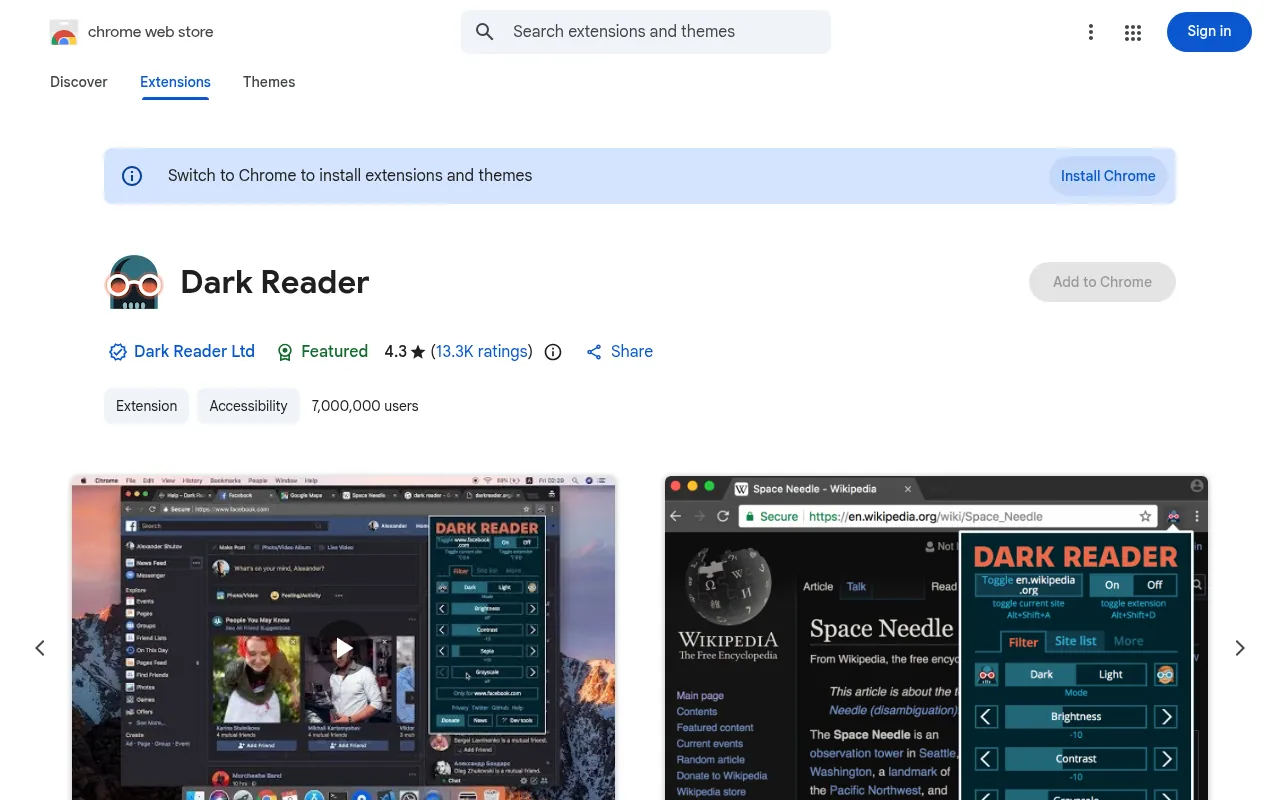
| Users | 7,000,000 |
|---|---|
| Rating | 4.3 out of 5 (13.3K ratings) |
| Last updated | September 24, 2026 (version 4.9.133) |
| Price | Free |
| Badge | Featured |
Dark Reader is the extension I recommend first, and the numbers explain why. With about 7 million users, it is the most widely used dark mode extension on the Chrome Web Store, and it is still actively updated.
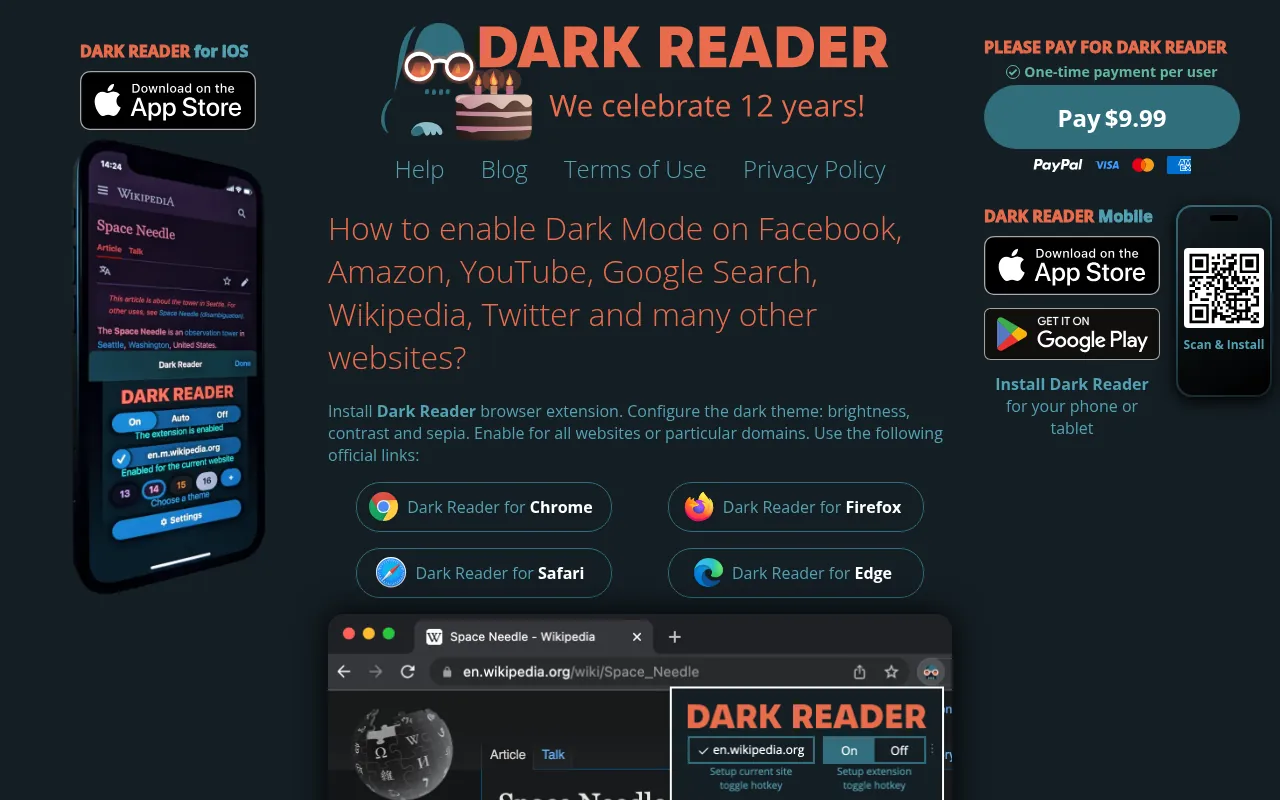
The Dark Reader Chrome extension creates dark themes for websites on the fly. You can adjust brightness, contrast, a sepia filter and font settings, enable or disable it for specific websites, sync it with your system’s dark mode, and let it detect sites that are already dark and leave them alone.
What I like: It works on almost every site out of the box, and the per-site toggle is one click from the toolbar. The project also offers versions for Firefox, Safari and Edge, so your setup can follow you across browsers.
What to watch: On very heavy pages, a full restyle can feel slower on older laptops. If a site breaks, switch Dark Reader’s mode for that site or turn it off there.
Best for: Almost everyone who wants dark mode on all websites.
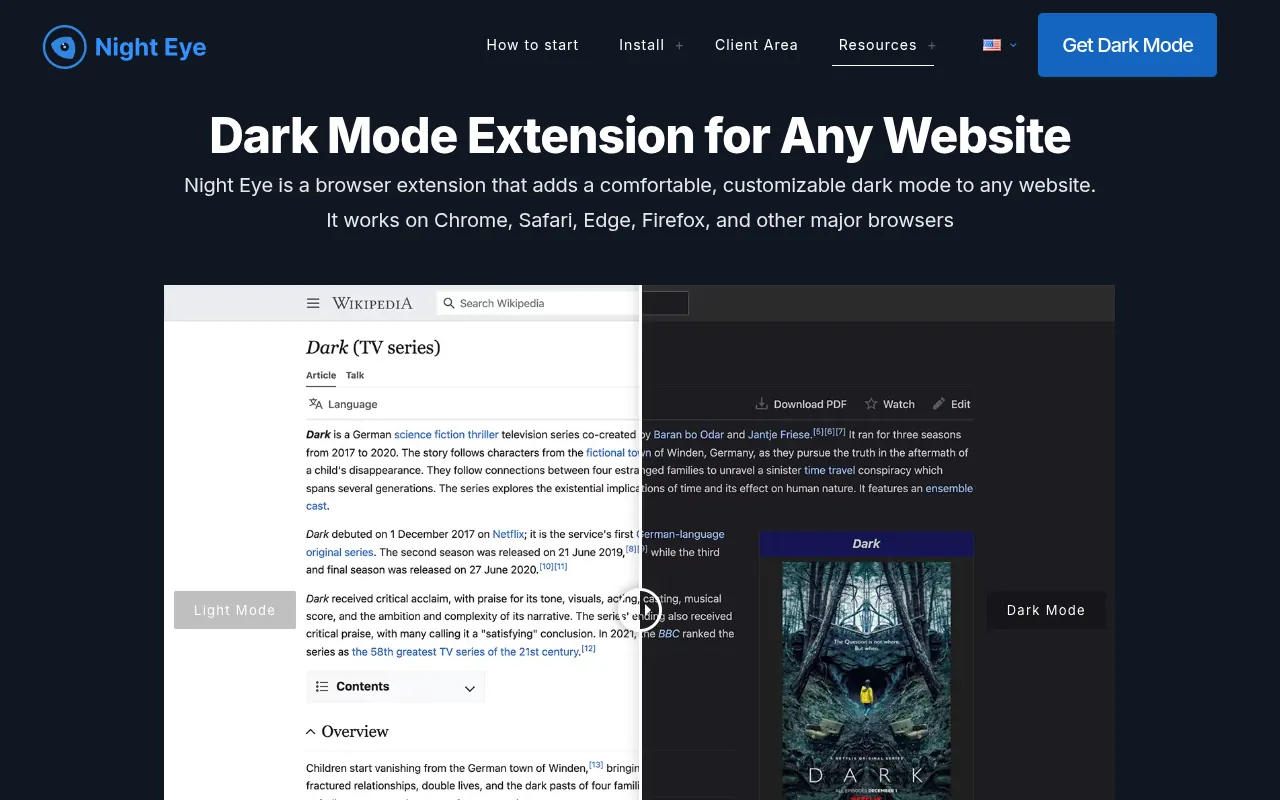
2) Night Eye: Best Paid Dark Mode Extension
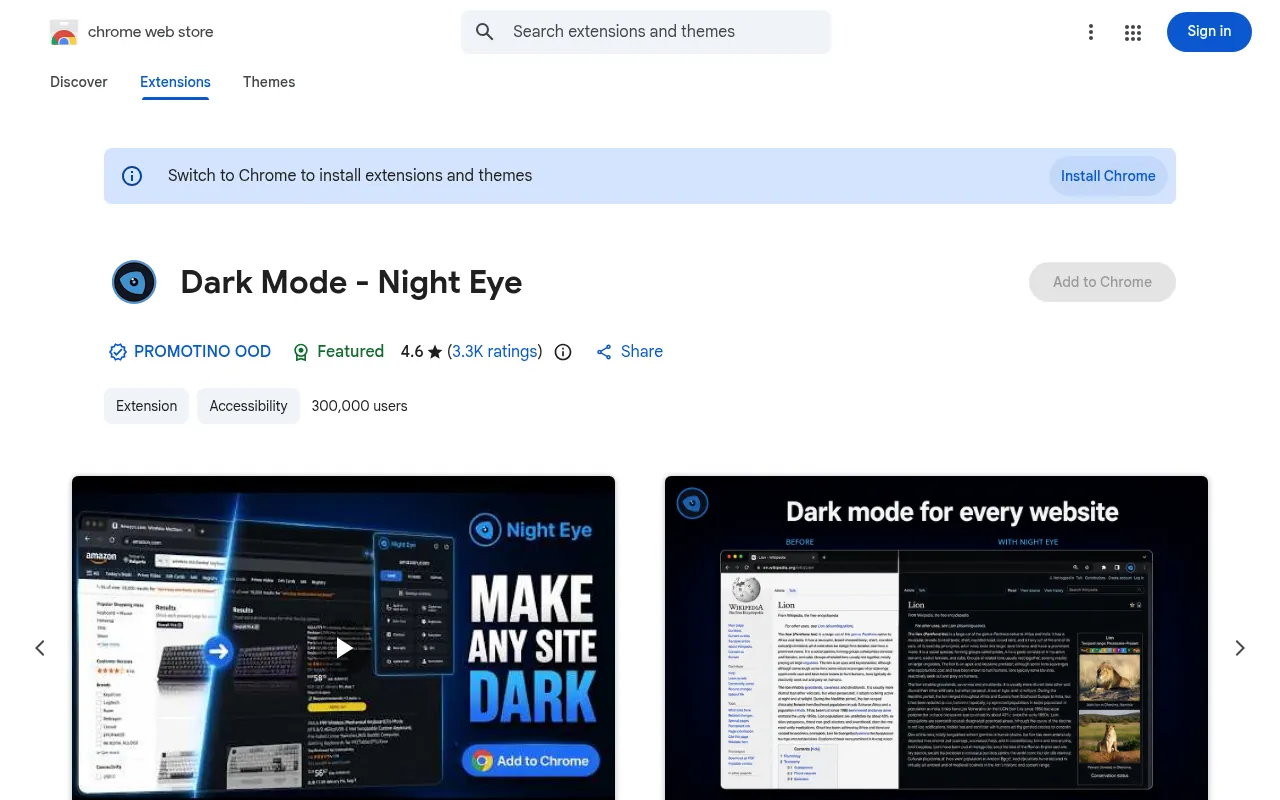
| Users | 300,000 |
|---|---|
| Rating | 4.6 out of 5 (3.3K ratings) |
| Last updated | August 27, 2026 |
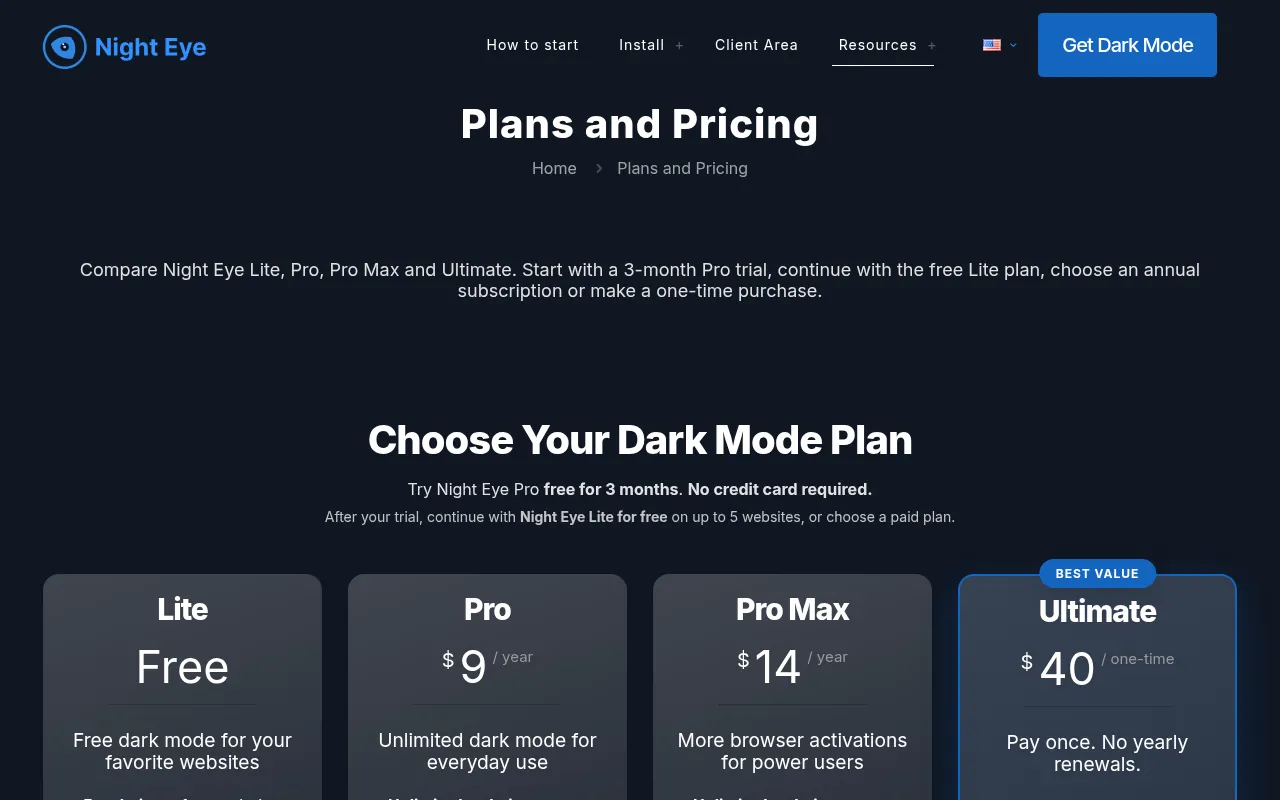
| Price | Lite free (5 websites); Pro US$9 a year; Pro Max US$14 a year; Ultimate US$40 one-time |
| Badge | Featured |
Night Eye takes a different approach from simple colour inversion. Its listing says it analyses page elements and adjusts backgrounds, text, icons and interface parts while preserving photos, videos and other large media. It also offers brightness, contrast, saturation, warmth and dim controls, scheduling, and a dark look for supported PDFs opened in Chrome.
Pricing: New users get a 3-month Pro trial with no credit card. After that, Night Eye Lite stays free on up to 5 websites in one browser. Pro costs US$9 a year (unlimited websites, up to 3 browsers), Pro Max US$14 a year (up to 6 browsers) and Ultimate US$40 one-time (up to 10 browsers).
What I like: The warmth slider and PDF support are genuinely useful for night reading. US$40 once for Ultimate is fair if you use several browsers.
What to watch: The free plan’s 5-website limit is tight if you browse widely.
Best for: People who read a lot at night and want a refined look, and are happy to pay a little.
3) Dark Mode: Best Simple On/Off Switch
| Users | 2,000,000 |
|---|---|
| Rating | 3.6 out of 5 (2.2K ratings) |
| Last updated | September 26, 2026 |
| Price | Free |
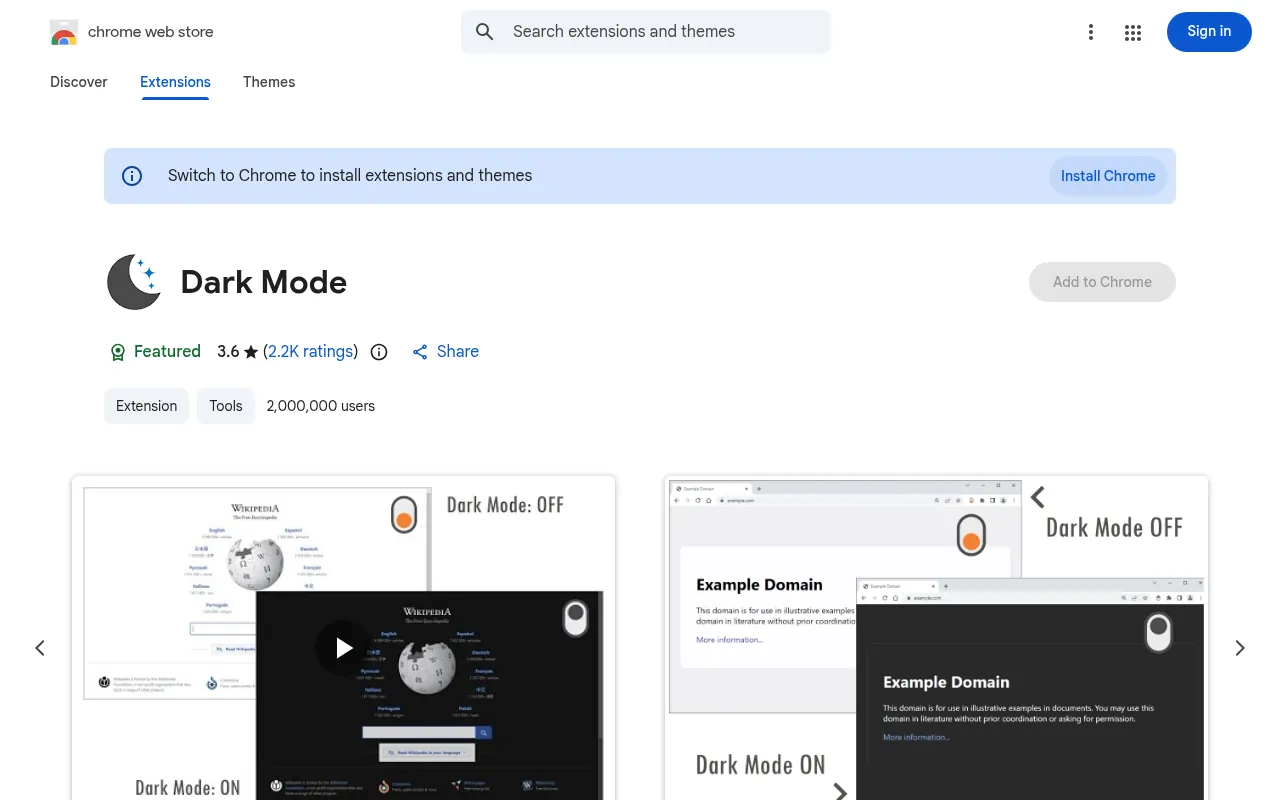
This extension is simply called “Dark Mode”, and it is the second most used option on this list. Its toolbar button works as an ON/OFF switch, you can choose different dark themes in its options page, and a whitelist lets you exclude domains you want to keep light.
What I like: It is as simple as it gets. One click and the page goes dark.
What to watch: Its rating is the lowest of the big names here, so expect some sites to look odd. Use the whitelist for those.
Best for: People who want a quick toggle without settings to learn.
4) Turn Off the Lights: Best for YouTube and Videos
| Users | 1,000,000 |
|---|---|
| Rating | 4.3 out of 5 (33.5K ratings) |
| Last updated | September 16, 2026 |
| Price | Free |
| Badge | Featured |
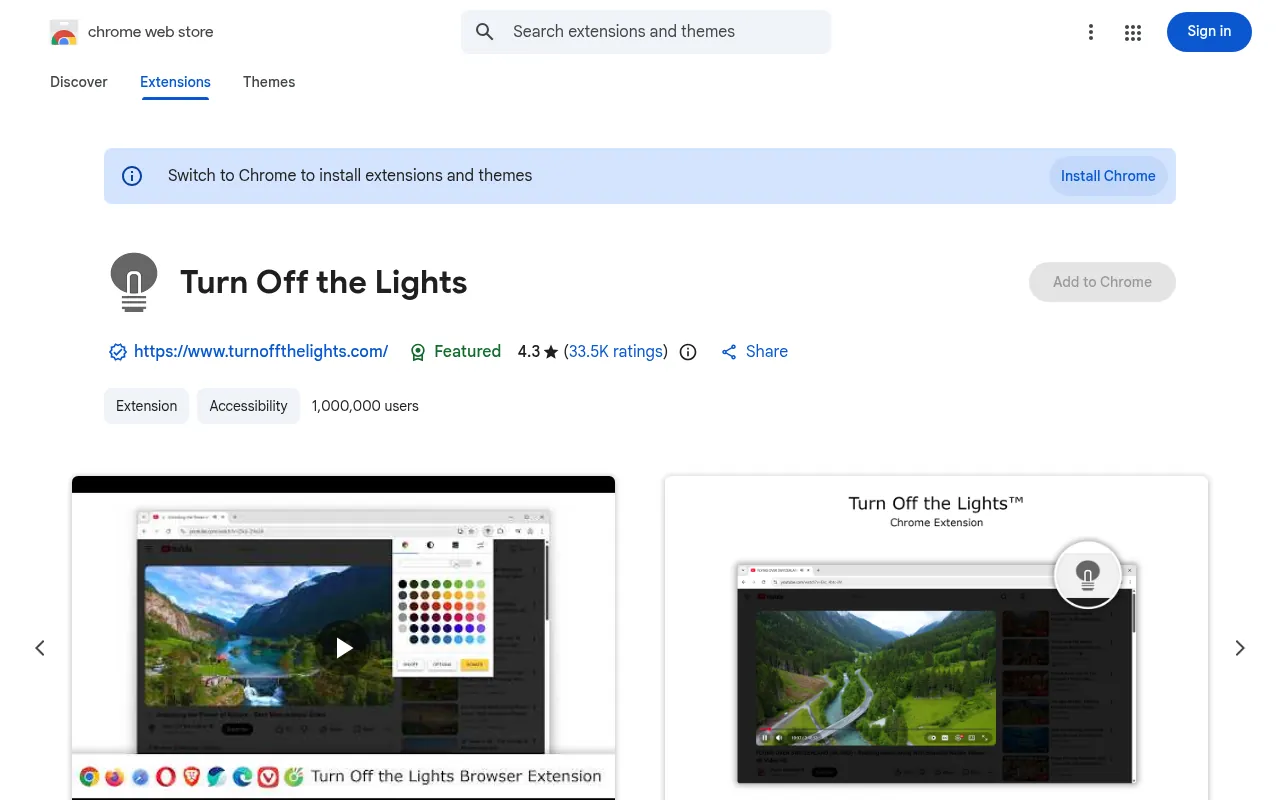
Turn Off the Lights started as a video tool. Click the lamp icon and everything on the page fades to dark except the video you are watching, like dimming the lights in a cinema. It works on YouTube and other video sites, and its listing says it can also convert all websites into a personalised dark mode theme.
What I like: If most of your night-time browsing is YouTube, this is the most focused tool. It also has by far the largest number of ratings on this list.
What to watch: It has many features, so the options page can feel busy. If you want only dark mode for text sites, Dark Reader is simpler.
Best for: YouTube, streaming and video lovers.
5) Lunar Reader: Best for Dark Mode Plus Night Shift
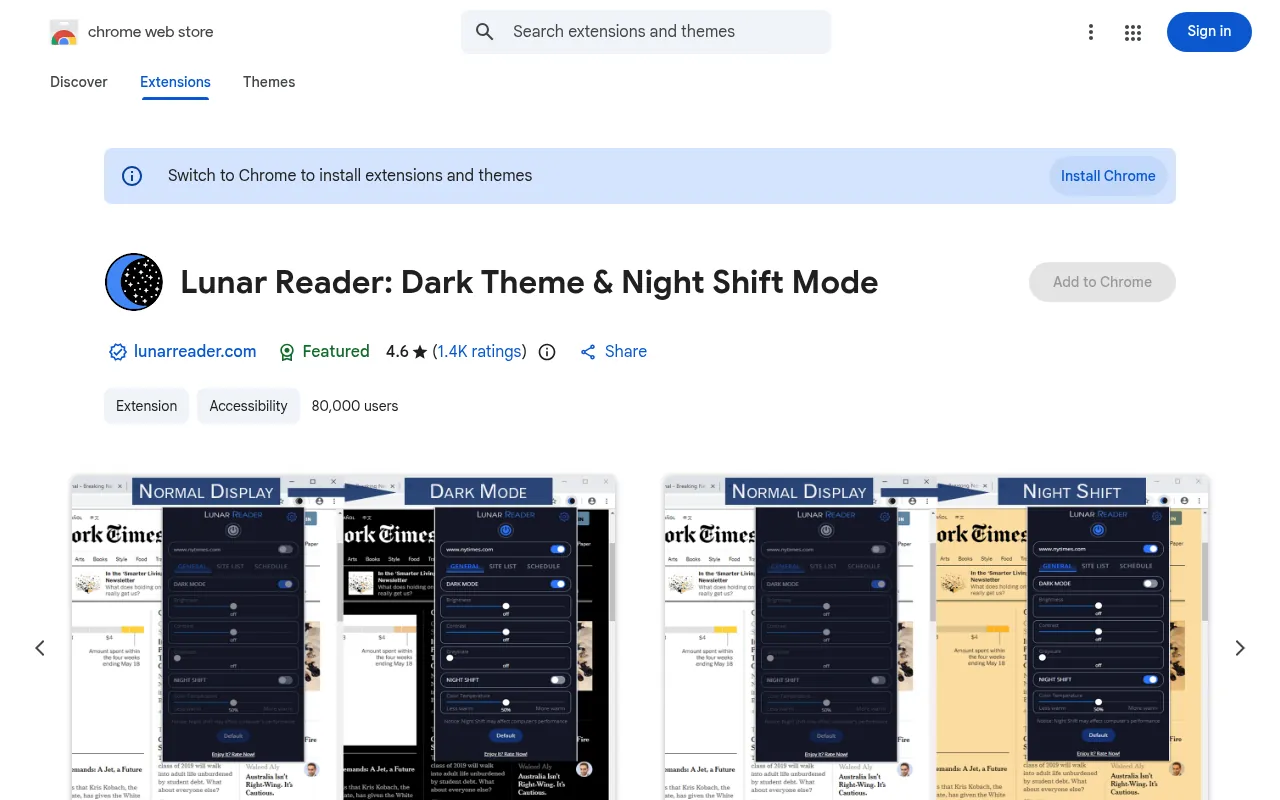
| Users | 80,000 |
|---|---|
| Rating | 4.6 out of 5 (1.4K ratings) |
| Last updated | October 15, 2026 |
| Price | Free |
| Badge | Featured |
Lunar Reader combines two effects: a dark theme for every website and a night shift mode that makes colours warmer. You can use either or both, adjust brightness, contrast and saturation, use keyboard shortcuts, and set a schedule so dark mode turns on automatically. Its listing notes it was updated to Manifest V3, Chrome’s current extension standard.
What I like: It is the most recently updated extension on this list, and the warm night shift is a nice touch for late-night reading.
What to watch: The developer advises disabling other dark mode extensions to avoid conflicts. That is good advice for every tool here.
Best for: Night readers who want warmer colours, not only darker ones.
6) Midnight Lizard: Best for Custom Colour Schemes
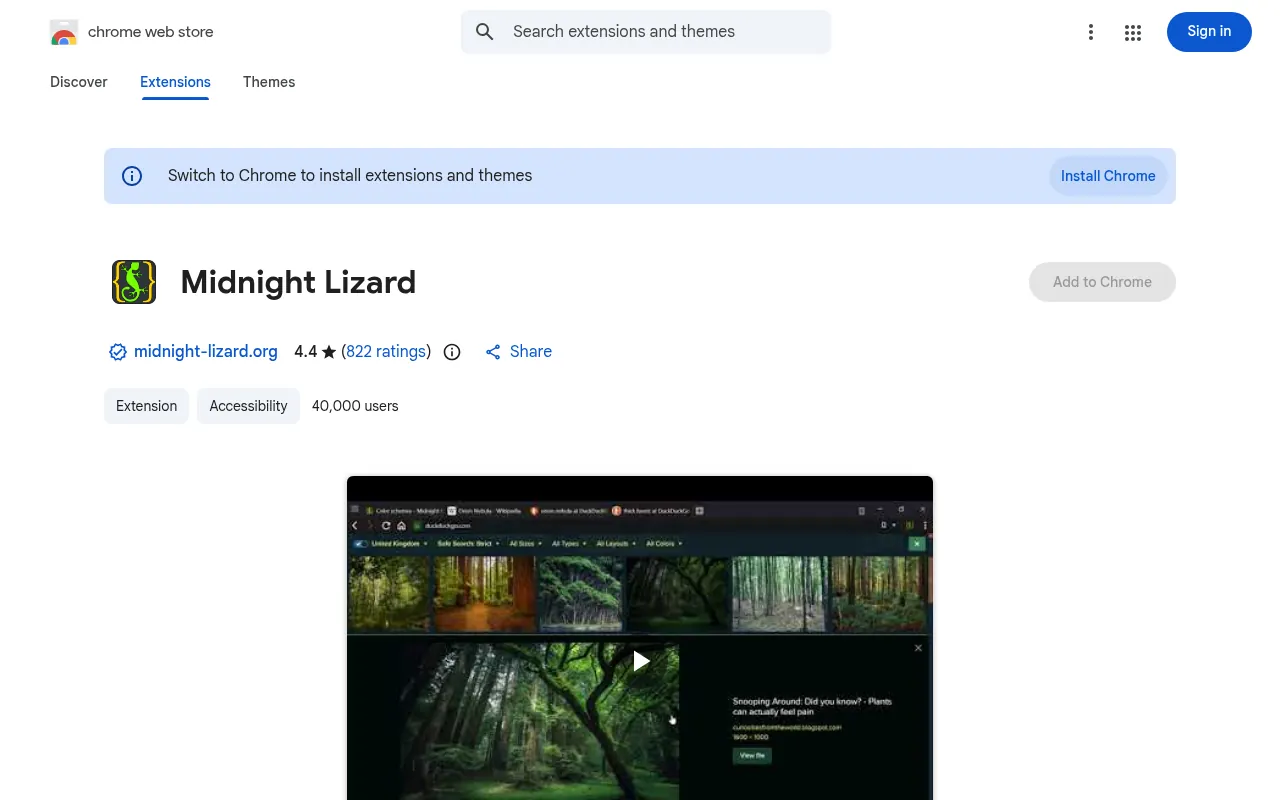
| Users | 40,000 |
|---|---|
| Rating | 4.4 out of 5 (822 ratings) |
| Last updated | January 2, 2026 (version 11.0.0) |
| Price | Free |
Midnight Lizard is for tinkerers. Instead of one dark theme, it offers many colour schemes: dark, light, grayscale, colourful, high contrast and a blue light filter. You can create your own schemes, use different schemes on each website, adjust brightness, saturation, contrast and hue, schedule it, and toggle it with keyboard shortcuts (Alt+Shift+L on the current website).
What I like: No other extension here gives you this much control, which makes it useful for accessibility needs.
What to watch: It does not carry the Featured badge, and it was last updated at the start of 2026. Fewer people use it than in the past.
Best for: Power users and people who need high contrast or specific colours.
7) Dark Night Mode: Best Simple Automatic Night Mode
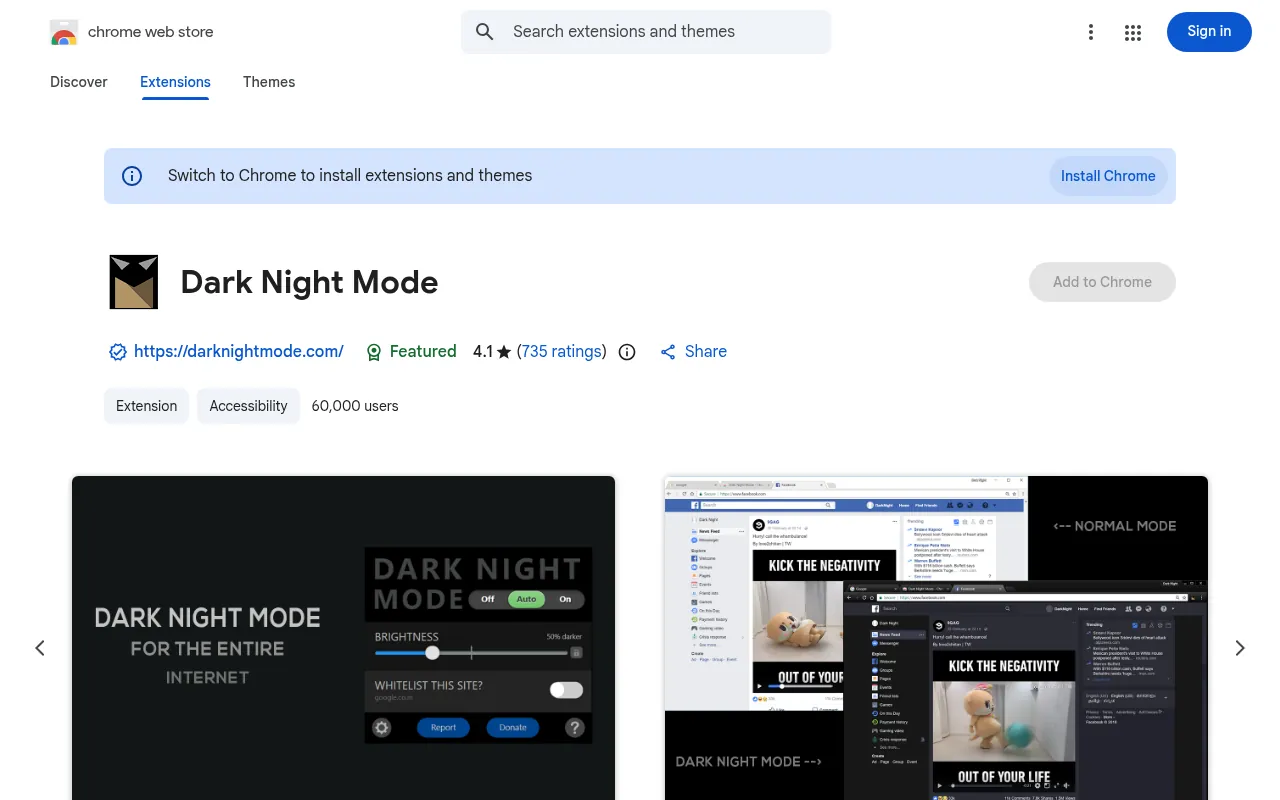
| Users | 60,000 |
|---|---|
| Rating | 4.1 out of 5 (735 ratings) |
| Last updated | January 15, 2025 |
| Price | Free (open source) |
| Badge | Featured |
Dark Night Mode is a free, open-source extension that darkens websites in real time by converting each element’s colour to a darker shade. It has a brightness slider that can dim pages beyond your screen’s normal minimum, a whitelist, and an Auto mode that turns dark mode on at 8:00 PM and off at 6:00 AM.
What I like: The automatic schedule is set-and-forget.
What to watch: It has not been updated since January 2025, the oldest on this list. The developers also note it is not perfect on every website. Keep it as a backup option.
Best for: People who want night mode only at night, automatically.
8) Deluminate: Best Lightweight Option
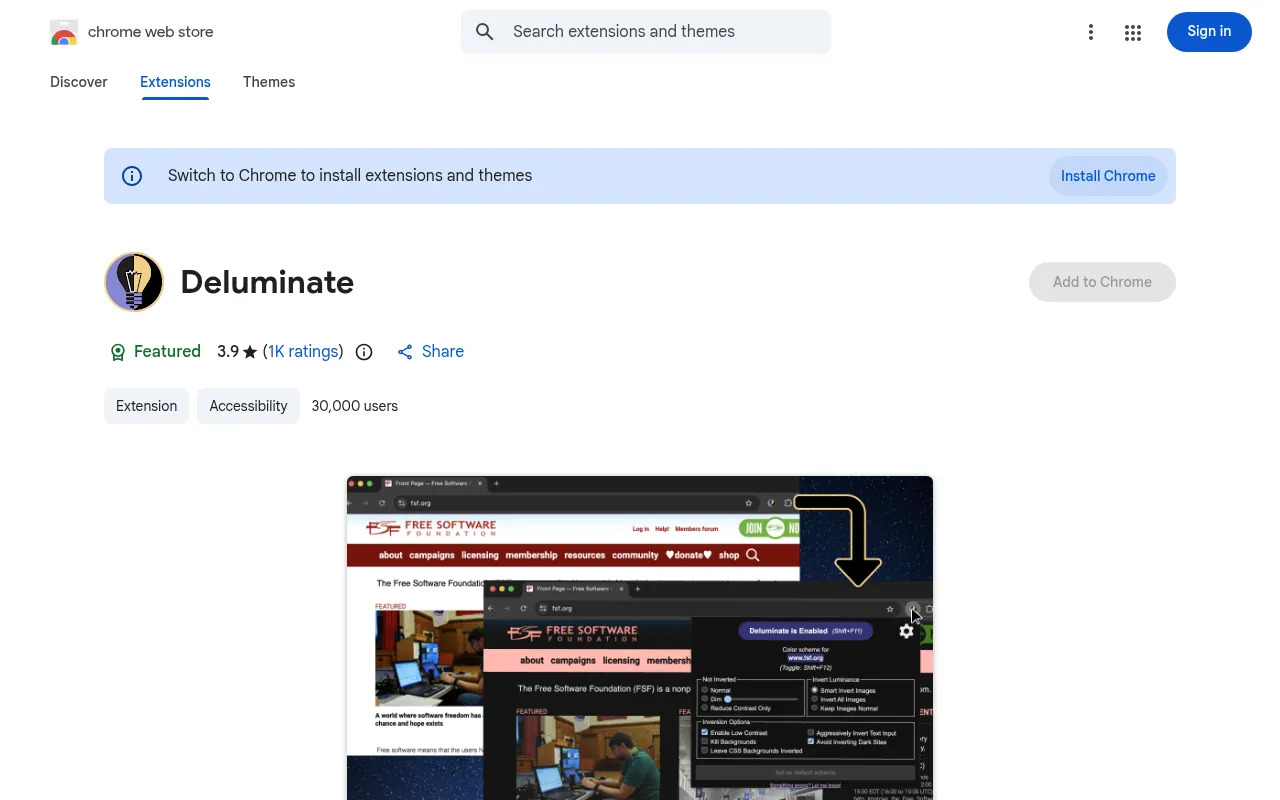
| Users | 30,000 |
|---|---|
| Rating | 3.9 out of 5 (1K ratings) |
| Last updated | May 9, 2026 (version 1.1.0) |
| Price | Free |
| Badge | Featured |
Deluminate takes the simple route: it inverts the luminance (brightness) of a website so bright pages become dark. Its recent versions moved to Manifest V3, added dark mode autodetection, and let you set different inversion modes based on the URL path.
What I like: It is minimal and does one thing.
What to watch: Inversion can make some images and brand colours look strange. Its rating is on the lower side.
Best for: Users who want something light and simple and do not mind tweaking.
9) DocsAfterDark: Best Dark Mode Extension for Google Docs
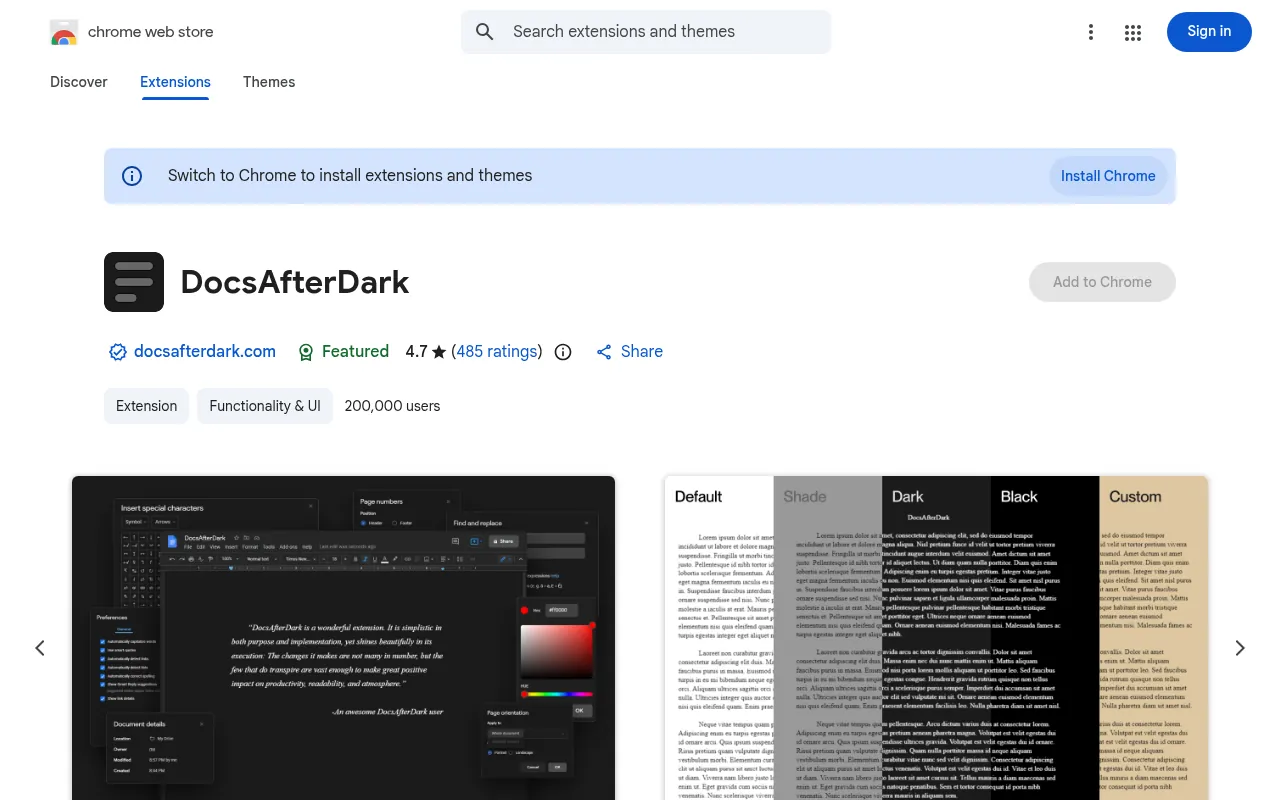
| Users | 200,000 |
|---|---|
| Rating | 4.7 out of 5 (485 ratings) |
| Last updated | February 21, 2026 |
| Price | Free (open source) |
| Badge | Featured |
Google Docs is one of the brightest apps you can open at night, and people often search for a dark mode extension for Google Docs specifically. DocsAfterDark gives Docs a modern dark mode (including a true-black “midnight” variant) and a light mode, with customizable accent and background colours and several invert modes. It changes only how the document looks to you, not the original file, and you can toggle it per document.
What I like: It has the highest rating on this list, and it is focused on doing one job well.
What to watch: It only works on Google Docs. Its listing says it does not work on Sheets or Slides.
Best for: Writers, students and anyone who lives in Google Docs.
How to Turn On Dark Mode in Chrome Without an Extension
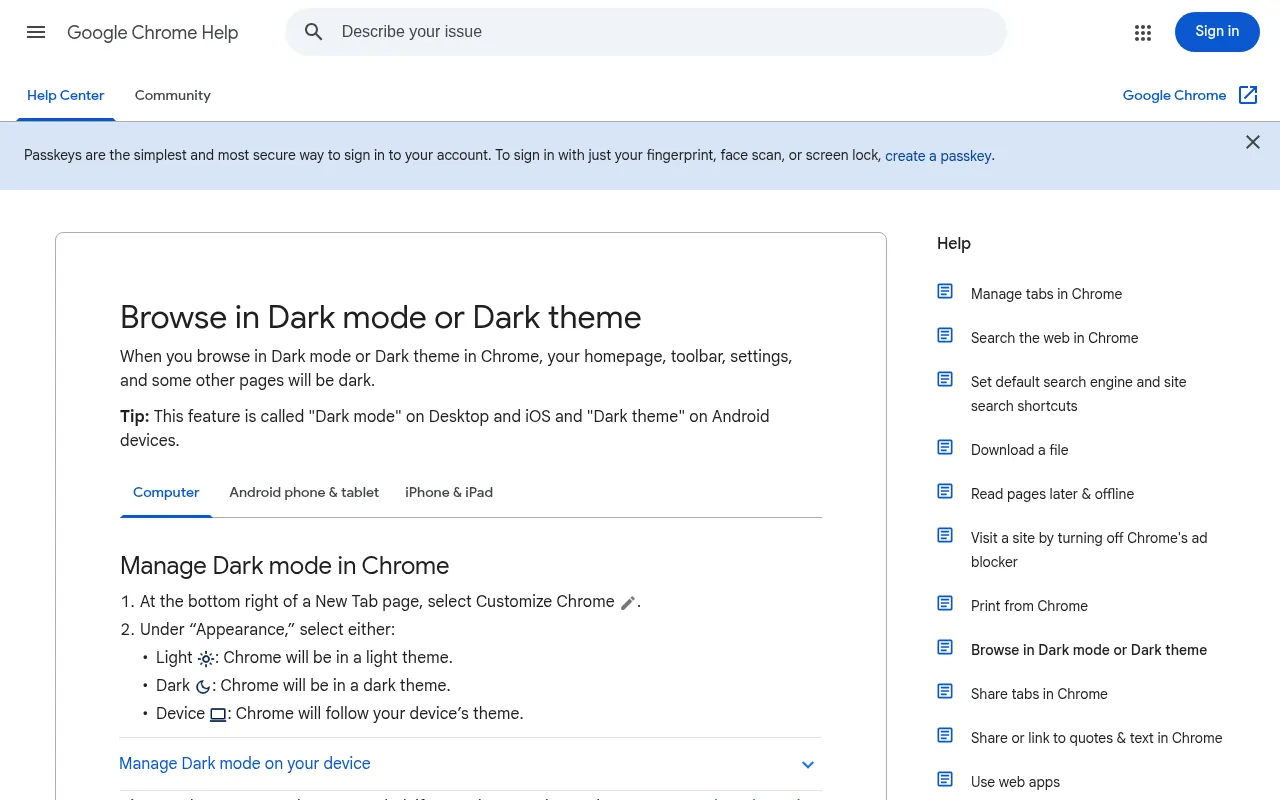
Before installing anything, try Chrome’s built-in dark mode. If you are looking for the best dark theme for Chrome itself, this is it, and it is free. People often search “dark mode chrome pc” when they mean this setting. On a computer (PC or Mac), Google’s help page says:
- Open a New Tab page.
- At the bottom right, select Customize Chrome.
- Under Appearance, choose Dark, Light or Device (follow your computer’s setting).
This makes Chrome’s homepage, toolbar, settings and some other pages dark. On Android, Google calls it “Dark theme”; on iPhone and iPad it follows the device setting. It does not make every website dark.
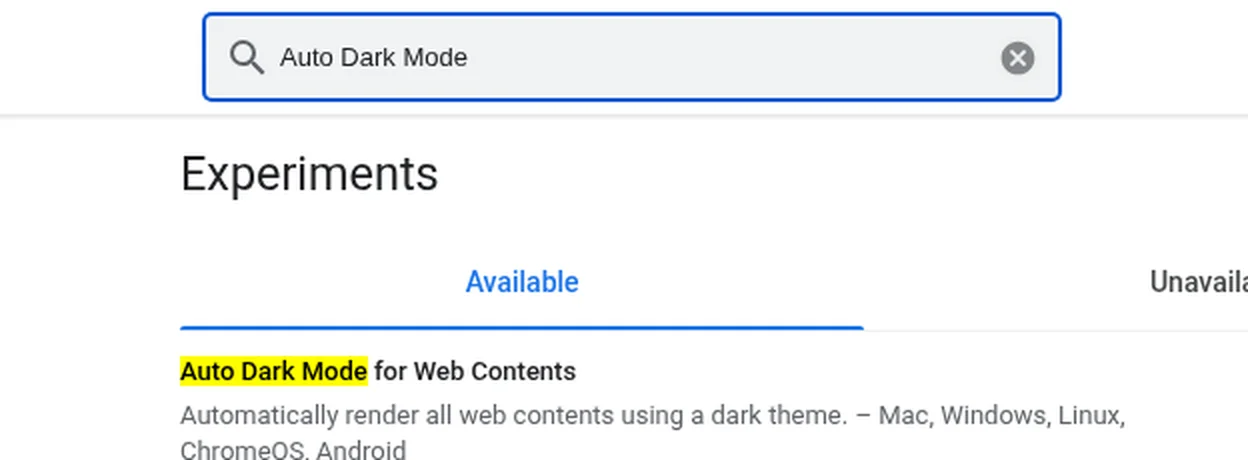
To get dark mode for all websites without an extension, Chrome also has an experimental flag that forces a dark theme on web pages. On the Chrome version I checked (155), the flag is called Auto Dark Mode for Web Contents, and Chrome describes it as “Automatically render all web contents using a dark theme” on Mac, Windows, Linux, ChromeOS and Android.
To try it:
- Type
chrome://flagsin the address bar and press Enter. - Search for “Auto Dark Mode”.
- Change Auto Dark Mode for Web Contents from Default to Enabled.
- Click Relaunch.
My view: The flag is free and needs no extension, which is great for privacy. But it is an experiment, there is no per-site switch, and images can look inverted. If you want control, a dark mode extension is still better. If you find the flag is enough, you can skip extensions entirely.
Dark Mode Extension vs Chrome’s Built-in Dark Mode
| Option | Darkens Chrome menus and tabs | Darkens all websites | Per-site control | Cost |
|---|---|---|---|---|
| Chrome dark mode (Customize Chrome) | Yes | No | No | Free |
| Auto Dark Mode flag | No | Yes | No | Free |
| Dark mode extension (for example Dark Reader) | No | Yes | Yes | Free or paid |
For the full “black chrome” look, combine Chrome’s dark mode with a dark mode extension. That gives you dark tabs and menus plus dark websites.
Dark Mode Chrome Android: Can You Use Extensions?
The regular Chrome app for Android still does not support Chrome Web Store extensions, so Dark Reader and the others will not install there. On Android you can use Chrome’s Dark theme setting, or try the Auto Dark Mode flag, which Chrome lists as available on Android. Some other Android browsers do support extensions, but that is outside this guide.
How to Install a Dark Mode Extension in Chrome
Installing any of these takes under a minute:
- Open the Chrome Web Store in Chrome on your computer and search for the extension name, for example “Dark Reader”.
- Check the publisher, user count, rating and last update date on the listing. Make sure it is the real one, not a copycat with a similar name.
- Click Add to Chrome, then Add extension.
- Click the puzzle-piece icon in the toolbar and pin the extension so its button is always visible.
- Open a bright website and click the extension’s button to switch dark mode on or off for that site.
To remove an extension later, right-click its icon and choose Remove from Chrome, or open chrome://extensions.
Common Dark Mode Problems and How to Fix Them
Even the best dark mode extension will sometimes make a page look odd. These are the problems I run into most, and the quick fixes:
- A site looks broken or unreadable. Turn the extension off for that site only. Dark Reader, Night Eye, Dark Mode and Dark Night Mode all have a per-site switch or whitelist.
- Images look inverted or washed out. This happens most with inversion-style tools like Deluminate and with Chrome’s Auto Dark Mode flag. Switch to an extension that preserves images, such as Night Eye or Dark Reader.
- The page flashes white before turning dark. This is common when a site loads slowly. Some extensions work to reduce it, but none can remove it completely on every site.
- A site already has its own dark theme. Use the site’s own setting and exclude it from your extension. Dark Reader can detect already-dark sites and leave them unchanged.
- Two extensions fighting. If colours keep changing or the page flickers, you probably have two dark mode extensions or a dark mode extension plus the Chrome flag. Keep only one.
- Browsing feels slower. Restyling every page takes work. On an older laptop, try a lighter tool like Deluminate, or turn dark mode on only for the sites you read most.
Does Dark Mode Help Your Eyes?
Many people install a dark mode extension to reduce eye strain at night. I find dark pages more comfortable after sunset. But comfort is personal, and dark mode is not a medical treatment. If your eyes hurt regularly, lower your screen brightness, take breaks and see an eye doctor. Extensions like Night Eye and Lunar Reader also add a warmth control, which shifts colours away from blue at night.
Free vs Paid Dark Mode Extensions
Eight of the nine picks are completely free. Night Eye is the only one with paid plans, and even it has a free Lite plan for up to 5 websites. In my view, Dark Reader’s free experience is good enough for most people, so paying only makes sense if you specifically like Night Eye’s look, warmth controls or PDF support.
How to Choose the Best Dark Mode Extension
- Want one extension for everything? Dark Reader.
- Read PDFs and long articles at night? Night Eye.
- Mostly watch YouTube? Turn Off the Lights.
- Need warmer colours too? Lunar Reader.
- Need custom or high-contrast colours? Midnight Lizard.
- Only use Google Docs at night? DocsAfterDark.
Two safety tips I follow for every extension:
- Check permissions before installing. Dark mode extensions need to read and change the sites you visit, so stick to well-known, recently updated ones from the official Chrome Web Store. The same caution applies to every tool that touches your browsing, which is why I also recommend reading up on privacy tools like a VPN for India.
- Install only one dark mode extension. Two of them fighting over the same page causes flicker and broken layouts.
Why This Topic Keeps Showing Up in DigiExe and BloggersIdeas Work
Chrome Dark Mode Extensions questions hit my inbox because teams want a shortlist they can trust without reading twenty tabs. BloggersIdeas earns traffic on honest comparisons. DigiExe needs tools that freelancers can learn in a day. AffiliateBooster needs clear commercial paths. SchemaNinja needs boring reliability.
I write these expansions from operator habits: dated screenshots, official pricing links, cancellation notes, and India payment reality. I skip fake “we tested 47 tools in a lab” theatre. If a number appears, it comes from a vendor page or a workflow I actually run. Inside A Hustler’s Brain guests often repeat the same lesson: simple systems beat shiny stacks.
Decision Tree I Give Clients
- Define the job in one sentence.
- Cap the monthly budget in INR before opening tabs.
- Shortlist three tools max from this article.
- Run one real task on each shortlist item the same day.
- Keep the winner for a full sprint before adding a second paid seat.
- Document login ownership and cancellation URL.
This tree prevents stack sprawl. DigiExe projects that skip it collect overlapping subscriptions by month three.
Documentation Template for Your Team Folder
Create a one-page note per tool:
- Official pricing URL and date checked
- Plan name and currency seen from India
- Seat owner email
- Cancellation path
- What jobs it is allowed to cover
- What jobs are banned (for example free-tier commercial limits)
- Link to internal tutorial or Loom
BloggersIdeas editors keep a shared sheet. AffiliateBooster contractors get a reduced version. Podcast show notes that mention tools point back to the dated review URL on jitendra.co instead of a vague shoutout.
Publisher Stack Fit for Chrome Dark Mode Extensions (Pass 1)
This pass is about BloggersIdeas publishing calendar. The audience is writers and editors. For Chrome dark mode extensions, I refuse to add fake benchmark tables. I add habits that survive plan renames.
On BloggersIdeas, the question is whether a writer can finish without a huddle. On DigiExe, the question is whether a freelancer can be onboarded in one sitting and removed cleanly later. AffiliateBooster cares whether a creative can ship under a commercial license without guessing. SchemaNinja cares whether a screenshot still matches the UI after a vendor update. Podcast and YouTube work care whether the asset remains readable on a phone.
Practical moves I repeat:
- Name a default tool from this article and write it in the team sheet.
- Capture the official pricing or docs page the same day you cite a number.
- Store cancel and refund URLs beside the receipt.
- Limit overlapping paid seats unless jobs are truly different.
- Re-check the page before a scheduled publish goes live.
India notes stay boring on purpose. Confirm currency, payment methods, and invoice needs. If USD is the only option, say so and budget forex. If a GST PDF matters for DigiExe books, test a small charge before annual billing.
If you only remember one line: defaults beat novelty. A stable Chrome dark mode extensions stack with screenshots and a cancel plan will outperform a graveyard of trials.
Agency Retainer Fit for Chrome Dark Mode Extensions (Pass 2)
This pass is about DigiExe client retainers. The audience is freelancers and leads. For Chrome dark mode extensions, I refuse to add fake benchmark tables. I add habits that survive plan renames.
On BloggersIdeas, the question is whether a writer can finish without a huddle. On DigiExe, the question is whether a freelancer can be onboarded in one sitting and removed cleanly later. AffiliateBooster cares whether a creative can ship under a commercial license without guessing. SchemaNinja cares whether a screenshot still matches the UI after a vendor update. Podcast and YouTube work care whether the asset remains readable on a phone.
Practical moves I repeat:
- Name a default tool from this article and write it in the team sheet.
- Capture the official pricing or docs page the same day you cite a number.
- Store cancel and refund URLs beside the receipt.
- Limit overlapping paid seats unless jobs are truly different.
- Re-check the page before a scheduled publish goes live.
India notes stay boring on purpose. Confirm currency, payment methods, and invoice needs. If USD is the only option, say so and budget forex. If a GST PDF matters for DigiExe books, test a small charge before annual billing.
If you only remember one line: defaults beat novelty. A stable Chrome dark mode extensions stack with screenshots and a cancel plan will outperform a graveyard of trials.
Affiliate Creative Fit for Chrome Dark Mode Extensions (Pass 3)
This pass is about AffiliateBooster campaigns. The audience is design contractors. For Chrome dark mode extensions, I refuse to add fake benchmark tables. I add habits that survive plan renames.
On BloggersIdeas, the question is whether a writer can finish without a huddle. On DigiExe, the question is whether a freelancer can be onboarded in one sitting and removed cleanly later. AffiliateBooster cares whether a creative can ship under a commercial license without guessing. SchemaNinja cares whether a screenshot still matches the UI after a vendor update. Podcast and YouTube work care whether the asset remains readable on a phone.
Practical moves I repeat:
- Name a default tool from this article and write it in the team sheet.
- Capture the official pricing or docs page the same day you cite a number.
- Store cancel and refund URLs beside the receipt.
- Limit overlapping paid seats unless jobs are truly different.
- Re-check the page before a scheduled publish goes live.
India notes stay boring on purpose. Confirm currency, payment methods, and invoice needs. If USD is the only option, say so and budget forex. If a GST PDF matters for DigiExe books, test a small charge before annual billing.
If you only remember one line: defaults beat novelty. A stable Chrome dark mode extensions stack with screenshots and a cancel plan will outperform a graveyard of trials.
Software Docs Fit for Chrome Dark Mode Extensions (Pass 4)
This pass is about SchemaNinja help and marketing pages. The audience is product marketers. For Chrome dark mode extensions, I refuse to add fake benchmark tables. I add habits that survive plan renames.
On BloggersIdeas, the question is whether a writer can finish without a huddle. On DigiExe, the question is whether a freelancer can be onboarded in one sitting and removed cleanly later. AffiliateBooster cares whether a creative can ship under a commercial license without guessing. SchemaNinja cares whether a screenshot still matches the UI after a vendor update. Podcast and YouTube work care whether the asset remains readable on a phone.
Practical moves I repeat:
- Name a default tool from this article and write it in the team sheet.
- Capture the official pricing or docs page the same day you cite a number.
- Store cancel and refund URLs beside the receipt.
- Limit overlapping paid seats unless jobs are truly different.
- Re-check the page before a scheduled publish goes live.
India notes stay boring on purpose. Confirm currency, payment methods, and invoice needs. If USD is the only option, say so and budget forex. If a GST PDF matters for DigiExe books, test a small charge before annual billing.
If you only remember one line: defaults beat novelty. A stable Chrome dark mode extensions stack with screenshots and a cancel plan will outperform a graveyard of trials.
Podcast and YouTube Fit for Chrome Dark Mode Extensions (Pass 5)
This pass is about Inside A Hustler’s Brain production. The audience is editors and guests. For Chrome dark mode extensions, I refuse to add fake benchmark tables. I add habits that survive plan renames.
On BloggersIdeas, the question is whether a writer can finish without a huddle. On DigiExe, the question is whether a freelancer can be onboarded in one sitting and removed cleanly later. AffiliateBooster cares whether a creative can ship under a commercial license without guessing. SchemaNinja cares whether a screenshot still matches the UI after a vendor update. Podcast and YouTube work care whether the asset remains readable on a phone.
Practical moves I repeat:
- Name a default tool from this article and write it in the team sheet.
- Capture the official pricing or docs page the same day you cite a number.
- Store cancel and refund URLs beside the receipt.
- Limit overlapping paid seats unless jobs are truly different.
- Re-check the page before a scheduled publish goes live.
India notes stay boring on purpose. Confirm currency, payment methods, and invoice needs. If USD is the only option, say so and budget forex. If a GST PDF matters for DigiExe books, test a small charge before annual billing.
If you only remember one line: defaults beat novelty. A stable Chrome dark mode extensions stack with screenshots and a cancel plan will outperform a graveyard of trials.
India Checkout Fit for Chrome Dark Mode Extensions (Pass 6)
This pass is about INR and UPI reality. The audience is accounts and founders. For Chrome dark mode extensions, I refuse to add fake benchmark tables. I add habits that survive plan renames.
On BloggersIdeas, the question is whether a writer can finish without a huddle. On DigiExe, the question is whether a freelancer can be onboarded in one sitting and removed cleanly later. AffiliateBooster cares whether a creative can ship under a commercial license without guessing. SchemaNinja cares whether a screenshot still matches the UI after a vendor update. Podcast and YouTube work care whether the asset remains readable on a phone.
Practical moves I repeat:
- Name a default tool from this article and write it in the team sheet.
- Capture the official pricing or docs page the same day you cite a number.
- Store cancel and refund URLs beside the receipt.
- Limit overlapping paid seats unless jobs are truly different.
- Re-check the page before a scheduled publish goes live.
India notes stay boring on purpose. Confirm currency, payment methods, and invoice needs. If USD is the only option, say so and budget forex. If a GST PDF matters for DigiExe books, test a small charge before annual billing.
If you only remember one line: defaults beat novelty. A stable Chrome dark mode extensions stack with screenshots and a cancel plan will outperform a graveyard of trials.
Cancellation Drill for Chrome Dark Mode Extensions (Pass 7)
This pass is about renewal calendar hygiene. The audience is seat owners. For Chrome dark mode extensions, I refuse to add fake benchmark tables. I add habits that survive plan renames.
On BloggersIdeas, the question is whether a writer can finish without a huddle. On DigiExe, the question is whether a freelancer can be onboarded in one sitting and removed cleanly later. AffiliateBooster cares whether a creative can ship under a commercial license without guessing. SchemaNinja cares whether a screenshot still matches the UI after a vendor update. Podcast and YouTube work care whether the asset remains readable on a phone.
Practical moves I repeat:
- Name a default tool from this article and write it in the team sheet.
- Capture the official pricing or docs page the same day you cite a number.
- Store cancel and refund URLs beside the receipt.
- Limit overlapping paid seats unless jobs are truly different.
- Re-check the page before a scheduled publish goes live.
India notes stay boring on purpose. Confirm currency, payment methods, and invoice needs. If USD is the only option, say so and budget forex. If a GST PDF matters for DigiExe books, test a small charge before annual billing.
If you only remember one line: defaults beat novelty. A stable Chrome dark mode extensions stack with screenshots and a cancel plan will outperform a graveyard of trials.
QA Before Schedule for Chrome Dark Mode Extensions (Pass 8)
This pass is about future-post preflight on jitendra.co. The audience is SEO editors. For Chrome dark mode extensions, I refuse to add fake benchmark tables. I add habits that survive plan renames.
On BloggersIdeas, the question is whether a writer can finish without a huddle. On DigiExe, the question is whether a freelancer can be onboarded in one sitting and removed cleanly later. AffiliateBooster cares whether a creative can ship under a commercial license without guessing. SchemaNinja cares whether a screenshot still matches the UI after a vendor update. Podcast and YouTube work care whether the asset remains readable on a phone.
Practical moves I repeat:
- Name a default tool from this article and write it in the team sheet.
- Capture the official pricing or docs page the same day you cite a number.
- Store cancel and refund URLs beside the receipt.
- Limit overlapping paid seats unless jobs are truly different.
- Re-check the page before a scheduled publish goes live.
India notes stay boring on purpose. Confirm currency, payment methods, and invoice needs. If USD is the only option, say so and budget forex. If a GST PDF matters for DigiExe books, test a small charge before annual billing.
If you only remember one line: defaults beat novelty. A stable Chrome dark mode extensions stack with screenshots and a cancel plan will outperform a graveyard of trials.
Security and Access for Chrome Dark Mode Extensions (Pass 9)
This pass is about password manager and 2FA norms. The audience is ops leads. For Chrome dark mode extensions, I refuse to add fake benchmark tables. I add habits that survive plan renames.
On BloggersIdeas, the question is whether a writer can finish without a huddle. On DigiExe, the question is whether a freelancer can be onboarded in one sitting and removed cleanly later. AffiliateBooster cares whether a creative can ship under a commercial license without guessing. SchemaNinja cares whether a screenshot still matches the UI after a vendor update. Podcast and YouTube work care whether the asset remains readable on a phone.
Practical moves I repeat:
- Name a default tool from this article and write it in the team sheet.
- Capture the official pricing or docs page the same day you cite a number.
- Store cancel and refund URLs beside the receipt.
- Limit overlapping paid seats unless jobs are truly different.
- Re-check the page before a scheduled publish goes live.
India notes stay boring on purpose. Confirm currency, payment methods, and invoice needs. If USD is the only option, say so and budget forex. If a GST PDF matters for DigiExe books, test a small charge before annual billing.
If you only remember one line: defaults beat novelty. A stable Chrome dark mode extensions stack with screenshots and a cancel plan will outperform a graveyard of trials.
Backup Tool Rule for Chrome Dark Mode Extensions (Pass 10)
This pass is about one default plus one backup. The audience is team leads. For Chrome dark mode extensions, I refuse to add fake benchmark tables. I add habits that survive plan renames.
On BloggersIdeas, the question is whether a writer can finish without a huddle. On DigiExe, the question is whether a freelancer can be onboarded in one sitting and removed cleanly later. AffiliateBooster cares whether a creative can ship under a commercial license without guessing. SchemaNinja cares whether a screenshot still matches the UI after a vendor update. Podcast and YouTube work care whether the asset remains readable on a phone.
Practical moves I repeat:
- Name a default tool from this article and write it in the team sheet.
- Capture the official pricing or docs page the same day you cite a number.
- Store cancel and refund URLs beside the receipt.
- Limit overlapping paid seats unless jobs are truly different.
- Re-check the page before a scheduled publish goes live.
India notes stay boring on purpose. Confirm currency, payment methods, and invoice needs. If USD is the only option, say so and budget forex. If a GST PDF matters for DigiExe books, test a small charge before annual billing.
If you only remember one line: defaults beat novelty. A stable Chrome dark mode extensions stack with screenshots and a cancel plan will outperform a graveyard of trials.
Training Juniors for Chrome Dark Mode Extensions (Pass 11)
This pass is about Loom library and SOPs. The audience is new hires. For Chrome dark mode extensions, I refuse to add fake benchmark tables. I add habits that survive plan renames.
On BloggersIdeas, the question is whether a writer can finish without a huddle. On DigiExe, the question is whether a freelancer can be onboarded in one sitting and removed cleanly later. AffiliateBooster cares whether a creative can ship under a commercial license without guessing. SchemaNinja cares whether a screenshot still matches the UI after a vendor update. Podcast and YouTube work care whether the asset remains readable on a phone.
Practical moves I repeat:
- Name a default tool from this article and write it in the team sheet.
- Capture the official pricing or docs page the same day you cite a number.
- Store cancel and refund URLs beside the receipt.
- Limit overlapping paid seats unless jobs are truly different.
- Re-check the page before a scheduled publish goes live.
India notes stay boring on purpose. Confirm currency, payment methods, and invoice needs. If USD is the only option, say so and budget forex. If a GST PDF matters for DigiExe books, test a small charge before annual billing.
If you only remember one line: defaults beat novelty. A stable Chrome dark mode extensions stack with screenshots and a cancel plan will outperform a graveyard of trials.
Vendor Change Log for Chrome Dark Mode Extensions (Pass 12)
This pass is about dated screenshots when plans rename. The audience is content leads. For Chrome dark mode extensions, I refuse to add fake benchmark tables. I add habits that survive plan renames.
On BloggersIdeas, the question is whether a writer can finish without a huddle. On DigiExe, the question is whether a freelancer can be onboarded in one sitting and removed cleanly later. AffiliateBooster cares whether a creative can ship under a commercial license without guessing. SchemaNinja cares whether a screenshot still matches the UI after a vendor update. Podcast and YouTube work care whether the asset remains readable on a phone.
Practical moves I repeat:
- Name a default tool from this article and write it in the team sheet.
- Capture the official pricing or docs page the same day you cite a number.
- Store cancel and refund URLs beside the receipt.
- Limit overlapping paid seats unless jobs are truly different.
- Re-check the page before a scheduled publish goes live.
India notes stay boring on purpose. Confirm currency, payment methods, and invoice needs. If USD is the only option, say so and budget forex. If a GST PDF matters for DigiExe books, test a small charge before annual billing.
If you only remember one line: defaults beat novelty. A stable Chrome dark mode extensions stack with screenshots and a cancel plan will outperform a graveyard of trials.
Why Trust Me

I am Jitendra Vaswani, an SEO consultant with 12 years in search. I founded Digiexe and AffiliateBooster, and I am an author and international speaker.
My work happens in Chrome for hours every day, much of it late at night, so a good dark mode matters to me. Every user count, rating and update date in this guide comes from the official Chrome Web Store listings, and prices from the developers’ official sites, checked on October 20, 2026. I have not invented test results or scores.
FAQs
What is the best dark mode extension for Chrome?
Dark Reader is the best dark mode extension for Chrome for most people, and the best Chrome dark mode extension if you want one free tool for every site. It has about 7 million users and lets you control brightness, contrast and individual sites.
Is the Dark Reader Chrome extension free?
Yes. Dark Reader is free on the Chrome Web Store.
How do I make all websites dark in Chrome?
Install a dark mode extension such as Dark Reader, or enable the experimental “Auto Dark Mode for Web Contents” flag in chrome://flags. Chrome’s normal dark mode only darkens Chrome itself.
How do I turn on dark mode in Chrome on PC?
Open a New Tab page, select Customize Chrome at the bottom right, and under Appearance choose Dark. Choose Device to follow your computer’s setting.
Is there a dark mode extension for Google Docs?
Yes. DocsAfterDark adds a dark mode to Google Docs and is rated 4.7 on the Chrome Web Store. It does not work on Sheets or Slides.
Do dark mode extensions work on Chrome for Android?
No. The regular Chrome app for Android does not support Chrome Web Store extensions. Use Chrome’s Dark theme setting or the Auto Dark Mode flag instead.
Are dark mode extensions safe?
Well-known, recently updated extensions from the official Chrome Web Store are generally the safest choice. They need permission to change the pages you visit, so avoid unknown extensions and remove ones you no longer use.
Does dark mode save battery?
On OLED screens, dark pixels use less power, so dark mode can help battery life on those displays. On regular LCD laptop screens the effect is much smaller.
Conclusion
For most people, the best dark mode extension for Chrome is Dark Reader: free, hugely popular and still updated. Night Eye is the best paid option, Turn Off the Lights is the pick for video, Lunar Reader adds a warm night shift, Midnight Lizard is for custom colours, and DocsAfterDark fixes bright Google Docs.
Start with Chrome’s own dark mode for the browser interface, add one dark mode extension for websites, and you get a fully dark Chrome that is much easier on the eyes at night. For more useful free tools, see my list of the best free AI apps, and for how people browse, see my browser statistics.
Sources
User counts, ratings, version numbers, update dates, badges and descriptions were taken from each extension’s Chrome Web Store listing on October 20, 2026. Night Eye prices come from nighteye.app, Dark Reader browser availability from darkreader.org, and Chrome’s built-in dark mode steps from the Google Chrome Help Center. The Auto Dark Mode flag name and description were read from chrome://flags in Chrome 155.

Jitendra Vaswani is a globally recognized expert in SEO and AI-driven digital marketing. He has spoken at leading international events and is the founder of Digiexe, a results-driven digital marketing agency; Venuelabs, a platform that helps brands amplify their voice with expert PR and marketing solutions; and AffiliateBooster, an affiliate marketing news site. With over a decade of hands-on experience, Jitendra has empowered countless businesses to thrive online. His bestselling book, Inside A Hustler’s Brain: In Pursuit of Financial Freedom, has sold more than 20,000 copies worldwide, reflecting his influence and dedication to helping digital marketers achieve success. Follow Jitendra on Instagram, X/Twitter, Facebook, and LinkedIn.