Mixkit is a free stock media library run by Envato, the company behind Envato Elements. It gives you stock video clips, music tracks, sound effects, video templates and art with no sign-up, no watermark and no attribution required. On October 26, 2026 the Mixkit homepage listed 46,000+ video clips, 1,000+ music tracks, 3,000+ sound effects and 851 video templates. The catch is licensing: each asset type has its own license, and some videos are marked “Restricted”, which means personal use only.
I make a lot of video content for my podcast, YouTube channel and social accounts, so free footage and background music matter to me. I keep coming back to Mixkit because I do not have to create an account or hand over an email address just to grab a 10 second B-roll clip. In this Mixkit review for 2026 I explain what you get, how the six licenses really work, how to download safely, and where Mixkit falls short against Pexels, Pixabay and Envato Elements.
Every fact here comes from Mixkit’s own homepage, license pages and user terms, checked on October 26, 2026. I have not run lab tests on file quality, so you will not see invented scores below.
Mixkit at a Glance
| Detail | Mixkit (as of Oct 2026) |
|---|---|
| Owner | Envato |
| Price | Free |
| Sign-up needed | No |
| Watermark | No |
| Attribution | Not required (credit is appreciated) |
| Stock video | 46,000+ clips, with 4K and vertical filters |
| Stock music | 1,000+ tracks |
| Sound effects | 3,000+ sounds, WAV and MP3 |
| Video templates | 851, for Premiere Pro, After Effects, Final Cut Pro and DaVinci Resolve |
| Licenses | 6 separate licenses, one per asset type |
| Stock photos | Not offered (art and illustrations only) |
What Is Mixkit?
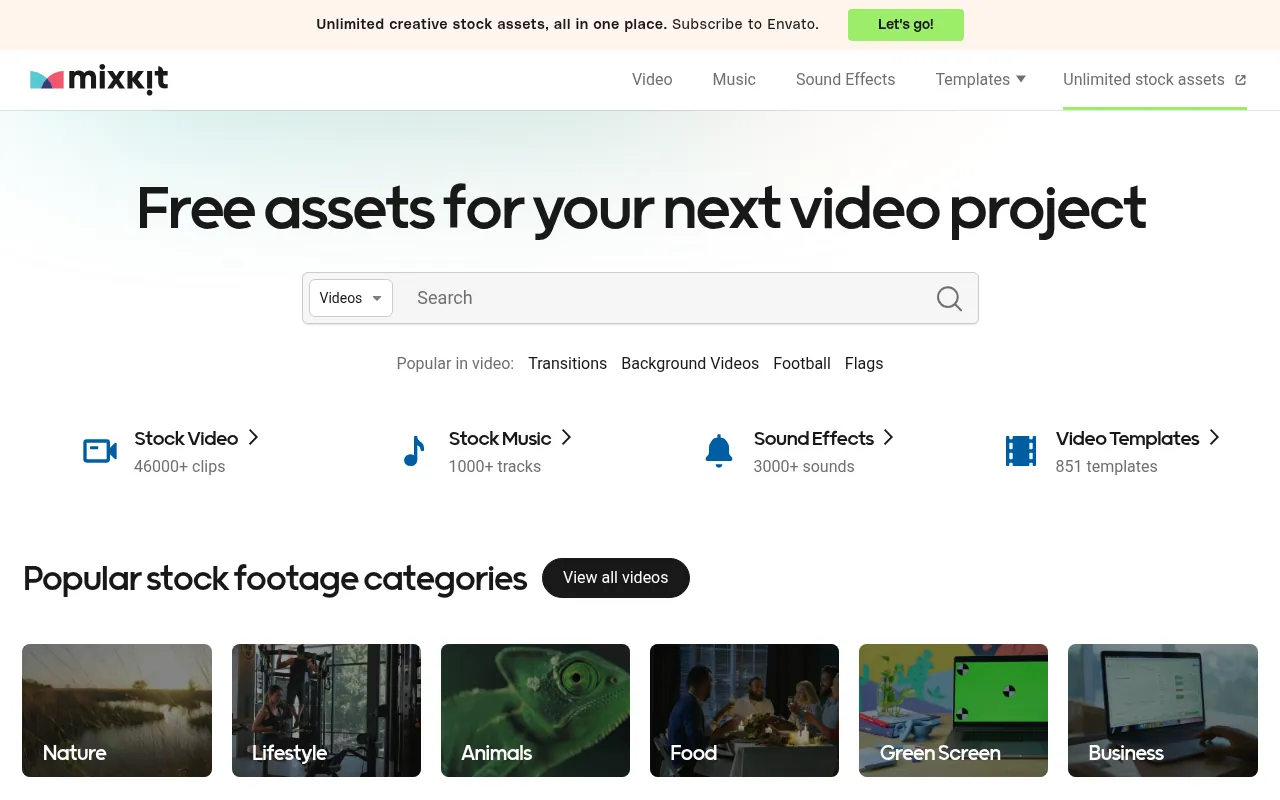
Mixkit is a free gallery of stock video clips, music tracks, sound effects and video templates, all without a watermark. Mixkit is brought to you by Envato, which also runs the paid Envato Elements subscription. That link explains the business model: Mixkit gives away a curated free library and shows banners for Envato’s unlimited plan across the site.
Mixkit says new videos from its creators are added every week and are exclusive to Mixkit. You will notice this in practice. A lot of the footage does not look like the same tired clips you see on every other free site.
People search for it in all sorts of ways: mixkit co, mixkit.com, mix kit, mixkit website, even “mixxit”. The real address is mixkit.co. There is no separate Mixkit app to install. It runs in your browser on desktop and mobile.
Is Mixkit Legit and Safe?
Yes, Mixkit is legit. It is run by Envato, the company behind Envato Elements, and its footer says “Made by Envato”. You do not need an account, so there is no password or card to leak. Downloads are plain MP4, MP3, WAV and template project files.
The bigger safety question is legal, not technical. Free does not mean public domain. Read the license shown next to each item before you put it in a monetized video or a client project. I cover the details below.
What You Can Download From Mixkit
1) Stock Video Clips
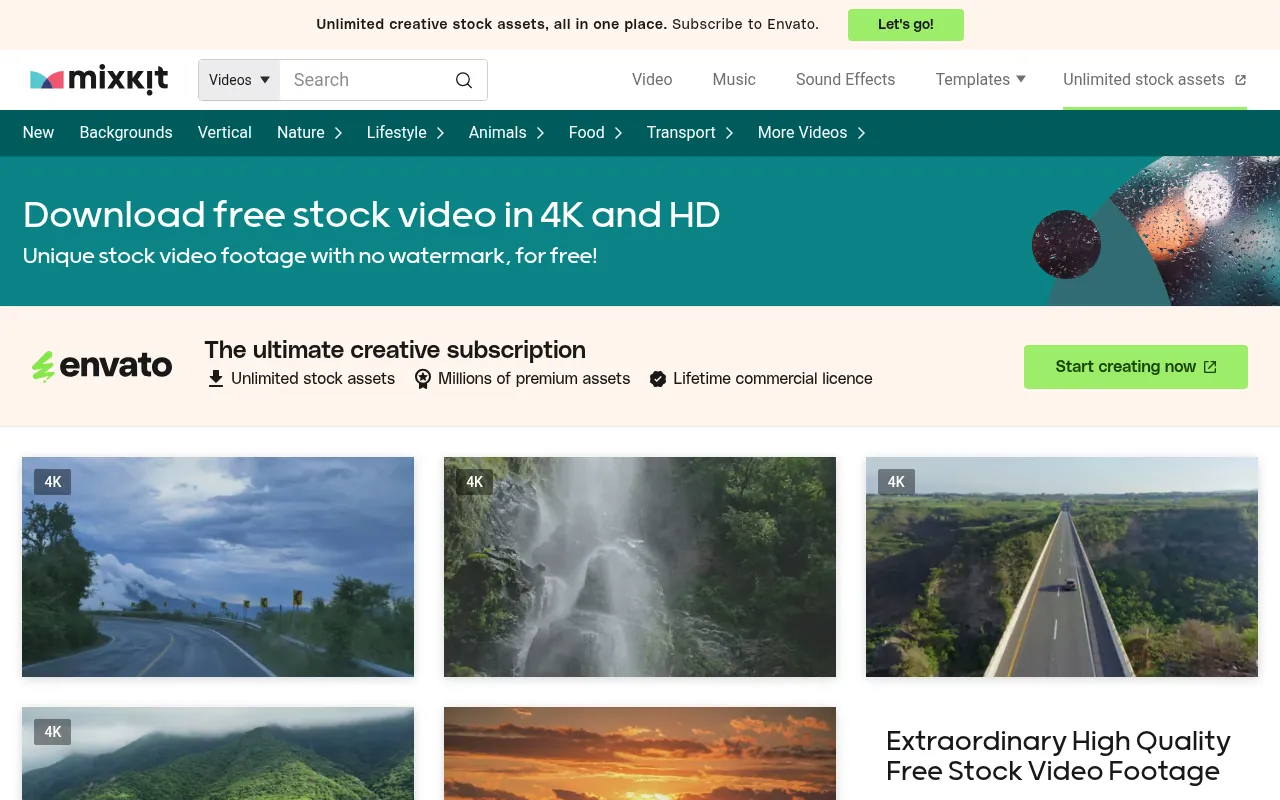
The video library is the main reason most people visit. Popular categories on the homepage include Nature, Lifestyle, Animals, Food, Green Screen and Business, and popular searches include transitions, background videos, football and flags. You can filter for 4K and for vertical clips, which is handy for Reels, Shorts and TikTok.
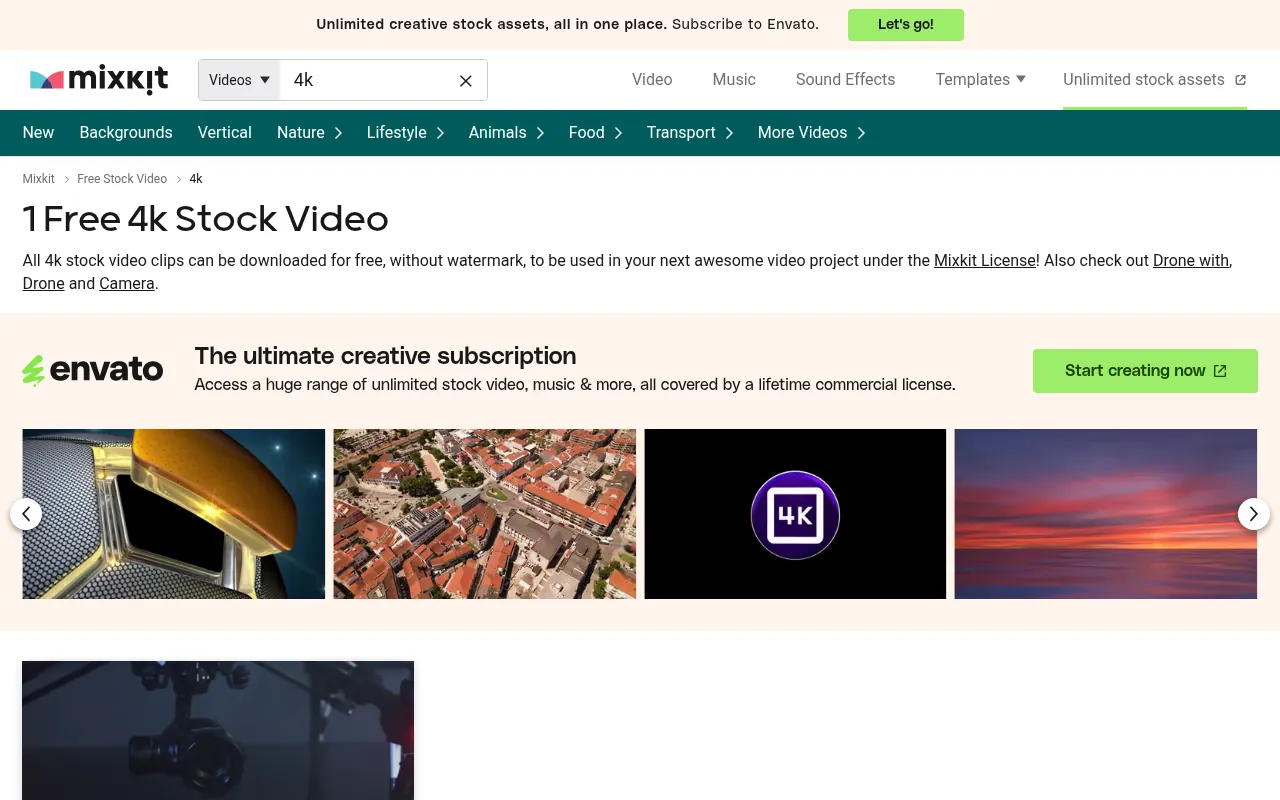
My tip: use the vertical filter first if you are making short-form content. Cropping a horizontal 4K clip to 9:16 works, but a native vertical clip saves time and keeps the subject centred.
2) Stock Music
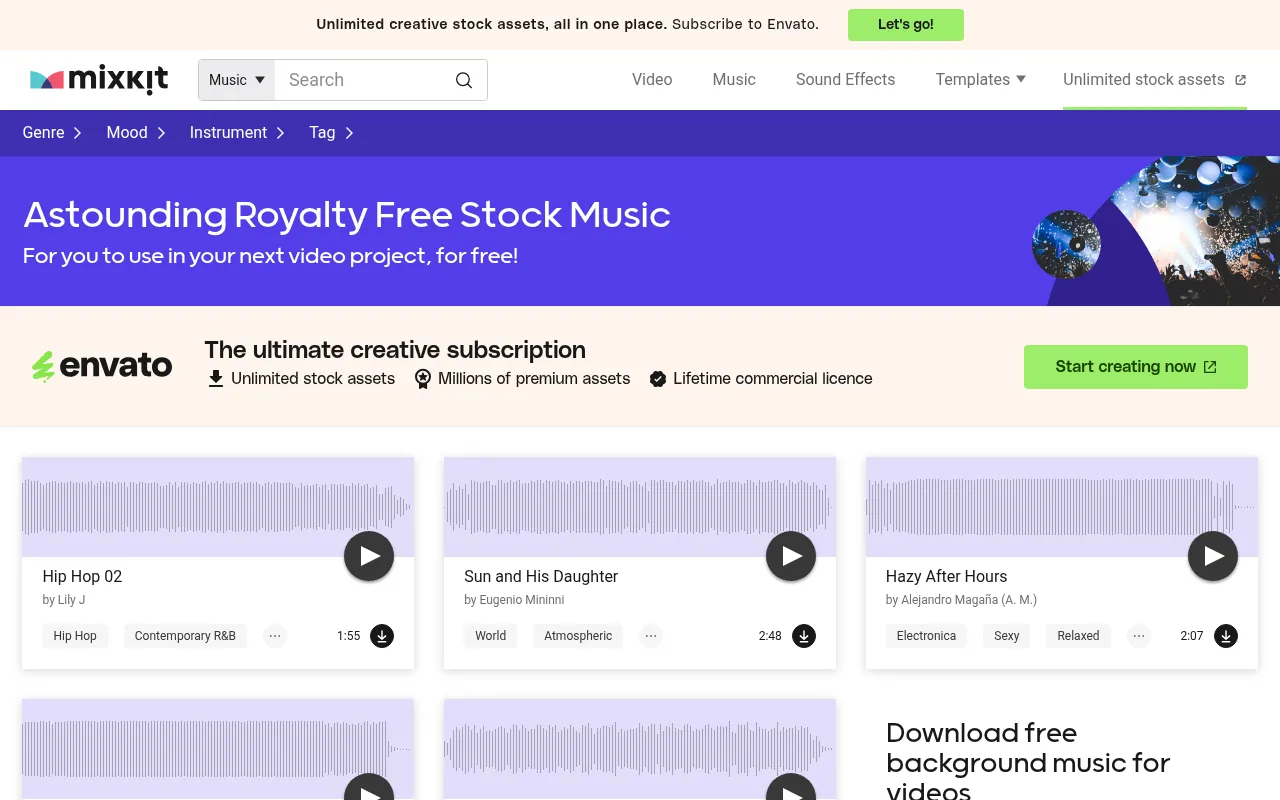
Mixkit music covers genres like ambient, drum and bass, funk, hip-hop, jazz, pop, acoustic and futuristic, plus moods such as happy. With 1,000+ tracks the music library is much smaller than the video library, so you will see the same tracks used by other creators. For YouTube intros, podcast beds and product demos, it is still a useful free source.
3) Sound Effects
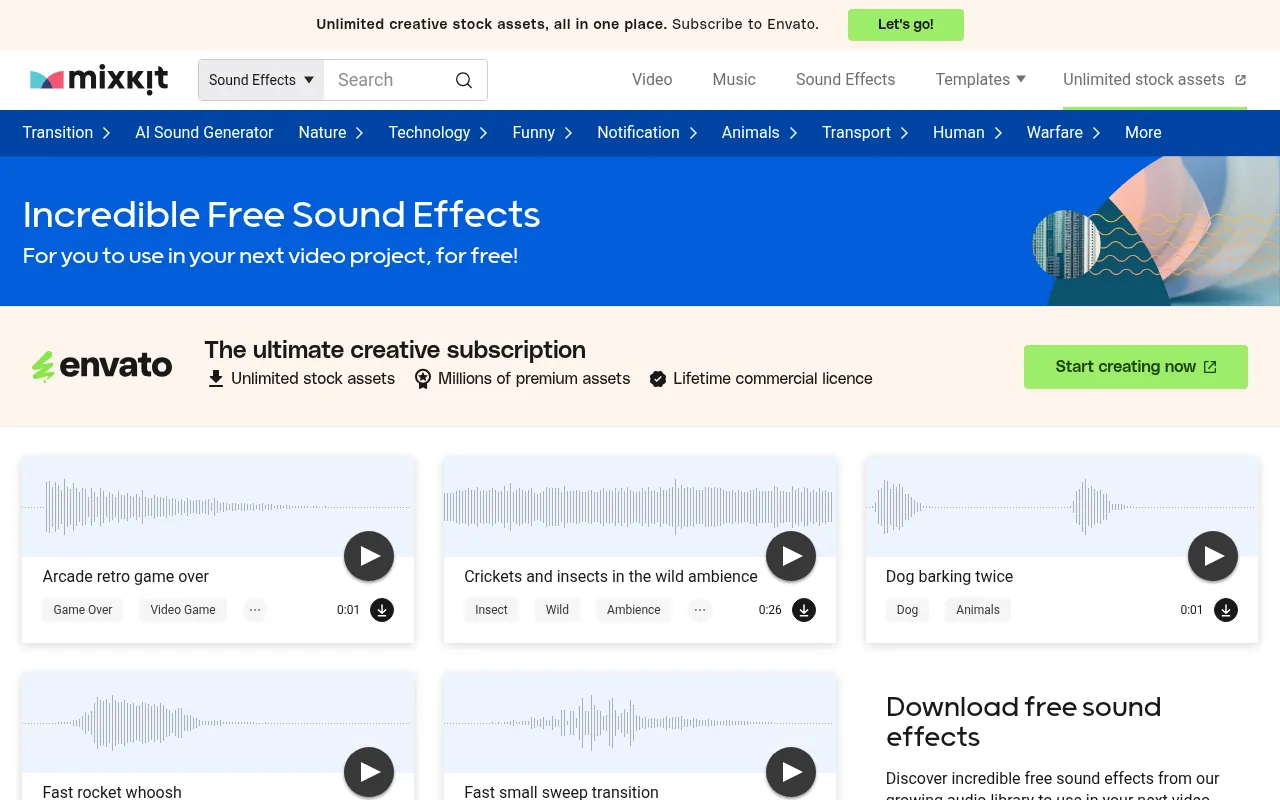
The sound effects section has 3,000+ sounds in categories like game, animals, human, instrument, nature, technology, transition and warfare. Popular searches include click, beep, notification and bells. Sound effects have the most generous license on Mixkit, as you will see in the license section.
4) Video Templates
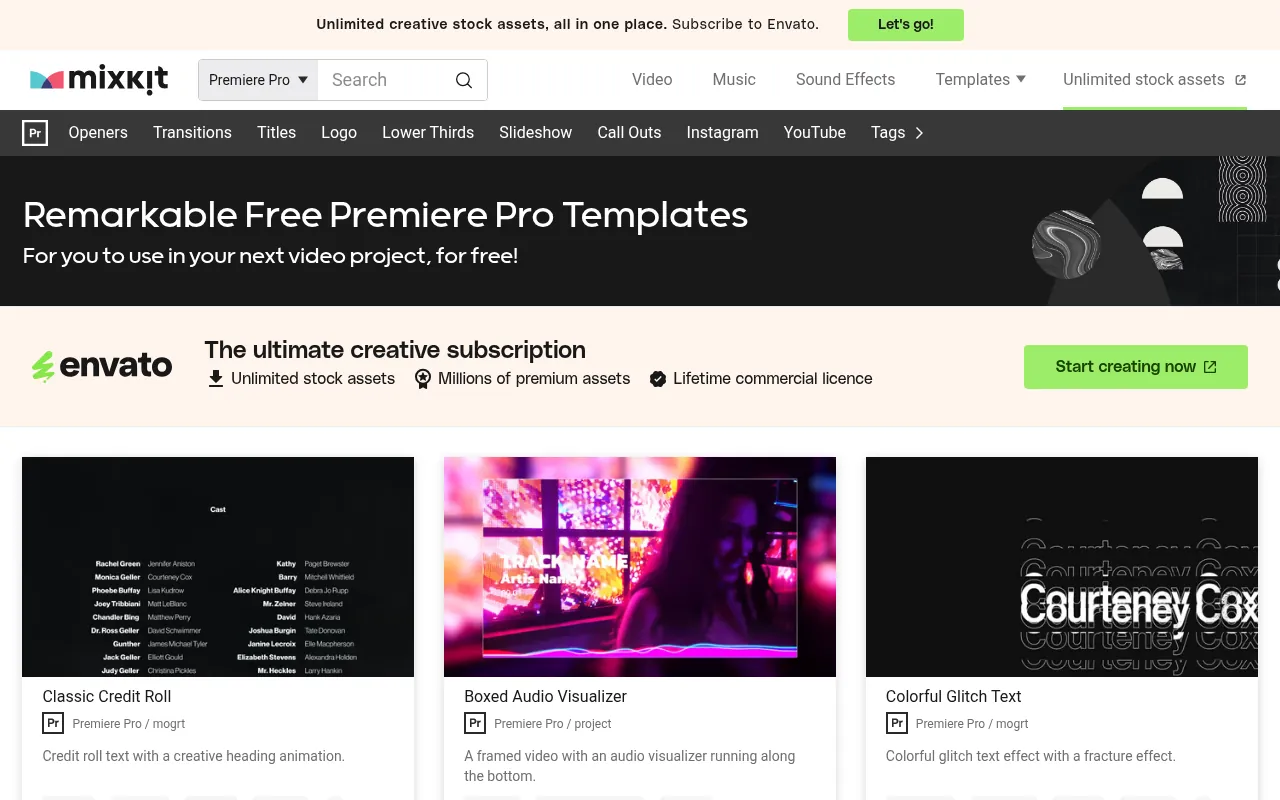
Mixkit offers 851 free video templates for Premiere Pro, After Effects, Final Cut Pro and DaVinci Resolve. Template types include titles, lower thirds, transitions, openers, logo reveals, slideshows, Instagram and YouTube packs. You need the matching paid or free editing software to open them, so a Premiere Pro template will not help you if you only edit on your phone.
5) Art and Illustrations
Mixkit also has an art section with its own Art Free License. The license allows use in social media posts, online ads, blog and website images, educational work and print projects. Mixkit does not offer a general stock photo library, which is one of its biggest gaps.
Mixkit License Explained (The Part That Matters)
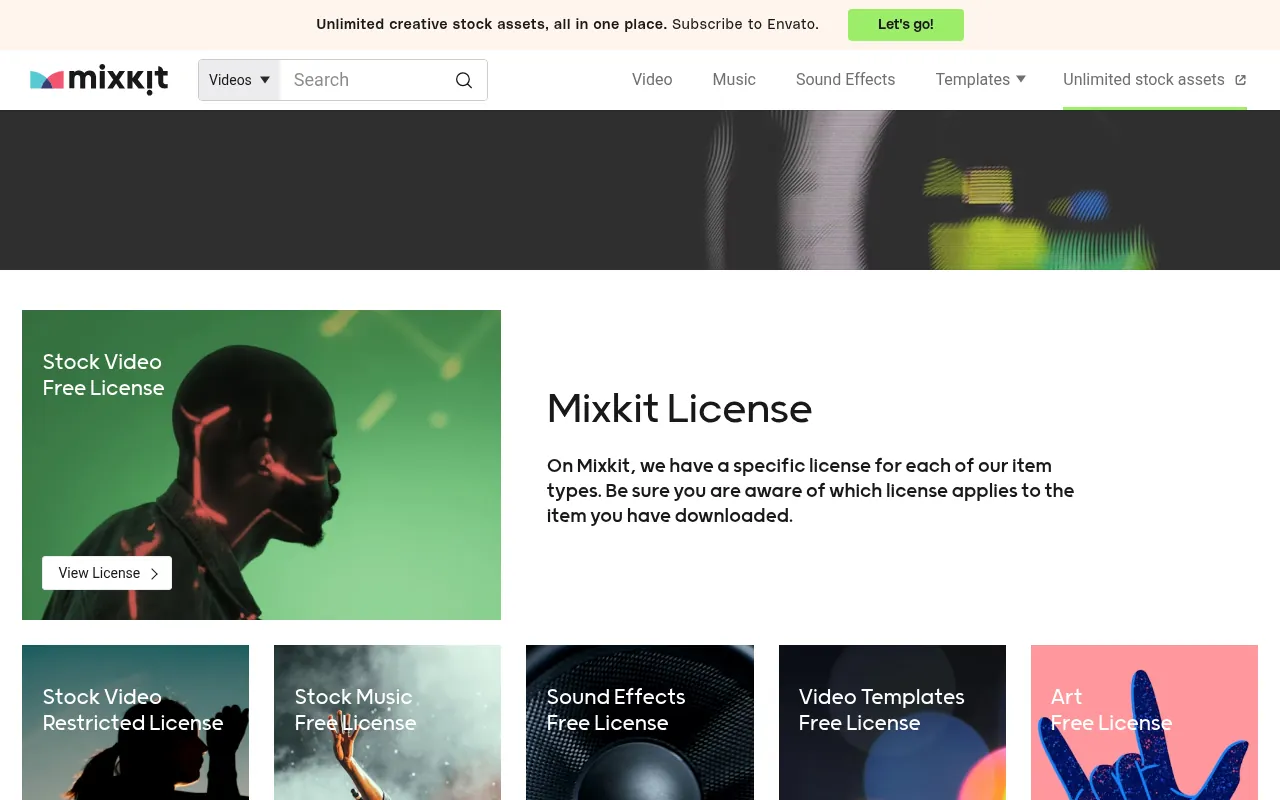
Mixkit has a specific license for each item type. Here is what each one allows, summarized from Mixkit’s own license pages.
| License | Commercial use | Allowed | Not allowed |
|---|---|---|---|
| Stock Video Free | Yes | YouTube, social posts, online ads, education, music videos, filmmaking, commercial projects | Limits in the user terms (for example reselling the clip on its own) |
| Stock Video Restricted | No | Personal projects, education, personal social posts | Commercial projects, advertising, company social posts, YouTube videos |
| Stock Music Free | Yes, online | Podcasts, social videos, online ads, education, YouTube | CDs and DVDs, TV and radio broadcast, video games, remixing into music-only tracks, registering on rights systems |
| Sound Effects Free | Yes | YouTube, social, ads, music videos, films, video games, TV and radio, CDs and DVDs | Redistributing the sound on its own |
| Video Templates Free | Yes | Commercial and non-commercial projects | Limits in the user terms |
| Art Free | Yes | Social posts, online ads, blog and website images, education, print | Limits in the user terms |
Stock Video Free vs Restricted
This is where people get caught. Two clips can look similar, yet one sits under the Free license and the other under the Restricted license. The Restricted license says personal projects never attract a fee, never appear in marketing or ads for a business, and never appear on internet-based video on demand services, TV, radio or film. Mixkit’s own Restricted license summary lists YouTube videos under “Not allowed”.
So if you run a monetized YouTube channel or make videos for clients, only use clips marked with the Stock Video Free License.
Is Mixkit Music Copyright Free for YouTube?
Mixkit music is royalty free, not copyright free. You can use tracks under the Stock Music Free License in YouTube videos and podcasts without paying or crediting anyone. Mixkit adds a note on its music license: if you receive a claim, forward the details to Mixkit’s team for help. That tells you claims can still happen, so keep a note of which track you used and where you downloaded it.
What You Can Never Do
Under Mixkit’s terms you do not own the file, you do not get exclusive use, and you cannot resell or redistribute the original asset as stock. You also cannot claim the music as your own or register it with a content ID service.
How to Use Mixkit: Step by Step
You do not need an account, so the process is short.
- Open mixkit.co and pick a section from the top menu: Videos, Music, Sound Effects, Templates or Icons.
- Search or browse a category. Type a keyword such as “city night” or open a popular category like Nature or Business.
- Apply filters. For video, use the 4K or vertical filters. For templates, choose your editor (Premiere Pro, After Effects, Final Cut Pro or DaVinci Resolve).
- Open the item and check its license. Look for “Stock Video Free License” or “Stock Video Restricted License” on video pages. Skip Restricted clips for any commercial work.
- Click Download. Choose the resolution for video. Files download straight away with no sign-up.
- Keep a record. Save the item name, page address and date in a simple sheet. If a claim ever appears, you have proof.
- Import into your editor. Drop the file into Premiere Pro, DaVinci Resolve, CapCut or any online editor.
If you edit in the browser, my guide to the best free online video editors pairs well with Mixkit footage.
Mixkit Pros
- Truly free, no sign-up. You can download without an email address or account.
- No watermark and no attribution. Clean files you can drop straight into a project.
- Exclusive, curated footage. Mixkit says new clips are added weekly and are exclusive to the site.
- 4K and vertical filters. Great for YouTube and short-form video.
- Templates for four editors. Premiere Pro, After Effects, Final Cut Pro and DaVinci Resolve are all covered.
- Generous sound effects license. It even covers TV, radio, films and video games.
- Backed by Envato. A known company, not an anonymous download site.
Mixkit Cons
- Small library next to the big free sites. 46,000+ videos and 1,000+ music tracks is modest. Pixabay’s homepage, by comparison, lists about 240,000 videos and 300,000 music tracks.
- No stock photo library. You will need another site for photos.
- Two video licenses that look alike. The Restricted label is easy to miss.
- Music limits. No use in TV, radio, video games, CDs or DVDs, and no remixing into music-only tracks.
- No account means no favourites or download history. You have to track what you downloaded yourself.
- Envato upsell banners. You will see promotions for Envato’s paid plan across the site.
Mixkit Alternatives
1) Envato Elements
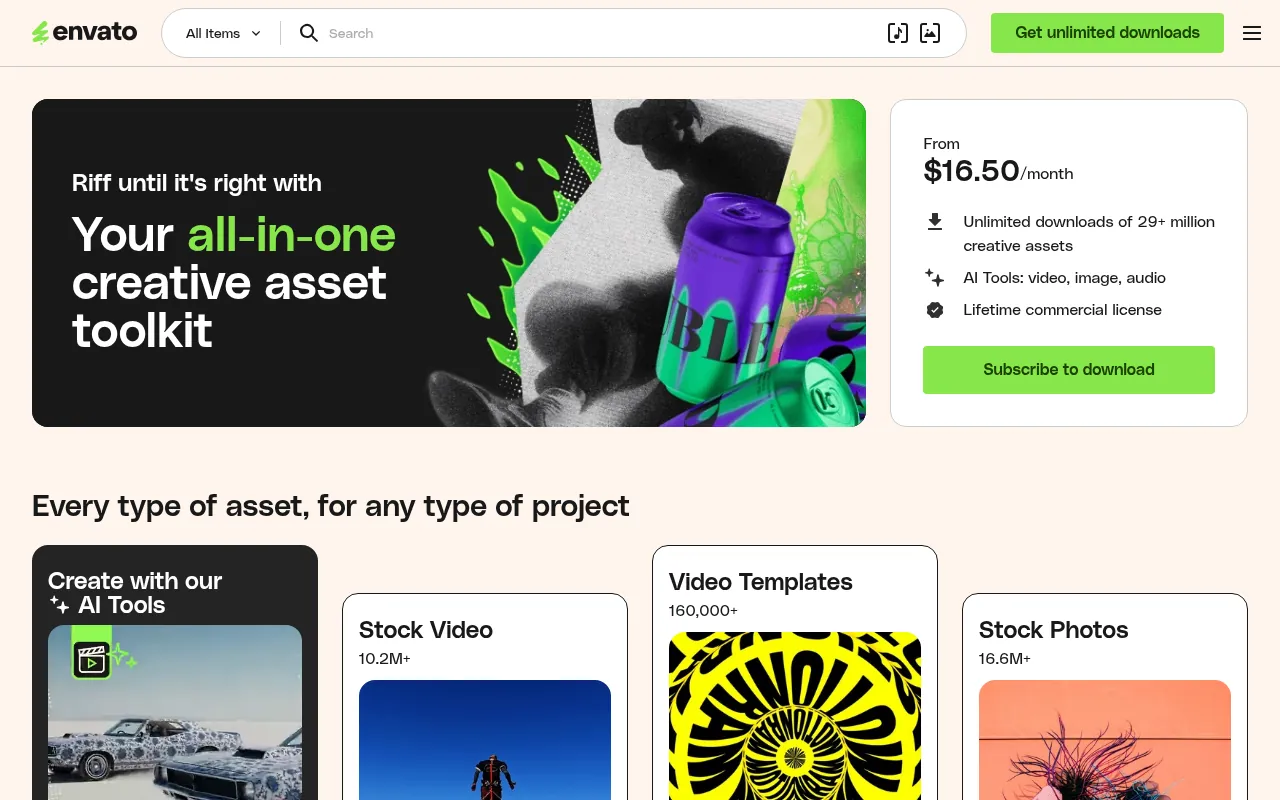
Envato Elements is the paid big brother of Mixkit. On October 26, 2026 its homepage showed plans from $16.50 per month, unlimited downloads of 29+ million creative assets, including 10.2M+ stock videos, 350,000+ music tracks, 950,000+ sound effects and 160,000+ video templates, with a lifetime commercial license. Pick it when Mixkit’s library runs dry or you need fonts, photos and graphics too.
2) Pixabay
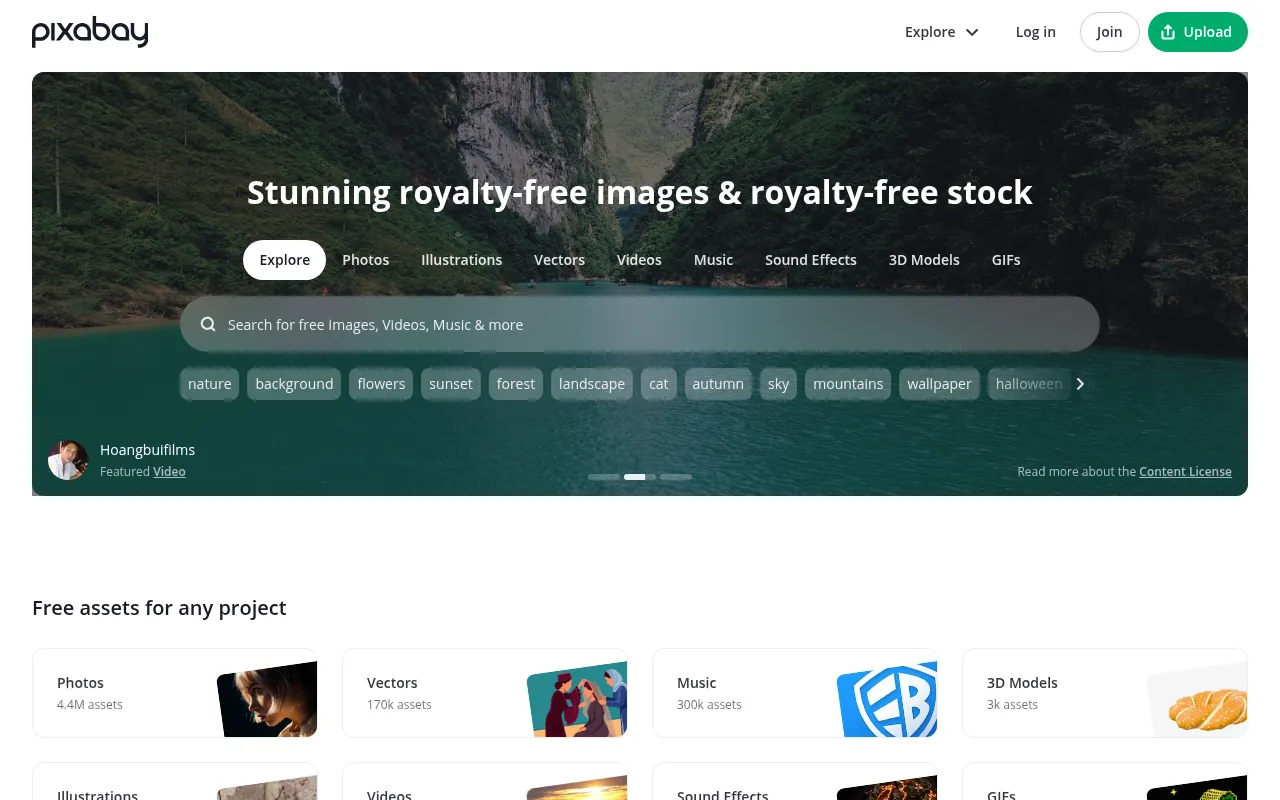
Pixabay is the best free option if you want photos as well as video and music. Its homepage listed 4.4M photos, 240k videos, 300k music tracks and 130k sound effects on October 26, 2026. Quality varies more than on Mixkit because anyone can upload.
3) Pexels Videos
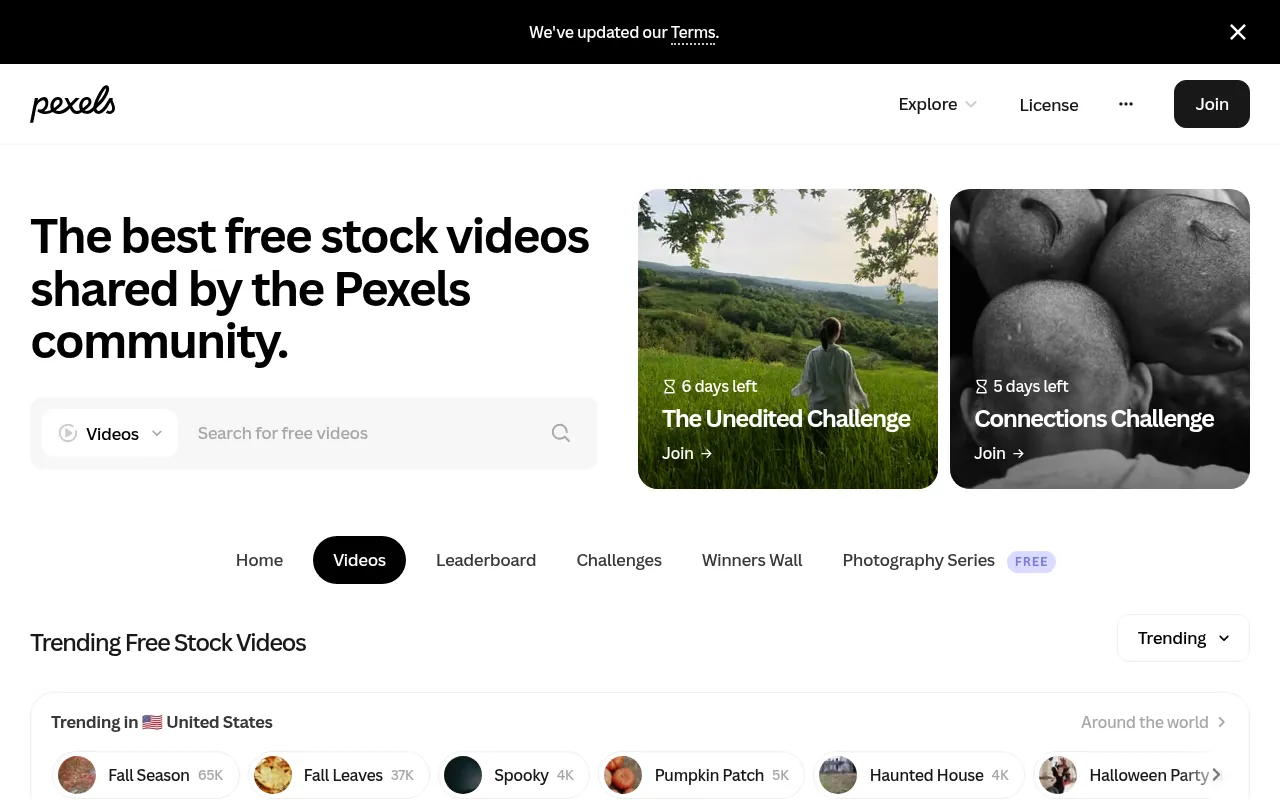
Pexels has a large community library of free stock videos and photos, with trending collections that change often. It does not offer music, so pair it with Mixkit’s music section.
| Feature | Mixkit | Envato Elements | Pixabay | Pexels |
|---|---|---|---|---|
| Price | Free | From $16.50/month | Free | Free |
| Stock video | 46,000+ | 10.2M+ | 240k | Yes |
| Music | 1,000+ | 350,000+ | 300k | No |
| Sound effects | 3,000+ | 950,000+ | 130k | No |
| Video templates | 851 | 160,000+ | No | No |
| Photos | No | Yes | 4.4M | Yes |
Who Should Use Mixkit?
- YouTubers and short-form creators who need B-roll, transitions and background music without paying.
- Students and beginners learning to edit in Premiere Pro, After Effects, Final Cut Pro or DaVinci Resolve.
- Small businesses making social ads, as long as they stick to Free-license clips.
- Podcasters who want intro music and sound effects.
Skip Mixkit, or use it with care, if you produce TV commercials, video games or music-only releases. The music license does not allow those uses.
Publisher Stack Fit for Mixkit (Pass 1)
This pass is about BloggersIdeas publishing calendar. The audience is writers and editors. For Mixkit, I refuse to add fake benchmark tables. I add habits that survive plan renames.
On BloggersIdeas, the question is whether a writer can finish without a huddle. On DigiExe, the question is whether a freelancer can be onboarded in one sitting and removed cleanly later. AffiliateBooster cares whether a creative can ship under a commercial license without guessing. SchemaNinja cares whether a screenshot still matches the UI after a vendor update. Podcast and YouTube work care whether the asset remains readable on a phone.
Practical moves I repeat:
- Name a default tool from this article and write it in the team sheet.
- Capture the official pricing or docs page the same day you cite a number.
- Store cancel and refund URLs beside the receipt.
- Limit overlapping paid seats unless jobs are truly different.
- Re-check the page before a scheduled publish goes live.
India notes stay boring on purpose. Confirm currency, payment methods, and invoice needs. If USD is the only option, say so and budget forex. If a GST PDF matters for DigiExe books, test a small charge before annual billing.
If you only remember one line: defaults beat novelty. A stable Mixkit stack with screenshots and a cancel plan will outperform a graveyard of trials.
Agency Retainer Fit for Mixkit (Pass 2)
This pass is about DigiExe client retainers. The audience is freelancers and leads. For Mixkit, I refuse to add fake benchmark tables. I add habits that survive plan renames.
On BloggersIdeas, the question is whether a writer can finish without a huddle. On DigiExe, the question is whether a freelancer can be onboarded in one sitting and removed cleanly later. AffiliateBooster cares whether a creative can ship under a commercial license without guessing. SchemaNinja cares whether a screenshot still matches the UI after a vendor update. Podcast and YouTube work care whether the asset remains readable on a phone.
Practical moves I repeat:
- Name a default tool from this article and write it in the team sheet.
- Capture the official pricing or docs page the same day you cite a number.
- Store cancel and refund URLs beside the receipt.
- Limit overlapping paid seats unless jobs are truly different.
- Re-check the page before a scheduled publish goes live.
India notes stay boring on purpose. Confirm currency, payment methods, and invoice needs. If USD is the only option, say so and budget forex. If a GST PDF matters for DigiExe books, test a small charge before annual billing.
If you only remember one line: defaults beat novelty. A stable Mixkit stack with screenshots and a cancel plan will outperform a graveyard of trials.
Affiliate Creative Fit for Mixkit (Pass 3)
This pass is about AffiliateBooster campaigns. The audience is design contractors. For Mixkit, I refuse to add fake benchmark tables. I add habits that survive plan renames.
On BloggersIdeas, the question is whether a writer can finish without a huddle. On DigiExe, the question is whether a freelancer can be onboarded in one sitting and removed cleanly later. AffiliateBooster cares whether a creative can ship under a commercial license without guessing. SchemaNinja cares whether a screenshot still matches the UI after a vendor update. Podcast and YouTube work care whether the asset remains readable on a phone.
Practical moves I repeat:
- Name a default tool from this article and write it in the team sheet.
- Capture the official pricing or docs page the same day you cite a number.
- Store cancel and refund URLs beside the receipt.
- Limit overlapping paid seats unless jobs are truly different.
- Re-check the page before a scheduled publish goes live.
India notes stay boring on purpose. Confirm currency, payment methods, and invoice needs. If USD is the only option, say so and budget forex. If a GST PDF matters for DigiExe books, test a small charge before annual billing.
If you only remember one line: defaults beat novelty. A stable Mixkit stack with screenshots and a cancel plan will outperform a graveyard of trials.
Software Docs Fit for Mixkit (Pass 4)
This pass is about SchemaNinja help and marketing pages. The audience is product marketers. For Mixkit, I refuse to add fake benchmark tables. I add habits that survive plan renames.
On BloggersIdeas, the question is whether a writer can finish without a huddle. On DigiExe, the question is whether a freelancer can be onboarded in one sitting and removed cleanly later. AffiliateBooster cares whether a creative can ship under a commercial license without guessing. SchemaNinja cares whether a screenshot still matches the UI after a vendor update. Podcast and YouTube work care whether the asset remains readable on a phone.
Practical moves I repeat:
- Name a default tool from this article and write it in the team sheet.
- Capture the official pricing or docs page the same day you cite a number.
- Store cancel and refund URLs beside the receipt.
- Limit overlapping paid seats unless jobs are truly different.
- Re-check the page before a scheduled publish goes live.
India notes stay boring on purpose. Confirm currency, payment methods, and invoice needs. If USD is the only option, say so and budget forex. If a GST PDF matters for DigiExe books, test a small charge before annual billing.
If you only remember one line: defaults beat novelty. A stable Mixkit stack with screenshots and a cancel plan will outperform a graveyard of trials.
Podcast and YouTube Fit for Mixkit (Pass 5)
This pass is about Inside A Hustler’s Brain production. The audience is editors and guests. For Mixkit, I refuse to add fake benchmark tables. I add habits that survive plan renames.
On BloggersIdeas, the question is whether a writer can finish without a huddle. On DigiExe, the question is whether a freelancer can be onboarded in one sitting and removed cleanly later. AffiliateBooster cares whether a creative can ship under a commercial license without guessing. SchemaNinja cares whether a screenshot still matches the UI after a vendor update. Podcast and YouTube work care whether the asset remains readable on a phone.
Practical moves I repeat:
- Name a default tool from this article and write it in the team sheet.
- Capture the official pricing or docs page the same day you cite a number.
- Store cancel and refund URLs beside the receipt.
- Limit overlapping paid seats unless jobs are truly different.
- Re-check the page before a scheduled publish goes live.
India notes stay boring on purpose. Confirm currency, payment methods, and invoice needs. If USD is the only option, say so and budget forex. If a GST PDF matters for DigiExe books, test a small charge before annual billing.
If you only remember one line: defaults beat novelty. A stable Mixkit stack with screenshots and a cancel plan will outperform a graveyard of trials.
India Checkout Fit for Mixkit (Pass 6)
This pass is about INR and UPI reality. The audience is accounts and founders. For Mixkit, I refuse to add fake benchmark tables. I add habits that survive plan renames.
On BloggersIdeas, the question is whether a writer can finish without a huddle. On DigiExe, the question is whether a freelancer can be onboarded in one sitting and removed cleanly later. AffiliateBooster cares whether a creative can ship under a commercial license without guessing. SchemaNinja cares whether a screenshot still matches the UI after a vendor update. Podcast and YouTube work care whether the asset remains readable on a phone.
Practical moves I repeat:
- Name a default tool from this article and write it in the team sheet.
- Capture the official pricing or docs page the same day you cite a number.
- Store cancel and refund URLs beside the receipt.
- Limit overlapping paid seats unless jobs are truly different.
- Re-check the page before a scheduled publish goes live.
India notes stay boring on purpose. Confirm currency, payment methods, and invoice needs. If USD is the only option, say so and budget forex. If a GST PDF matters for DigiExe books, test a small charge before annual billing.
If you only remember one line: defaults beat novelty. A stable Mixkit stack with screenshots and a cancel plan will outperform a graveyard of trials.
Cancellation Drill for Mixkit (Pass 7)
This pass is about renewal calendar hygiene. The audience is seat owners. For Mixkit, I refuse to add fake benchmark tables. I add habits that survive plan renames.
On BloggersIdeas, the question is whether a writer can finish without a huddle. On DigiExe, the question is whether a freelancer can be onboarded in one sitting and removed cleanly later. AffiliateBooster cares whether a creative can ship under a commercial license without guessing. SchemaNinja cares whether a screenshot still matches the UI after a vendor update. Podcast and YouTube work care whether the asset remains readable on a phone.
Practical moves I repeat:
- Name a default tool from this article and write it in the team sheet.
- Capture the official pricing or docs page the same day you cite a number.
- Store cancel and refund URLs beside the receipt.
- Limit overlapping paid seats unless jobs are truly different.
- Re-check the page before a scheduled publish goes live.
India notes stay boring on purpose. Confirm currency, payment methods, and invoice needs. If USD is the only option, say so and budget forex. If a GST PDF matters for DigiExe books, test a small charge before annual billing.
If you only remember one line: defaults beat novelty. A stable Mixkit stack with screenshots and a cancel plan will outperform a graveyard of trials.
Why Should You Trust Me?
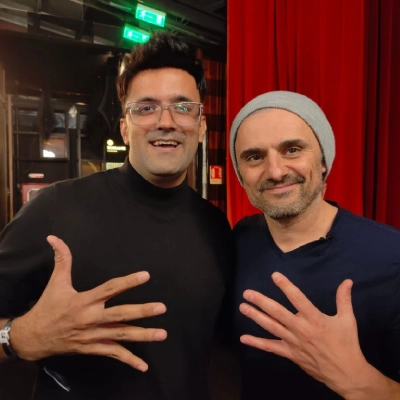
I am Jitendra Vaswani. I have worked in SEO and digital marketing since 2013. That year I founded BloggersIdeas with about $50. DigiExe, my agency, has worked with more than 1,400 clients in 28 countries. I also run AffiliateBooster and SchemaNinja, wrote Inside A Hustler’s Brain (more than 20,000 copies), and speak at Affiliate Summit and Affiliate World.
Video is part of how I market those brands and my podcast. I pull B-roll, intro music and sound effects for YouTube clips and social cutdowns often. When I open Mixkit, I am checking whether a free clip is safe for a monetized video or a client reel, not inventing lab scores. Every library count and license line in this review comes from Mixkit’s own pages, checked on October 26, 2026 and rechecked against the live site in early November 2026. I do not invent test scores or income claims.
How I Actually Use Mixkit for Podcast and Client Work
Most of my video work is talking-head first. Guests on Inside A Hustler’s Brain sit in frame. The edit still needs B-roll so the cut does not feel stuck on one face for twelve minutes. Mixkit is usually my first stop for that filler because the download is instant and I do not have to create yet another account.
Here is the workflow I use when I am cutting a podcast highlight for LinkedIn, YouTube Shorts or Instagram Reels:
- Export the raw talking clip from the editor.
- Open Mixkit and switch on the vertical filter before I search.
- Search for a concrete object or place (city night, coffee pour, laptop typing) instead of a vague mood word.
- Open each result and read the license line. If it says Restricted, I close the tab.
- Download the Free-license clip in the highest resolution that still fits the export.
- Paste the Mixkit item name, page address and download date into a simple sheet I keep for every published video.
- Drop the clip under the talking track and trim to the sentence it supports.
That sheet sounds boring. It has saved me when a music claim showed up months later and I needed the exact track name. Mixkit’s own music license says you can forward claim details to their team. You still need to know what you used.
For DigiExe client social ads, I am stricter. Client work is commercial by definition. I only use Stock Video Free License clips, Sound Effects Free License sounds, and Stock Music Free License tracks that fit online ads. If the brief needs TV, radio, a game or a music-only release, Mixkit music is the wrong library for that job. That is when I look at Envato Elements or a paid music license that matches the brief.
I also use Mixkit templates when a junior editor on the team needs a Premiere Pro lower-third or opener fast. The template count on Mixkit’s homepage was 851 on October 26, 2026 across Premiere Pro, After Effects, Final Cut Pro and DaVinci Resolve. That is enough for training and social packs. It is not enough to replace a full Elements subscription when a client wants fifty unique openers a month.
What Google’s Top Mixkit Pages Cover, and What They Miss
I checked the first page of Google for “mixkit review”, “is mixkit free for youtube” and “mixkit license” in early November 2026. The strongest pages share a pattern:
- A clear free-or-not answer in the first screen
- A short library size callout
- A note that Envato owns Mixkit
- A basic pros and cons list
- A few FAQs about YouTube and copyright
Where most of them stay thin:
- They blur royalty free and copyright free
- They skip the Restricted video license, or bury it
- They rarely walk through a download with a record-keeping step
- They compare Mixkit to Pixabay or Pexels but skip Envato Elements as the paid sibling
- They almost never show screenshots from Mixkit’s own license and filter pages
- They do not talk about vertical and 4K filters for Shorts and Reels
This review fills those gaps on purpose. If you only need a yes or no on free downloads, the glance table at the top is enough. If you publish monetized YouTube videos or client ads, the license and workflow sections are the parts that matter.
Green Screen, 4K and Vertical: Picking the Right Clip
Mixkit’s video library lists Green Screen as a popular category on the homepage, next to Nature, Lifestyle, Animals, Food and Business. Green screen clips help when you want a subject on a clean key for a podcast lower-third or a product demo. They are not a full studio replacement. Lighting on free green screen stock still varies, so key the clip in your editor and check the edges before you publish.
The 4K filter is useful when the final upload is YouTube 1440p or 4K. A 4K source still looks clean after light crop and zoom. For Instagram Reels and TikTok, I start with the vertical filter instead. Cropping a horizontal clip to 9:16 works, but you lose headroom and the subject can drift out of frame. Native vertical clips keep the face or product centred with less babysitting.
Popular homepage searches on Mixkit include transitions, background videos, football and flags. Transitions are handy for YouTube end screens. Background videos work under text overlays for LinkedIn carousels turned into video. Sports and flag clips go stale fast if you chase news, so treat them as short-lived B-roll, not evergreen brand assets.
Mixkit Music Claims on YouTube: What I Do When One Lands
Mixkit music is royalty free for online use under the Stock Music Free License. It is not copyright free. YouTube’s Content ID system can still match a track, especially if the same free track appears in thousands of videos. Mixkit’s license page tells you to forward claim details to its team for help. That is useful. It is not a promise that every claim disappears overnight.
My process when a claim lands:
- Pause. Do not dispute with a made-up story.
- Open the download sheet and find the track name and Mixkit page.
- Confirm the track was under Stock Music Free License on the day I downloaded it.
- Follow Mixkit’s published claim-help path with the claim ID and the track link.
- If the claim stays, swap the track for another Free-license bed and re-upload or replace the audio in YouTube Studio when that option exists.
I do not register Mixkit tracks on any rights system, and I do not release them as music-only singles. Both of those moves sit outside the Stock Music Free License.
Sound effects are the freer bucket. The Sound Effects Free License covers YouTube, social, ads, music videos, films, video games, TV, radio, CDs and DVDs, with the usual ban on redistributing the sound on its own. For podcast whooshes and UI clicks, Mixkit SFX are often all I need.
Common Mistakes Creators Make With Mixkit
- Grabbing a Restricted video because the thumbnail looked good and the Free badge was easy to miss.
- Calling Mixkit “copyright free” in a client email. Clients hear that as “I own this file.” You do not.
- Skipping the download log, then facing a music claim with no proof of source.
- Expecting Mixkit to replace a photo library. It does not ship a general stock photo section.
- Buying nothing forever, then blaming Mixkit when a huge campaign needs 200 unique clips in one week. That is an Envato Elements problem, not a Mixkit bug.
- Opening a Premiere Pro template without Premiere Pro installed, then calling the site broken.
- Remixing Mixkit music into a music-only track for Spotify. The music license blocks that path.
Mixkit for Agencies and Course Creators
Agencies win with Mixkit when the format repeats: a weekly Shorts pack, a podcast highlight style, a product demo shell. Build one approved Free-license B-roll set, store the clip list in the shared sheet, and tell every editor that Restricted is a hard no.
Course creators on Teachable, Udemy or their own WordPress membership can use Free-license video and music inside lessons that sit online. If you ship physical DVDs or a game build, re-read the music and video licenses before you press the disc. Mixkit music does not cover CDs, DVDs, TV, radio or games. Sound effects cover more of those cases. Video Free License covers commercial projects online, with the limits in Mixkit’s user terms still in force (you cannot resell the clip as stock).
For DigiExe training decks that need motion backgrounds behind SchemaNinja or AffiliateBooster demos, I often pull one Free-license background video, loop a short segment, and keep the brand UI on top. That keeps file sizes down and avoids a patchwork of ten different stock looks in one course module.
Mixkit vs Coverr vs Videvo vs the Big Free Sites
Pixabay and Pexels already sit in the alternatives table above. Two more names show up a lot in creator chats:
Coverr focuses on free stock video, often with simple commercial use rules and a smaller, design-led set of clips. It is fine for website hero loops. Mixkit beats it when you also need music, sound effects and editor templates in one place.
Videvo mixes free and premium clips and has been around for a long time. Quality and license text vary by item, so you still read every page. Mixkit’s Envato ownership and per-type license pages are clearer for most of my team.
Neither Coverr nor Videvo removes the need to read the license. Free stock is never a substitute for reading the line under the download button.
Expanding Your Stack Beyond Mixkit
When Mixkit runs dry, I do not force a weak clip into the timeline. I move in this order:
- Pixabay or Pexels for more free video and for photos.
- Envato Elements when the project budget allows unlimited downloads and I need fonts, graphics and a much larger video set.
- A paid music library with clear podcast and YouTube terms when the Mixkit music catalog feels repetitive.
If you are building a full free creator toolkit, pair Mixkit with my guides to the best free online video editors, CapCut in India and the best free AI apps. Footage is only half the job. The editor and the captions decide whether the clip feels finished.
Mixkit Art and Icons: When I Reach for Them
Mixkit’s art section sits under its own Art Free License for social posts, online ads, blog and website images, educational work and print. I use it when I need a simple illustration for a LinkedIn carousel or a blog header sketch and I do not want to open Canva yet. Icons help for UI explainers in SchemaNinja walkthroughs. Neither section replaces a full illustration subscription or a designer. They fill small gaps between design rounds.
Final Checklist Before You Publish a Mixkit-Based Video
- License line checked (Free, not Restricted, for commercial and YouTube work)
- Item name, URL and date saved in your sheet
- Music used only for online video or podcast beds, not for TV, radio, games or music-only releases
- Sound effects logged the same way as music
- Template opened in the matching editor before you promise a client a delivery date
- No plan to resell the raw file as stock
- Export reviewed at the target aspect ratio (16:9 or 9:16) so crops look intentional
If you can tick every line, Mixkit is doing its job: fast free media with clear rules, as long as you respect those rules.
A Week of Mixkit Searches I Actually Run
I do not search Mixkit for “epic cinematic background” and hope. Vague mood words return the same polished fluff every free site shares. Concrete nouns work better for podcast and client cuts. Here are search phrases I reuse:
- laptop typing close up
- coffee cup steam
- city traffic night timelapse
- handshake office
- bookshelf library
- smartphone scroll hands
- whiteboard marker writing
- airport departure board
- rain on window
- startup team meeting table
Each phrase maps to a scene I already filmed or a point a guest made. If the guest talked about fundraising, I look for office and handshake clips under Free license. If they talked about writing a book, I look for desk and bookshelf clips. The B-roll should support the sentence, not decorate it.
When nothing good shows up in Mixkit after two searches, I stop. Forcing a weak clip makes the edit look cheap. That is the moment I open Pexels or Pixabay, or I leave the talking head alone for that beat.
Teaching New Editors the Restricted Rule
Every time a new editor joins a DigiExe video sprint, I show them two Mixkit video pages side by side: one Free, one Restricted. The thumbnails can look identical. The license line is the only difference that matters. I ask them to say out loud which one can go in a monetized YouTube video. If they hesitate, they are not ready to download unsupervised.
I also ban the phrase “I think it is fine” in Slack. Either the page says Stock Video Free License, or the clip stays out of commercial work. Personal practice edits and private school homework can use Restricted clips under Mixkit’s own summary. Company LinkedIn posts, client ads and YouTube uploads cannot.
File Hygiene After the Download
Free stock folders turn into chaos in a month if you dump everything on the Desktop. My folder pattern is simple:
/stock/mixkit/video/YYYY-MM//stock/mixkit/music/YYYY-MM//stock/mixkit/sfx/YYYY-MM//stock/mixkit/templates/
I keep the original Mixkit filename when I can, and I add a short tag like _free or _vertical only when I need it for search on disk. The download sheet still holds the canonical page URL. If two editors share a drive, the sheet is the source of truth, not the folder names.
Templates get a different rule. I unzip them once into /stock/mixkit/templates/premiere/ (or after-effects, fcp, resolve), open the project in the matching app, and only then copy the template into a client project. Opening a template inside a messy client timeline is how fonts break and media links go missing.
When Mixkit Is the Wrong Tool
Be honest about the limits. Mixkit is wrong when:
- You need exclusive footage no other creator can download. Free libraries are shared by design.
- You need a model release story for a big brand TV spot and legal wants paperwork Mixkit does not put in your hand as a custom contract.
- You need thousands of photo options for a blog network. Use a photo-first library.
- You are composing a soundtrack album. Mixkit music is for beds under videos and podcasts, not for releasing tracks as your own music.
- You need brand-perfect custom motion graphics. Hire a motion designer or build in After Effects from scratch.
In those cases I still might use Mixkit for a rough edit, then replace the temp media before delivery. Temp media is fine. Shipping temp media is not.
Mixkit and Envato: How I Explain the Relationship to Clients
Clients sometimes ask if Mixkit is a scam because the site pushes Envato banners. I tell them the plain version: Mixkit is Envato’s free gallery. Envato Elements is the paid unlimited plan. The banners are marketing, not malware. You can ignore them forever and still download Free-license files. You should open Elements only when the free library is too small for the job or you need photos, fonts and a much larger video set under one subscription.
On October 26, 2026, Envato Elements’ homepage showed plans from $16.50 per month with 29+ million creative assets, including 10.2M+ stock videos. That jump from Mixkit’s 46,000+ videos is the whole point of paying. If a client only needs five B-roll clips for one Reel, paying for Elements that month is usually waste. If they publish daily video for ninety days, Elements often wins on time even before you count fonts and templates.
Keeping This Review Honest Over Time
Library counts move. Mixkit adds videos weekly by its own claim. Prices on Envato Elements change by promo and region. Licenses can be updated on Mixkit’s site. That is why I date-stamp the glance table and why I tell you to re-read the license on the item page the day you download. A review is a snapshot. Your download day is the day that counts for compliance.
I will not invent a “Mixkit quality score out of 10” or a fake bandwidth test. File quality is something you judge in your own editor on your own screen. What I can promise is a clear map of what Mixkit says you may do, how I use it inside a real content operation, and where I switch tools when Mixkit runs out of road.
Final Verdict: Is Mixkit Worth It in 2026?
Mixkit is one of the cleanest free stock media sites you can use in 2026. There is no sign-up, no watermark and no attribution, and the footage looks less generic than most free libraries. The library is small, and the Restricted video license can trip you up, so always check the license line before you download.
My workflow: start on Mixkit for footage, music and sound effects, fall back to Pixabay or Pexels when I need more choice or photos, and consider Envato Elements only when a project needs volume. If you are building a creator toolkit, my list of the best free AI apps and my look at CapCut in India cover the editing side.
FAQ
Is Mixkit really free?
Yes. Mixkit lets you download its assets for free with no sign-up and no attribution required. Each item still comes with a license, so check the license before you use it commercially.
Is Mixkit free for YouTube?
Yes, for videos under the Stock Video Free License and music under the Stock Music Free License. Do not use clips marked with the Stock Video Restricted License on YouTube, because that license lists YouTube videos as not allowed.
Is Mixkit copyright free?
No. Mixkit assets are royalty free, not copyright free. You get a license to use them, but you do not own them and you cannot resell them as stock.
Do I need an account to download from Mixkit?
No. Mixkit does not require sign-up for downloads.
Does Mixkit offer free images?
Mixkit does not have a general stock photo library. It does have an art section with an Art Free License for social posts, ads, websites and print.
Is there a Mixkit app?
No. Mixkit works in any desktop or mobile browser at mixkit.co. There is no official Mixkit app to download.
Who owns Mixkit?
Mixkit is owned by Envato, the company behind Envato Elements and other creative marketplaces.
Is Mixkit legit?
Yes. Mixkit is a legitimate site run by Envato, with clear licenses for each asset type.
How do I download from Mixkit?
Open mixkit.co, find an asset, check its license and click Download. For video, choose the resolution you want.

Jitendra Vaswani is a globally recognized expert in SEO and AI-driven digital marketing. He has spoken at leading international events and is the founder of Digiexe, a results-driven digital marketing agency; Venuelabs, a platform that helps brands amplify their voice with expert PR and marketing solutions; and AffiliateBooster, an affiliate marketing news site. With over a decade of hands-on experience, Jitendra has empowered countless businesses to thrive online. His bestselling book, Inside A Hustler’s Brain: In Pursuit of Financial Freedom, has sold more than 20,000 copies worldwide, reflecting his influence and dedication to helping digital marketers achieve success. Follow Jitendra on Instagram, X/Twitter, Facebook, and LinkedIn.