CapCut in India, the short answer: CapCut is still not officially available in India in 2026. You will not find it on the Indian Play Store or App Store, and its cloud and AI features are region-locked here. Interestingly, CapCut is not named on the government’s June 2020 list of 59 blocked apps. My advice: skip VPN and APK tricks and use a legal alternative.
| Quick facts | Details |
|---|---|
| Status in India | Not available through official Indian app stores (October 2026) |
| Owner | ByteDance, the company behind TikTok |
| Unavailable since | 2020, during India’s action against Chinese apps |
| Named in the June 29, 2020 list of 59 apps? | No. TikTok is, CapCut is not |
| Features that fail in India | Templates, cloud sync, AI tools and other server features |
| Safe to use a “CapCut Pro” APK? | No. Modded files are unofficial and can carry malware |
| My pick instead | Adobe Premiere (mobile), Instagram Edits, DaVinci Resolve (PC) |
I get this question a lot from creators in my network. CapCut was the default Reels and Shorts editor for millions of Indians before 2020. Then it disappeared. Six years later, people still search for it every single day.
In this guide, I will give you the honest status, explain why it is blocked, show what people try, and tell you what I would use instead. No hype, and no risky downloads.
People search for it in every spelling: CapCut, cap cut, even “cop cut”. Whichever one you typed, the answer for 2026 is the same.
Why Is CapCut Banned in India?
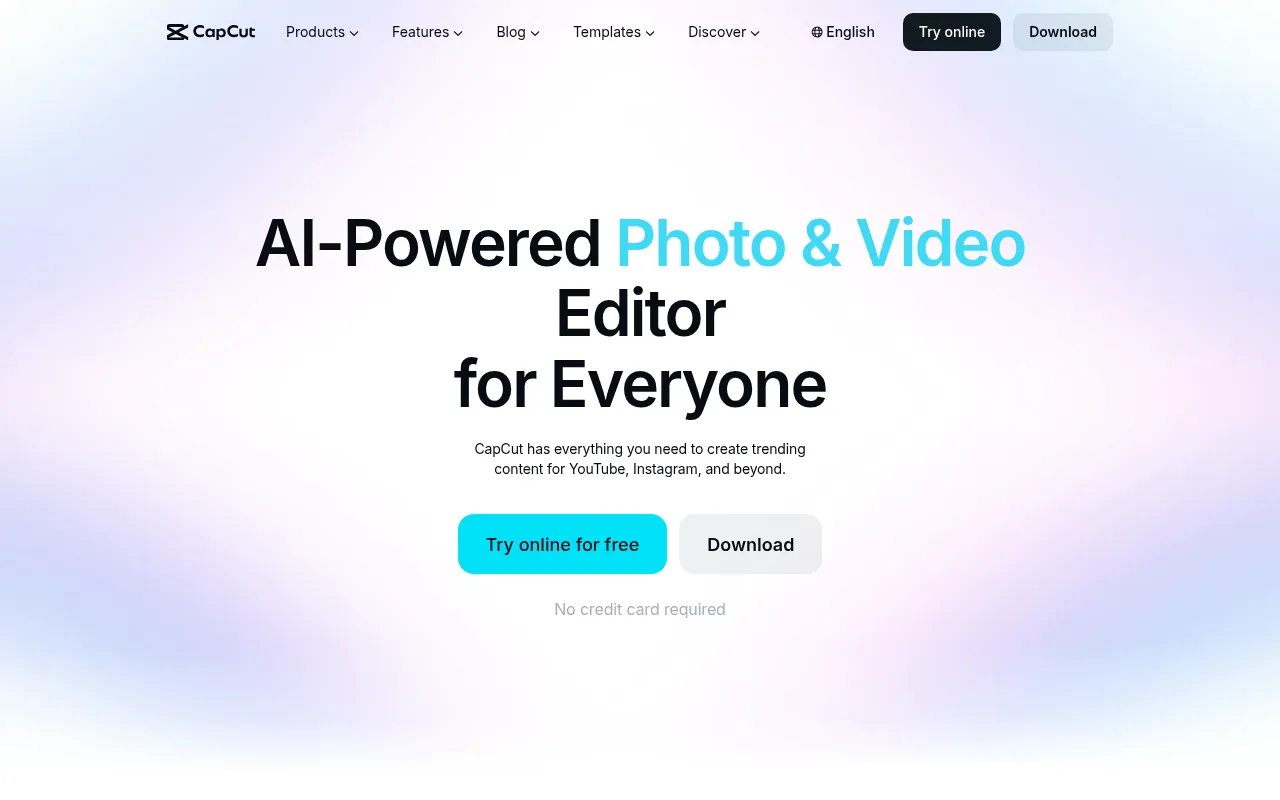
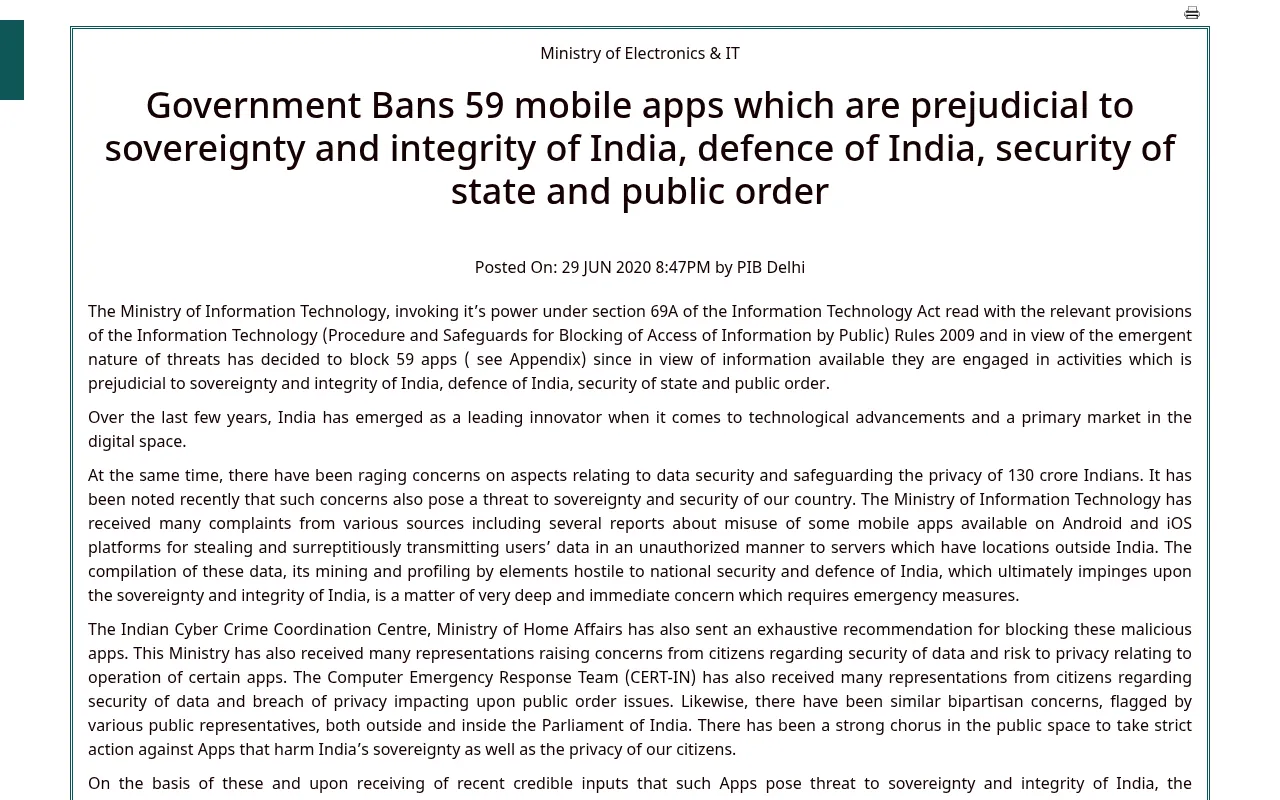
Here is the part most blogs get wrong. On June 29, 2020, the IT Ministry blocked 59 Chinese apps under Section 69A of the IT Act. The official list, published by PIB, includes TikTok, SHAREit and others. CapCut is not on that list.
So why can’t you download it? CapCut is a ByteDance product, just like TikTok. After the 2020 action, CapCut stopped being available through official stores in India, and it has stayed that way. In practice, that works like a ban, even if the app is not named in the June order.
So, is CapCut banned in India now? On paper, no order names it. In practice, yes. There is no Indian listing, no CapCut Indian version, and no CapCut Pro available in India either, because Pro is a subscription inside the same blocked app.
The government’s stated reasons for the 2020 blocks were data security, privacy, and India’s sovereignty and public order. The concern was that user data could travel to servers outside India.
The situation is still active in 2026. In May 2026, CapCut announced a partnership with Google’s Gemini app. ABP Live reported that Indian users will likely miss out, because CapCut’s backend services remain blocked here. Google Photos already hides its “export to CapCut” option in India.
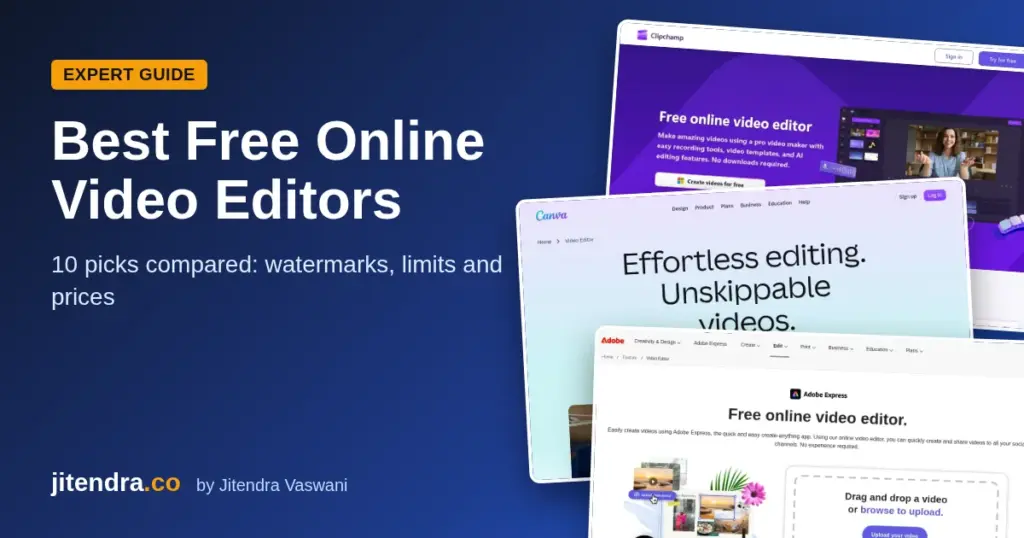
My take: Treat CapCut as unavailable in India. Plan your editing workflow around tools that work here legally. That way, a sudden block or a failed export never stops your content calendar. If you edit on a laptop, my guide to the best free online video editors compares 10 browser editors that work in India, with their free plan limits.
If you care about privacy online in general, you will also like my breakdown of how many data breaches happen every year.
CapCut and India: A Short Timeline
| Date | What happened |
|---|---|
| June 29, 2020 | India blocks 59 Chinese apps, including TikTok, under Section 69A |
| September 2, 2020 | India blocks 118 more apps in a second order |
| November 24, 2020 | A third order blocks 43 more apps |
| 2020 onward | CapCut stays out of official Indian app stores |
| June 2022 | NordVPN, ExpressVPN and Surfshark remove physical Indian servers after CERT-In rules |
| September 30, 2025 | Adobe launches its free Premiere app on iPhone |
| May 21, 2026 | CapCut announces a Gemini partnership; reports say India will likely miss out |
| September 22, 2026 | Adobe Premiere mobile arrives on Android |
Which Countries Have Banned CapCut?
People often ask which country CapCut is available in, and where it is banned. India is the big one, with no official listing since 2020. The US came close to a full CapCut ban. The app went dark there on January 19, 2025, when the US law covering ByteDance apps took effect. It came back for existing users on January 21, 2025, but stayed off the Apple and Google stores at the time (The New York Times, Fast Company).
Outside those cases, CapCut is available in most countries through Google Play, the App Store and its website. Store listings can change fast, so check your local store before you plan around it.
How to Use CapCut in India?
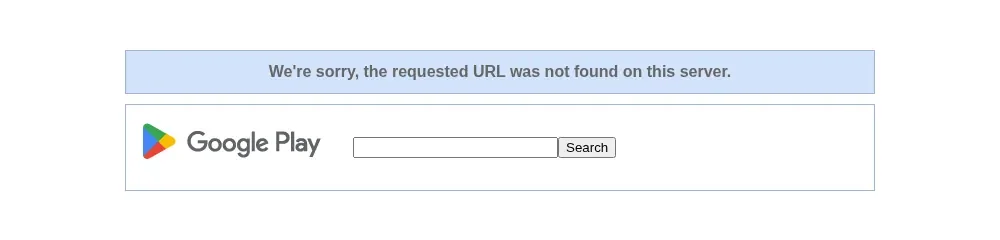
There is no official way to use CapCut inside India right now. Still, you should know what people try, so you can make an informed decision. Below are the three routes I see most often, with my honest view on each.
That also answers two common searches. How to use CapCut in India without a VPN? Officially, you can’t. How to download CapCut in India on Android? You can’t from the Play Store either. The Indian listing shows a not-found page, as in the screenshot above.
Option 1: Using a VPN (What It Does and Does Not Do)
A VPN routes your connection through a server in another country. Some creators use this to reach CapCut’s website or app servers from India.
Here is what you need to know before you try it:
It does not change the legal status. The app remains unavailable in India. A VPN only changes how your traffic travels.
Features still break. ABP Live reports that Indian users who connect this way often see “Feature not available in your region” errors. Cloud sync, templates and AI tools are the usual casualties.
Your account can lose work. If a feature stops mid-project, you may not be able to export. That hurts when a client deadline is close.
VPN servers in India are “virtual” since 2022. CERT-In’s April 2022 directions asked VPN providers to keep customer records for five years. Major providers like NordVPN, ExpressVPN and Surfshark pulled their physical servers out of India and moved to virtual Indian locations hosted abroad.
My take: I do not recommend running your business on a VPN workaround. If your income depends on video, you need an editor that works every day without tricks.
What About CapCut on iPhone in India?
Is CapCut available in India on iPhone? No. It is not on the Indian App Store, so iPhone users hit the same wall as Android users.
Some people switch their Apple Account to another country to get it. Apple’s support page says you must first cancel subscriptions that block the change, spend your account balance, and add a valid payment method and billing address for the new country (Apple Support). That moves your whole account, not one app. Just to use CapCut on iPhone in India, I think that is too much hassle.
If you want a CapCut alternative in India for iPhone, use Adobe Premiere (free on iPhone since September 30, 2025) or Instagram Edits. I cover both below.
Option 2: How to Set Up CapCut on Windows (When You Are Outside India)
If you travel abroad, or you are an NRI reading this, you can use CapCut desktop legally in a country where it is offered. Here is the basic workflow.
Is CapCut free on PC? Yes, where it is offered. CapCut says its desktop app for Windows and Mac is free to download, with paid Pro features on top (CapCut). But is CapCut available in India for PC? No. The desktop app depends on the same blocked services, so it is not a working option here.
Step 1: Open the official CapCut website. Type the address yourself. Do not click download links from random blogs.
Step 2: Download the Windows installer. Run it and follow the on-screen setup.
Step 3: Sign in. Use Google, TikTok or email. Signing in keeps your projects synced.
Step 4: Start a new project. Click “Create project” on the home screen.
Step 5: Import your media. Drag your clips, photos and audio into the media panel.
Step 6: Arrange the timeline. Drop clips in order. Trim the start and end of each clip.
Step 7: Edit. Add text, transitions, filters, speed changes and auto captions.
Step 8: Add audio. Use your own music or voiceover. Check the license for anything you did not make.
Step 9: Set a cover image. A clear cover helps your video get clicks on YouTube and Reels.
Step 10: Export. Pick the resolution and frame rate, then save the file.
Option 3: How to Set Up CapCut on Android (When You Are Outside India)
Outside India, CapCut is listed on Google Play by Bytedance Pte. Ltd. Always check the developer name before you install. Fake “CapCut” apps from other developers exist on the Play Store.
Step 1: Open Google Play. Search for CapCut and confirm the developer is Bytedance Pte. Ltd.
Step 2: Install and open the app. Accept the terms.
Step 3: Sign in. This syncs your drafts.
Step 4: Tap “New project”. Pick clips from your gallery.
Step 5: Trim and arrange. Drag clips to reorder them. Pinch the timeline to zoom.
Step 6: Edit. Add text, effects, filters, speed changes and captions.
Step 7: Add sound. Add music or a voiceover track.
Step 8: Pick a cover. Choose a frame or upload an image.
Step 9: Export. Choose resolution and frame rate, then tap Export.
A warning about APK files: Many sites push “CapCut Pro APK” or “mod APK” downloads to Indian users. I strongly advise against them. These files come from unofficial sources, get no official security updates, and are a common way to spread malware. You also break the app’s terms of service.
VPN Facts for Indian Users at a Glance
Since VPNs come up in every CapCut discussion, here are the facts that matter for Indian users. This is not an endorsement of any workaround.
| VPN fact | NordVPN | Surfshark | ExpressVPN |
|---|---|---|---|
| Physical servers in India | Removed in June 2022 | Removed in 2022 | Removed in 2022 |
| Indian IP option | Virtual location hosted abroad (check app) | Virtual servers in Singapore and London | “India (via Singapore)” and “India (via UK)” |
| Reason given | CERT-In logging rules | CERT-In logging rules | CERT-In logging rules |
| Does it make CapCut legal in India? | No | No | No |
Sources: NordVPN blog (June 2022), The Indian Express (June 2022), WIRED (September 2022), CERT-In FAQs (May 2022).
What a VPN Can and Cannot Do for You in India
A good VPN still has real uses in India. It protects you on public Wi-Fi, hides your browsing from the network you are on, and helps when you travel. Here is a short note on each of the three big names.
1. NordVPN
NordVPN shut down its Indian servers on June 26, 2022, saying the CERT-In order clashed with its no-logs policy. It is a strong all-round privacy pick. It is not a fix for app availability.
2. Surfshark
Surfshark closed its physical Indian servers in 2022 and moved to virtual Indian servers in Singapore and London. It is popular with families because one plan covers many devices. Check its official site for current device limits and prices.
3. ExpressVPN
ExpressVPN was one of the first to pull its India servers in 2022. It now offers “India (via Singapore)” and “India (via UK)” locations. It is known for a very simple app.
My take: Buy a VPN for privacy and travel. Do not buy one only to run CapCut. That money is better spent on a legal editor or a good microphone.
CapCut Alternatives for Windows and macOS
These are the desktop editors I recommend to Indian creators in 2026. All three are legal, current and work in India.
Want a free CapCut alternative in India without a watermark? DaVinci Resolve and Clipchamp’s free plan both export without one. Filmora’s free version does add a watermark.
1. DaVinci Resolve
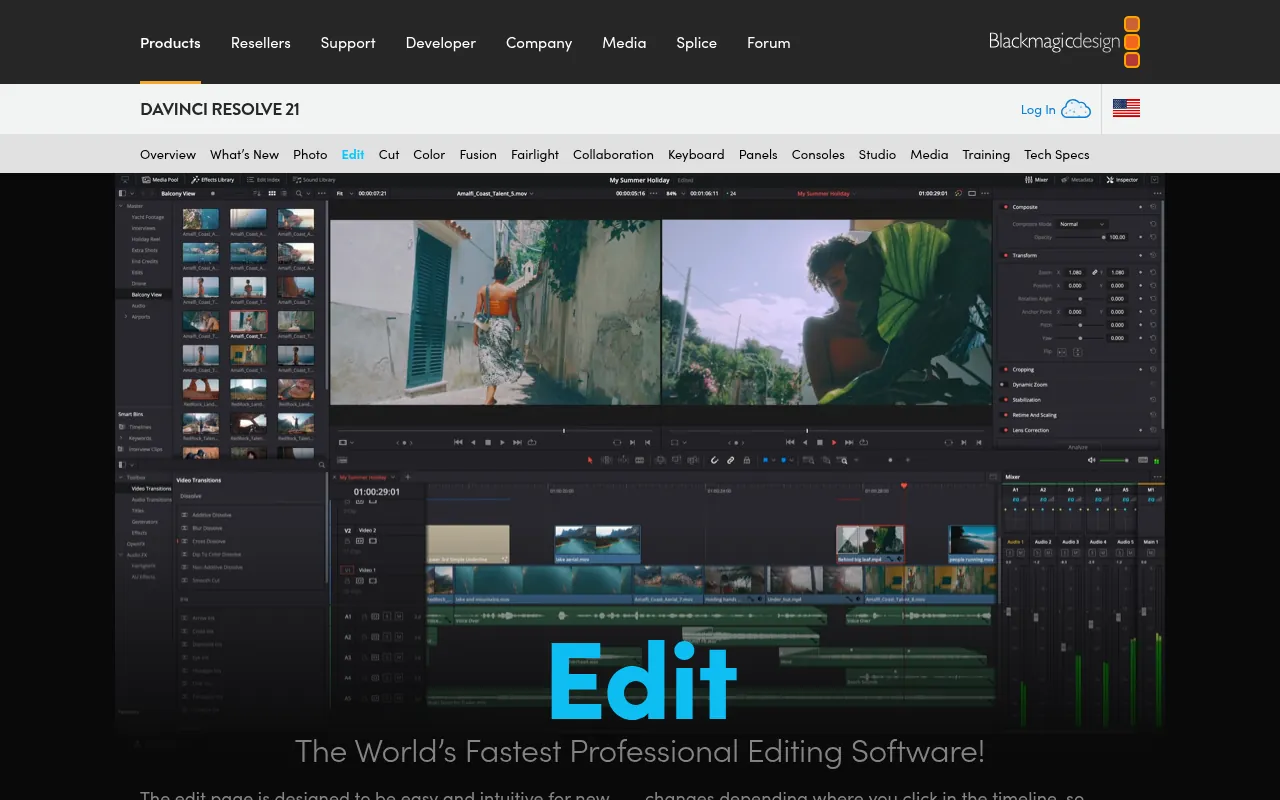
DaVinci Resolve from Blackmagic Design is the most powerful free editor you can get. The latest release is version 21. The free version handles editing, colour grading, effects and audio, and supports 8-bit video up to 4K. If you outgrow it, DaVinci Resolve Studio is a one-time purchase of US$295 on Blackmagic’s site.
Best for: YouTubers and editors who want a pro tool for free.
Watch out for: It needs a decent PC. Expect a learning curve.
2. Microsoft Clipchamp
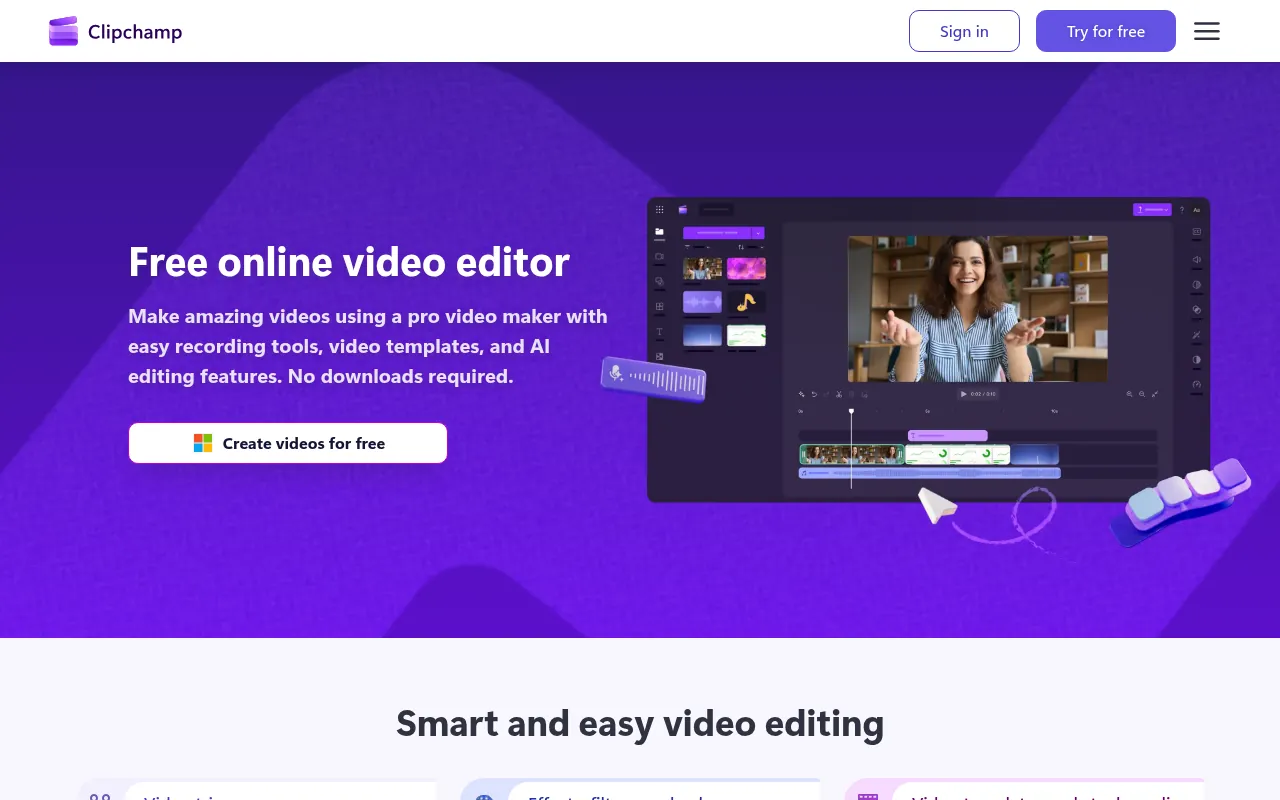
Clipchamp is the easiest switch from CapCut for beginners. It runs in Edge or Chrome and comes built into Windows. Microsoft’s pricing page says the free plan exports up to 1080p with no watermark. 4K export and premium stock come with Microsoft 365 Personal or Family.
Best for: Quick social videos, slideshows and screen recordings.
Watch out for: If you add a premium asset, you must remove it or upgrade before export.

Filmora sits between Clipchamp and DaVinci Resolve. It has templates, AI tools and a friendly timeline. The free version adds a watermark on export. As of October 2026, Wondershare’s store lists yearly and one-time (perpetual) plans, with frequent promo prices, so check the current price before you pay.
Best for: Creators who want CapCut-style effects on a PC and do not mind paying.
Watch out for: The watermark on free exports.
Skip these old picks: Some articles still recommend HitFilm Express and Adobe Premiere Rush. Artlist discontinued HitFilm in January 2025. Adobe stopped offering Premiere Rush for download on September 30, 2025, and ends it fully on September 30, 2026.
CapCut Alternatives for Android and iOS
Most Indian creators edit on the phone. These three apps are free, current and legal in India.
1. Adobe Premiere (Mobile App)
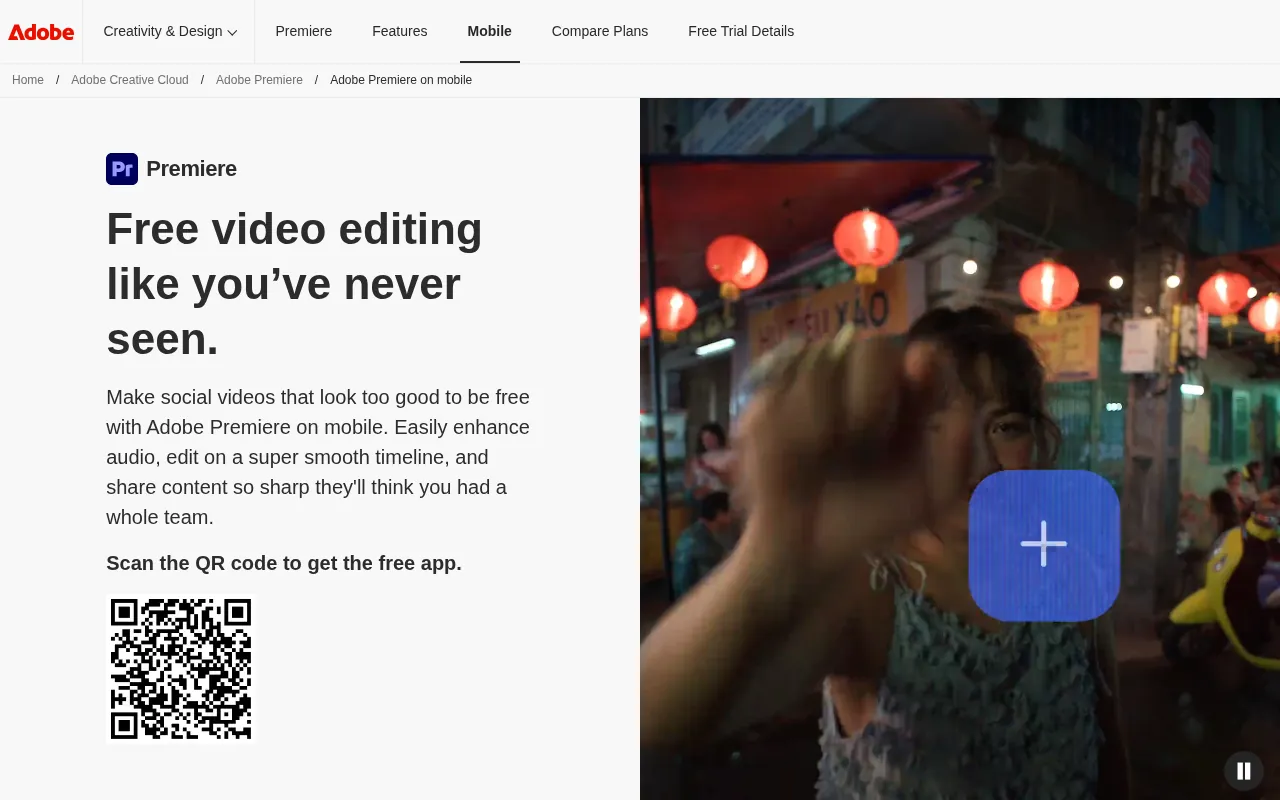
Adobe replaced Premiere Rush with a free Premiere app. It launched on iPhone on September 30, 2025 and came to Android on September 22, 2026. Adobe says the Android version needs Android 13 or later and at least 5 GB of RAM. You get a multi-track timeline, audio clean-up and AI sound effects for free. Paid upgrades add generative credits and storage.
Best for: Creators who want a pro-grade phone editor with no cost.
2. Instagram Edits
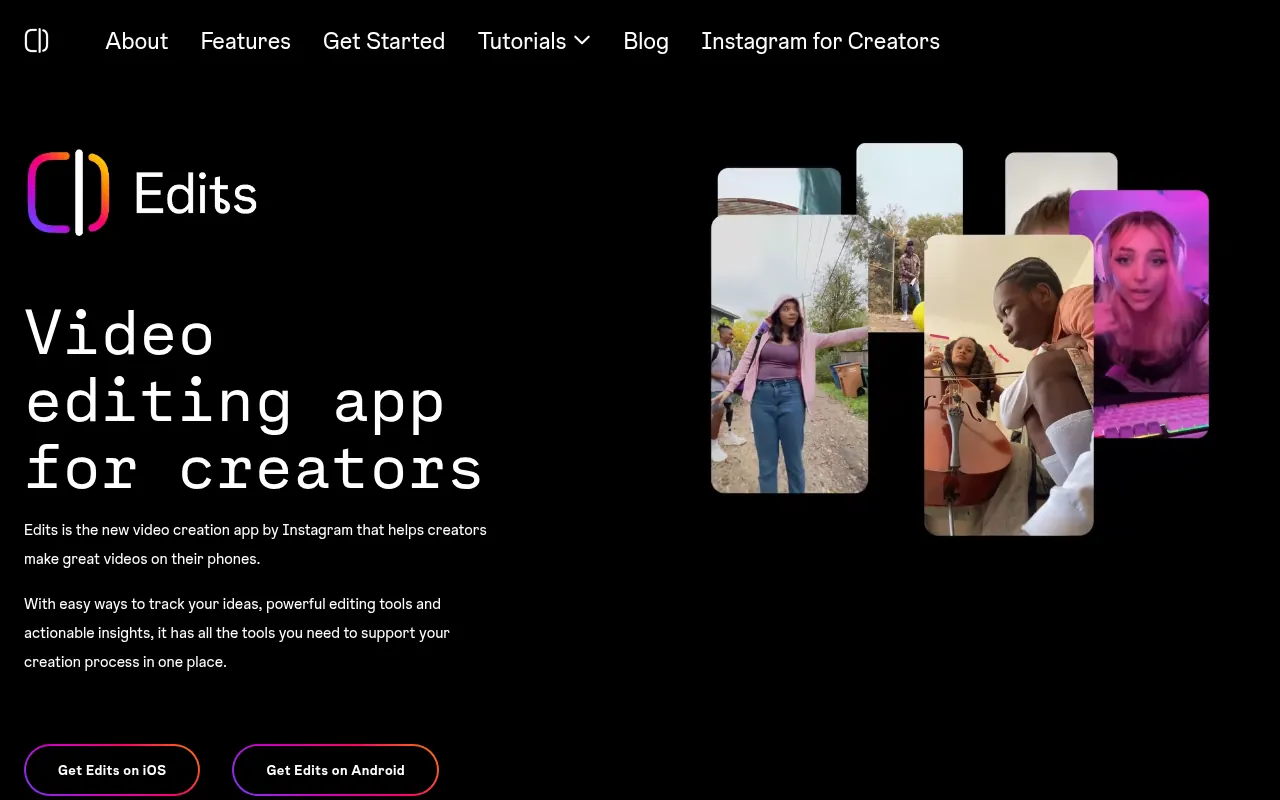
Edits is Meta’s free video editor for Reels. It is on Google Play and the App Store, exports up to 4K, and does not add its own watermark. You need an Instagram account to use it.
Best for: Reels creators who want the closest CapCut-like flow for short videos.
3. KineMaster
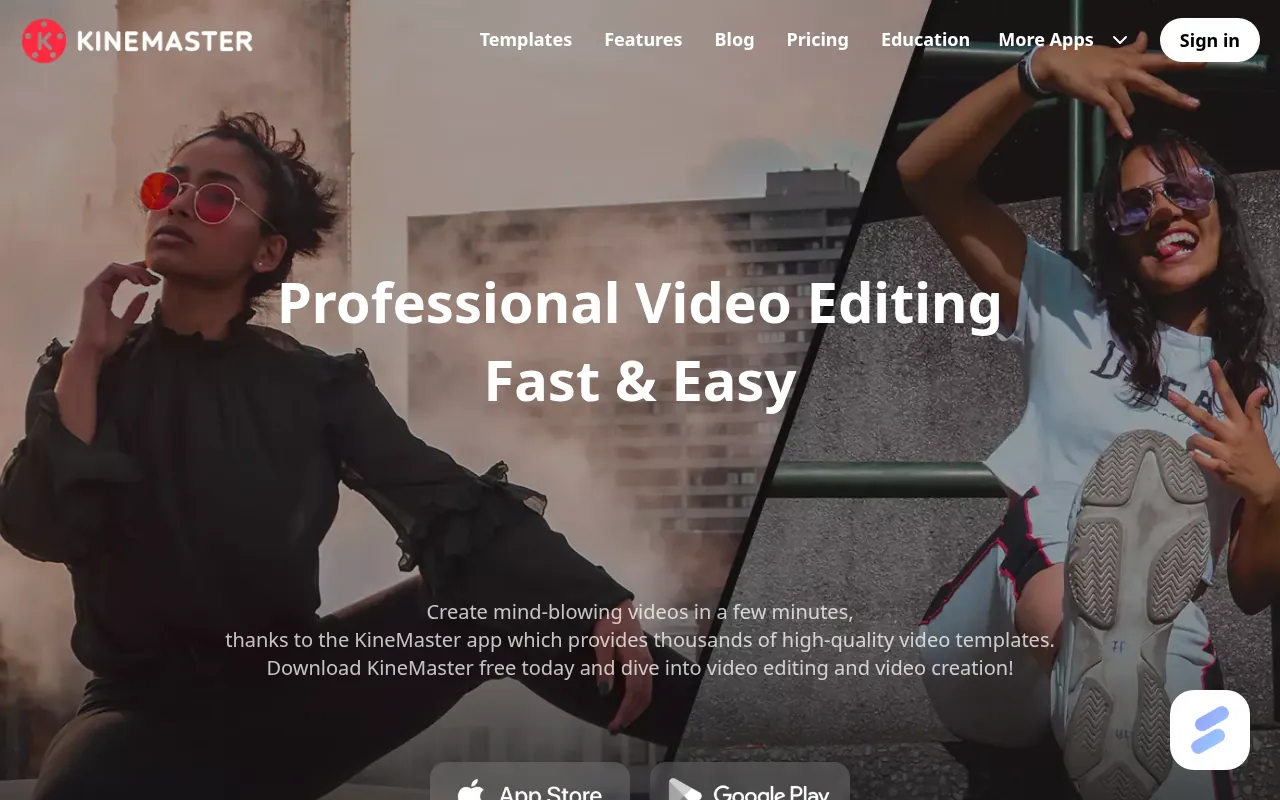
KineMaster is a long-standing mobile editor with layers, chroma key and keyframes. The free version adds a watermark and shows ads. KineMaster’s own site lists Premium at US$7.99 per month or US$51.99 per year, which removes the watermark and adds 10 GB of cloud storage. App store prices in India may differ.
Best for: Detailed edits on Android when you are ready to pay.
CapCut Feature Match: What to Use for Each Job
| What you used CapCut for | Best legal option in India | Cost |
|---|---|---|
| Reels with trending style | Instagram Edits | Free |
| Long YouTube edits on phone | Adobe Premiere (mobile) | Free, paid upgrades |
| Auto captions on PC | Clipchamp | Free up to 1080p |
| Colour grading and pro edits | DaVinci Resolve | Free, Studio US$295 |
| Templates and effects on PC | Filmora | Paid for no watermark |
| Layers and chroma key on phone | KineMaster | Free with watermark |
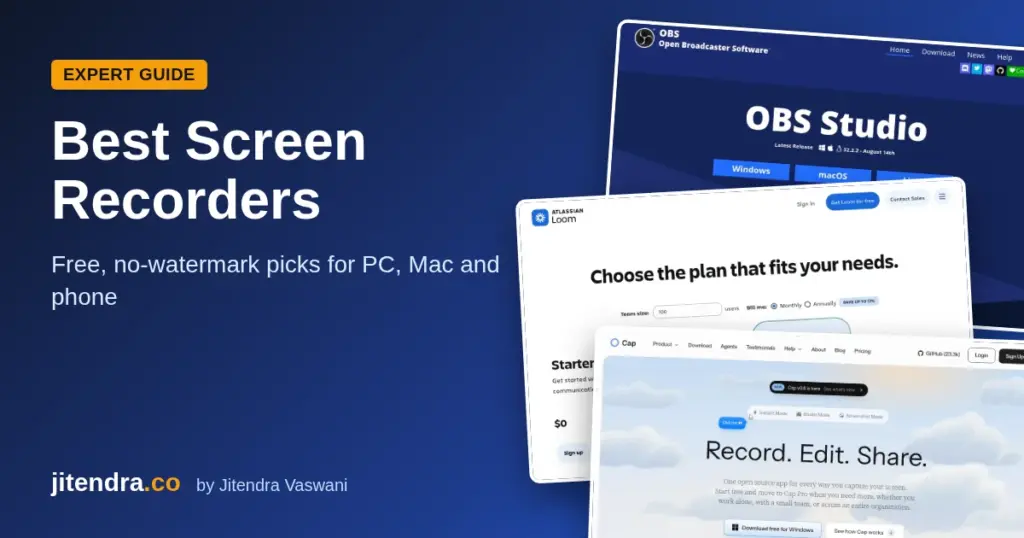
If you make short videos for growth, pair your editor with good hooks. My free hook generator and YouTube script generator help you plan the words before you open the editor.
Other Video and Photo Apps India Blocked in 2020
CapCut users often ask which other editing apps went away at the same time. The June 29, 2020 PIB list of 59 apps includes several photo and video tools. Here are the ones creators remember most.
| App on the June 2020 list | What it did |
|---|---|
| TikTok | Short video sharing |
| Viva Video (QU Video Inc) | Mobile video editing |
| Vigo Video | Short video sharing |
| Meitu | Photo editing and selfies |
| Beauty Plus | Selfie and beauty filters |
| YouCam Makeup | Virtual makeup filters |
| Wonder Camera and Photo Wonder | Camera and photo editing |
| SelfieCity and Sweet Selfie | Selfie camera apps |
| DU Recorder | Screen recording |
Source: Press Information Bureau release, June 29, 2020. India blocked more Chinese apps in later orders that year.
The lesson for creators is simple. If an app’s owner is caught in a policy fight, your whole workflow can vanish overnight. Keep your raw footage and project files in your own storage, and learn at least one backup editor.
How to Move Your CapCut Projects to a New Editor
Many creators still have old CapCut drafts on their phones. CapCut projects do not open in other editors, so you need to rebuild them. Here is the fastest way I know.
Step 1: Save your raw clips. Find the original videos and photos in your gallery or files. Copy them to Google Drive, OneDrive or your laptop.
Step 2: Export what you can. If an old project still opens and exports, save a copy of the final video. Even a low-quality version helps as a reference.
Step 3: Note your style. Write down the fonts, colours, transitions and music you used. Take screenshots of key frames.
Step 4: Pick one new editor. Do not try five apps at once. For Reels, start with Instagram Edits. For longer videos, try Adobe Premiere mobile or Clipchamp.
Step 5: Rebuild a template. Recreate your intro, captions style and outro once. Save it as a template or a reusable project.
Step 6: Redo captions. Use the new editor’s auto captions, then fix names and Hinglish words by hand.
After one or two videos, the new editor will feel normal. In my view, the switch is far less painful than chasing workarounds every month.
Common CapCut Problems Indian Users Report
Even people with an old install on their phone run into trouble. These are the issues reported most often, and what I suggest.
“Feature not available in your region.” Server features such as templates, cloud sync and AI tools are locked in India. There is no reliable fix. Move the project to a legal editor.
Login fails or loops. Account services may not respond from Indian networks. Do not keep retrying with new accounts. Export what you can and switch.
Templates do not load. Templates come from CapCut’s servers. Rebuild the look manually in Edits or Premiere mobile.
Export stops halfway. Save your raw clips separately before you start editing. That way, a failed export never costs you the footage.
You found a “CapCut” app that installs fine. Check the developer name. Lookalike apps from unknown developers exist on Google Play. If it is not Bytedance Pte. Ltd., it is not the real CapCut.
CapCut not working in India at all. If the app opens but nothing loads, that is the block, not your phone. Clearing the cache or reinstalling will not fix it.
CapCut showing “no internet connection”. If your data works in every other app, CapCut most likely cannot reach its servers from India. Treat it like the region error above.
You cannot update the app. Updates come through Google Play or the App Store, and neither lists CapCut in India. So there is no safe way to update CapCut in India. An “update” APK from a random site carries the same malware risk as a mod file.
Before You Publish: A Quick Safety Checklist
Use this list no matter which editor you pick.
- Download apps only from official stores or the maker’s own website.
- Keep a copy of your raw clips in Google Drive, OneDrive or a hard disk.
- Use music you made, bought, or got from a properly licensed library.
- Check auto captions word by word. AI captions often miss Indian names and Hinglish.
- Do a short test export before your final export.
- Watch the final file once on a phone before you upload it.
Why Should You Trust Me?
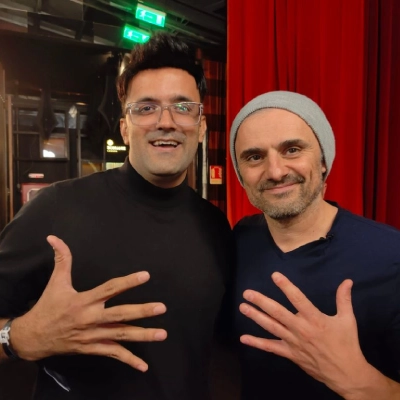
I am Jitendra Vaswani. I have worked in SEO and digital marketing since 2013. That year I founded BloggersIdeas. DigiExe, my agency, has worked with more than 1,400 clients in 28 countries. I also run AffiliateBooster and SchemaNinja, wrote Inside A Hustler’s Brain (more than 20,000 copies), and speak at Affiliate Summit and Affiliate World.
I test and write about tools like these the way an operator does: what you get on the free plan, what you pay, and whether it saves real time for content and SEO work. Every price and limit in this guide comes from the brand’s official site or help pages. I do not invent lab scores or income claims.
Conclusion
CapCut is still not available in India in 2026, and nothing suggests that will change soon. It is not named on the June 2020 list of 59 apps, but it has stayed out of Indian app stores since then, and its server features stay locked here.
You can try VPNs or APKs, but you take on security risks and broken features for very little gain. My recommendation is simple. Use Instagram Edits or Adobe Premiere on your phone. Use Clipchamp or DaVinci Resolve on your PC. You will get the same results, legally, with no surprises on export day.
Want more data on short video? Read my roundups of video marketing statistics and TikTok statistics to see where your audience is.
How DigiExe and BloggersIdeas Handle Short Video Without CapCut
CapCut is still the editor most creators ask me about on calls. The honest answer I give clients in India is not a VPN tip. It is a workflow swap. DigiExe produces social clips for client brands, BloggersIdeas needs article promo Reels, SchemaNinja needs product explainers, and Inside A Hustler’s Brain needs trailer cuts. None of that work depends on a store listing that India does not get.
I treat CapCut unavailability as a production constraint, the same way I treat a blocked ad account or a region-locked SaaS seat. You redesign the stack. You do not teach interns to sideload APKs.
What I Tell Founders on Podcast Prep Calls
Guests on Inside A Hustler’s Brain often ask how to ship daily Shorts on a small team. My answer stays practical:
- Film vertical on the phone you already trust.
- Edit on a tool that opens from the Indian Play Store or App Store without tricks.
- Keep music licensed for ads if the clip will run as paid.
- Export once, then adapt captions per platform instead of rebuilding in three apps.
- Archive the project file where the team can find it six months later.
CapCut would be fine for steps 2 and 4 in markets where it is offered. In India, step 2 fails before you start. That is why this guide focuses on Instagram Edits, Adobe Premiere on mobile, Clipchamp, and DaVinci Resolve rather than “how to force CapCut”.
DigiExe Client Policy on CapCut Workarounds
When a client insists on CapCut because their previous editor used it abroad, I put the risk in writing:
- Unofficial APKs are a malware and update risk.
- VPN-dependent cloud templates can break mid-campaign.
- Watermark and Pro billing screenshots from other countries are not a pricing guarantee for India.
- Agency SOWs should name the approved editors and the music license source.
Personalized consulting here means protecting the brand, not winning an editor brand argument.
BloggersIdeas Promo Clip Stack I Actually Use
For BloggersIdeas article promos I usually:
- Pull a key stat or screenshot from the published post.
- Record a 20 to 40 second talking hook on phone.
- Edit captions in Instagram Edits or Clipchamp depending on whether I am on mobile or laptop.
- Add a simple lower third with the article title.
- Publish to LinkedIn, Instagram, and YouTube Shorts with the canonical URL in the first comment or description.
That stack is boring on purpose. Boring ships. CapCut nostalgia does not ship when the Indian store listing is missing.
SchemaNinja and AffiliateBooster Screen-Record Explainers
Product explainers need readable UI, not trending CapCut effects. I screen-record the dashboard, cut dead air in Clipchamp or Resolve, and keep text large enough for mobile. Auto captions still need a human pass for names like SchemaNinja, AffiliateBooster, Digiexe, and BloggersIdeas. That human pass matters more than any CapCut template pack.
CapCut Versus Legal Alternatives for India Teams
| Job | CapCut (where available) | What I use in India |
|---|---|---|
| Fast Reels | Strong | Instagram Edits or Premiere mobile |
| PC beginner edit | Fine | Clipchamp |
| Color and multi-cam YouTube | Weak vs pro NLEs | DaVinci Resolve or Premiere |
| Client ad with licensed music | Only with license hygiene | Same rule on every editor |
| Team archive and handoff | Cloud features vary by region | Drive or Dropbox project folder |
India Store Reality Check for Readers
Before you believe a YouTube thumbnail that says CapCut works in India in 2026, open the Play Store or App Store on an Indian account yourself. If CapCut is not listed, treat tutorials that start with a VPN install as entertainment, not SOP. DigiExe SOPs do not include “change your App Store country” for junior editors.
Music, Fonts, and Watermarks Still Apply on Alternatives
Switching away from CapCut does not erase licensing work. Paid campaigns need music you can prove rights for. Client logos need clear space. Watermarks from free tiers look unprofessional on sponsor deliverables. Personalized quality control is checking the export on a phone before the client does.
Extended Operator FAQ for CapCut in India
Should DigiExe trainees learn CapCut first?
No. Teach an editor that installs cleanly in India. CapCut skills transfer later if they move markets.
I still advise against it for client work. Personal experiments are your risk. Agency work needs reliability.
Can I keep an old CapCut install forever?
Offline basics may open for some users. Cloud, templates, and AI features are the parts people actually want, and those fail. Do not build a content calendar on an old install.
What if my US contractor edits in CapCut and sends me an MP4?
That can work if the deliverable is a finished file and licenses are clean. Just do not make CapCut a required seat inside an India-based team SOP.
Does CapCut coming back change this article overnight?
If official stores list it again and cloud features work on Indian accounts, I will update this page. Until then, plan as if it stays unavailable.
Personal Verdict for My Brands
For DigiExe client social, BloggersIdeas promos, and podcast trailers, I optimize for editors that open without region theater. CapCut is popular. Popular is not the same as available. Availability wins.
CapCut Alternatives Deep Dive for India Teams
Instagram Edits for Same-Day Reels
Instagram Edits is where many DigiExe social clips start when the deliverable is a Reel. Captions, layout, and music from Instagram’s ecosystem reduce export surprises. Limits appear when you need multi-track precision or a file for YouTube Shorts and LinkedIn without re-export quirks. Personalized rule: use Edits when Instagram is the primary destination that day.
Adobe Premiere on Mobile
Premiere on phone is heavier than CapCut tutorials make CapCut look, but it installs through normal stores in India. I use it when a client already pays Adobe and wants continuity with desktop Premiere later. Teaching juniors Premiere mobile also builds skills that transfer to desktop timelines.
Clipchamp on Windows
Clipchamp is my default recommendation for founders who edit on a Windows laptop and hate complex NLEs. Auto captions help. Keep an eye on export caps and branding limits on free tiers. For BloggersIdeas talking-head promos recorded on webcam, Clipchamp is enough.
DaVinci Resolve for Serious YouTube
When Inside A Hustler’s Brain needs color work or a longer cut, Resolve is the free power option. The learning curve is real. DigiExe does not force Resolve on every intern on day one. We match editor complexity to the video job.
CapCut Template Culture Versus Original Hooks
A lot of CapCut demand is template culture. Templates are not strategy. A clear hook, readable text, and a single CTA outperform a trendy transition on a weak script. Personalized content advice: spend more minutes on the first three spoken seconds than on effect packs.
Agency Onboarding Script Without CapCut
When a new editor joins DigiExe in India, onboarding names:
- Approved editors list
- Music license sources
- Caption style for each brand
- File naming and archive folder
- Export checklist on a real phone screen
CapCut never appears as a required skill for India-based seats while store access stays blocked.
Common Reader Mistakes I See in Comments and Emails
- Assuming a friend abroad can “gift” CapCut Pro across regions without billing confusion
- Publishing with copyrighted audio on ads
- Building a course that requires CapCut projects students in India cannot open cleanly
- Trusting mod APK sites that upsell “Pro unlocked”
- Ignoring that cloud AI features fail even when an old binary opens
CapCut and ByteDance Context Without Fear Marketing
Readers deserve calm facts. CapCut sits in the ByteDance family. India restricted many Chinese apps in 2020. CapCut’s ongoing absence from official Indian stores is the operational fact that matters for your calendar. I cite official and reputable reporting in the sources and FAQ rather than rumor threads.
Checklist Before You Publish Any Short Video in India
- Editor installed from an official store
- Music rights documented if the clip is paid or client-owned
- Captions checked for brand and people names
- Export watched on mute and with sound
- Canonical link ready for the platform description
- Project files saved where the team can find them
Personal Close on CapCut Demand
I understand why people want CapCut. The UI is friendly and the tutorials are everywhere. My job as an operator is to ship video under Indian constraints. That is why this article stays focused on legal, available paths and treats CapCut force-installs as a risk, not a growth hack.
Teaching Indian Interns Video Without CapCut YouTube Binges
Most CapCut YouTube tutorials assume the app installs. DigiExe onboarding replaces that binge with a short internal playlist: phone framing, caption size, export checklist, and music rights. Interns still watch public tutorials for creative ideas, then rebuild the same idea in Instagram Edits, Premiere mobile, or Clipchamp.
Sponsor Video Disclosures
When a BloggersIdeas or client clip is sponsored, spoken or on-screen disclosure matters more than transitions. CapCut cannot save a missing disclosure. Personalized brand safety starts in the script.
Multi-Platform Export Reality
LinkedIn often wants a cleaner crop than TikTok-style chaos. YouTube Shorts tolerates faster cuts. Instagram Reels sits in between. I export once from a master timeline when possible, then adjust captions. Region-locked CapCut cloud projects make multi-platform handoff worse when a teammate cannot open the project in India.
Hardware Notes From Real Workweeks
A mid-range Android phone plus stable wifi beats a fancy editor on a dying laptop battery. For podcast trailers I care about clean audio more than CapCut effects. Use a simple lav or a quiet room before you shop effect packs.
When CapCut Still Matters as Knowledge
If you hire editors who worked in the US or Southeast Asia, they may think in CapCut project habits. Translate those habits: layers become tracks, templates become preset styles in your approved editor, and cloud drafts become Drive folders. You are translating skills, not surrendering the SOP to a blocked store listing.
Crisis Path If a Live Campaign Needed CapCut Yesterday
- Ask whether the deliverable can be an MP4 from an overseas contractor.
- If not, rebuild in Clipchamp or Premiere on a four-hour clock.
- Do not authorize APK sideloads on company phones.
- Document the incident so sales stops promising CapCut-only creative.
Closing Line I Repeat on Calls
Available beats popular. Ship with tools India can install today.
CapCut Ban Versus Alternatives: Reader Decision Guide
If your goal is learning video in India in 2026, start with an editor that opens today. If your goal is copying a specific CapCut template from a US creator, either hire an overseas editor for the MP4 or recreate the pacing in Clipchamp. DigiExe pricing for clients assumes editors we can support during Indian business hours without VPN theater.
Podcast Trailer Recipe Without CapCut
- Pull a 12-second guest quote from the episode.
- Add title card with guest name spelled correctly.
- Add one B-roll cutaway.
- Caption the quote.
- End on the episode URL spoken or written.
That recipe works in Premiere mobile or Clipchamp. CapCut is optional where available, not required.
Final Personal Stance
I will update this page if CapCut returns to Indian stores with working accounts. Until then, my brands ship on tools that install cleanly. That is the personalized operator standard behind this guide.
Measuring Short Video Output Without CapCut Vanity
DigiExe cares about shipped clips per week, not which editor logo appears in a tutorial thumbnail. Track: ideas filmed, clips published, links clicked, leads asked. CapCut availability does not change that scoreboard.
Internal Link Path for Readers
If you need editor options beyond this CapCut-in-India context, read my guides on free online video editors and CapCut alternatives on jitendra.co. This page stays focused on India availability and the stack I trust for DigiExe and BloggersIdeas.
Last Personal Reminder
Do not teach juniors to break region rules for a template. Teach them to write a sharper hook. That is the personalized standard I will keep repeating until CapCut is officially back.
CapCut Conversations From Affiliate World and Client Slack
At events and in Slack, marketers still paste CapCut links as if every country has the same store. I answer with the India constraint first. Then I ask what platform the video must hit this week. That order prevents a two-hour VPN rabbit hole before a simple Clipchamp export.
Quality Bar DigiExe Uses on Alternatives
- Hook in the first three seconds
- Captions readable on a bright phone screen
- Logo safe margins
- Music licensed for the media buy
- File named with client and date
- Uploaded from an account the team controls
Meet that bar in Instagram Edits or Premiere and CapCut nostalgia fades.
Why This Page Stays Long
Kripesh-style depth means answering the side questions: APK risk, VPN pain, old installs, contractor handoff, and which free editors I would actually put in an SOP. Short posts leave readers hunting YouTube for the dangerous answer. I would rather over-explain the safe path.
SOW Language DigiExe Uses Around Editors
Our statements of work name approved editing tools and music license responsibility. CapCut is not listed for India delivery teams while official store access stays blocked. If a client supplies a finished CapCut export from another country, we accept the MP4 after license review. We do not accept “please install this APK” as a project step.
Training Budget Without CapCut Courses
Spend training budget on storytelling, lighting, and caption accessibility. Editor UI courses go stale when apps change. Personalized hiring looks for judgment, not a CapCut certificate.
FAQs
Is CapCut banned in India in 2026?
CapCut is still unavailable in India in 2026. It is not on the Indian Play Store or App Store, and its cloud and AI features are blocked here. It is not named on the June 2020 list of 59 apps, but it has stayed unavailable since that crackdown.
Why is CapCut not available in India?
CapCut is owned by ByteDance, the company behind TikTok. After India blocked Chinese apps in 2020 over data security and sovereignty concerns, CapCut stopped being offered through official Indian channels. No reversal has been announced.
Can I use CapCut in India with a VPN?
Some people do, but I do not recommend it. A VPN does not change the app’s status in India. Users report region errors on templates, cloud sync and AI tools, so exports can fail in the middle of a project.
Is it safe to download a CapCut Pro or mod APK?
No. Modded APKs come from unofficial sources and receive no official updates. They are a common way to spread malware, and they break the app’s terms. Stick to official app stores.
In which countries is CapCut available?
CapCut is offered in most countries outside India through Google Play, the App Store and its website. In the US, reports say users were moved to a separate US version of the app. Availability can change, so check your local store.
What is the best CapCut alternative in India?
For phones, I would pick Adobe Premiere (mobile) or Instagram Edits. Both are free. For PCs, Clipchamp is the easiest switch, and DaVinci Resolve is the most powerful free editor.
Can I still use CapCut if it is already on my phone?
Users with old installs report that basic offline edits may still open. Server features such as templates, cloud sync and AI tools do not work in India. I would not rely on an old install for paid or client work.
Will CapCut come back to India?
There is no official sign of it. As of May 2026, reports still describe CapCut as blocked, and new CapCut features like its Gemini partnership are not expected in India. I would plan your workflow without it.
Is CapCut safe to use in India?
The real app from Bytedance Pte. Ltd. is not malware. The risk in India comes from how people get it: VPN workarounds and APK files from unofficial sites. Those files get no security updates and can carry malware, and broken server features can cost you a project. For anything important, I would use a legal alternative.

Jitendra Vaswani is a globally recognized expert in SEO and AI-driven digital marketing. He has spoken at leading international events and is the founder of Digiexe, a results-driven digital marketing agency; Venuelabs, a platform that helps brands amplify their voice with expert PR and marketing solutions; and AffiliateBooster, an affiliate marketing news site. With over a decade of hands-on experience, Jitendra has empowered countless businesses to thrive online. His bestselling book, Inside A Hustler’s Brain: In Pursuit of Financial Freedom, has sold more than 20,000 copies worldwide, reflecting his influence and dedication to helping digital marketers achieve success. Follow Jitendra on Instagram, X/Twitter, Facebook, and LinkedIn.