
Best free cloud storage in 2026, the short answer: MEGA gives the most free space from a big global provider (20 GB, encrypted on your device), and Google Drive is the best free cloud storage for most people because its 15 GB works across Gmail, Photos and Drive. In India, JioAICloud offers 50 GB free to Jio users and TeraBox advertises up to 1 TB free, but both come with trade-offs I explain below. For privacy, pick Proton Drive, Filen or Internxt. For the cheapest paid upgrade, Google One Lite starts at ₹59 a month.
Free cloud storage sounds simple until you read the fine print. Some plans share their space with your email. Some only reach the advertised number after you complete tasks. Some delete inactive accounts. Some limit how much you can download each day. And some “free” apps make their money in ways you may not like.
I have used cloud storage for more than a decade to run my agency, store client reports, back up podcast recordings and share files with my team across countries. In this guide, I compare 19 free cloud storage services on what you actually get: real free space, file size limits, encryption, apps, and what the cheapest upgrade costs. All plan details come from each provider’s official website, checked in October 2026. I have not run speed tests, so you will not find invented upload numbers here.
Best Free Cloud Storage: Quick Comparison Table
| Cloud storage | Free storage | Best for | End-to-end (zero-knowledge) on free plan | Cheapest upgrade |
|---|---|---|---|---|
| Google Drive | 15 GB (shared with Gmail and Photos) | Most people, Android users | No | ₹59/month (30 GB, Google One Lite) |
| MEGA | 20 GB | Most free space from a global brand | Yes | About ₹354/month before tax |
| JioAICloud | 50 GB | Jio users in India | No | Check in app |
| TeraBox | Up to 1 TB (advertised) | Huge free space, with caveats | No | Check in app |
| Icedrive | 10 GB | Clean interface | No (encryption on paid plans) | US$99/year (2 TB) |
| pCloud | Up to 10 GB | Media and lifetime plans | No (Crypto is paid) | Lifetime and yearly plans |
| Filen | 10 GB | Privacy on a budget | Yes | Paid plans from about €1.99/month |
| Proton Drive | 5 GB | Privacy, Proton Mail users | Yes | Drive Plus 200 GB |
| Sync.com | 5 GB | Encrypted sharing | Yes | Personal 1 TB |
| Microsoft OneDrive | 5 GB | Windows and Office users | No | ₹149/month (100 GB, Microsoft 365 Basic) |
| iCloud | 5 GB | iPhone and Mac users | Optional (Advanced Data Protection) | ₹75/month (50 GB) |
| Dropbox | 2 GB | File sharing and sync | No | Plus plan (2 TB) |
| Box | 10 GB | Work documents | No | ₹785/month (100 GB, Personal Pro) |
| Koofr | 10 GB | Connecting other clouds | No | Small paid tiers from 25 GB |
| MediaFire | 10 GB | Public file sharing | No | US$3.99/month (100 GB) |
| Zoho WorkDrive | 5 GB | Small teams | No | Paid team plans |
| Internxt | 1 GB | Maximum privacy | Yes | Yearly and lifetime plans |
| Yandex Disk | 5 GB | Extra backup space | No | Yandex 360 plans |
| NordLocker | 3 GB | Encrypted file vault | Yes | Paid plans |
Sources: each provider’s official pricing page, plan page or help page (October 2026). Rupee prices are as shown on official Indian pages and may exclude GST. Dollar and euro prices are as listed by the provider.
How I Picked the Best Free Cloud Storage
I did not run speed tests for this guide. Upload speed depends on your internet connection, your city and the time of day, so any “Mbps” number would mislead you. Instead, I compared each service on things you can verify on its official site:
- Real free space: how much you get at signup, and whether it is shared with other apps.
- Conditions: do you need to complete tasks, invite friends or log in regularly to keep it?
- Encryption: are files encrypted on your device (zero-knowledge), or can the provider read them?
- File size and transfer limits: the per-file upload cap and any download quota.
- Apps: Windows, Mac, Linux, Android, iPhone and web.
- Upgrade cost: the cheapest paid plan, in rupees where the provider shows them.
- Trust: who runs the service and where the data is stored.
Then I added my own opinion on who each service suits, based on how I use cloud storage for work and family photos.
The 19 Best Free Cloud Storage Services in 2026
1) Google Drive: Best Free Cloud Storage for Most People
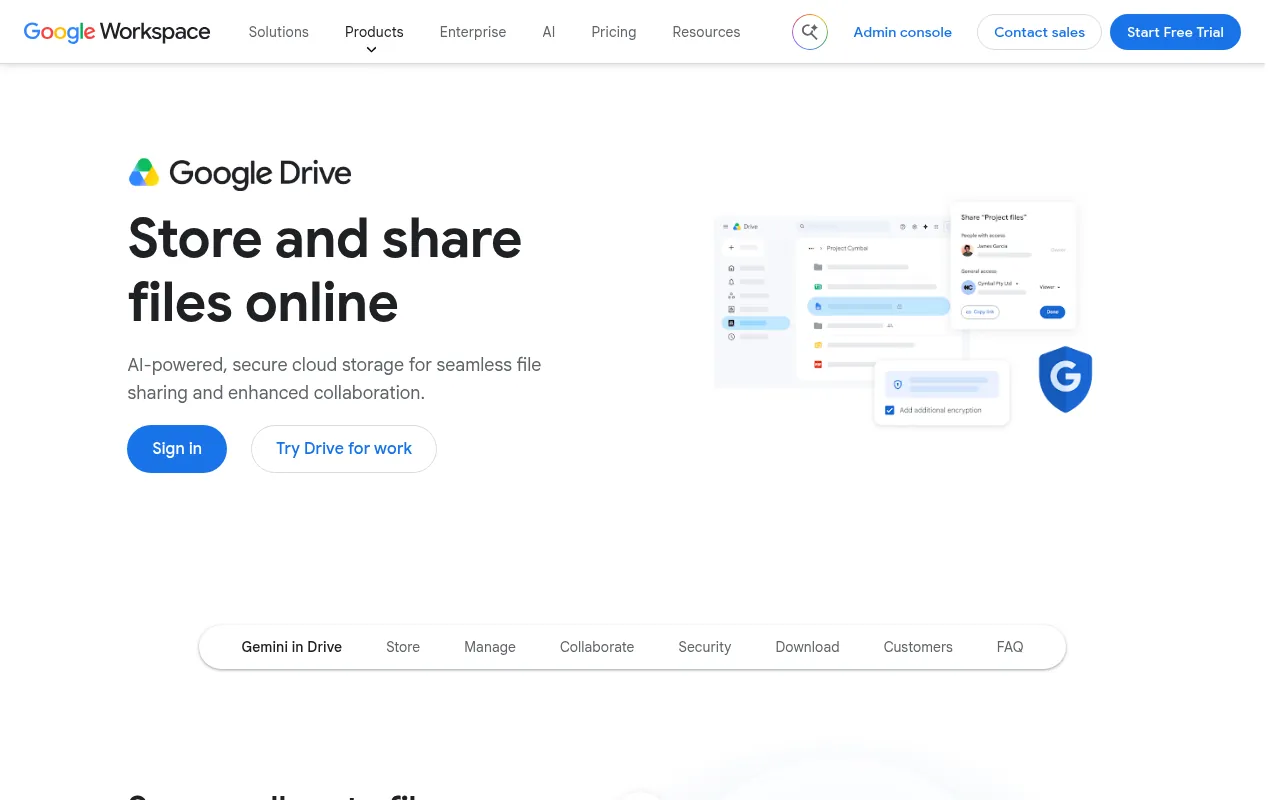
Key facts: free storage: 15 GB, shared with Gmail and Google Photos. Apps: Web, Android, iPhone, Windows, Mac. Encryption: Server-side (Google holds the keys). Best for: Android users, students and anyone who uses Gmail.
Google Drive is where most people should start. Every Google account comes with 15 GB of free storage, and Google’s plans page shows it plainly: 15 GB of storage across Google Photos, Drive and Gmail.
That “across” is the catch. Your free space is shared. If your Gmail inbox is full of attachments and your phone backs up every photo to Google Photos, your 15 GB fills quickly. That is why so many Indians see the “storage almost full” warning on their Android phones.
What I like: – 15 GB free is generous, and you probably already have it. – Google Docs, Sheets and Slides are built in, so you can create and edit files for free. – Excellent Android, iPhone, Windows and Mac apps, plus easy sharing with permissions. – Automatic photo backup through Google Photos.
What to watch out for: – Space is shared with Gmail and Photos. – Files are encrypted on Google’s servers, but not end-to-end, so Google holds the keys.
Upgrade cost: Google’s India plans page lists Lite (30 GB) at ₹59/month, Basic (100 GB) at ₹130/month and Google AI Pro (5 TB) at ₹1,950/month. I have explained every option in my guide to Google One plans in India.
My verdict: the best free cloud storage for most people, especially Android users. Clean up Gmail attachments and large videos to stretch the free 15 GB.
2) MEGA: Most Free Space From a Global Provider
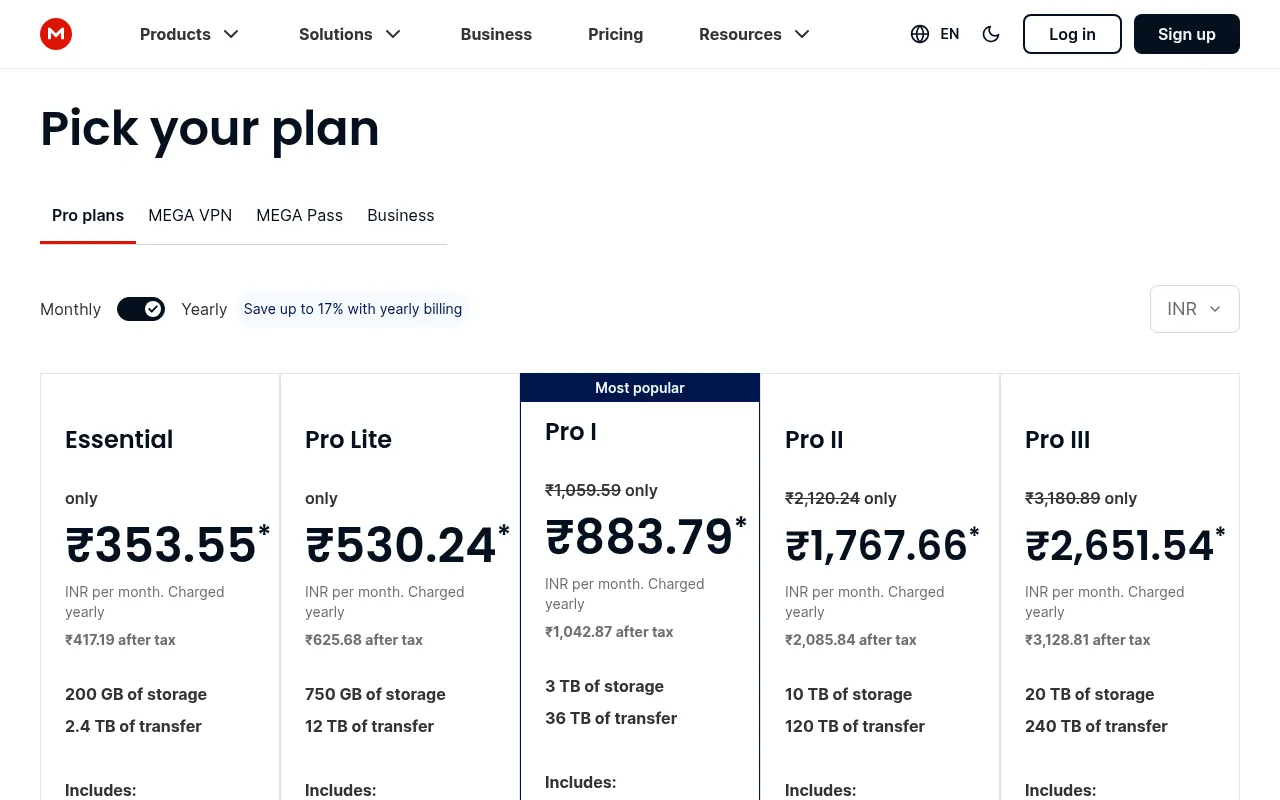
Key facts: free storage: 20 GB. Apps: Web, Android, iPhone, Windows, Mac, Linux. Encryption: End-to-end on every account. Best for: People who want the most free space with privacy.
MEGA’s FAQ confirms its free plan includes 20 GB of storage. That is more than Google Drive, and unlike Google, the space is only for your files. MEGA also uses zero-knowledge, end-to-end encryption by default, which means files are encrypted on your device before upload.
What I like: – 20 GB free, dedicated only to files. – End-to-end encryption on every account, including free. – Apps for every platform, plus encrypted chat and meetings.
What to watch out for: – MEGA uses a transfer quota, so heavy downloads on a free account can hit a limit. – If you lose your password and recovery key, MEGA cannot recover your files. That is the price of real encryption.
Upgrade cost: MEGA shows Indian prices. Essential is listed at about ₹354 a month and Pro Lite at about ₹530 a month before tax (yearly billing), with bigger Pro plans up to many terabytes.
My verdict: the best free cloud storage if you want maximum free space and privacy from a well-known global brand.
3) JioAICloud: Best Free Cloud Storage for Jio Users in India
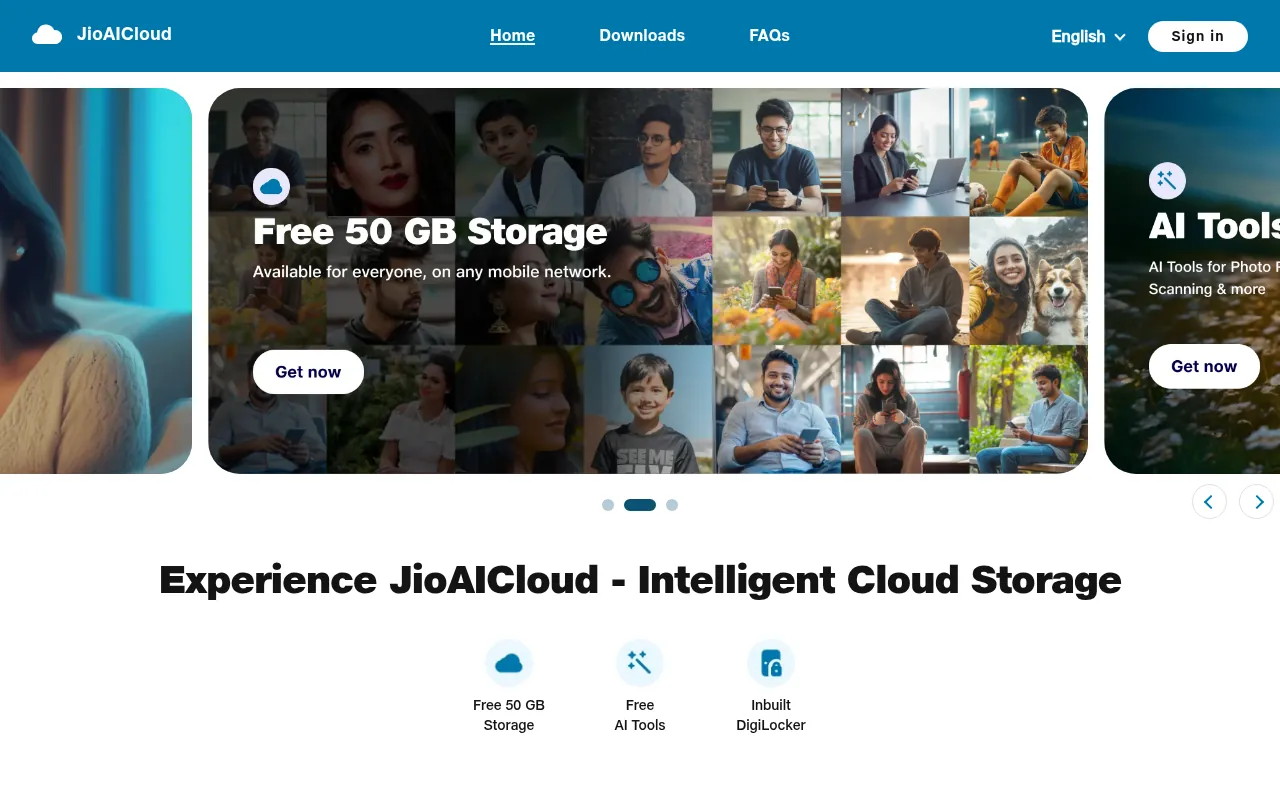
Key facts: free storage: 50 GB (Jio users). Apps: Android, iPhone, web. Encryption: Server-side. Best for: Jio customers who want free phone backup.
If you are a Jio user, check JioAICloud before paying anyone. The official homepage advertises free 50 GB of secure storage, free AI tools and built-in DigiLocker. If you searched for “50 GB free cloud storage”, this is the most likely answer in India.
JioAICloud (earlier called JioCloud) backs up photos, videos, contacts and documents from your phone. The AI features include photo search and simple photo edits.
What I like: – 50 GB free is huge for Indian phone users. – DigiLocker integration for government documents. – Works on Android, iPhone, web and some Jio devices.
What to watch out for: – The free offer is tied to Jio users and Jio’s terms, which can change. – It is not end-to-end encrypted, so I would not put sensitive business documents here. – The apps are made for phone backup, not team collaboration.
My verdict: if you have a Jio number, claim it. It is the easiest way to free up space on your phone in India.
4) TeraBox: Huge Free Space, With Caveats
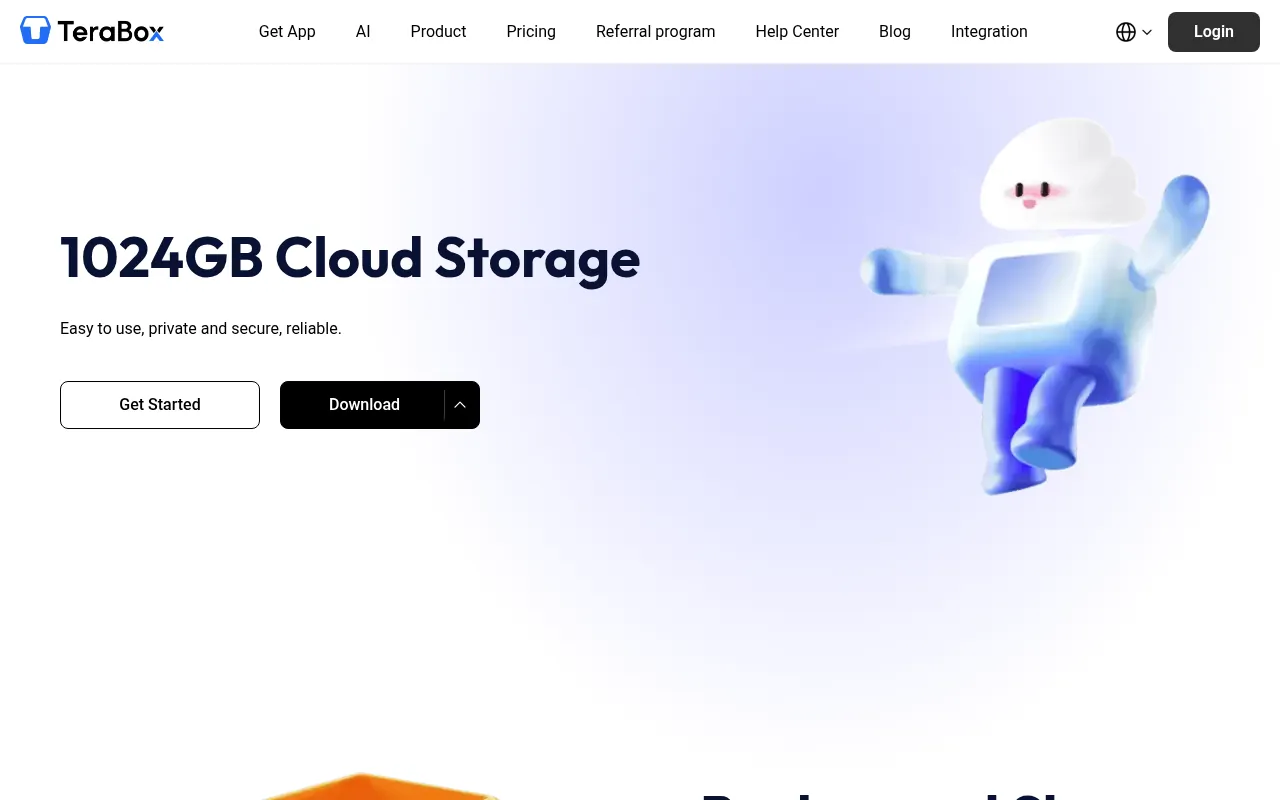
Key facts: free storage: Up to 1 TB (advertised). Apps: Android, iPhone, Windows, Mac, web. Encryption: Server-side. Best for: Non-sensitive photo and video dumps.
TeraBox advertises free cloud storage of up to 1 TB, which is far more than anyone else on this list. That number is why it is so popular in India and Southeast Asia. TeraBox was earlier known as Dubox, and many people still search for “dubox app”, “dubox cloud” or its Android package name, com.dubox.drive. If you see old links like dubox.onelink.me, they are app-install links. Only install the app from Google Play or the App Store, never from a random link.
What I like: – The biggest free space you will find. – Automatic photo and video backup on your phone.
What to watch out for: – The free plan comes with ads and slower speeds than paid plans. – No end-to-end encryption. – I would never store passport scans, bank statements or client files on a free service with this business model.
My verdict: fine as an extra dump for non-sensitive photos and videos. Not my choice as main storage.
5) Icedrive: Best Interface (10 GB Free)
Key facts: free storage: 10 GB. Apps: Web, Android, iPhone, Windows, Mac, Linux. Encryption: Client-side Crypto folder on paid plans. Best for: People who want a clean, simple interface.
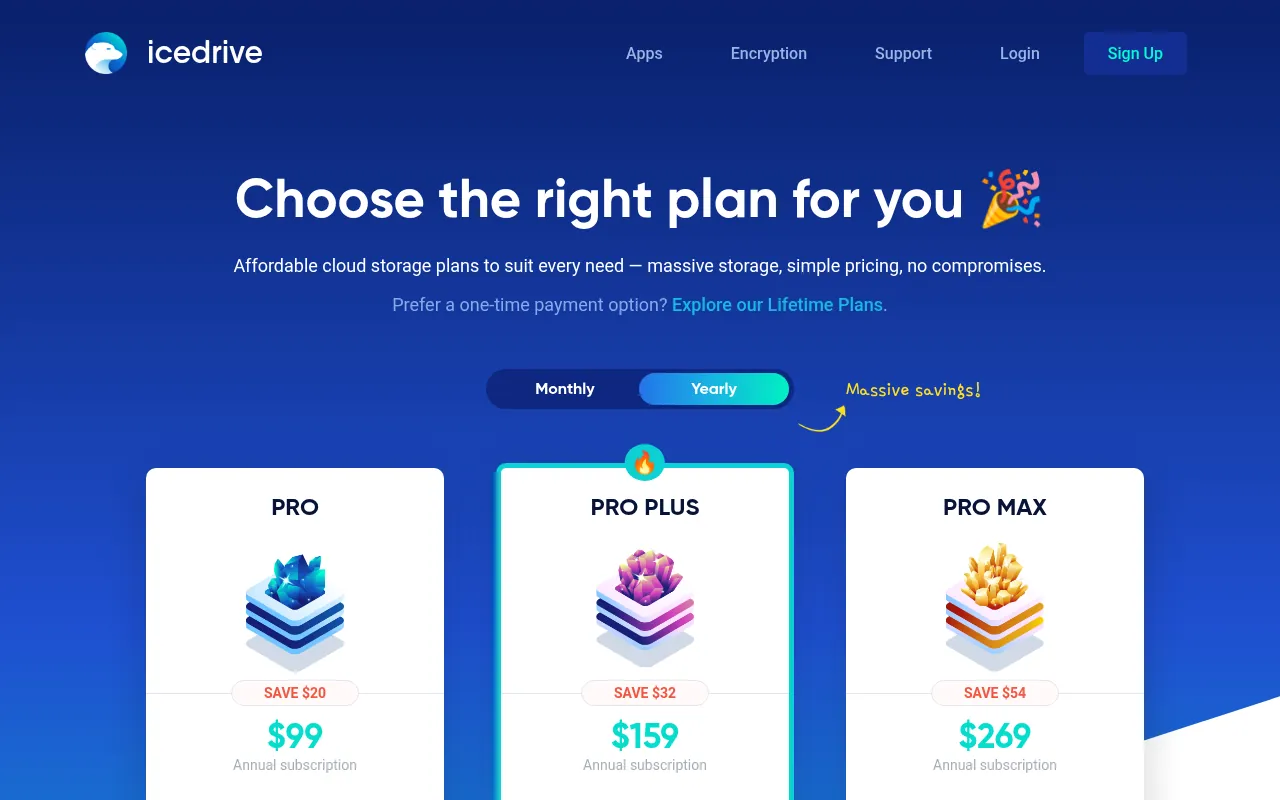
Icedrive (sometimes typed “ice drive”) is a UK-based service known for its clean design. The official plans page shows a 10 GB free storage quota. Paid plans are annual: Pro (2 TB) at US$99, Pro+ (4 TB) at US$159 and Pro Max (6 TB) at US$269 a year, plus lifetime plans.
That answers the common “Icedrive pricing” question, but the free plan has limits too. According to the feature table, the free plan includes the virtual drive and mobile app, but not the encrypted virtual drive, desktop sync or file versions. Camera auto-upload works on free, but without Crypto.
Is Icedrive safe? Icedrive uses encryption, and its paid plans include its client-side encrypted “Crypto” folder. On the free plan, that zero-knowledge layer is not included, so treat free storage as standard cloud storage.
My verdict: a lovely interface and a decent 10 GB free plan. Upgrade only if you want its encrypted folder.
6) pCloud: Best for Media and Lifetime Plans
Key facts: free storage: Up to 10 GB (after setup tasks). Apps: Web, Android, iPhone, Windows, Mac, Linux. Encryption: Crypto Folder is a paid add-on. Best for: Music and video libraries, lifetime-plan buyers.
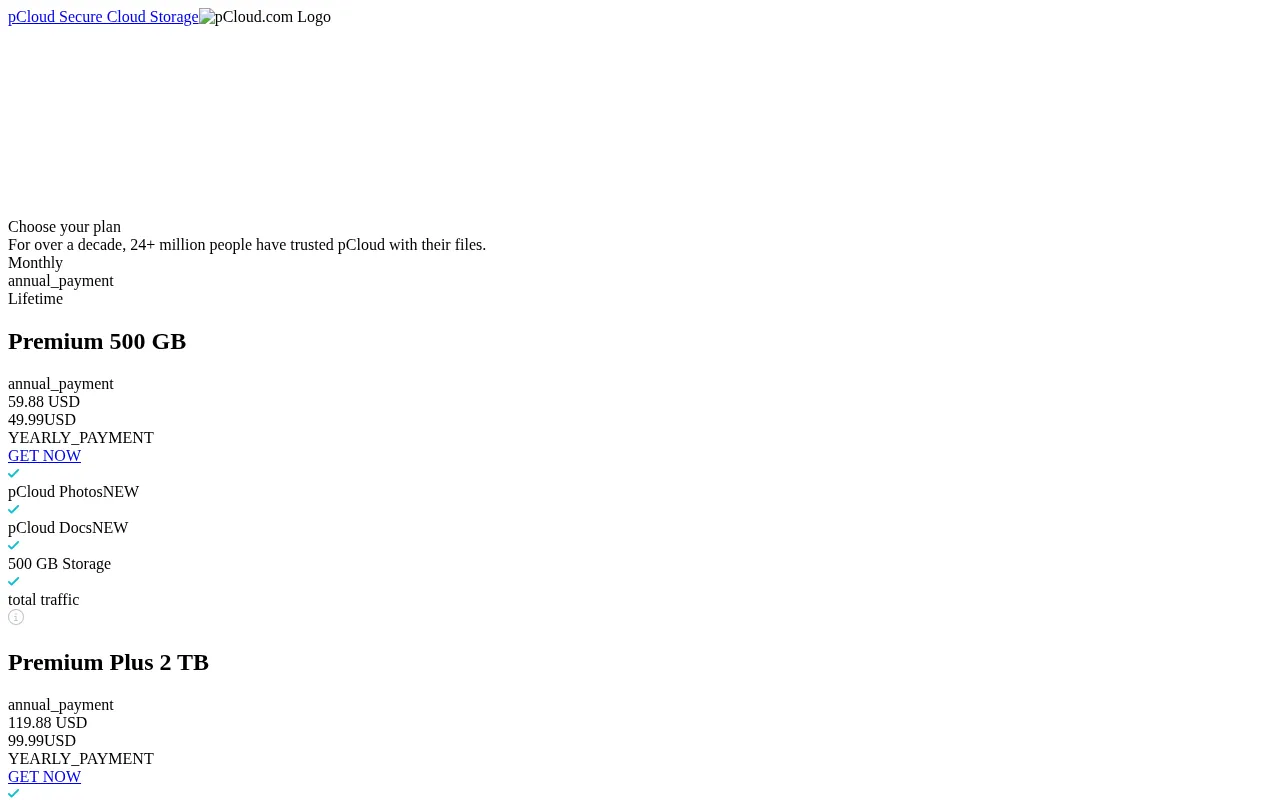
pCloud is a Swiss company popular for its lifetime plans: pay once for Premium (500 GB), Premium Plus (2 TB) or Ultra (10 TB). Its free plan is up to 10 GB, but you do not get all of it at signup. You unlock extra space by completing tasks such as verifying your email and installing the apps.
pCloud has a good built-in music and video player, so it suits people who want to stream their own media library from the cloud.
What to watch out for: pCloud’s zero-knowledge encryption, called pCloud Encryption (Crypto Folder), is a paid add-on. Free files are encrypted on the server, not on your device.
My verdict: good free tier, and the lifetime plans can make sense if you hate subscriptions.
7) Filen: Best Free Encrypted Storage Per GB
Key facts: free storage: 10 GB. Apps: Web, Android, iPhone, Windows, Mac, Linux. Encryption: End-to-end on every plan. Best for: Privacy-first users who need more than 5 GB.
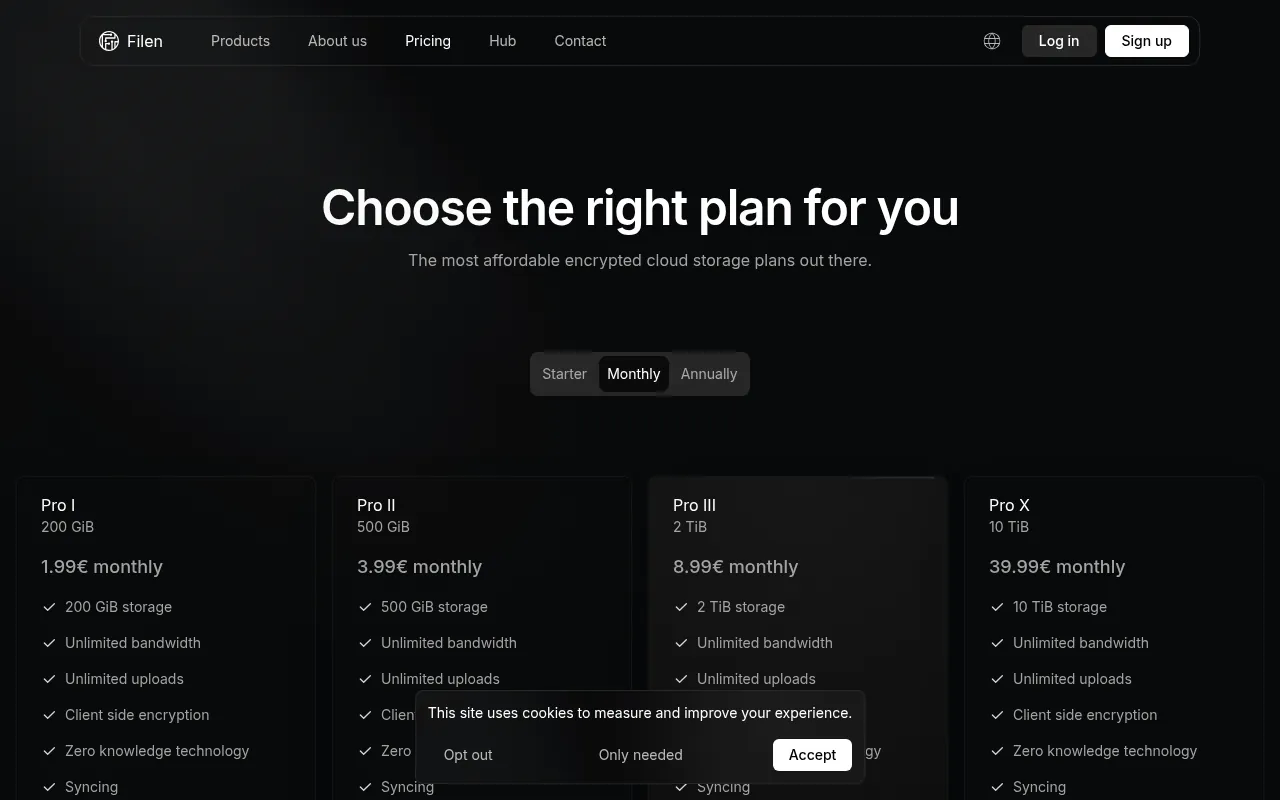
Filen is a German service with end-to-end encryption on every plan, including free. You get 10 GB free, which is double what Proton Drive gives. Paid plans are cheap, starting around €1.99 a month for 200 GB according to its published pricing.
What I like: – 10 GB free with zero-knowledge encryption. – German company, so EU data protection rules apply. – Open-source clients and apps for desktop and mobile.
What to watch out for: it is a younger and smaller company than Google or Microsoft, and collaboration features are basic. Keep an eye on its inactivity rules for free accounts.
My verdict: the best free cloud storage for privacy if you need more than 5 GB.
8) Proton Drive: Best for Privacy and Proton Users
Key facts: free storage: 5 GB. Apps: Web, Android, iPhone, Windows, Mac. Encryption: End-to-end on every plan. Best for: Proton Mail users and privacy-focused people.
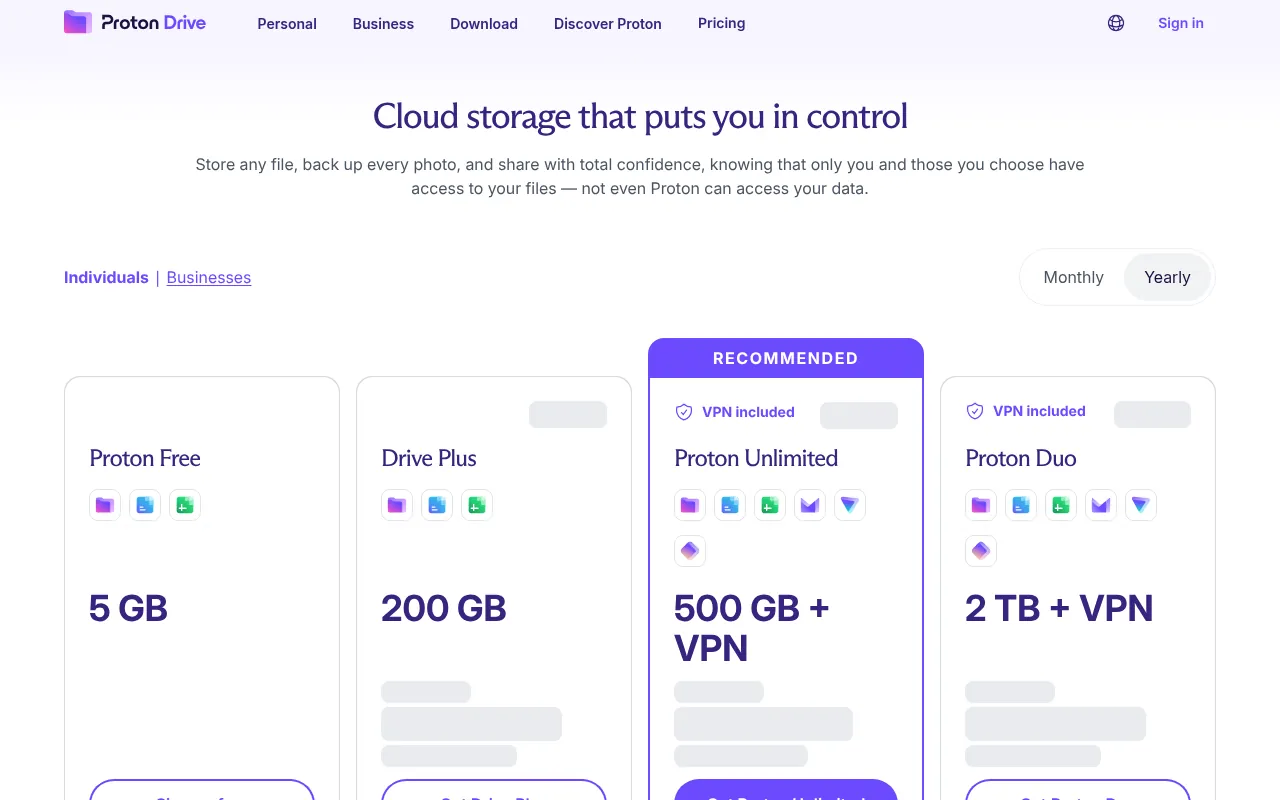
Proton Drive comes from Proton, the Swiss company behind Proton Mail and Proton VPN. The free plan shows 5 GB of storage for photos and documents, with end-to-end encryption. Drive Plus gives 200 GB, and bigger bundles add Proton VPN and Mail.
What I like: – Strong end-to-end encryption and a long privacy track record. – Encrypted photo backup and document editing. – One account for Mail, VPN, Pass and Drive.
What to watch out for: storage is shared across Proton apps, and 5 GB is small.
If you also want a VPN for public Wi-Fi, see my guide to the best VPN in India, where Proton VPN has the best free plan.
9) Sync.com: Best for Encrypted File Sharing
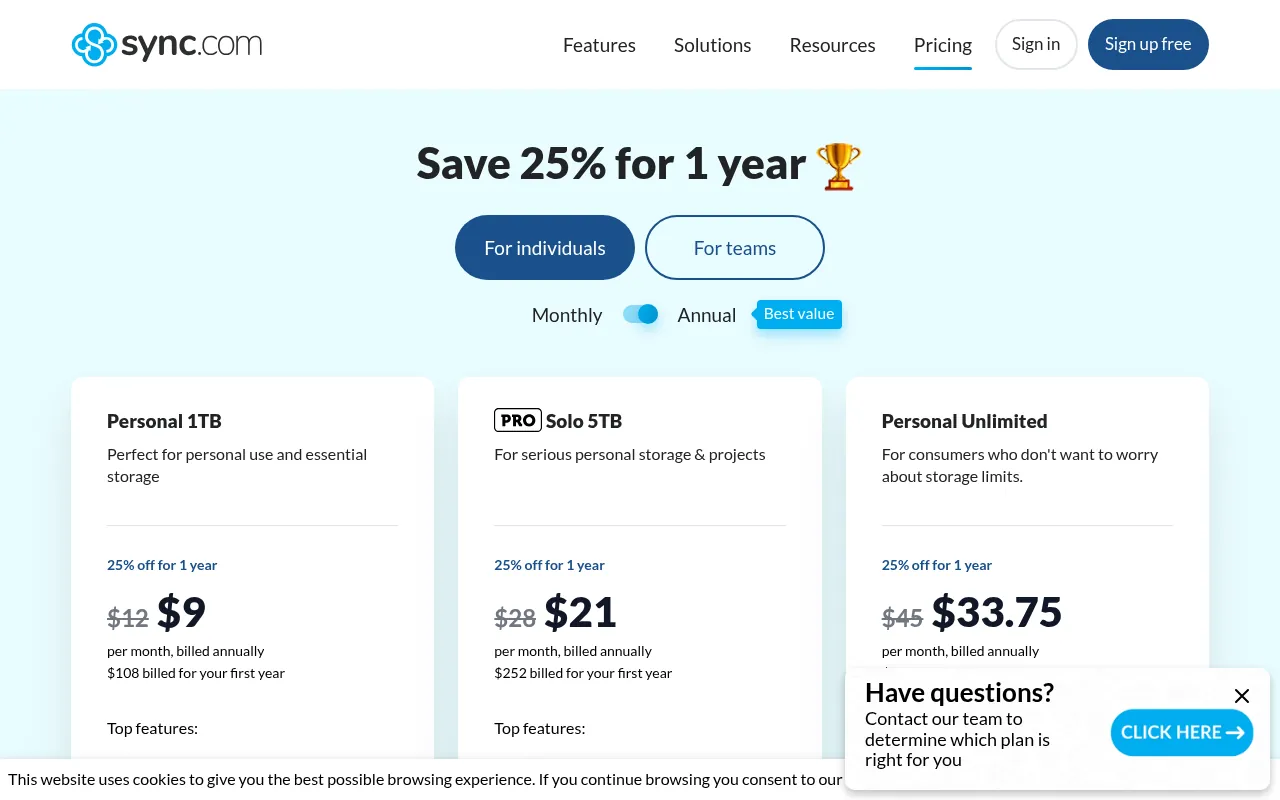
Key facts: free storage: 5 GB. Apps: Web, Android, iPhone, Windows, Mac. Encryption: End-to-end on every plan. Best for: Freelancers who share sensitive files with clients.
Sync.com is a Canadian service with end-to-end encryption on every plan. The free plan gives 5 GB, and the pricing page shows paid plans such as Personal 1 TB and Pro Solo 5 TB with first-year discounts.
My short Sync.com review: Sync is not flashy, but it does one job very well. You can share encrypted files and folders with passwords and expiry dates, which is great for sending contracts or financial documents to clients. The desktop app syncs like Dropbox. The downside is the small free plan and fewer integrations than Google or Microsoft.
My verdict: if you send sensitive files to clients, Sync.com is one of the best options.
10) Microsoft OneDrive: Best for Windows and Office Users
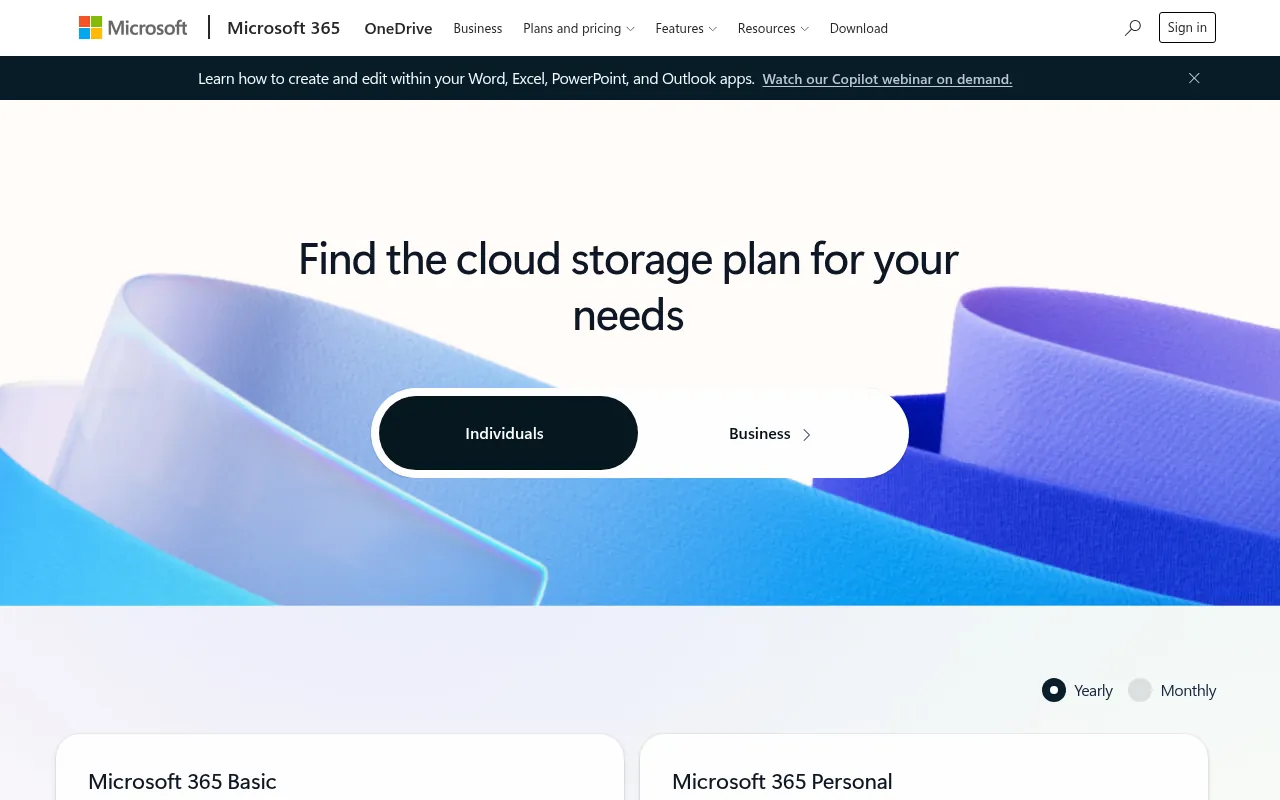
Key facts: free storage: 5 GB. Apps: Web, Android, iPhone, Windows, Mac. Encryption: Server-side (Personal Vault adds extra protection). Best for: Windows and Microsoft 365 users.
OneDrive is built into Windows 10 and 11, and every Microsoft account gets 5 GB free. You also get free web versions of Word, Excel and PowerPoint.
The Indian plans page lists Microsoft 365 Basic (100 GB) at ₹1,499 a year or ₹149 a month, Microsoft 365 Personal (1 TB plus Office apps) at ₹6,899 a year, and Microsoft 365 Family (up to 6 TB, 1 TB per person, for six people) at ₹8,199 a year.
My verdict: the free 5 GB is small, but if you already pay for Microsoft 365, you have 1 TB and should use it before buying anything else. Microsoft 365 Family split among six people is one of the cheapest storage deals in India.
11) iCloud: Best for iPhone and Mac Users
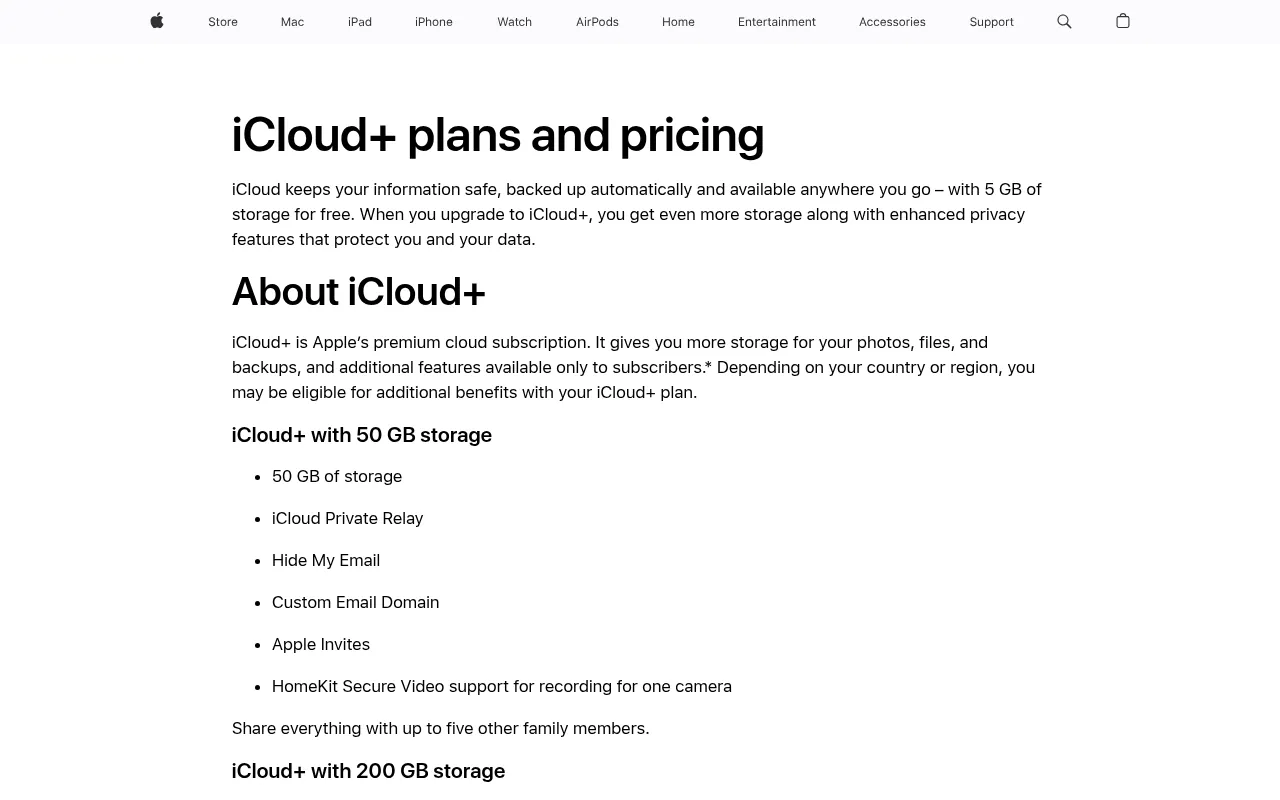
Key facts: free storage: 5 GB. Apps: iPhone, iPad, Mac, Windows, web. Encryption: Optional end-to-end with Advanced Data Protection. Best for: iPhone and Mac users.
Every Apple ID gets 5 GB of free iCloud storage. For most iPhone users, that is only enough for settings and a few backups, which is why the “iCloud storage full” message is so common.
Apple’s support page lists iCloud+ prices in India per month: 50 GB for ₹75, 200 GB for ₹219, 2 TB for ₹749, 6 TB for ₹2,999 and 12 TB for ₹5,900. People often search for “iCloud storage plans India yearly”, but Apple bills iCloud+ monthly in India, so multiply by 12 for the yearly cost (for example, ₹900 a year for 50 GB, or ₹2,628 a year for 200 GB).
You can turn on Advanced Data Protection to get end-to-end encryption for most iCloud data, including photos and backups.
My verdict: if you are on iPhone, the 50 GB plan at ₹75 a month is the cheapest fix. For Android users, iCloud makes little sense.
12) Dropbox: Best for Sharing, Smallest Free Plan
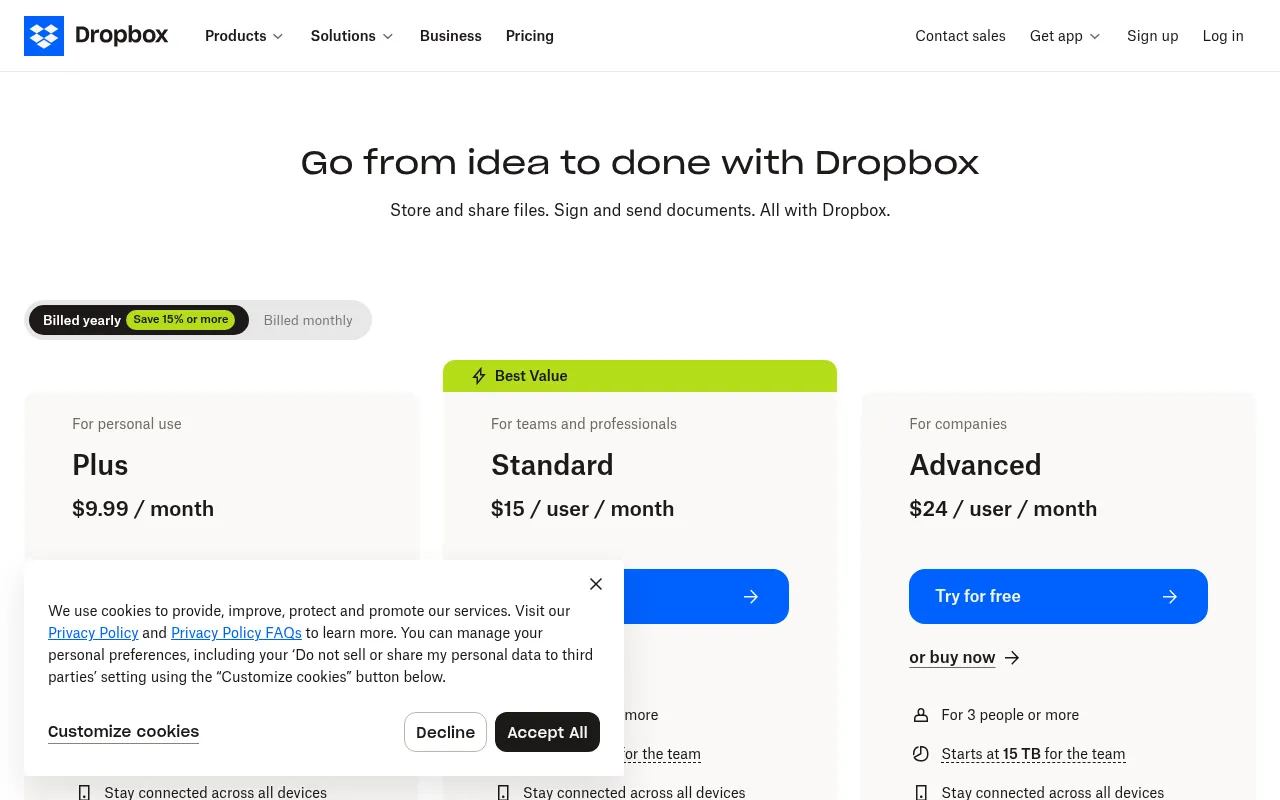
Key facts: free storage: 2 GB. Apps: Web, Android, iPhone, Windows, Mac, Linux. Encryption: Server-side. Best for: People whose clients already use Dropbox.
Dropbox invented easy file sync, and it is still excellent at it. But its free Basic plan only gives 2 GB to store and share your files. Paid plans start with Plus (2 TB) at US$9.99 a month on its plans page, and team plans start at 3 TB.
My verdict: use the free plan only for sharing, or if a client works in Dropbox. For storing your own files, almost every other option here gives more free space.
13) Box: Best for Work Documents
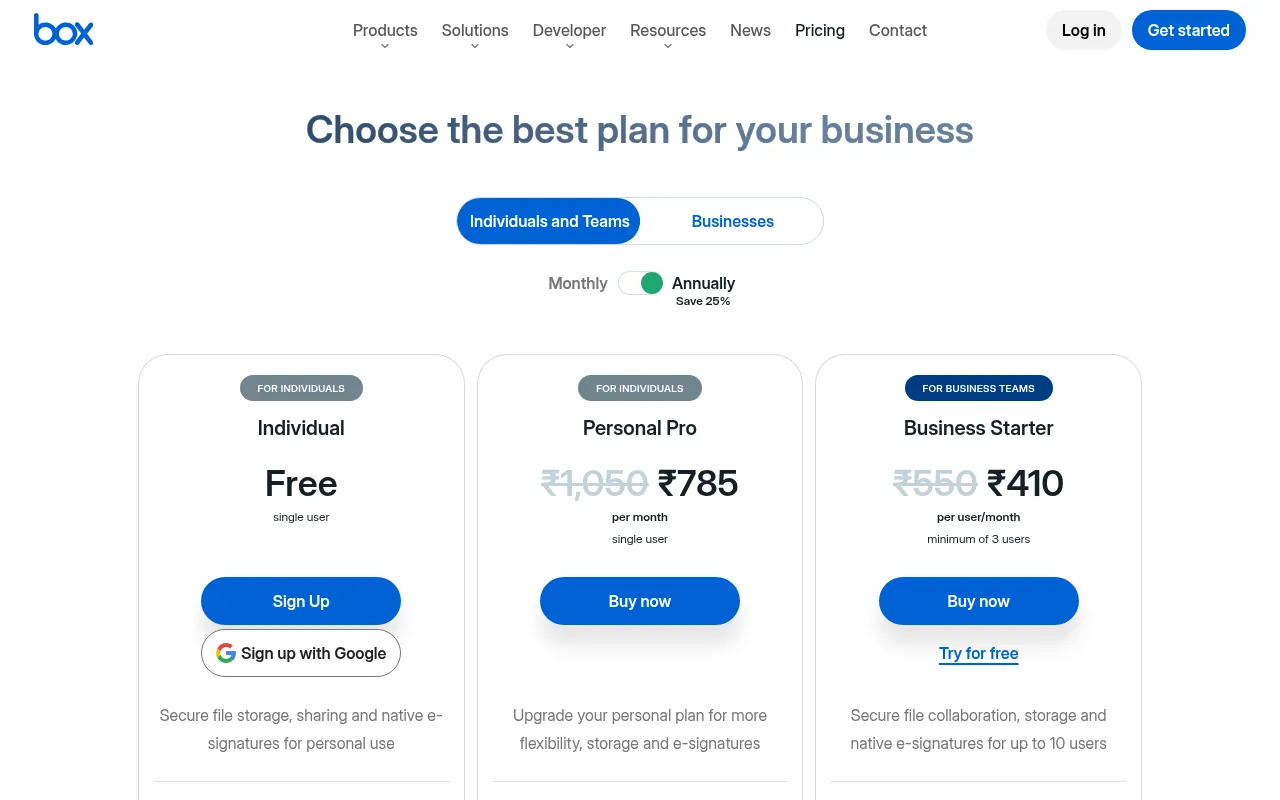
Key facts: free storage: 10 GB, 250 MB per file. Apps: Web, Android, iPhone, Windows, Mac. Encryption: Server-side. Best for: Documents and PDFs, not videos.
Box is built for businesses, but its free Individual plan is generous: 10 GB of storage with a 250 MB file upload limit. The Personal Pro plan gives 100 GB and a 5 GB file upload limit, listed in India at ₹785 a month (down from ₹1,050).
My verdict: good for documents and PDFs. The 250 MB per-file limit makes it a poor choice for videos.
14) Koofr: Best for Connecting Other Clouds
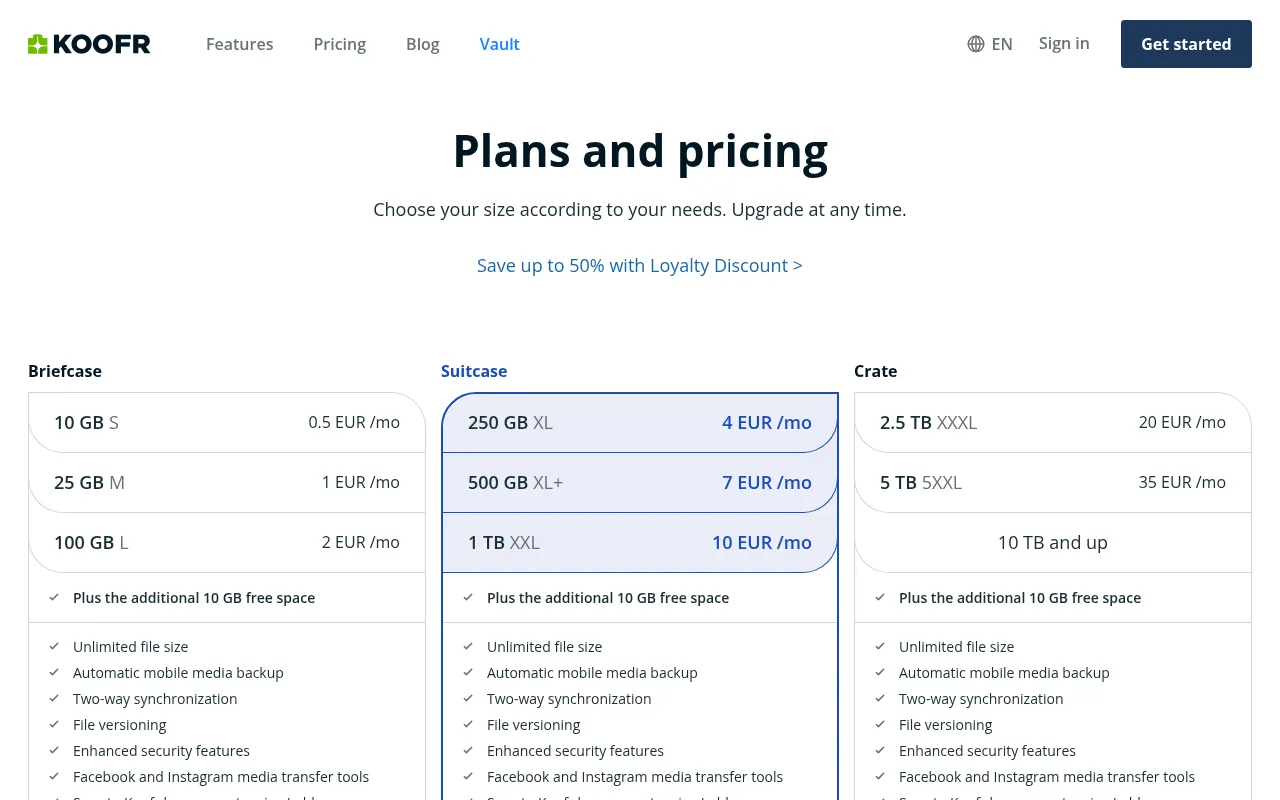
Key facts: free storage: 10 GB. Apps: Web, Android, iPhone, Windows, Mac, Linux. Encryption: Server-side (optional encrypted Vault). Best for: People juggling several cloud accounts.
Koofr is a European service with a 10 GB free forever plan and no credit card required. Its standout feature is connecting your Google Drive, Dropbox and OneDrive accounts so you can search and move files across all of them in one place.
Paid plans are small and cheap, from 25 GB up to 10 TB, which makes Koofr a good choice for people who need only a little more space. If you searched for cheap storages or the cheapest storage online, Koofr’s smallest plans are worth comparing.
15) MediaFire: Best for Public File Sharing
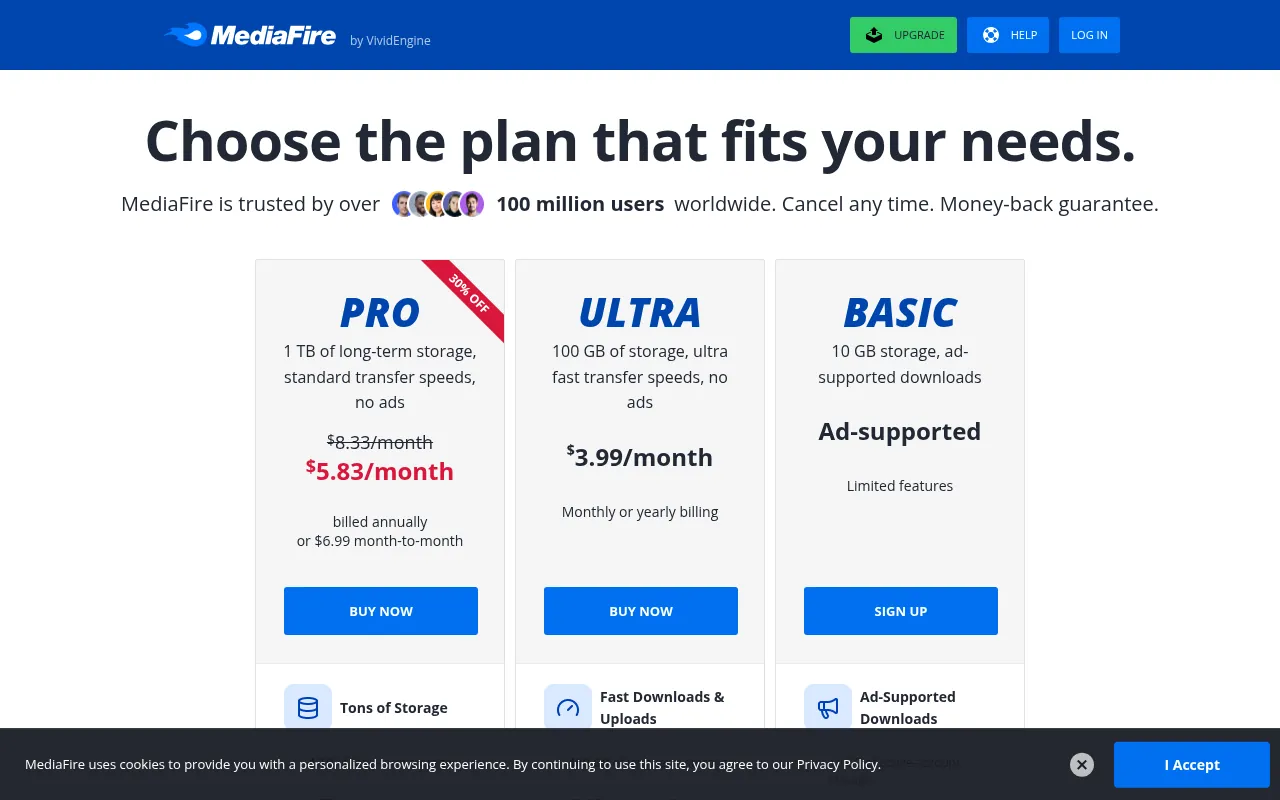
Key facts: free storage: 10 GB, ad-supported downloads. Apps: Web, Android, iPhone. Encryption: Server-side. Best for: Sharing public downloads.
MediaFire has been a file-sharing site for years. Its free plan gives 10 GB of storage with ad-supported downloads. Paid plans include Pro with 1 TB at US$3.99 a month (billed annually) or US$6.99 month-to-month.
My verdict: good for sharing public downloads like ebooks or software. I would not use it for private backups.
16) Zoho WorkDrive: Best Indian Option for Small Teams
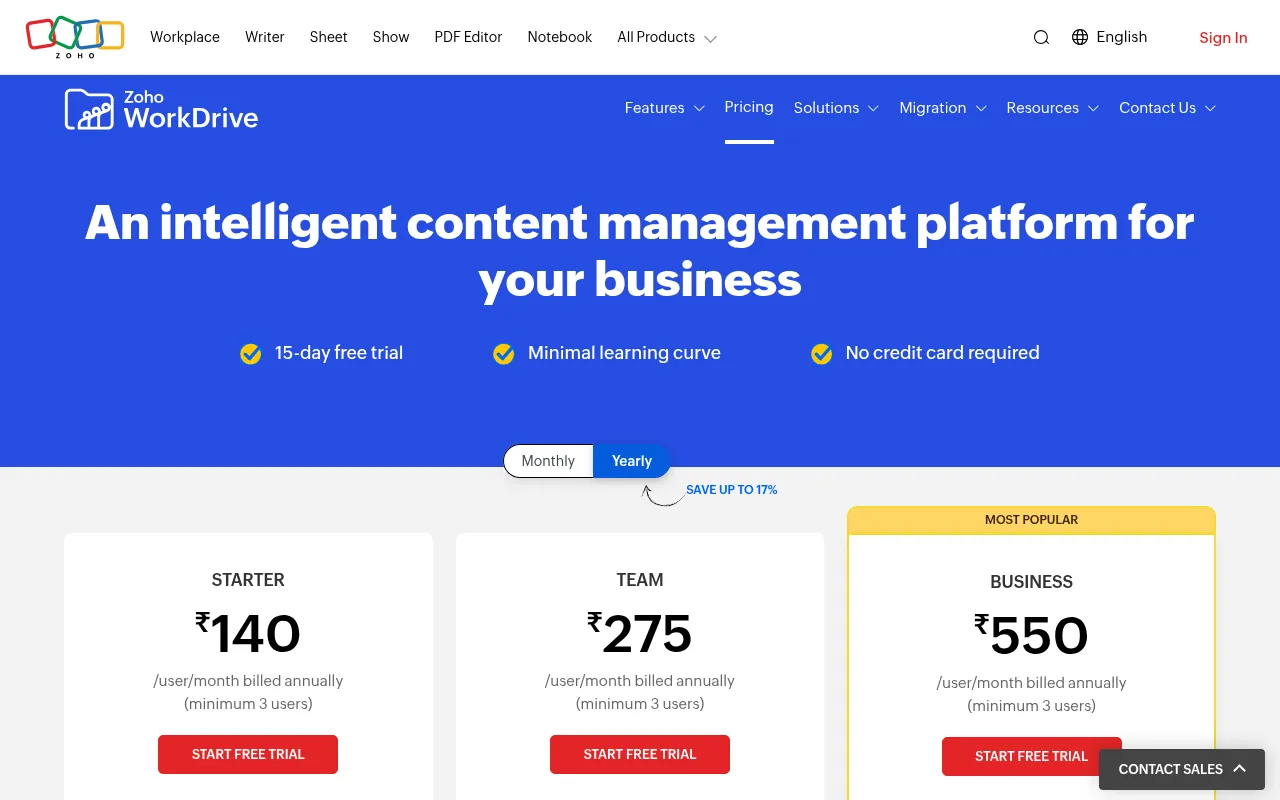
Key facts: free storage: 5 GB. Apps: Web, Android, iPhone, Windows, Mac, Linux. Encryption: Server-side. Best for: Small Indian teams already on Zoho.
Zoho WorkDrive (people often call it Zoho Drive) is from Zoho, the Chennai-based software company. Its pricing page lists a free plan with 5 GB, plus team plans with a 15-day free trial and shared team storage that grows per user.
My verdict: if your business already uses Zoho Mail or Zoho CRM, WorkDrive keeps everything in one place, with Indian billing and support.
17) Internxt: Best for Maximum Privacy
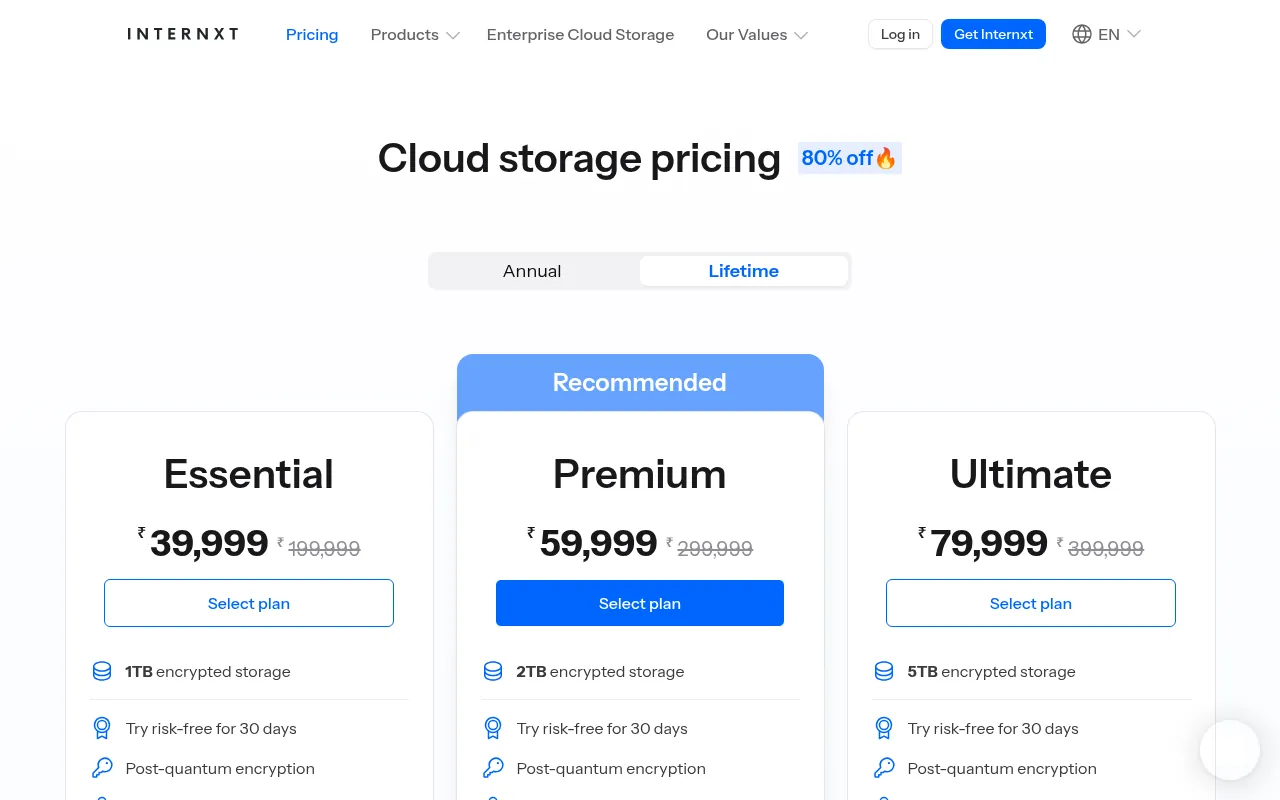
Key facts: free storage: 1 GB. Apps: Web, Android, iPhone, Windows, Mac, Linux. Encryption: End-to-end on every plan. Best for: A few highly sensitive documents.
Internxt is a Spanish service that encrypts everything end to end, including on free accounts. The free plan is only 1 GB, but Internxt says it stays active for as long as your account does, with no identity verification needed to sign up. Paid yearly and lifetime plans go up to 5 TB with per-file limits from 10 GB to 100 GB.
My verdict: too small as a main free drive, but a great place to store a few highly sensitive documents.
18) Yandex Disk: Extra Free Backup Space
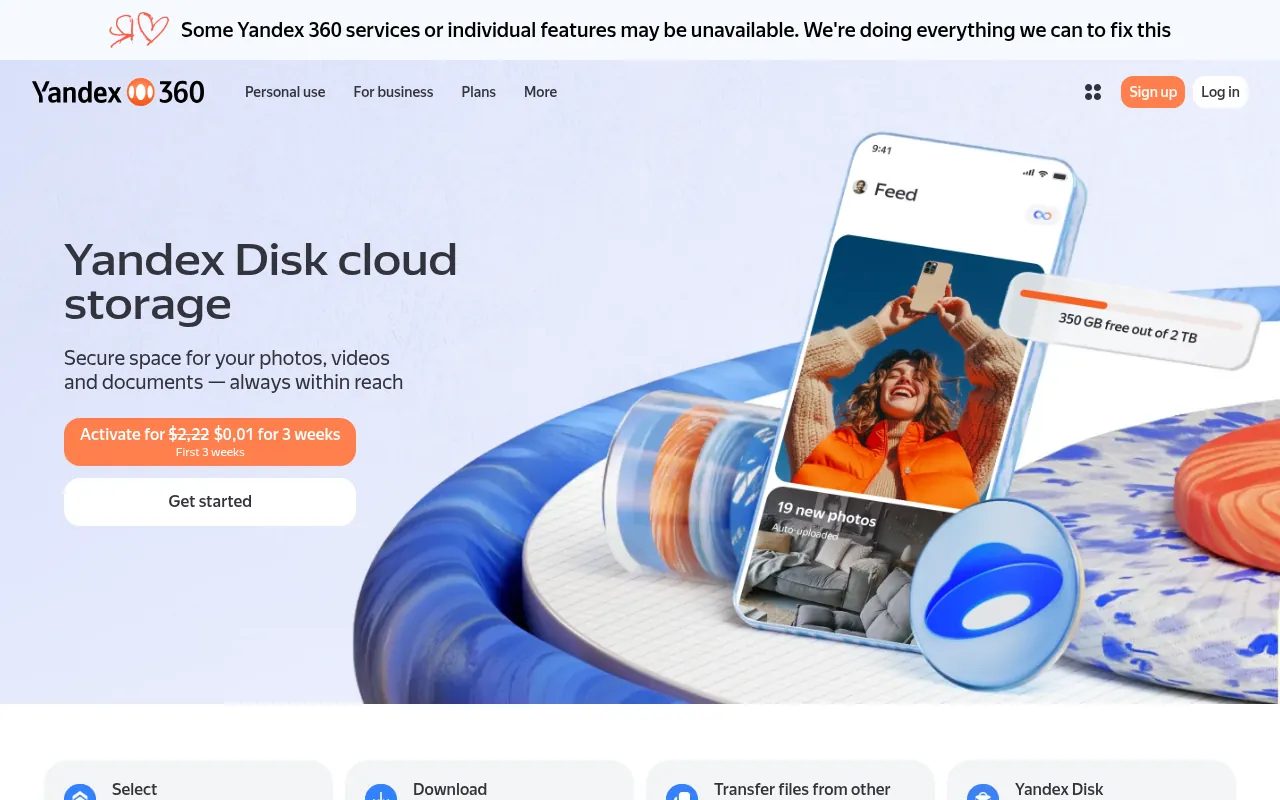
Key facts: free storage: 5 GB. Apps: Web, Android, iPhone, Windows, Mac, Linux. Encryption: Server-side. Best for: Non-sensitive extra space only.
Yandex Disk (sometimes searched as “Yandex Drive”) is from Yandex, the Russian internet company. Its FAQ says you get 5 GB free when you create an account, with Yandex 360 plans for more space.
Is Yandex Disk safe? Technically it works fine, but Yandex is subject to Russian law, and that matters for privacy. I would not store personal documents or client data there. Use it only for non-sensitive extra space, if at all.
19) NordLocker: Best Encrypted File Vault
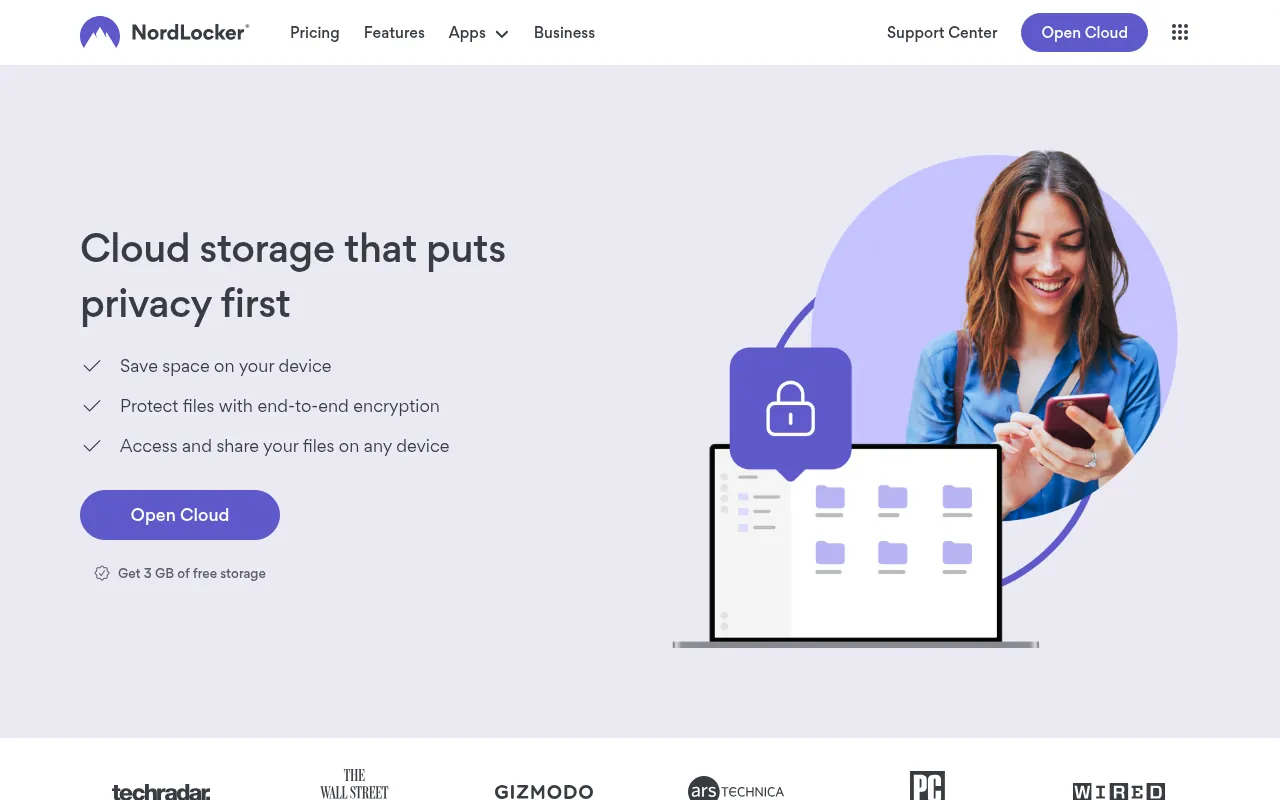
Key facts: free storage: 3 GB. Apps: Windows, Mac, Android, iPhone. Encryption: End-to-end on every plan. Best for: An encrypted vault for important files.
NordLocker is from the team behind NordVPN. It offers 3 GB of free encrypted storage. You drag files into a “locker” on your computer, they are encrypted, and they sync to the cloud. Its sharing links can be protected, which is useful for sending sensitive files.
My verdict: a good encrypted vault for a small set of important files. If you already use NordVPN, check my NordVPN price in India guide for bundles that include it.
Is Telegram Good Free Cloud Storage?
Many people in India use Telegram as unlimited free cloud storage, by sending files to their “Saved Messages” or to a private channel. Telegram’s FAQ says you can send files of any type up to 2 GB each (or 4 GB with Premium) and access them on your other devices.
So what is the Telegram storage limit? There is no published total limit on how much you store in chats. The Telegram cloud storage limit that matters is per file: 2 GB on a free account. That said, “full storage” warnings in a Telegram channel usually refer to your phone’s local cache, not Telegram’s servers. You can clear the cache in Settings > Data and Storage.
My take: Telegram is handy for quick transfers, but it is a chat app, not a backup service. Files are not organised in folders, normal chats are not end-to-end encrypted, and if you lose access to your account, you lose the files.
Best Free WeTransfer Alternatives for Sending Big Files
Sometimes you do not need storage at all. You just want to send a large file once. If you are looking for a www.wetransfer.com alternative, or simply other we transfer like websites, these are good choices:
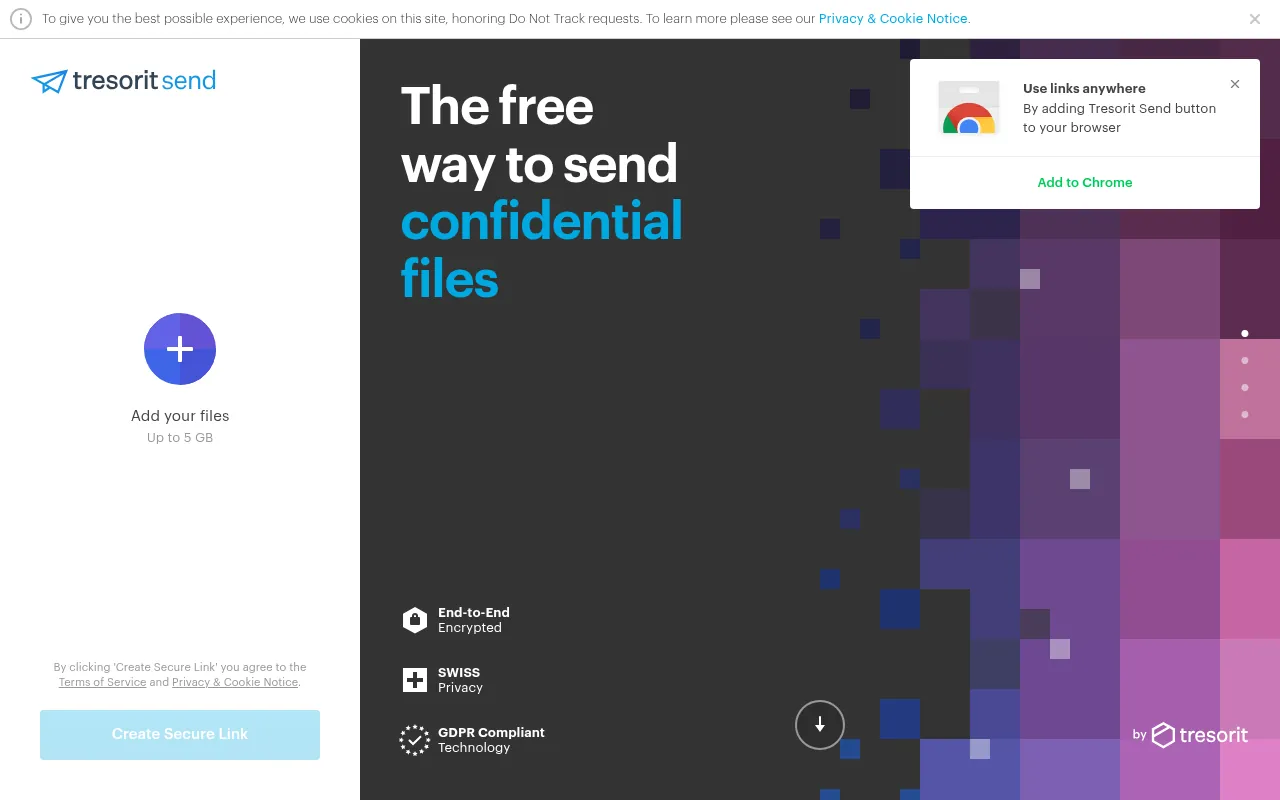
- Tresorit Send: Tresorit’s free tool lets you send files up to 5 GB with encryption. If you searched “send tresorit”, this is the page you want.
- Google Drive or OneDrive: upload once and share a link with view-only access.
- MEGA: share an encrypted link with a separate decryption key.
- Sync.com: password-protected links with expiry dates.
- Telegram: up to 2 GB per file on free accounts.
Best Free Cloud Storage for Photos
The best cloud storage for photos depends on your phone:
- Android: Google Photos (Google Drive storage) is the easiest. Back up in “Storage saver” quality to use less space.
- iPhone: iCloud Photos is seamless. The 50 GB plan at ₹75 a month is usually enough for a few years of photos.
- Jio users: JioAICloud’s 50 GB is the biggest free photo backup from a major Indian company.
- Privacy: Proton Drive and MEGA both back up photos with end-to-end encryption.
What is the cheapest cloud storage for photos? For paid plans in India, Google One Lite (30 GB at ₹59 a month) and iCloud+ 50 GB (₹75 a month) are the cheapest starting points from big providers. For large photo libraries, Microsoft 365 Family, shared among family members, gives the most space per rupee.
Cloud Storage Pricing Comparison: Cheapest Upgrades
When free space runs out, here is a cloud storage pricing comparison of the cheapest upgrades, as listed on official pages in October 2026:
| Plan | Storage | Price shown |
|---|---|---|
| Google One Lite | 30 GB | ₹59/month |
| iCloud+ | 50 GB | ₹75/month |
| Google One Basic | 100 GB | ₹130/month |
| Microsoft 365 Basic | 100 GB | ₹149/month or ₹1,499/year |
| iCloud+ | 200 GB | ₹219/month |
| MEGA Essential | Paid tier | About ₹354/month before tax |
| Microsoft 365 Personal | 1 TB + Office apps | ₹6,899/year |
| Microsoft 365 Family | Up to 6 TB (1 TB x 6 people) | ₹8,199/year |
| iCloud+ | 2 TB | ₹749/month |
| Icedrive Pro | 2 TB | US$99/year |
| Box Personal Pro | 100 GB | ₹785/month |
| MediaFire Pro | 1 TB | US$3.99/month (annual) |
If you need cheap storage for many people, a family plan almost always beats individual plans.
Free vs Paid Cloud Storage: When Should You Pay?
Free cloud storage is enough if you only need to back up documents and some phone photos. You should pay when:
- Your phone backup keeps failing because storage is full.
- You store client or business files, where you need more space, version history and better support.
- You need encryption on a large amount of data. Most free zero-knowledge plans are 1 to 10 GB.
- You share storage with family. Google One and Microsoft 365 Family plans are cheap per person.
Never pay for “lifetime unlimited cloud storage” offers from unknown brands. If a company shuts down, so does your lifetime plan.
Cloud Storage vs Cloud Hosting: Don’t Mix Them Up
When you search for cloud storage, you will also see cloud hosting brands like ChemiCloud, Cloudways and Hostinger. They are different products.
- Cloud storage (Google Drive, MEGA, pCloud) stores your personal files.
- Cloud hosting (ChemiCloud, Cloudways, Hostinger cloud hosting) runs websites.
So a ChemiCloud review or a Hostinger cloud hosting review will not help you back up photos. If you are building a website, though, managed cloud hosting is worth comparing. Cloudways usually runs a Black Friday sale, and I keep my latest Cloudways coupon code page updated with current offers.
How to Choose the Best Free Cloud Storage for You
Ask yourself these questions:
1. Which phone and computer do you use? Android users should start with Google Drive. iPhone and Mac users should start with iCloud. Windows users already have OneDrive.
2. How much free space do you need? Over 15 GB free: MEGA (20 GB), JioAICloud (50 GB for Jio users) or TeraBox (up to 1 TB, with caveats). Around 10 GB: Icedrive, pCloud, Filen, Box, Koofr or MediaFire.
3. How private are your files? For passports, contracts and financial documents, use end-to-end encrypted services: Proton Drive, MEGA, Filen, Sync.com, Internxt or NordLocker. Data breaches happen more often than most people think; see my roundup of how many data breaches happen each year.
4. Do you need to share and collaborate? Google Drive and OneDrive have the best real-time collaboration. Dropbox and Box are best for business sharing.
5. Do you want to avoid subscriptions? pCloud, Icedrive and Internxt offer lifetime plans, but only buy from established companies.
My Free Cloud Storage Strategy
You do not have to pick only one. Here is the setup I recommend to most friends and family:
- Main storage: Google Drive (Android) or iCloud (iPhone).
- Sensitive documents: Proton Drive or MEGA.
- Extra photo backup: JioAICloud if you use Jio.
- Sending large files: Tresorit Send or a Google Drive link.
Spread across a few services, you can easily get 50 GB or more of free storage without paying a rupee.
Free Cloud Storage Compared by Use Case
Different people need different things from free storage. Here is how I would match each service to a real need.
| Your need | Best free pick | Runner-up | Why |
|---|---|---|---|
| Android phone backup | Google Drive / Google Photos | JioAICloud | Built into Android, automatic backup |
| iPhone backup | iCloud | Google Photos | Native backups and settings restore |
| Windows PC folders | OneDrive | pCloud | Built into Windows File Explorer |
| Private documents | Proton Drive | MEGA | End-to-end encryption on free plans |
| Most free space | MEGA | JioAICloud (Jio users) | 20 GB dedicated to files |
| Sending big files | Tresorit Send | Google Drive link | No account needed for the receiver |
| Team documents | Google Drive | Zoho WorkDrive | Real-time editing and permissions |
| Streaming your music and videos | pCloud | Icedrive | Built-in media player |
| Public downloads | MediaFire | MEGA | Simple public links |
| Linking several clouds | Koofr | – | Connects Google Drive, Dropbox and OneDrive |
Google Drive vs OneDrive vs iCloud vs MEGA
These four are the services most people choose between, so here is how they compare on the free plan.
| Google Drive | OneDrive | iCloud | MEGA | |
|---|---|---|---|---|
| Free storage | 15 GB (shared) | 5 GB | 5 GB | 20 GB |
| Best on | Android, web | Windows | iPhone, Mac | Every platform |
| Office apps | Docs, Sheets, Slides | Word, Excel, PowerPoint (web) | Pages, Numbers, Keynote | None |
| End-to-end encryption | No | No | Optional | Yes |
| Cheapest upgrade in India | ₹59/month (30 GB) | ₹149/month (100 GB) | ₹75/month (50 GB) | About ₹354/month |
My take: use the one that matches your phone for daily backup, and add MEGA if you want a second, private copy of important files.
Encrypted vs Regular Cloud Storage: Does It Matter?
With regular cloud storage (Google Drive, OneDrive, Dropbox, Box), your files are encrypted on the provider’s servers, but the provider holds the keys. That means the company can scan files, for example for malware or illegal content, and can hand files over when the law requires it. It also means they can help you recover your account if you forget your password.
With end-to-end (zero-knowledge) storage (MEGA, Proton Drive, Filen, Sync.com, Internxt, NordLocker), files are encrypted on your device before upload. The company cannot read them. The trade-off is that if you lose your password and recovery key, nobody can get your files back, and features like search inside documents or online editing are more limited.
For most people, the right answer is both: regular storage for everyday files and collaboration, and an encrypted service for identity documents, contracts and anything you would hate to see leaked.
Free Cloud Storage for WhatsApp Backup
WhatsApp chat backups are one of the biggest reasons people run out of free storage.
- On Android, WhatsApp backs up to your Google account, and the backup counts toward your 15 GB Google storage.
- On iPhone, WhatsApp backs up to iCloud, and it counts toward your 5 GB of free iCloud storage.
To keep backups small, open WhatsApp > Settings > Chats > Chat backup, and turn off “Include videos”. Then go to Settings > Storage and data > Manage storage to delete large forwarded videos. This alone can free several gigabytes.
Are Lifetime Cloud Storage Plans Worth It?
pCloud, Icedrive and Internxt sell lifetime plans: you pay once and keep the storage for the life of the account or service. I get asked about these a lot.
When a lifetime plan makes sense: – You are sure you will need the space for many years. – The company has a long track record and clear terms. – The one-time price is less than three to four years of a normal subscription.
When to avoid it: – The brand is new or unknown. – The deal looks too good to be true. – You might switch phones or ecosystems soon, for example from Android to iPhone.
My rule: never put your only copy of important files on a lifetime plan. Keep a second copy elsewhere.
Free Cloud Storage for Students
Students usually need space for notes, assignments and project files more than photos. My suggestions:
- Google Drive is the default because most schools and colleges use Google Classroom and Docs. Your 15 GB is enough for years of documents if you keep videos elsewhere.
- OneDrive is often included free with your college Microsoft account, sometimes with much more than 5 GB. Check your college email first.
- Google’s student offers change through the year. In 2026, Google has run offers that give students AI plans with extra storage. I track the current ones in my Google One plans in India guide.
- For group projects, keep one shared folder owned by one person, so files do not disappear when someone leaves the group.
Free Cloud Storage for Small Businesses and Freelancers
When I started freelancing, I kept client files in my personal Google Drive. It worked until it did not: one shared folder got deleted, and I spent a day recovering files. Here is what I recommend now:
- Keep business and personal storage separate. Use a separate account, even if it is free.
- Use a service with version history so you can roll back mistakes. Google Drive, OneDrive, Dropbox, Box and Sync.com all keep earlier versions of files (the length depends on the plan).
- Share with permissions, not attachments. View-only links are safer than emailing files.
- Encrypt contracts and IDs. Use Proton Drive, Sync.com or NordLocker for anything with personal data.
- Plan the upgrade. Once you have a few clients, Google Workspace, Microsoft 365 Business or Zoho WorkDrive give you shared team storage, admin controls and a business email.
How to Get More Free Cloud Storage Without Paying
You can stretch free storage much further with a few habits:
- Clean up Gmail. Search for
has:attachment larger:10Min Gmail and delete old large emails. This frees space in your shared Google storage. - Use “Storage saver” in Google Photos. It compresses photos slightly and uses less space than original quality.
- Empty the trash. Most services count deleted files against your storage until the trash is emptied.
- Delete duplicate WhatsApp media backups. WhatsApp backups on Android use Google storage, and old videos add up fast.
- Complete bonus tasks. pCloud unlocks more free space when you finish setup tasks, and some services give extra space for inviting friends.
- Spread files across services. Use Google Drive for documents, JioAICloud or MEGA for photos and videos, and an encrypted service for private files.
- Use Microsoft 365 if you already pay for it. Many people pay for Office and forget it includes 1 TB of OneDrive.
How to Back Up Your Phone to the Cloud (Step by Step)
On Android with Google Photos
- Open the Google Photos app and sign in with your Google account.
- Tap your profile photo at the top right, then tap Photos settings > Backup.
- Turn on Backup, and choose the backup quality (Storage saver uses less space).
- Choose whether to back up over mobile data or only on Wi-Fi.
On iPhone with iCloud
- Open Settings and tap your name at the top.
- Tap iCloud > Photos, and turn on Sync this iPhone.
- Go back and tap iCloud Backup, then turn on Back Up This iPhone.
- If you run out of 5 GB, upgrade to the 50 GB plan or turn off backups for apps you do not need.
With JioAICloud
- Install JioAICloud from Google Play or the App Store and sign in with your Jio number.
- Allow access to photos and turn on automatic backup.
- Choose which folders to back up, such as Camera and WhatsApp Images.
What Happens When Your Free Cloud Storage Is Full?
This is the question I get most often from family members. The answer depends on the service:
- Google: if you go over your 15 GB, Google warns you first. After that, you cannot upload new files to Drive, Google Photos stops backing up, and Gmail can stop receiving new emails. If you stay over the limit for a long time, Google says it may delete content.
- iCloud: your iPhone stops backing up, and new photos stop syncing until you free space or upgrade.
- OneDrive: files stop syncing, and Outlook.com can stop sending and receiving email if you are far over the limit.
- Dropbox: files stop syncing to other devices once you reach 2 GB.
The fix is the same everywhere: delete large files you do not need, empty the trash, move videos to a second free service, or upgrade to the cheapest plan.
DigiLocker: The Free Government Storage Many Indians Forget
If your main worry is important documents like your Aadhaar, PAN, driving licence or marksheets, you may not need cloud storage at all. DigiLocker, run by the Government of India, stores verified digital copies of these documents for free, and they are legally valid in many places. JioAICloud even has DigiLocker built in.
I use DigiLocker for government documents and an encrypted cloud drive for everything else, like contracts and invoices. It is a simple split that keeps the most sensitive files off general-purpose free storage.
Free Cloud Storage Safety Checklist
Whatever service you choose, follow these steps to keep your files safe:
- Turn on two-factor authentication (2FA). It stops most account takeovers.
- Use a unique password and a password manager.
- Save your recovery key for encrypted services like MEGA and Proton Drive. Without it, nobody can recover your files.
- Check sharing links every few months and remove the ones you no longer need.
- Keep one offline copy of your most important files on an external drive. Cloud storage is not a complete backup on its own.
- Avoid unknown apps that promise unlimited free storage and ask for wide permissions.
- Read inactivity rules. Some free accounts are deleted after months without login. Google, for example, can delete content from accounts inactive for two years.
Cloud Storage Terms Explained
If you are new to cloud storage, these terms come up a lot:
- Zero-knowledge / end-to-end encryption: files are encrypted on your device, and the provider cannot read them.
- Server-side encryption: files are encrypted on the provider’s servers, but the provider holds the keys.
- Sync: files on your computer and in the cloud stay identical automatically.
- Backup: a copy kept separately, so you can restore it if the original is lost.
- Version history: older copies of a file you can restore after a mistake.
- Transfer quota: a limit on how much you can download in a period, used by services like MEGA.
- File size limit: the largest single file you can upload, such as 250 MB on Box’s free plan.
- Lifetime plan: a one-time payment for storage, offered by pCloud, Icedrive and Internxt.
Common Mistakes With Free Cloud Storage
I see these mistakes again and again when friends ask me for help:
- Using sync as backup. If you delete a file on your laptop, sync deletes it from the cloud too. Keep a real backup or use version history.
- Ignoring the shared quota. Gmail and Google Photos eat into Google Drive space. Many people pay for Google One only because of old email attachments.
- Forgetting free accounts. If you do not log in for a long time, some services can close your account and delete files.
- Storing IDs on unencrypted services. Aadhaar, PAN and passport scans belong in DigiLocker or an encrypted drive, not a random free app.
- Buying lifetime plans from unknown companies. A lifetime plan is only as good as the company behind it.
- Not checking the per-file limit. Box’s free plan, for example, only takes files up to 250 MB.
Why Should You Trust Me?

I am Jitendra Vaswani, an SEO consultant with 12 years in search. I founded the digital marketing agency Digiexe and AffiliateBooster, and I am an author and international speaker.
My agency and my podcast depend on cloud storage every day, for client reports, recordings and shared folders across teams in different countries. For this guide, every free storage amount and price comes from the provider’s official pricing page, plan page or help page, checked in October 2026. I have not invented speed tests or ratings, and where an offer depends on conditions, I have said so.
FAQs
Which is the best free cloud storage?
Google Drive is the best free cloud storage for most people, with 15 GB shared across Gmail, Photos and Drive. MEGA gives more free space (20 GB) with end-to-end encryption. In India, Jio users can get 50 GB free with JioAICloud.
Which cloud storage gives the most free storage?
TeraBox advertises up to 1 TB free, but with ads and no end-to-end encryption. From mainstream providers, JioAICloud offers 50 GB to Jio users and MEGA offers 20 GB to everyone.
Is there any 50 GB free cloud storage?
Yes. JioAICloud advertises 50 GB of free storage for Jio users in India. Outside of that, MEGA’s 20 GB free plan is the largest from a major global provider.
What are the iCloud storage plans in India?
Apple lists iCloud+ in India at ₹75 a month for 50 GB, ₹219 for 200 GB, ₹749 for 2 TB, ₹2,999 for 6 TB and ₹5,900 for 12 TB. Apple bills monthly, so the yearly cost is 12 times the monthly price.
Is Icedrive safe?
Icedrive is a legitimate UK cloud storage company. Its paid plans include a client-side encrypted Crypto folder. The free plan does not include that encrypted drive, so avoid storing very sensitive files there on a free account.
What is the Telegram storage limit?
Telegram does not publish a total storage limit for chats, but each file can be up to 2 GB on a free account, or 4 GB with Telegram Premium.
Is free cloud storage safe?
Free plans from big providers are generally safe from data loss, but most (Google Drive, OneDrive, Dropbox) are not end-to-end encrypted. For private files, use a zero-knowledge service like Proton Drive, MEGA, Filen or Sync.com, and always turn on two-factor authentication.
What is the cheapest cloud storage online?
In India, Google One Lite at ₹59 a month for 30 GB is the cheapest upgrade from a major provider. For terabytes of space, Microsoft 365 Family shared among six people is one of the cheapest options per person.
Which free cloud storage is best for Android?
Google Drive with Google Photos is the best free cloud storage for Android because it is built into the phone and backs up photos automatically. Jio users should also claim JioAICloud’s 50 GB.
Is Google Drive storage really free?
Yes. Every Google account includes 15 GB of free storage. It is shared across Gmail, Google Photos and Drive, so heavy email or photo use fills it faster.
What is the safest free cloud storage?
The safest free cloud storage services use end-to-end (zero-knowledge) encryption: Proton Drive, MEGA, Filen, Sync.com, Internxt and NordLocker. With these, the provider cannot read your files.
Is TeraBox (Dubox) safe to use?
TeraBox, formerly Dubox, is a real service with a large free plan, but it shows ads and does not offer end-to-end encryption. Use it only for non-sensitive files and install it only from official app stores.
Can I get 1 TB of free cloud storage?
TeraBox advertises up to 1 TB free. Mainstream providers do not give 1 TB free, but Microsoft 365 Personal includes 1 TB, and Microsoft 365 Family includes up to 6 TB shared among six people.
Is Yandex Disk safe?
Yandex Disk works well technically and gives 5 GB free, but Yandex is a Russian company subject to Russian law. I would not store personal or client documents there.
Is MEGA really free?
Yes. MEGA’s free plan includes 20 GB of storage with end-to-end encryption. Paid Pro plans add more storage and a bigger transfer quota for downloads.
What happens if Google storage is full?
You cannot upload new files to Drive, Google Photos stops backing up, and Gmail may stop receiving new emails until you free space or upgrade. If you stay over the limit for a long time, Google may delete content.
Which is better, Google Drive or OneDrive?
Google Drive is better for most Android users because it gives 15 GB free and great collaboration. OneDrive is better for Windows users and anyone who already pays for Microsoft 365, which includes 1 TB.
Can I use more than one free cloud storage service?
Yes, and I recommend it. Combining Google Drive, MEGA and JioAICloud can give you 85 GB or more of free storage, and splitting files also protects you if one account has a problem.
Does WhatsApp backup use Google Drive storage?
Yes. On Android, WhatsApp backups count toward your Google account storage. On iPhone, they count toward iCloud storage. Turn off video backups to save space.
Final Verdict: The Best Free Cloud Storage in 2026
- Best overall: Google Drive, with 15 GB free and the best apps.
- Most free space (global): MEGA, with 20 GB and end-to-end encryption.
- Best in India: JioAICloud, with 50 GB free for Jio users.
- Best for privacy: Filen (10 GB) and Proton Drive (5 GB).
- Best for iPhone: iCloud, with ₹75 a month for 50 GB when you outgrow 5 GB.
- Best for Windows and Office: OneDrive, especially with Microsoft 365 Family.
Start with what your phone already uses, add one encrypted service for sensitive files, and only pay when your backups start failing. That way, you get the most free storage without risking your data.

Jitendra Vaswani is a globally recognized expert in SEO and AI-driven digital marketing. He has spoken at leading international events and is the founder of Digiexe, a results-driven digital marketing agency; Venuelabs, a platform that helps brands amplify their voice with expert PR and marketing solutions; and AffiliateBooster, an affiliate marketing news site. With over a decade of hands-on experience, Jitendra has empowered countless businesses to thrive online. His bestselling book, Inside A Hustler’s Brain: In Pursuit of Financial Freedom, has sold more than 20,000 copies worldwide, reflecting his influence and dedication to helping digital marketers achieve success. Follow Jitendra on Instagram, X/Twitter, Facebook, and LinkedIn.