Kinsta pricing, the short answer: Kinsta’s cheapest WordPress plan costs US$35 a month (about ₹3,317) or US$350 a year if you pay annually, and new customers get the first month free on the entry plans. Multi-site plans start at US$70 a month for 2 sites, agency plans at US$340 a month, and Enterprise at US$500 a month. All prices are in US dollars and exclude tax, and every paid plan is covered by a 30-day money-back guarantee after any free period.
I have spent more than a decade building and ranking WordPress sites, and hosting is the one bill that every client asks me about. Kinsta comes up often because it is a premium managed WordPress host, and premium usually means confusing. Kinsta’s pricing page now mixes bandwidth plans, visit plans, single-site plans, multi-site plans and a newer lineup with different names.
So in this guide I break down Kinsta pricing in 2026 plan by plan, with every price taken from Kinsta’s official pricing page and documentation on October 20, 2026. I convert the dollar prices to rupees for readers in India, explain the add-ons and overage fees that change your real bill, and give my honest view on which plan makes sense. I have not run my own speed or uptime tests for this page, so you will not see invented benchmark numbers here.
Kinsta Pricing Plans at a Glance (USD and INR)
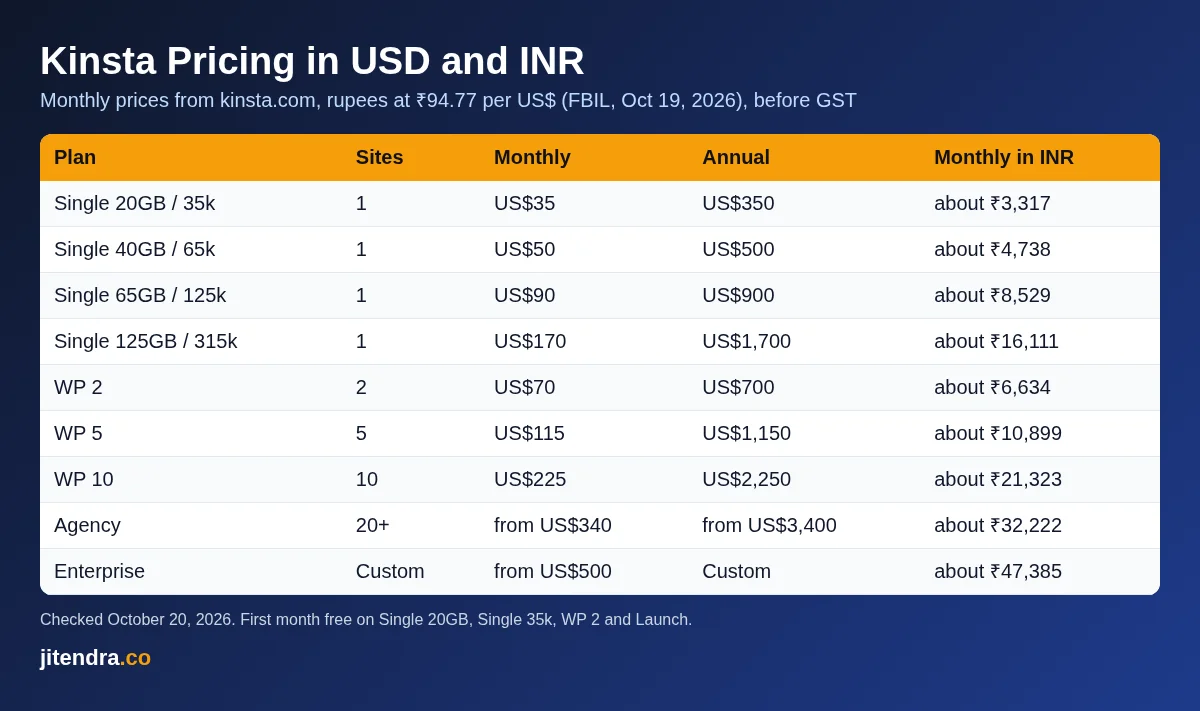
Here is the quick view of all the main Kinsta hosting plans for WordPress. Rupee figures use the FBIL reference rate of ₹94.77 per US dollar (October 19, 2026) and are rounded. They are before GST and before any foreign transaction fee your bank adds.
| Kinsta plan | Sites | Monthly price | Annual price (per year) | Monthly price in INR | First month free |
|---|---|---|---|---|---|
| Single 20GB (bandwidth) | 1 | US$35 | US$350 | about ₹3,317 | Yes |
| Single 35k (visits) | 1 | US$35 | US$350 | about ₹3,317 | Yes |
| Single 40GB / Single 65k | 1 | US$50 | US$500 | about ₹4,738 | No |
| Single 65GB / Single 125k | 1 | US$90 | US$900 | about ₹8,529 | No |
| Single 125GB / Single 315k | 1 | US$170 | US$1,700 | about ₹16,111 | No |
| Single 250GB / Single 500k | 1 | US$290 | US$2,900 | about ₹27,483 | No |
| Single 500GB / Single 750k | 1 | US$375 | US$3,750 | about ₹35,539 | No |
| WP 2 | 2 | US$70 | US$700 | about ₹6,634 | Yes |
| WP 5 | 5 | US$115 | US$1,150 | about ₹10,899 | No |
| WP 10 | 10 | US$225 | US$2,250 | about ₹21,323 | No |
| WP 20 | 20 | US$340 | US$3,400 | about ₹32,222 | No |
| WP 40 | 40 | US$450 | US$4,500 | about ₹42,646 | No |
| Agency | 20 and up | from US$340 | from US$3,400 | about ₹32,222 | No |
| Enterprise | Custom | from US$500 | Custom | about ₹47,385 | No |
Source: Kinsta pricing page and Kinsta Docs, checked October 20, 2026. Prices exclude tax and are billed in USD.
The quick takeaways:
- Cheapest Kinsta plan: US$35 a month, or US$350 a year, which works out to about US$29 a month.
- Annual billing: you get two months free compared with paying monthly.
- First month free: only on Single 20GB, Single 35k, WP 2 and Launch, and only for new customers.
- Refund: 30-day money-back guarantee for first-time customers, starting after the free month ends.
- Billing currency: US dollars only. There is no rupee billing.
How Kinsta Pricing Works
Kinsta hosting pricing does not follow the “Starter”, “Pro” and “Business” pattern of budget hosts. Kinsta plans are built around four things: how many WordPress installs you need, how your usage is measured, how much storage you get, and how much CDN bandwidth is included. Once you understand those four levers, the pricing page stops feeling like a maze.
Bandwidth plans vs visits plans
For most plans, Kinsta lets you pick how you are billed:
- Bandwidth plans (for example Single 20GB) are measured by server bandwidth, which is the data your origin server sends in response to requests. Kinsta’s docs say anything served by its CDN or edge cache does not count toward this number.
- Visits plans (for example Single 35k) are measured by monthly visits. Kinsta counts each unique IP address within a 24-hour period as one visit, and visits are shared across all sites on the plan.
The prices are the same at each level. Single 20GB and Single 35k both cost US$35 a month, Single 40GB and Single 65k both cost US$50 a month, and so on up the ladder.
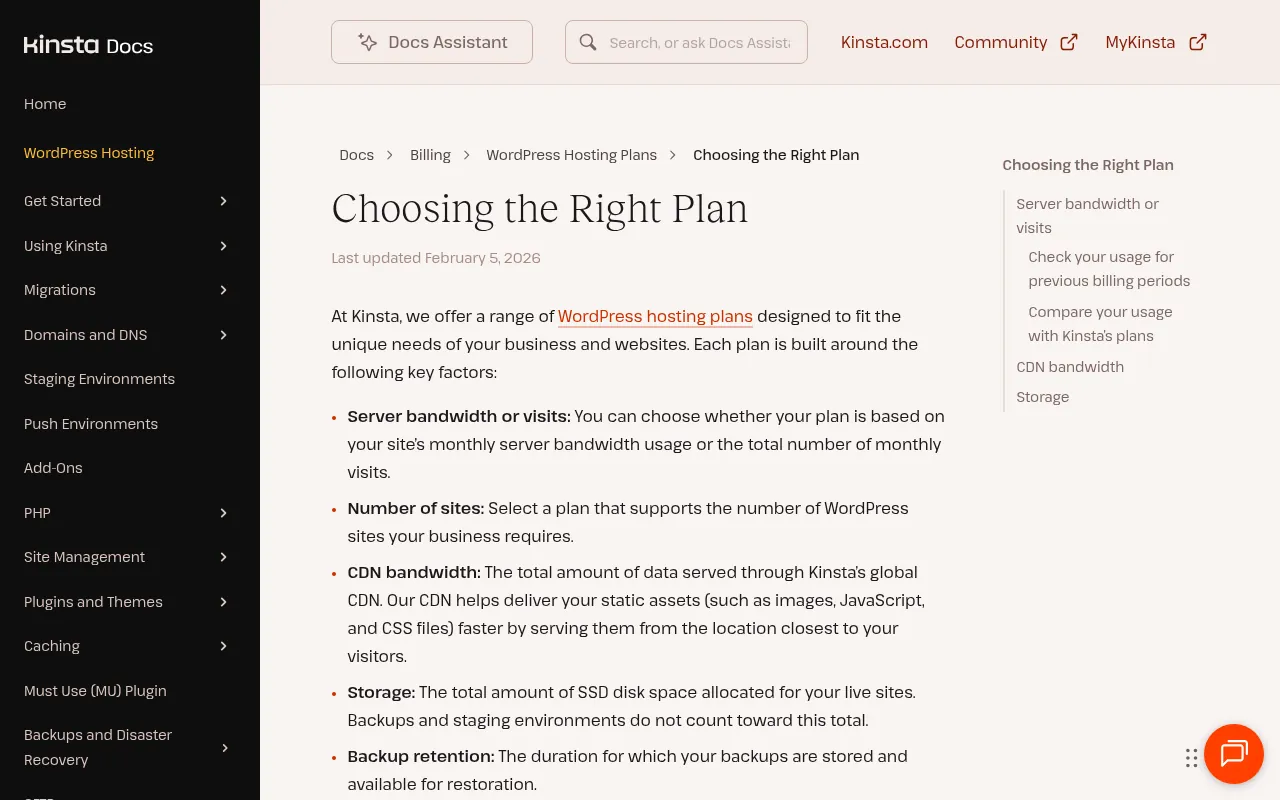
My view: if your site has a lot of bot traffic or many small visits, a bandwidth plan is often easier to live with, because cached pages served from the CDN do not eat into your limit. If your pages are heavy and uncached, a visits plan may be more predictable. Kinsta’s own “Choosing the Right Plan” guide tells existing customers to compare their past analytics against both options, and that is the right approach.
Single-site vs multiple-site plans
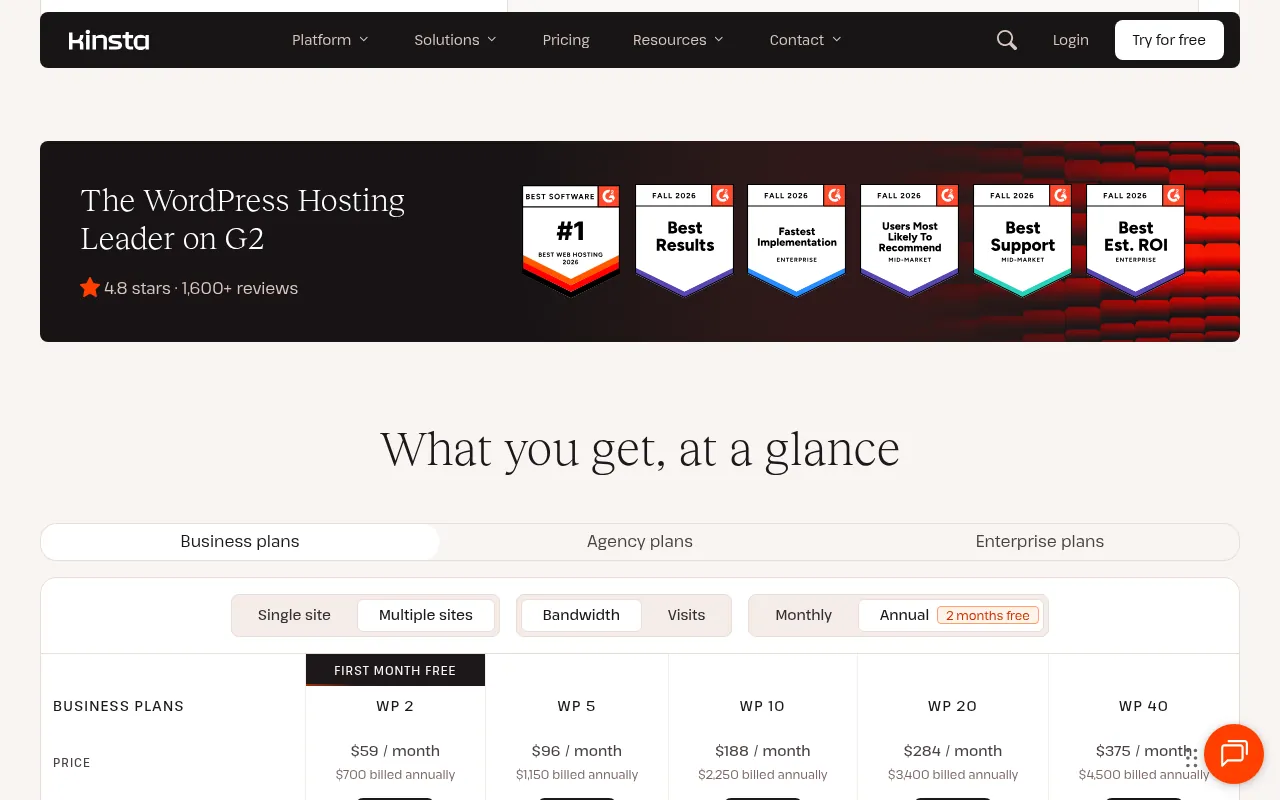
Single plans include one WordPress install. WP plans (WP 2, WP 5, WP 10, WP 20 and WP 40) include several installs that share the plan’s visits or bandwidth, storage and CDN allowance. If you run more than one site, compare the cost of one WP plan with the cost of several single plans plus the extra-site add-on before you decide.
Two plan lineups on one pricing page
One thing that confused me: Kinsta’s pricing page contains two plan lineups. The lineup I saw in my browser on October 20, 2026 was the Single and WP lineup above. The page code also contains a newer lineup named Launch, Launch Plus, Build, Expand, Scale and Lead, and Kinsta’s documentation confirms these are current plans that are priced on server bandwidth only. Depending on when and where you visit, you may see either lineup. I cover both below so you are not caught off guard.
Kinsta Single-Site Plans
These plans are the core of Kinsta WordPress hosting pricing. They host one WordPress install. Each price level has a bandwidth version and a visits version.
| Plan | Monthly | Annual (per year) | Bandwidth or visits | Storage | CDN bandwidth |
|---|---|---|---|---|---|
| Single 20GB / Single 35k | US$35 | US$350 | 20GB or 35,000 visits | 10GB | 125GB |
| Single 40GB / Single 65k | US$50 | US$500 | 40GB or 65,000 visits | 10GB | 250GB |
| Single 65GB / Single 125k | US$90 | US$900 | 65GB or 125,000 visits | 10GB | 500GB |
| Single 125GB / Single 315k | US$170 | US$1,700 | 125GB or 315,000 visits | 10GB | 750GB |
| Single 250GB / Single 500k | US$290 | US$2,900 | 250GB or 500,000 visits | 15GB | 1,000GB |
| Single 500GB / Single 750k | US$375 | US$3,750 | 500GB or 750,000 visits | 15GB | 1,500GB |
Two details stood out to me in Kinsta’s feature table. First, the entry Single 20GB and Single 35k plans are not marked as recommended for ecommerce or membership sites, and they do not include multisite support. Every plan above them is. Second, storage barely moves: 10GB on most single plans and 15GB at the top. If you have a big media library, budget for the disk space add-on.
Who should pick a single plan: bloggers, affiliate sites, small business sites and one-product stores that want managed hosting without managing a server.
Kinsta Multi-Site (WP) Plans
WP plans are for people who run several WordPress installs, such as a blogger with a network of niche sites or a small agency.
| Plan | WordPress installs | Monthly | Annual (per year) | Bandwidth or visits | Storage | CDN bandwidth |
|---|---|---|---|---|---|---|
| WP 2 | 2 | US$70 | US$700 | 40GB or 70,000 visits | 20GB | 250GB |
| WP 5 | 5 | US$115 | US$1,150 | 65GB or 125,000 visits | 30GB | 500GB |
| WP 10 | 10 | US$225 | US$2,250 | 125GB or 315,000 visits | 40GB | 750GB |
| WP 20 | 20 | US$340 | US$3,400 | 250GB or 500,000 visits | 50GB | 1,000GB |
| WP 40 | 40 | US$450 | US$4,500 | 500GB or 750,000 visits | 60GB | 1,500GB |
Notice that WP 2 costs exactly the same as two Single 20GB plans (US$70 a month) but gives you double the storage. Kinsta’s extra-site add-on costs US$30 a month per site, and it does not add disk space. So if you expect to grow past two sites, a WP plan is usually the cleaner choice.
Kinsta’s Newer Plans: Launch, Build, Expand, Scale and Lead
This is the second lineup in Kinsta’s pricing page code, and Kinsta Docs list it as its new plan family. These plans are priced on server bandwidth only, and Kinsta shows an estimated visits figure next to each one.
| Plan | WordPress installs | Monthly | Annual (per year) | Server bandwidth | Estimated visits | Storage | CDN bandwidth |
|---|---|---|---|---|---|---|---|
| Launch | 1 | US$35 | US$350 | 15GB | 75,000 | 15GB | 125GB |
| Launch Plus | 1 | US$59 | US$590 | 25GB | 125,000 | 25GB | 250GB |
| Build | 2 | US$69 | US$690 | 40GB | 200,000 | 30GB | 250GB |
| Expand | 5 | US$99 | US$990 | 65GB | 350,000 | 40GB | 500GB |
| Scale | 10 | US$169 | US$1,690 | 125GB | 650,000 | 50GB | 750GB |
| Lead | 20 | US$299 | US$2,990 | 275GB | 1,500,000 | 60GB | 1,000GB |
In rupees, that is roughly ₹3,317 a month for Launch, ₹5,591 for Launch Plus, ₹6,539 for Build, ₹9,382 for Expand, ₹16,016 for Scale and ₹28,336 for Lead, before GST.
If you are shown this lineup, it is the better deal in my opinion for anyone with several sites. Build gives you 2 installs for US$69 a month against US$70 for WP 2, Expand gives you 5 installs for US$99 against US$115 for WP 5, and Scale gives you 10 installs for US$169 against US$225 for WP 10. Launch is the only plan in this lineup that gets the first month free.
Kinsta Agency Pricing and Enterprise Pricing
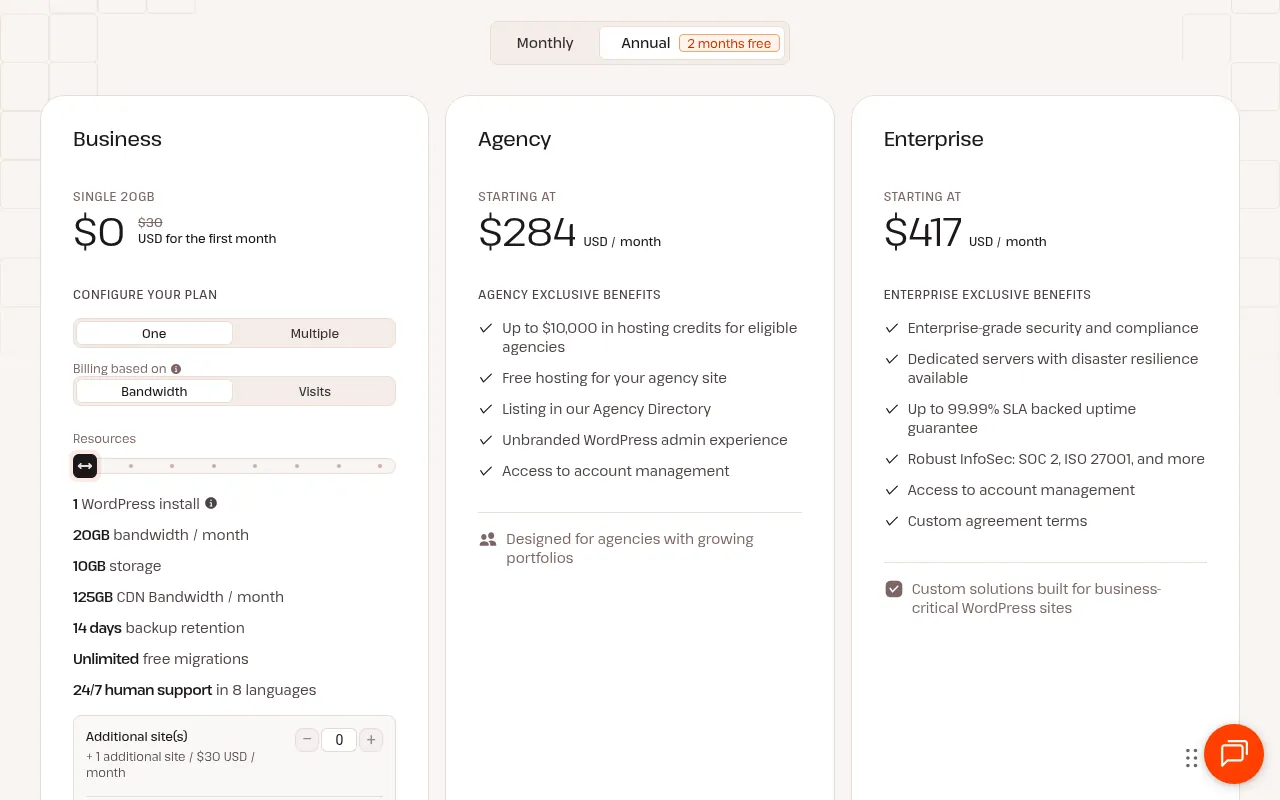
Agency plans start at US$340 a month, or US$284 a month billed annually (US$3,400 a year). Kinsta lists agency-only benefits such as up to US$10,000 in hosting credits for eligible agencies, free hosting for your agency’s own site, a listing in its Agency Directory, an unbranded WordPress admin experience and access to account management. Its Agency Partner Program page covers reselling and referring hosting for client sites.
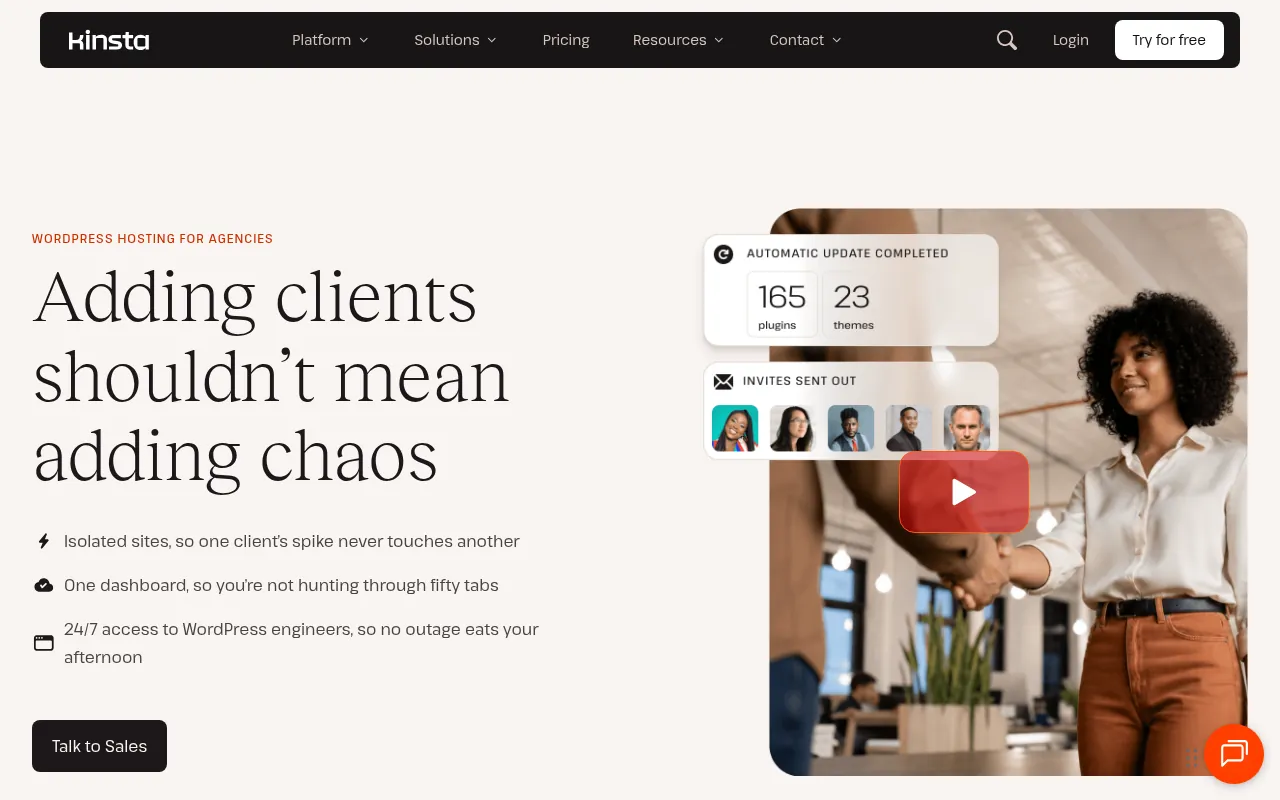
Enterprise plans start at US$500 a month, or US$417 a month billed annually. Kinsta lists enterprise-grade security and compliance, dedicated servers with disaster resilience, up to a 99.99% SLA-backed uptime guarantee, SOC 2 and ISO 27001, account management, custom agreement terms and payment by wire or ACH as well as card.
Honestly, most readers of this blog will never need either. If you manage more than 20 client sites, though, talk to Kinsta’s sales team rather than stacking WP plans.
What Every Kinsta Plan Includes
The high price makes more sense once you see what is bundled. According to Kinsta’s pricing page, every plan includes:
- Unlimited users and flexible access management
- Continuous MySQL database optimization
- A fully managed WAF with DDoS protection, plus Bot Protection and Vulnerability Protection
- Free SSL certificates with wildcard support
- Free malware removal
- Unlimited free migrations handled by Kinsta’s migrations team
- Free one-click staging environments
- CDN and edge caching (Kinsta says its CDN has 260+ points of presence)
- A built-in APM tool for finding slow code
- SAML SSO with Just-in-Time provisioning
- The Kinsta API
- 24/7 human support in 8 languages
- Up to a 99.99% uptime SLA
Backup retention is 14 days on most plans and longer on some of the largest plans. Kinsta’s homepage also lists 30 data centers, and its documentation describes the servers as running on high-performance C3D CPUs.
Compare that list with a budget host, where staging, malware cleanup, premium CDN and expert migrations are often paid extras, and the gap between US$3 and US$35 a month narrows. It does not disappear, but it narrows.
Kinsta Add-ons and Their Prices
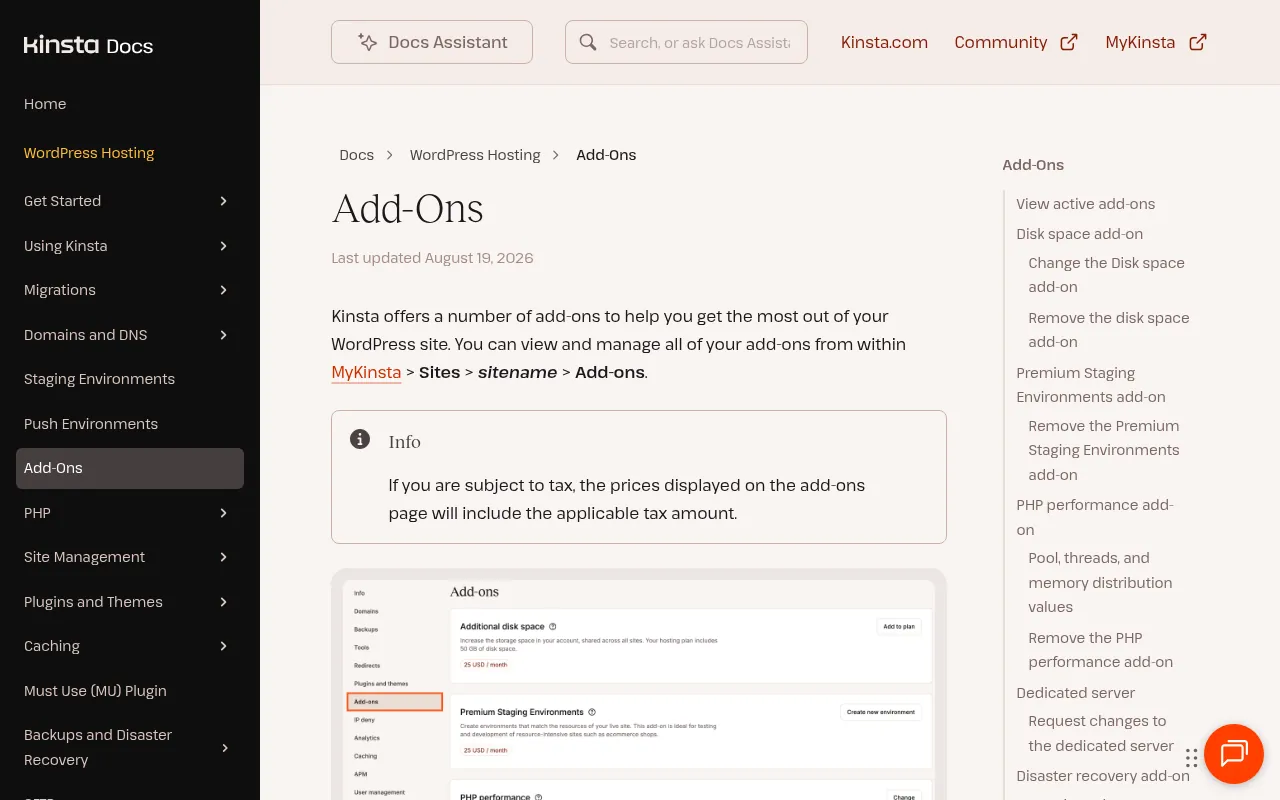
Add-ons are where a Kinsta bill can quietly grow. These prices come from Kinsta’s pricing page and its add-ons documentation.
| Add-on | Price (USD) | Approx. INR | What it does |
|---|---|---|---|
| Extra WordPress site | US$30 per site per month | about ₹2,843 | Adds a site (with staging and a DNS zone) to your plan, no extra disk space |
| Disk space | US$20 per 20GB per month | about ₹1,895 | Shared across all sites on the plan |
| PHP performance | US$10 per 500MB per month | about ₹948 | More PHP memory and threads |
| Premium staging environment | US$20 per environment per month | about ₹1,895 | More powerful staging, up to 5 per site |
| Redis caching | US$100 per site per month | about ₹9,477 | Persistent object cache with a 2GB Redis instance |
| Every-6-hours backups | US$20 per site per month | about ₹1,895 | A backup every 6 hours, kept 24 hours |
| Hourly backups | US$100 per site per month | about ₹9,477 | A backup every hour, kept 24 hours |
| External backups | US$2 per site per month + US$1 per GB | about ₹190 + ₹95 per GB | Backups to Amazon S3 or Google Cloud Storage |
| Reverse proxy | US$50 per site per month | about ₹4,739 | Load WordPress from a subdirectory |
| Kinsta Automatic Updates | US$3 per environment per month | about ₹284 | Plugin and theme updates with visual regression testing (first month free) |
| Dedicated server | from US$300 per month | about ₹28,431 | A server reserved for your sites |
| Disaster recovery | US$300 per month + US$300 setup | about ₹28,431 + setup | Recovery setup for business-critical sites |
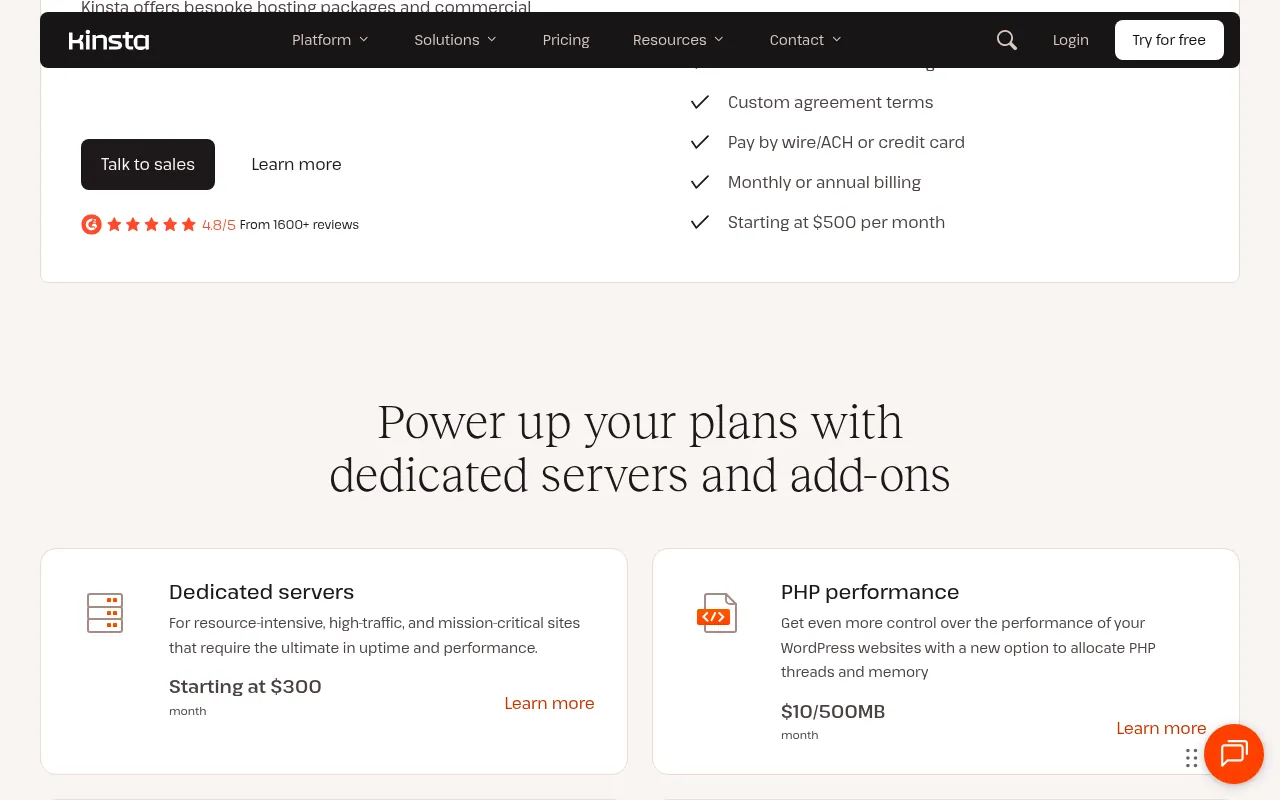
Kinsta’s docs give a useful example: if you are on WP 5 at US$115 a month and buy one disk space add-on, your bill becomes US$135 a month. Two add-ons make it US$155.
My advice is simple. Do not buy add-ons on day one. Start with the plan, watch your usage in MyKinsta for a month, and only then add disk space or PHP performance if you actually hit a limit. Redis at US$100 a month is the one I would question hardest, because it costs nearly three times the entry plan.
Kinsta Overage Fees
Kinsta does not take your site offline when you go over your plan. Instead, it charges overages. Its pricing FAQ says your site stays online, and it notifies you at 80% and 100% of usage. If overage notifications are on, visits plans also get an email when you pass 110%.
| Overage | Fee | Approx. INR |
|---|---|---|
| Visits | US$0.50 per 1,000 visits | about ₹47 per 1,000 visits |
| Server bandwidth | US$0.50 per GB | about ₹47 per GB |
| CDN bandwidth | US$0.05 per GB | about ₹5 per GB |
Kinsta’s own example shows how this adds up: a site on the US$35 Single 35k plan that gets 100,000 visits in a month has 65,000 extra visits, which is a one-time overage of US$32.50. That is almost a second month’s bill.
Overages also apply during the free first month, and they are not covered by the money-back guarantee. If your traffic is spiky, pick a plan with headroom or keep an eye on usage reports.
Kinsta Free Trial, Money-Back Guarantee and Refunds
Kinsta gives new customers the first 30 days free on four plans: Single 35k visits, Single 20GB bandwidth, WP 2 and Launch. This works on monthly or annual billing. Billing starts in the second month. Any add-ons you subscribe to are also free while the free period lasts, except the dedicated server add-on. The offer applies only to customers who have never had a Kinsta WordPress plan, and only to the first plan you buy.
After the free period, the Kinsta money-back guarantee kicks in and lasts 30 days. Kinsta’s example: if you sign up on September 1, the free period ends on September 30 and the 30-day guarantee runs from October 1.
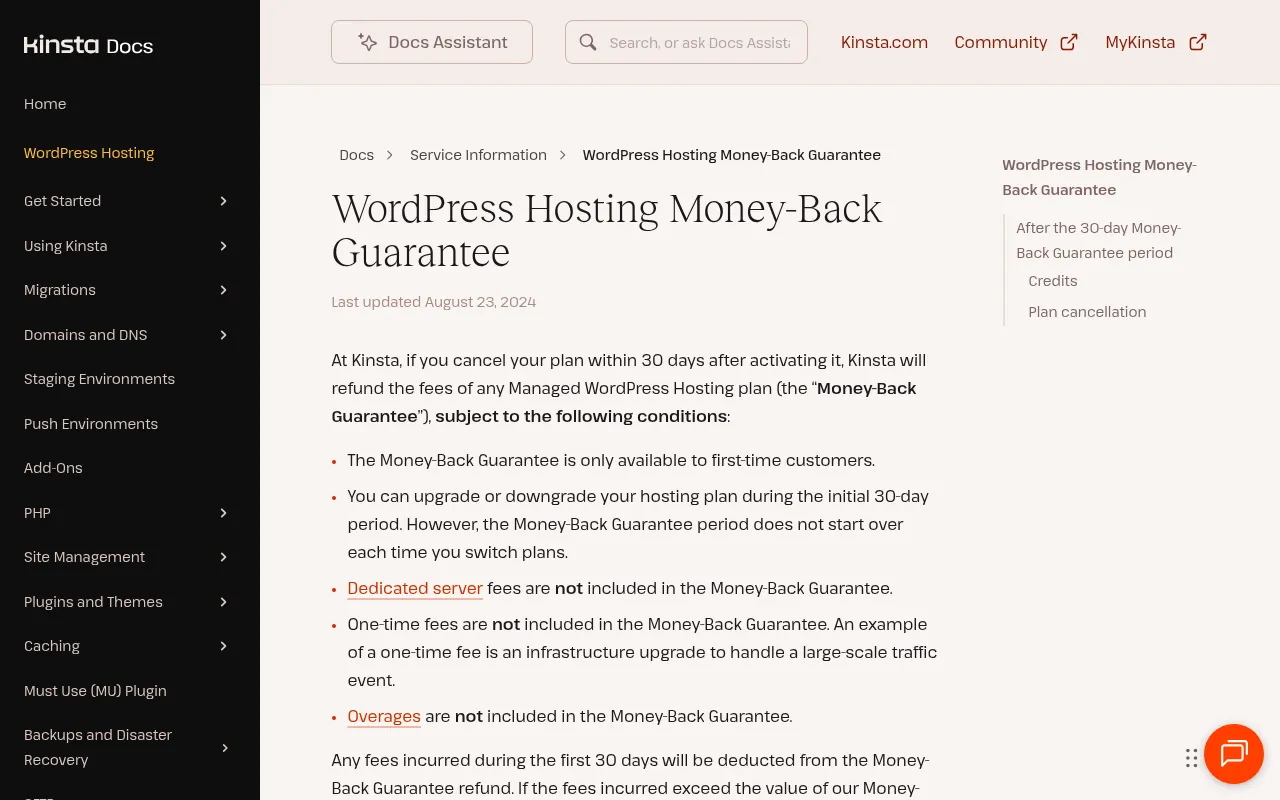
The fine print on the guarantee, from Kinsta’s docs:
- It is only for first-time customers.
- You can upgrade or downgrade during the first 30 days, but the 30-day clock does not restart.
- Dedicated server fees, one-time fees and overages are not refunded.
- Fees incurred in the first 30 days are deducted from the refund.
If you cancel an add-on after the first 30 days, you get a prorated credit to your account balance, not cash. Cancelling the plan itself takes effect at the end of the current billing period, and you do it from MyKinsta under Company settings, My plan, Cancel plan.
Payment Methods, Currency and GST for Indian Buyers
This section matters if you are reading from India.
- Currency: Kinsta’s billing FAQ says you are charged in US dollars, and your card converts it to your currency. There is no INR pricing.
- Payment methods: Visa, Mastercard (including Maestro), Discover and American Express cards. Wire transfers and ACH are accepted for annual subscriptions. Kinsta says it does not accept PayPal or cheques.
- International transaction: Kinsta says its UK branch handles payment processing for all customers, so Indian banks will treat the charge as an international transaction. Use a card with international payments turned on, and expect your bank’s forex markup.
- Tax: Kinsta’s prices exclude tax. I could not confirm from Kinsta’s public pages whether it adds 18% GST for Indian customers, so the rupee figures in this guide are pre-tax. Check the final amount at checkout.
In practice, the Single 20GB plan at US$35 will show up on an Indian card statement as roughly ₹3,317 plus whatever your bank charges for the conversion.
Kinsta Discounts: Is There a Coupon?
Here is what Kinsta officially offers:
- Annual billing: two months free compared with monthly. On the entry plan that is US$350 a year instead of US$420.
- First month free: on Single 20GB, Single 35k, WP 2 and Launch for new customers.
- Nonprofit discount: 15% off all future payments once Kinsta confirms your nonprofit status (a 501(c)(3) form or your country’s equivalent).
- Agency credits: up to US$10,000 in hosting credits for eligible agencies.
I did not find a public Kinsta coupon code on Kinsta’s own site. If you see a seasonal Kinsta offer, confirm it on Kinsta’s official site before you buy, rather than trusting random coupon pages.
Which Kinsta Plan Should You Choose?
This is how I would think about it for common situations.
A new blog or affiliate site: Start on Single 20GB or Single 35k (or Launch if you see that lineup). Take the free month, watch your numbers, and only move up if you actually hit a limit. For many new sites, though, I think Kinsta is more host than you need on day one. See the alternatives section below.
An established content site with steady traffic: Look at your Google Analytics and server logs. If you get under 65,000 visits a month, Single 40GB or Single 65k at US$50 is a sensible spot, and it unlocks the ecommerce and multisite flags that the entry plan lacks.
A WooCommerce store or membership site: Skip the entry plan. Kinsta’s own feature table does not mark Single 20GB or Single 35k as recommended for ecommerce. Start at the US$50 tier or above.
Two to five sites: WP 2 or WP 5, or Build and Expand if you see the newer lineup. Shared allowances make more sense than paying for single plans plus US$30 extra-site add-ons.
An agency with client sites: Agency plans from US$340 a month, plus the Agency Partner Program. The hosting credits and unbranded admin are worth asking about.
A business-critical site with compliance needs: Enterprise from US$500 a month, with an SLA and custom terms.
Is Kinsta Worth the Price?
Kinsta is expensive compared with shared hosting, and it does not pretend otherwise. Whether it is worth it depends on what an hour of downtime or a slow checkout costs you.
Pros
- Everything is managed. Security, malware removal, backups, staging, CDN and migrations come bundled.
- Clear upgrade path. Plans go from one site to 40 sites without changing hosts.
- First month free and a 30-day refund window. You can try it properly before committing.
- Annual billing saves two months.
- Strong support promise. Kinsta advertises 24/7 human support in 8 languages, and its pricing page shows a 4.8 rating from 1,600+ reviews on G2.
- Overages instead of shutdowns. Your site stays online if you exceed your plan.
Cons
- High entry price. US$35 a month is about ten times what many budget hosts charge on long-term deals.
- Small storage on single plans. 10GB on most single plans, so large media sites need the disk add-on.
- Paid add-ons add up. Redis and hourly backups cost US$100 a month each.
- USD billing only. Indian buyers pay forex charges and cannot pay with UPI or PayPal.
- Overages can surprise you. US$0.50 per 1,000 visits adds up fast during a traffic spike.
- Confusing lineup. Two sets of plan names on one pricing page is not ideal.
My honest take: Kinsta is worth it for revenue-generating WordPress sites where speed, uptime and support directly affect income, and for agencies that bill clients for hosting. For a hobby blog or a brand-new site with little traffic, the money is better spent on content until the site earns.
Kinsta Speed: What You Are Paying For
Many people searching for “kinsta speed” want to know if the price buys faster pages. I have not run my own load or speed tests for this article, so I will not give you a number. What I can tell you is what Kinsta documents:
- Servers run on high-performance C3D CPUs, according to Kinsta Docs.
- Every plan includes CDN and edge caching, with 260+ points of presence on the CDN.
- A built-in APM tool shows which plugins or queries are slow.
- Continuous MySQL database optimization runs automatically.
- PHP performance can be raised with the US$10 per 500MB add-on.
Speed on any host depends heavily on your theme, plugins and caching. A heavy page builder with 40 plugins will be slow on Kinsta too. If speed is your main reason for considering Kinsta, use the free first month to move a copy of your site, then compare real-user data in Search Console before and after.
Kinsta Pricing vs Alternatives
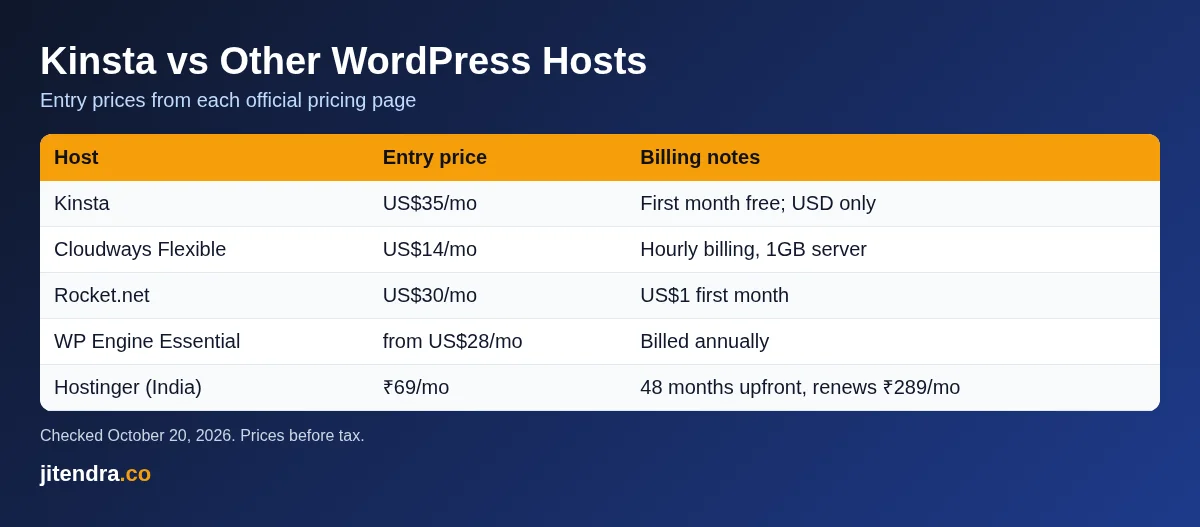
Here is how Kinsta’s entry price compares with other WordPress hosts. All prices were taken from each host’s official pricing page on October 20, 2026.
| Host | Entry price | Billing notes | Type |
|---|---|---|---|
| Kinsta | US$35 a month (US$350 a year) | First month free on entry plans, USD only | Managed WordPress |
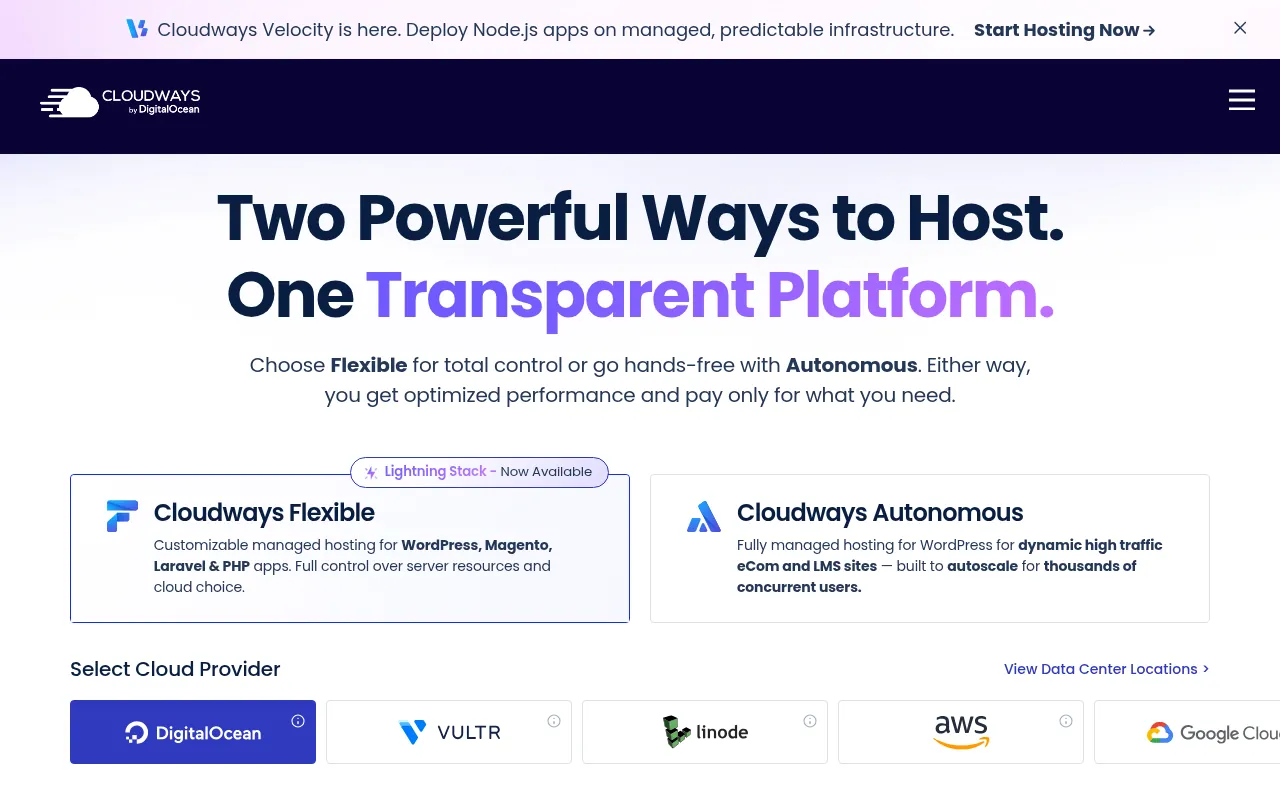
| Cloudways Flexible | US$14 a month | Pay-as-you-go hourly (about US$0.0208 an hour), 1GB RAM server | Managed cloud |
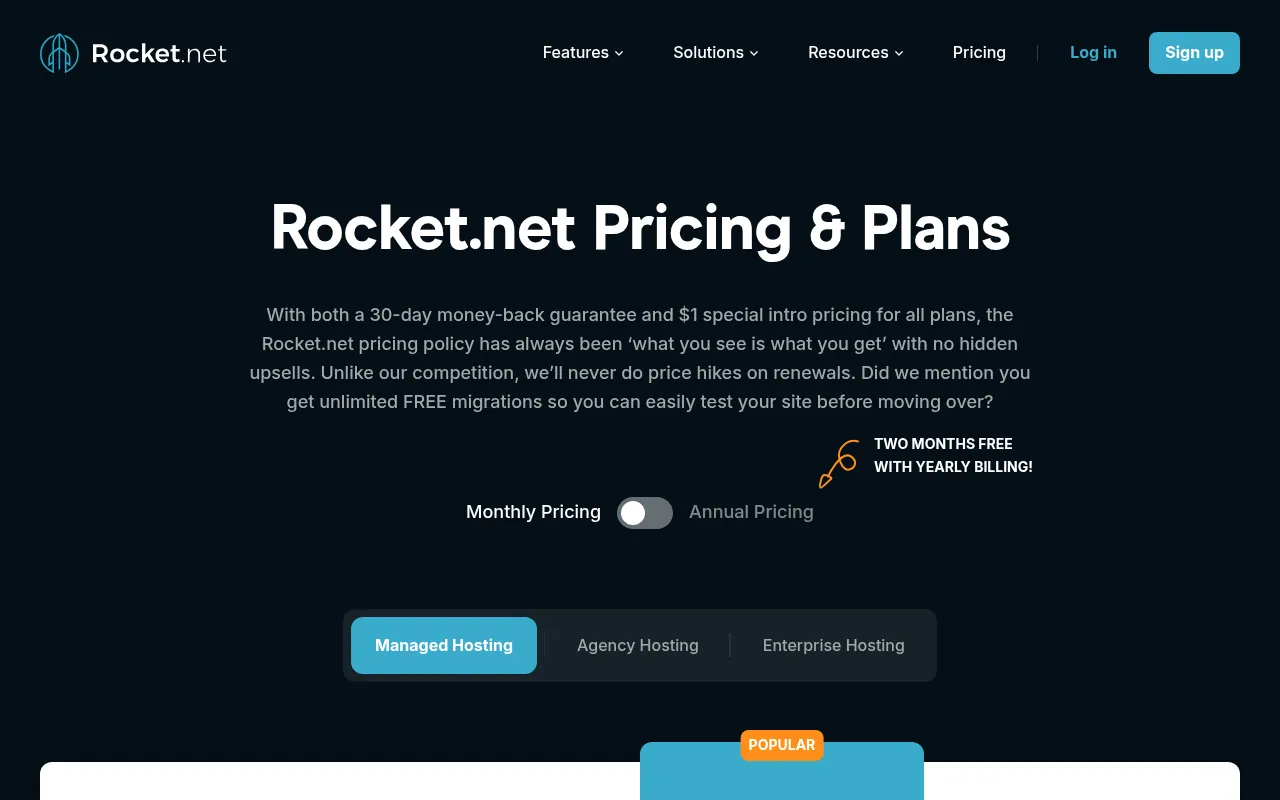
| Rocket.net | US$30 a month | US$1 first month, 30-day money-back guarantee | Managed WordPress |
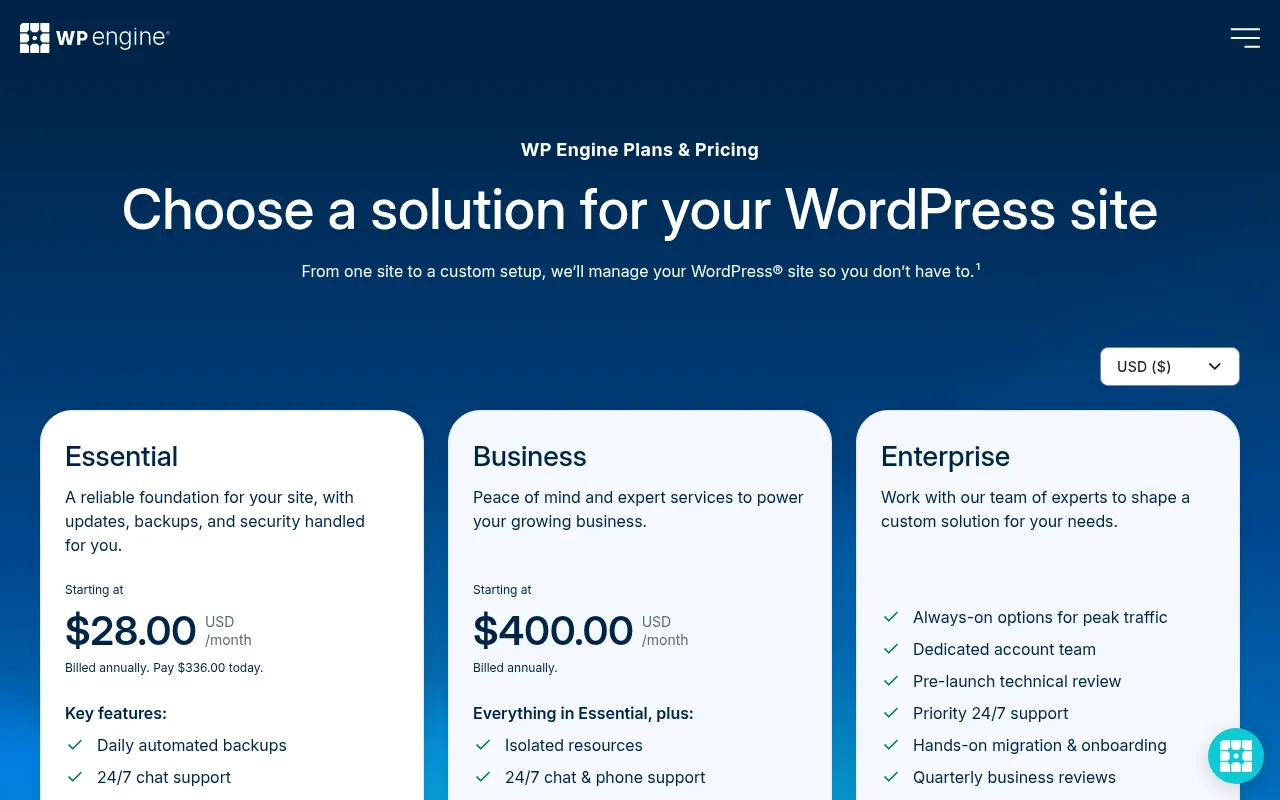
| WP Engine Essential | from US$28 a month | Billed annually (US$336 today) | Managed WordPress |
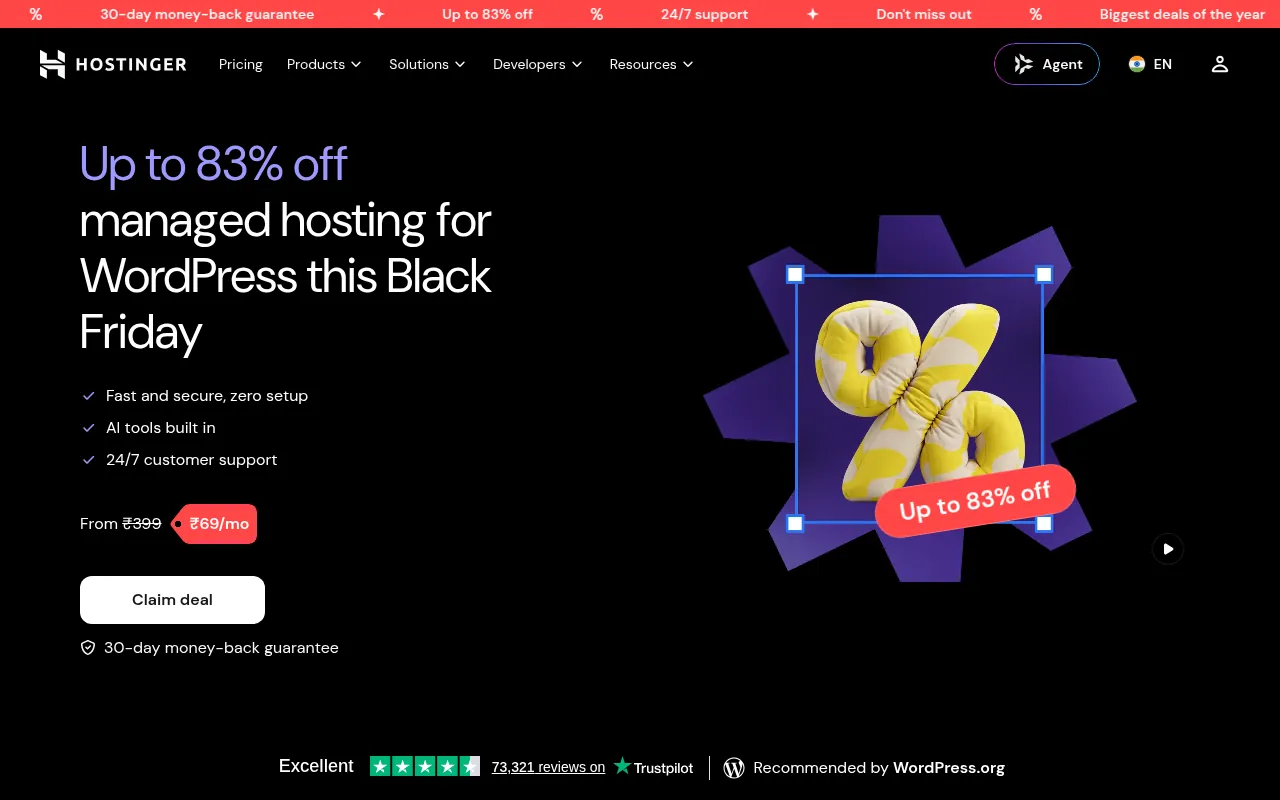
| Hostinger managed WordPress (India) | ₹69 a month | 48-month plan paid upfront (₹3,312), renews at ₹289 a month | Shared managed WordPress |
Kinsta vs Cloudways
Cloudways is the alternative I suggest most often to budget-conscious bloggers who still want managed hosting. Its Flexible plans start at US$14 a month on a 1GB RAM server with unlimited sites, and you pay by the hour. You get more control over the server, but you also deal with more settings. Kinsta is simpler and includes more managed services out of the box. If you go with Cloudways, check my Cloudways coupon code page first.
Kinsta vs Rocket.net
Rocket.net is the closest like-for-like rival on price. Its Starter plan is US$30 a month with a US$1 first month and a 30-day money-back guarantee. Both are premium managed WordPress hosts with built-in CDN. If you want to compare, use each one’s trial period with a copy of your real site.
Kinsta vs WP Engine
WP Engine’s Essential plan starts at US$28 a month billed annually, and its Business plan starts at US$400 a month. WP Engine is the other big name in premium managed WordPress. Kinsta’s monthly billing option and first free month make it easier to try without a yearly commitment.
Kinsta vs Hostinger
Hostinger is a different category. Its India managed WordPress page showed ₹69 a month on a 48-month plan paid upfront (₹3,312 total), renewing at ₹289 a month, as part of a Black Friday promotion. That is a fraction of Kinsta’s price, billed in rupees. For a new blog that is still finding its audience, that is where I would start. You can look for the current deal on my Hostinger coupon code page.
How to Sign Up for Kinsta (Step by Step)
- Go to Kinsta’s pricing page and pick Monthly or Annual.
- Choose single site or multiple sites, then bandwidth or visits.
- Pick a plan. To get the free first month, choose Single 20GB, Single 35k, WP 2 or Launch.
- Create your MyKinsta account and add your card (Visa, Mastercard, Amex or Discover).
- Request a free migration, or create a new WordPress site with the site wizard.
- Turn on overage notifications and check the Plan usage report weekly in the first month.
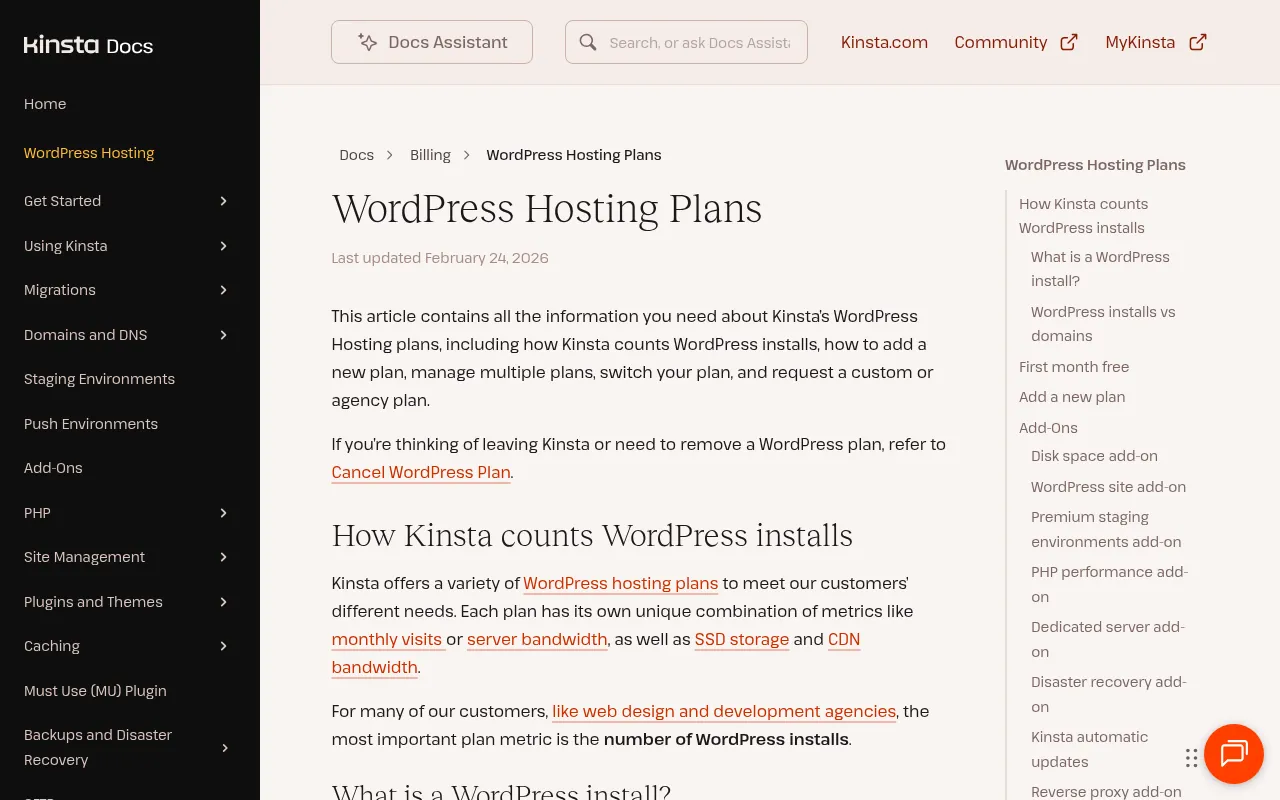
Publisher Stack Fit for Kinsta Pricing (Pass 1)
This pass is about BloggersIdeas publishing calendar. The audience is writers and editors. For Kinsta pricing, I refuse to add fake benchmark tables. I add habits that survive plan renames.
On BloggersIdeas, the question is whether a writer can finish without a huddle. On DigiExe, the question is whether a freelancer can be onboarded in one sitting and removed cleanly later. AffiliateBooster cares whether a creative can ship under a commercial license without guessing. SchemaNinja cares whether a screenshot still matches the UI after a vendor update. Podcast and YouTube work care whether the asset remains readable on a phone.
Practical moves I repeat:
- Name a default tool from this article and write it in the team sheet.
- Capture the official pricing or docs page the same day you cite a number.
- Store cancel and refund URLs beside the receipt.
- Limit overlapping paid seats unless jobs are truly different.
- Re-check the page before a scheduled publish goes live.
India notes stay boring on purpose. Confirm currency, payment methods, and invoice needs. If USD is the only option, say so and budget forex. If a GST PDF matters for DigiExe books, test a small charge before annual billing.
If you only remember one line: defaults beat novelty. A stable Kinsta pricing stack with screenshots and a cancel plan will outperform a graveyard of trials.
Agency Retainer Fit for Kinsta Pricing (Pass 2)
This pass is about DigiExe client retainers. The audience is freelancers and leads. For Kinsta pricing, I refuse to add fake benchmark tables. I add habits that survive plan renames.
On BloggersIdeas, the question is whether a writer can finish without a huddle. On DigiExe, the question is whether a freelancer can be onboarded in one sitting and removed cleanly later. AffiliateBooster cares whether a creative can ship under a commercial license without guessing. SchemaNinja cares whether a screenshot still matches the UI after a vendor update. Podcast and YouTube work care whether the asset remains readable on a phone.
Practical moves I repeat:
- Name a default tool from this article and write it in the team sheet.
- Capture the official pricing or docs page the same day you cite a number.
- Store cancel and refund URLs beside the receipt.
- Limit overlapping paid seats unless jobs are truly different.
- Re-check the page before a scheduled publish goes live.
India notes stay boring on purpose. Confirm currency, payment methods, and invoice needs. If USD is the only option, say so and budget forex. If a GST PDF matters for DigiExe books, test a small charge before annual billing.
If you only remember one line: defaults beat novelty. A stable Kinsta pricing stack with screenshots and a cancel plan will outperform a graveyard of trials.
Affiliate Creative Fit for Kinsta Pricing (Pass 3)
This pass is about AffiliateBooster campaigns. The audience is design contractors. For Kinsta pricing, I refuse to add fake benchmark tables. I add habits that survive plan renames.
On BloggersIdeas, the question is whether a writer can finish without a huddle. On DigiExe, the question is whether a freelancer can be onboarded in one sitting and removed cleanly later. AffiliateBooster cares whether a creative can ship under a commercial license without guessing. SchemaNinja cares whether a screenshot still matches the UI after a vendor update. Podcast and YouTube work care whether the asset remains readable on a phone.
Practical moves I repeat:
- Name a default tool from this article and write it in the team sheet.
- Capture the official pricing or docs page the same day you cite a number.
- Store cancel and refund URLs beside the receipt.
- Limit overlapping paid seats unless jobs are truly different.
- Re-check the page before a scheduled publish goes live.
India notes stay boring on purpose. Confirm currency, payment methods, and invoice needs. If USD is the only option, say so and budget forex. If a GST PDF matters for DigiExe books, test a small charge before annual billing.
If you only remember one line: defaults beat novelty. A stable Kinsta pricing stack with screenshots and a cancel plan will outperform a graveyard of trials.
Software Docs Fit for Kinsta Pricing (Pass 4)
This pass is about SchemaNinja help and marketing pages. The audience is product marketers. For Kinsta pricing, I refuse to add fake benchmark tables. I add habits that survive plan renames.
On BloggersIdeas, the question is whether a writer can finish without a huddle. On DigiExe, the question is whether a freelancer can be onboarded in one sitting and removed cleanly later. AffiliateBooster cares whether a creative can ship under a commercial license without guessing. SchemaNinja cares whether a screenshot still matches the UI after a vendor update. Podcast and YouTube work care whether the asset remains readable on a phone.
Practical moves I repeat:
- Name a default tool from this article and write it in the team sheet.
- Capture the official pricing or docs page the same day you cite a number.
- Store cancel and refund URLs beside the receipt.
- Limit overlapping paid seats unless jobs are truly different.
- Re-check the page before a scheduled publish goes live.
India notes stay boring on purpose. Confirm currency, payment methods, and invoice needs. If USD is the only option, say so and budget forex. If a GST PDF matters for DigiExe books, test a small charge before annual billing.
If you only remember one line: defaults beat novelty. A stable Kinsta pricing stack with screenshots and a cancel plan will outperform a graveyard of trials.
Podcast and YouTube Fit for Kinsta Pricing (Pass 5)
This pass is about Inside A Hustler’s Brain production. The audience is editors and guests. For Kinsta pricing, I refuse to add fake benchmark tables. I add habits that survive plan renames.
On BloggersIdeas, the question is whether a writer can finish without a huddle. On DigiExe, the question is whether a freelancer can be onboarded in one sitting and removed cleanly later. AffiliateBooster cares whether a creative can ship under a commercial license without guessing. SchemaNinja cares whether a screenshot still matches the UI after a vendor update. Podcast and YouTube work care whether the asset remains readable on a phone.
Practical moves I repeat:
- Name a default tool from this article and write it in the team sheet.
- Capture the official pricing or docs page the same day you cite a number.
- Store cancel and refund URLs beside the receipt.
- Limit overlapping paid seats unless jobs are truly different.
- Re-check the page before a scheduled publish goes live.
India notes stay boring on purpose. Confirm currency, payment methods, and invoice needs. If USD is the only option, say so and budget forex. If a GST PDF matters for DigiExe books, test a small charge before annual billing.
If you only remember one line: defaults beat novelty. A stable Kinsta pricing stack with screenshots and a cancel plan will outperform a graveyard of trials.
India Checkout Fit for Kinsta Pricing (Pass 6)
This pass is about INR and UPI reality. The audience is accounts and founders. For Kinsta pricing, I refuse to add fake benchmark tables. I add habits that survive plan renames.
On BloggersIdeas, the question is whether a writer can finish without a huddle. On DigiExe, the question is whether a freelancer can be onboarded in one sitting and removed cleanly later. AffiliateBooster cares whether a creative can ship under a commercial license without guessing. SchemaNinja cares whether a screenshot still matches the UI after a vendor update. Podcast and YouTube work care whether the asset remains readable on a phone.
Practical moves I repeat:
- Name a default tool from this article and write it in the team sheet.
- Capture the official pricing or docs page the same day you cite a number.
- Store cancel and refund URLs beside the receipt.
- Limit overlapping paid seats unless jobs are truly different.
- Re-check the page before a scheduled publish goes live.
India notes stay boring on purpose. Confirm currency, payment methods, and invoice needs. If USD is the only option, say so and budget forex. If a GST PDF matters for DigiExe books, test a small charge before annual billing.
If you only remember one line: defaults beat novelty. A stable Kinsta pricing stack with screenshots and a cancel plan will outperform a graveyard of trials.
Cancellation Drill for Kinsta Pricing (Pass 7)
This pass is about renewal calendar hygiene. The audience is seat owners. For Kinsta pricing, I refuse to add fake benchmark tables. I add habits that survive plan renames.
On BloggersIdeas, the question is whether a writer can finish without a huddle. On DigiExe, the question is whether a freelancer can be onboarded in one sitting and removed cleanly later. AffiliateBooster cares whether a creative can ship under a commercial license without guessing. SchemaNinja cares whether a screenshot still matches the UI after a vendor update. Podcast and YouTube work care whether the asset remains readable on a phone.
Practical moves I repeat:
- Name a default tool from this article and write it in the team sheet.
- Capture the official pricing or docs page the same day you cite a number.
- Store cancel and refund URLs beside the receipt.
- Limit overlapping paid seats unless jobs are truly different.
- Re-check the page before a scheduled publish goes live.
India notes stay boring on purpose. Confirm currency, payment methods, and invoice needs. If USD is the only option, say so and budget forex. If a GST PDF matters for DigiExe books, test a small charge before annual billing.
If you only remember one line: defaults beat novelty. A stable Kinsta pricing stack with screenshots and a cancel plan will outperform a graveyard of trials.
QA Before Schedule for Kinsta Pricing (Pass 8)
This pass is about future-post preflight on jitendra.co. The audience is SEO editors. For Kinsta pricing, I refuse to add fake benchmark tables. I add habits that survive plan renames.
On BloggersIdeas, the question is whether a writer can finish without a huddle. On DigiExe, the question is whether a freelancer can be onboarded in one sitting and removed cleanly later. AffiliateBooster cares whether a creative can ship under a commercial license without guessing. SchemaNinja cares whether a screenshot still matches the UI after a vendor update. Podcast and YouTube work care whether the asset remains readable on a phone.
Practical moves I repeat:
- Name a default tool from this article and write it in the team sheet.
- Capture the official pricing or docs page the same day you cite a number.
- Store cancel and refund URLs beside the receipt.
- Limit overlapping paid seats unless jobs are truly different.
- Re-check the page before a scheduled publish goes live.
India notes stay boring on purpose. Confirm currency, payment methods, and invoice needs. If USD is the only option, say so and budget forex. If a GST PDF matters for DigiExe books, test a small charge before annual billing.
If you only remember one line: defaults beat novelty. A stable Kinsta pricing stack with screenshots and a cancel plan will outperform a graveyard of trials.
Security and Access for Kinsta Pricing (Pass 9)
This pass is about password manager and 2FA norms. The audience is ops leads. For Kinsta pricing, I refuse to add fake benchmark tables. I add habits that survive plan renames.
On BloggersIdeas, the question is whether a writer can finish without a huddle. On DigiExe, the question is whether a freelancer can be onboarded in one sitting and removed cleanly later. AffiliateBooster cares whether a creative can ship under a commercial license without guessing. SchemaNinja cares whether a screenshot still matches the UI after a vendor update. Podcast and YouTube work care whether the asset remains readable on a phone.
Practical moves I repeat:
- Name a default tool from this article and write it in the team sheet.
- Capture the official pricing or docs page the same day you cite a number.
- Store cancel and refund URLs beside the receipt.
- Limit overlapping paid seats unless jobs are truly different.
- Re-check the page before a scheduled publish goes live.
India notes stay boring on purpose. Confirm currency, payment methods, and invoice needs. If USD is the only option, say so and budget forex. If a GST PDF matters for DigiExe books, test a small charge before annual billing.
If you only remember one line: defaults beat novelty. A stable Kinsta pricing stack with screenshots and a cancel plan will outperform a graveyard of trials.
Why Trust Me

I am Jitendra Vaswani, an SEO consultant with 12 years in search. I founded Digiexe and AffiliateBooster, and I am an author and international speaker.
I have been building and growing WordPress sites for most of my career, for my own projects and for clients, so I know how much hosting choices matter once traffic arrives. Every price, limit and policy in this guide comes from Kinsta’s official pricing page and documentation, checked on October 20, 2026. Rupee figures use the FBIL reference rate. I have not invented speed tests, uptime numbers or scores.
FAQs
How much does Kinsta cost per month?
Kinsta’s cheapest WordPress plan costs US$35 a month, or US$350 a year with annual billing. In rupees that is about ₹3,317 a month before GST and bank charges.
Does Kinsta have a free plan or free trial?
There is no free plan. New customers get the first month free on the Single 20GB, Single 35k, WP 2 and Launch plans, and then a 30-day money-back guarantee applies.
What are Kinsta’s pricing plans?
Kinsta sells single-site plans from US$35 to US$375 a month, multi-site WP plans from US$70 (2 sites) to US$450 (40 sites), agency plans from US$340 and Enterprise from US$500 a month. A newer lineup runs from Launch at US$35 to Lead at US$299.
Is Kinsta cheaper if I pay yearly?
Yes. Annual billing gives you two months free. For example, the US$35 plan costs US$350 a year instead of US$420.
Does Kinsta charge in Indian rupees?
No. Kinsta bills in US dollars only. Your card converts the charge, and your bank may add a foreign transaction fee.
Does Kinsta accept PayPal or UPI?
Kinsta accepts Visa, Mastercard (including Maestro), Discover and American Express cards, plus wire transfer and ACH for annual plans. It says it does not accept PayPal or cheques, and it does not list UPI.
What happens if I go over my Kinsta plan limit?
Your site stays online and Kinsta charges overages: US$0.50 per 1,000 visits or US$0.50 per GB of server bandwidth, and US$0.05 per GB of CDN bandwidth.
Why is Kinsta so expensive?
You pay for a fully managed service: security and malware removal, staging, CDN and edge caching, free expert migrations, an APM tool and 24/7 human support are all included in every plan.
Is Kinsta good for beginners?
It is easy to use, and the migration team does the hard part. But the price is high for a beginner site with little traffic, and a budget managed WordPress host is a better first step for most new bloggers.
Conclusion
Kinsta pricing in 2026 starts at US$35 a month (about ₹3,317) for one site, with the first month free on the entry plans and two months free when you pay yearly. Multi-site plans start at US$70 a month, agency plans at US$340 and Enterprise at US$500. All of it is billed in US dollars, before tax.
For a serious WordPress business, Kinsta’s bundled security, staging, CDN, migrations and support justify a lot of that price. Just plan for add-ons and overages, choose between bandwidth and visits based on your real data, and use the free month to test with your own site. If you are just starting out, a cheaper host is the smarter first move, and you can grow into Kinsta later. For more on the industry, see my blogging statistics.
Sources
Plan prices, resources, add-on prices, overage fees, payment methods and policies were taken from Kinsta’s pricing page, Kinsta Docs (WordPress Hosting Plans, Choosing the Right Plan, Add-Ons, Money-Back Guarantee and Billing FAQs) and Kinsta’s homepage, agency and migrations pages on October 20, 2026. Rupee conversions use the FBIL/RBI reference rate of ₹94.7691 per US dollar for October 19, 2026. Competitor prices come from the official pricing pages of Cloudways, Rocket.net, WP Engine and Hostinger India on the same day.

Jitendra Vaswani is a globally recognized expert in SEO and AI-driven digital marketing. He has spoken at leading international events and is the founder of Digiexe, a results-driven digital marketing agency; Venuelabs, a platform that helps brands amplify their voice with expert PR and marketing solutions; and AffiliateBooster, an affiliate marketing news site. With over a decade of hands-on experience, Jitendra has empowered countless businesses to thrive online. His bestselling book, Inside A Hustler’s Brain: In Pursuit of Financial Freedom, has sold more than 20,000 copies worldwide, reflecting his influence and dedication to helping digital marketers achieve success. Follow Jitendra on Instagram, X/Twitter, Facebook, and LinkedIn.