I have paid for Semrush out of my own pocket for years, through good traffic months and painful algorithm updates. So this Semrush review is not a feature list copied from a sales page. It is what I actually open every morning, what I ignore, and what each plan really costs in 2026.
If you are short on time, here is my honest answer: Semrush is still the most complete SEO toolkit I have used, but it only pays for itself when you use more than one tool inside it. If you want to test that for yourself, you can start the Semrush free trial here and run your own site through it before paying a rupee.
Below I cover the features I lean on, the new AI visibility tools, Semrush pricing plan by plan, the free trial, the pros and cons, and exactly who should buy it and who should skip it.
I open Semrush every single morning. If you treat SEO as a real business, it is still the most complete toolkit I have paid for.
Pros
- Research, audits, rank tracking and backlinks in one login
- Reliable daily rank tracking and clear Site Audit fixes
- AI visibility tracking for ChatGPT and AI Mode answers
Cons
- Pricey for small blogs once add ons stack up
- Historical data and AI tracking need higher plans
Price: $139/mo
Buy NowMy Quick Semrush Review Verdict
- My rating: 4.6 out of 5 after daily use on my own blogs.
- Best for: bloggers, affiliate marketers, agencies and in house SEO teams who want research, audits and rank tracking in one login.
- Skip it if: you only check rankings once a month or you run a tiny hobby site.
- Starting price: $139 a month for the SEO plan, or $117.33 a month on annual billing.
- Free option: a free account with 10 reports a day, plus a 7 day free trial on paid plans.
What Is Semrush? A Quick Introduction
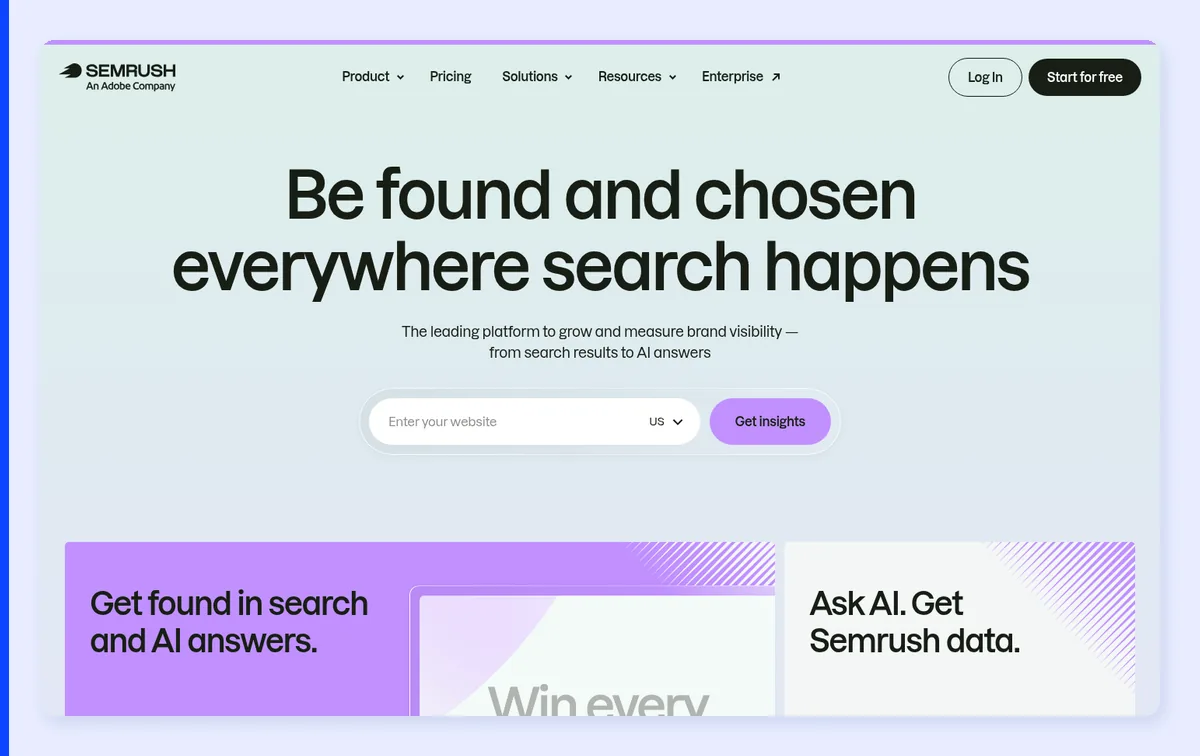
Semrush is an all in one search visibility platform. In plain words, it tells you what people search for, which pages rank for those searches, why your competitors are beating you, and what is broken on your own website.
It started as a keyword and competitor research tool, and today it covers SEO, content, local SEO, paid ads, social media and, most recently, visibility inside AI answers from tools like ChatGPT and Google AI Mode. The logo now reads Semrush, An Adobe Company, so the platform sits inside a much bigger marketing family than it did a few years ago.
For me, Semrush replaced at least four separate subscriptions: a keyword tool, a rank tracker, a site crawler and a backlink checker. That consolidation is the real reason I keep paying for it.
My First Impressions of the Semrush Dashboard
I will be honest, because a Semrush review that skips the learning curve is not much use. The first time I logged in, the left sidebar felt like a cockpit. There are dozens of tools grouped into toolkits, and new users usually click everything at once and get lost.
What fixed it for me was setting up a single project for my main blog and only using four tools for the first week: Domain Overview, Keyword Magic Tool, Site Audit and Position Tracking. Once those clicked, the rest of the platform started making sense.
Two things I genuinely like about the interface. Every major report opens with a clean overview card, so I can read the story in ten seconds before I dig into rows of data. And the reports export neatly to PDF, which saves me time when I share progress with my team.
Semrush Features I Actually Use Every Week
Semrush has far more tools than any one person needs. In this part of my Semrush review, I focus on the ones that earn their place in my weekly routine, and I am upfront about where each one falls short.
1. Domain Overview: My Starting Point for Every Competitor
Whenever a new site starts outranking me, I paste its domain into Domain Overview. In one screen I see its Authority Score, estimated organic traffic trend, top keywords, top pages, backlink count and the countries sending it traffic.
I use it as a quick health check, not as gospel. Traffic numbers are estimates, so I care more about the direction of the trend line than the exact figure. If a competitor’s line has climbed for six months straight, I know they are doing something I should learn from.
2. Keyword Magic Tool and Keyword Overview
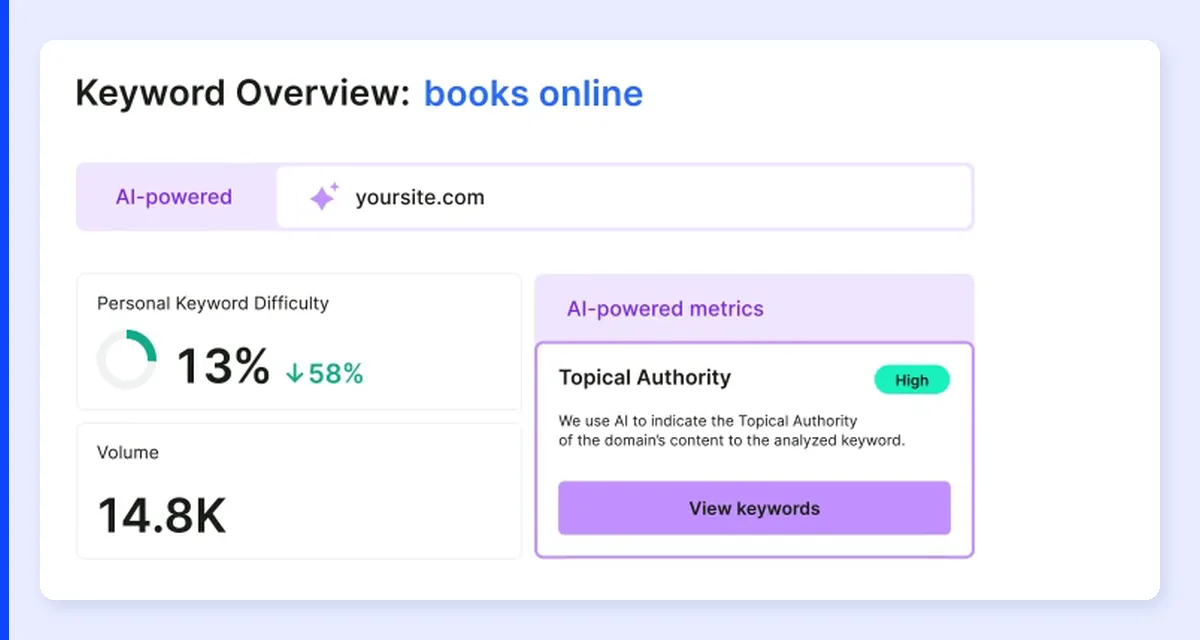
This is where most of my content ideas come from. I type one seed keyword and the Keyword Magic Tool returns thousands of related phrases, grouped by topic, with search volume, keyword difficulty, intent labels and the SERP features each query triggers.
The newer Personal Keyword Difficulty score is a nice touch. It looks at how hard a keyword is for my domain rather than for an average site, which is far more useful when you have built some topical authority.
My workflow tip: filter the Keyword Magic Tool by question keywords and a low difficulty score, then sort by volume. That one filter has given me more easy ranking wins than any other trick inside Semrush.
3. Keyword Gap: Steal the Keywords Your Rivals Rank For
Keyword Gap compares your domain with up to four competitors and shows which keywords they rank for that you do not. I sort the missing list by volume and intent, and that becomes my content calendar for the next month.
One small annoyance: Keyword Gap and Backlink Gap sit under competitive research, not under keyword research or link building, so it took me a while to find them the first time.
4. Site Audit: Technical SEO Without the Headache
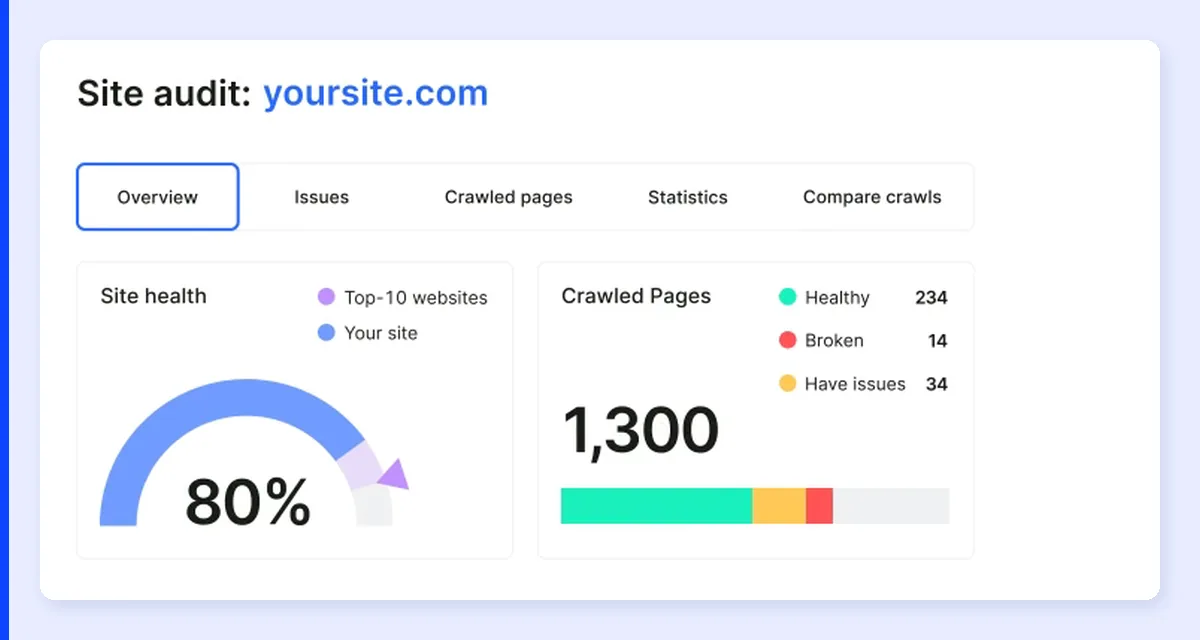
Site Audit crawls your website and gives you a Site Health score along with a list of errors, warnings and notices ranked by severity. The first audit on one of my older blogs flagged redirect chains, broken internal links and missing alt text I had no idea were there.
It is the feature I rate highest in this Semrush review. Every issue comes with a plain English explanation of why it matters and how to fix it. The newer AI search health check also shows whether AI crawlers are blocked from your pages, which matters more every month.
5. Position Tracking: My Daily Rank Report
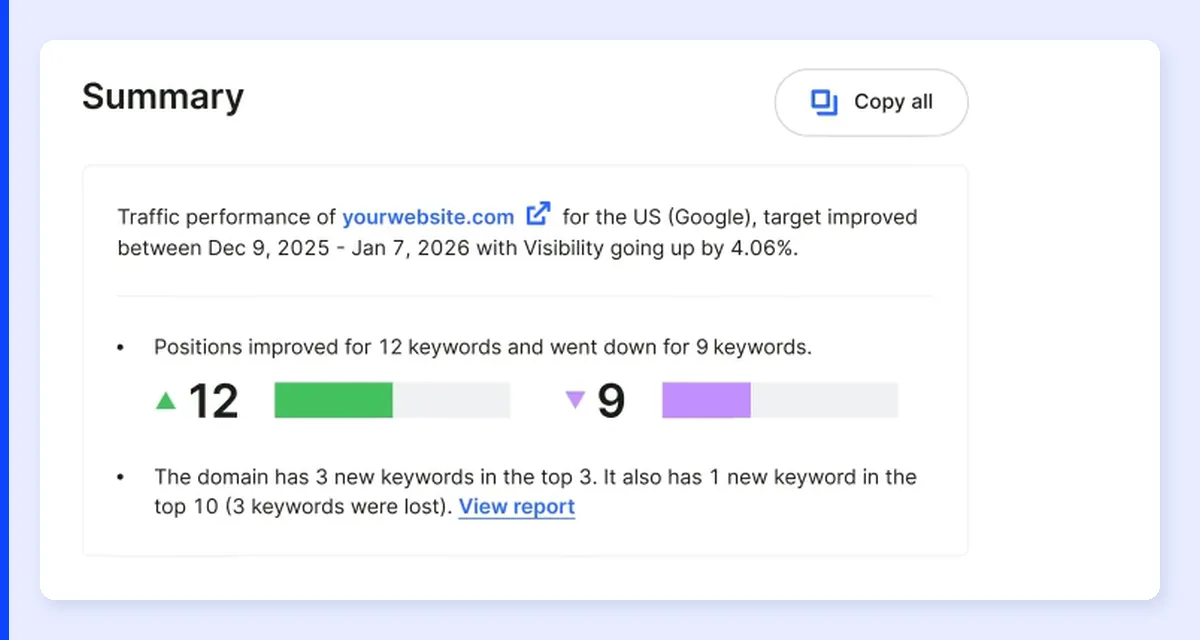
Position Tracking is the first tab I open every morning. I add the keywords I care about, and Semrush checks them daily for my chosen country, city and device. The summary tells me how many keywords moved up, how many dropped, and which ones entered the top three or top ten.
I also track a few competitors in the same project, so I can see if a drop is just me or a wider ranking shake up.
6. Backlink Analytics and Link Building Tool
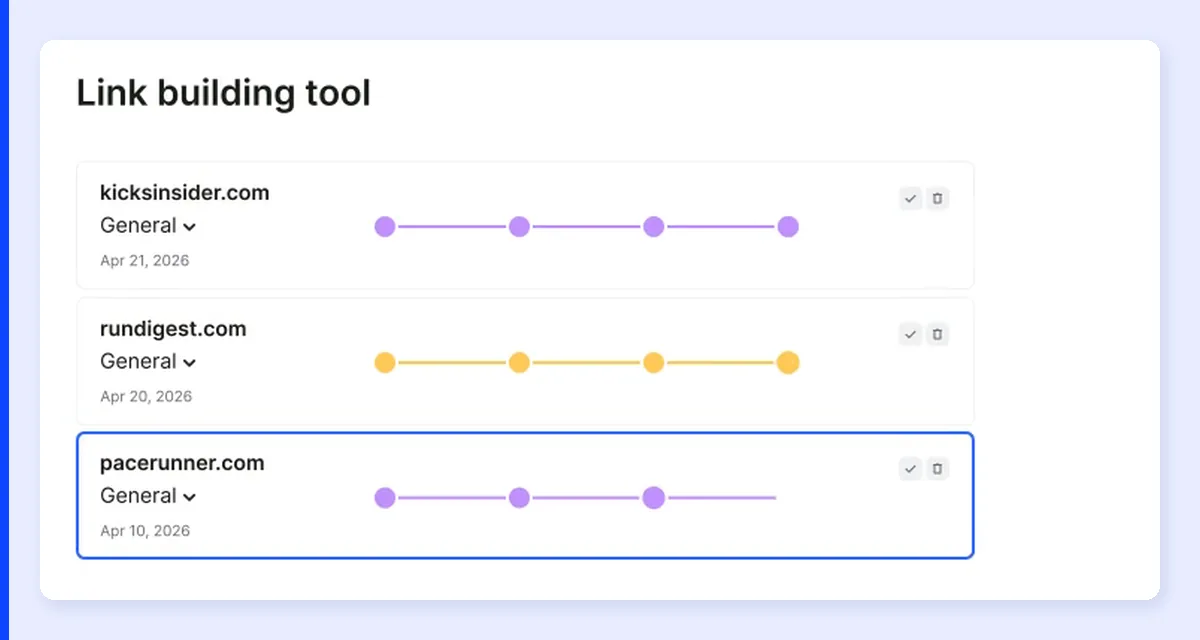
Backlink Analytics shows who links to any domain, the anchor text they use, and which links were gained or lost recently. Backlink Gap then shows sites that link to your competitors but not to you, which is the easiest outreach list you will ever build.
The Link Building Tool turns those prospects into a simple outreach pipeline with status tracking. It is not as polished as a dedicated outreach platform, but for a blogger running a handful of campaigns it does the job.
7. AI Visibility: Tracking My Brand Inside AI Answers
This is the biggest change in Semrush over the last year. More of my readers now ask ChatGPT or Google AI Mode before they ever click a blue link, so I need to know whether my brand shows up in those answers.
The AI visibility tools track custom prompts, show how often your brand is mentioned, monitor sentiment, and let you compare your share of AI answers with competitors. On the Starter plan you get 50 prompts tracked daily for one domain, and Pro+ raises that to 100. If AI search matters to your business, you can check the Semrush AI visibility toolkit here and test it on your own brand.
One catch worth knowing: the base SEO plan does not include AI search tracking. You need Starter or higher for that.
8. Content Tools: Topic Research and SEO Writing Assistant
Topic Research gives me headline ideas, common questions and related subtopics for any keyword, which helps when I plan a cluster of posts. The SEO Writing Assistant checks a draft for readability, target keywords, tone and originality while I write.
For this Semrush review I treat them as helpers, not as a replacement for actually knowing the topic. Content optimization features are fully unlocked on the Pro+ plan.
9. Reports, Integrations and the MCP Connector
Semrush connects with Google Analytics and Google Search Console, so I can put estimated data next to my real numbers. Scheduled PDF reports go out daily, weekly or monthly, and white label branding is available as a paid add on.
The newer MCP access on Starter and above lets AI assistants pull Semrush data through simple prompts. I use it to summarize ranking changes quickly, but I still check the raw reports before I make a decision.
How Accurate Is Semrush Data? The Honest Part of My Semrush Review
No third party SEO tool can see your real traffic. Only Google Search Console and your analytics account can do that. So whenever someone asks me if Semrush is accurate, I answer with a different question: is it consistent?
In my experience it is. When my real clicks rise, fall or recover after an update, the Semrush trend line usually moves in the same direction, even when the absolute number is lower or higher than reality. Ranking positions in Position Tracking match what I see in a clean browser search almost every time.
How I use the data: I use Search Console to measure my own site, and Semrush to research competitors, find keyword gaps and spot trends early. That split has never let me down.
Semrush Pricing in 2026: Which Plan Should You Pick?
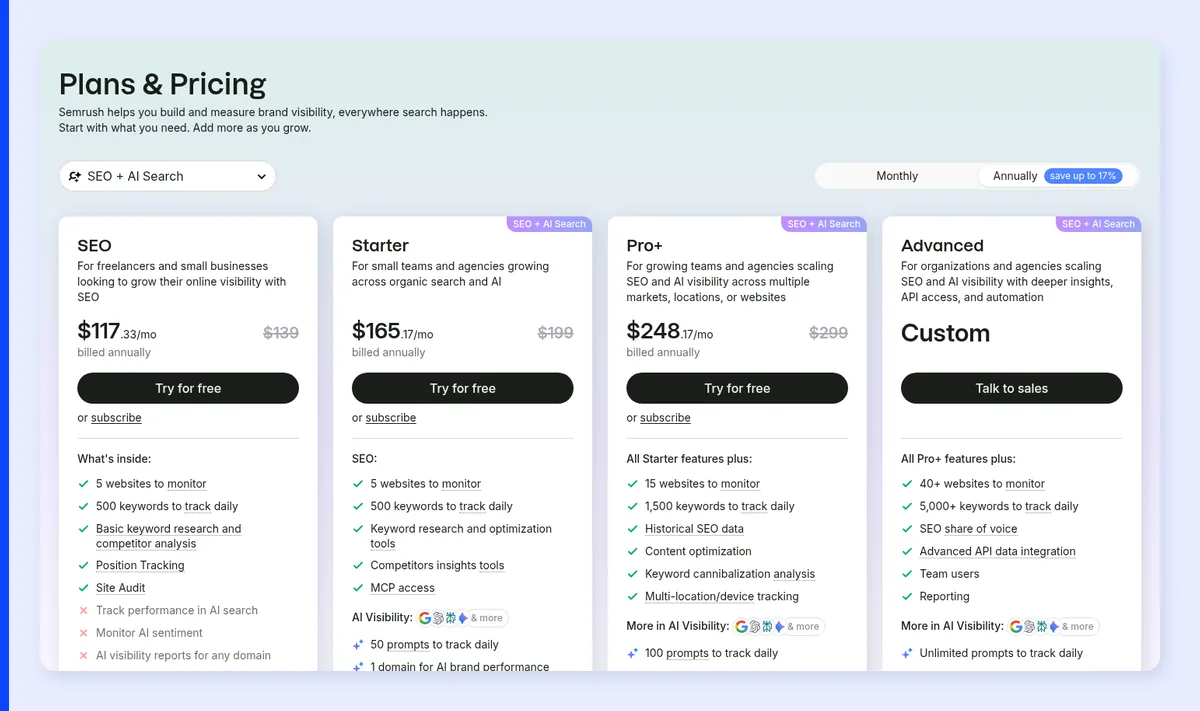
No Semrush review is complete without the money talk, and Semrush pricing changed noticeably in the last year. If you remember the old Pro, Guru and Business names, the current lineup is different. Here is what each plan costs today, both on monthly billing and on annual billing, which saves up to 17%.
MY PICK FOR MOST BLOGGERS
SEO
$139/mo
$117.33/mo billed annually
For freelancers and single site owners
- 5 websites to monitor
- 500 keywords tracked daily
- Keyword research and competitor analysis
- Position Tracking
- Site Audit
Starter
$199/mo
$165.17/mo billed annually
SEO plus AI search visibility
- 5 websites, 500 keywords daily
- Keyword research and optimization tools
- Competitor insights and MCP access
- 50 AI prompts tracked daily
- AI ready Site Audit
Pro+
$299/mo
$248.17/mo billed annually
For growing teams and agencies
- 15 websites, 1,500 keywords daily
- Historical SEO data
- Content optimization
- Keyword cannibalization analysis
- 100 AI prompts tracked daily
| Plan | Monthly Price | Annual Billing | Best For |
|---|---|---|---|
| Advanced | Custom quote | Custom quote | Large agencies, API access, team users |
| Pro+ | $299/mo | $248.17/mo | Growing teams, historical data |
| Starter | $199/mo | $165.17/mo | SEO plus AI search visibility |
| SEO | $139/mo | $117.33/mo | Freelancers and single site owners |
| Free | $0 | $0 | Testing the interface, 10 reports a day |
A few things on the bill that surprise new users. Extra team members start at $45 a month each. Scheduled reports cost $10 a month for the base version and $20 a month for the white label version. So budget for add ons before you commit, especially if you work with a team.
| Add On | Price | What You Get |
|---|---|---|
| Lead Generation | $90/mo | Agency profile and verified badge |
| Additional Users | From $45/mo | Separate logins on shared projects |
| Pro Report | $20/mo | White label reports, 20+ integrations |
| Base Report | $10/mo | Scheduled PDF reports, GA and GSC data |
If you want a deeper plan by plan breakdown with limits, read my full Semrush pricing guide. My simple advice: start on the SEO plan if you run one or two sites, and move to Starter only when AI visibility tracking matters to you.
Semrush Free Trial and Free Plan Explained
There are two ways to use Semrush without paying, and people often mix them up.
- Free plan: no credit card needed. You get one demo project and 10 reports a day across the main tools. It is fine for poking around, but you will hit the limit within an hour of real work.
- 7 day free trial: full access to a paid plan for seven days. A card is required, and you can cancel anytime before the trial ends to avoid being charged.
The trial is the easiest way to check everything in this Semrush review for yourself. My tip for getting the most out of it: set up your project, run a Site Audit, add your top 50 keywords to Position Tracking and run a Keyword Gap against three competitors on day one. By day seven you will know whether the data changes your decisions.
Looking for a discount on top of the trial? I keep the latest offers updated on my Semrush coupon code page.
Semrush Customer Support and Learning Resources
Support is available by email, phone and chat during business hours, and the knowledge base answers most setup questions. Live help is not around the clock on regular plans, which is the one area where my Semrush review score drops a little. Round the clock support is part of the enterprise tier.
The free Semrush Academy courses are genuinely good. I recommend the beginner SEO course to every new writer on my team, even if they never touch the paid tool.
Is Semrush Worth It? Who Should Buy It and Who Should Skip It
| Buy Semrush If You | Skip Semrush If You |
|---|---|
| Run a content or affiliate site and publish every week | Publish a few posts a year as a hobby |
| Manage several client sites or an SEO agency | Only need to check rankings once a month |
| Want competitor, keyword and audit data in one place | Have a very tight monthly tool budget |
| Care about how your brand appears in AI answers | Rely only on Search Console and are happy with it |
This is the part of my Semrush review most readers jump to, so here it is plainly. For me the answer is yes, Semrush is worth it, because one good keyword gap or one fixed technical issue pays for a month of the subscription. If you are still unsure, the safest move is to test Semrush on your own site first and decide with your own data.
Semrush Alternatives I Have Tested
No honest Semrush review should pretend it is the only option, and I always tell readers to compare before paying. These are the ones I have tried myself.
- Ahrefs: excellent backlink data and a cleaner interface, but similar pricing and fewer marketing tools beyond SEO.
- Moz Pro: friendly for beginners and good for local SEO.
- SE Ranking: strong value for money with solid rank tracking, though its keyword database is smaller.
- Ubersuggest: cheap and simple for beginners, but far less depth for serious competitor research.
Semrush Review: Pros and Cons
Pros
- Keyword research, audits, rank tracking and backlinks in one login
- Huge keyword suggestions with intent labels and personal difficulty
- Clear Site Audit reports with plain English fixes
- Reliable daily rank tracking by country, city and device
- AI visibility tracking for ChatGPT and Google AI Mode answers
- Free plan and 7 day free trial to test before paying
Cons
- Pricing is high for small blogs, and add ons push the bill up
- Historical data and AI tracking are locked to higher plans
- The interface takes a week or two to learn properly
My verdict: the strengths far outweigh the weaknesses for anyone who treats SEO as a real business channel. The cost is the main hurdle, so pick the smallest plan that covers your work and upgrade only when you outgrow it.
Quick Links
Moz Pricing 2026
Moz Coupon Code 2026
Best Free Keyword Research Tools
Best SERP Rank Tracking Tools
Semrush Review FAQs
For bloggers, affiliate marketers and agencies who publish regularly, my Semrush review answer is yes. It combines keyword research, site audits, rank tracking, backlink analysis and AI visibility in one place, which replaces several separate tools. If you only check rankings occasionally or run a hobby site, the monthly cost is hard to justify and the free plan may be enough.
The SEO plan costs $139 a month, Starter costs $199 a month and Pro+ costs $299 a month. Annual billing lowers those to $117.33, $165.17 and $248.17 a month, a saving of up to 17%. The Advanced plan uses custom pricing, and add ons like extra users start at $45 a month.
Yes. Semrush offers a 7 day free trial on its paid plans, which gives you full access for a week. A card is required at signup, and you can cancel anytime before the trial ends to avoid being charged. There is also a free plan with 10 reports a day that needs no card at all.
It is usable, but there is a learning curve. I suggest beginners start with four tools only: Domain Overview, Keyword Magic Tool, Site Audit and Position Tracking. Every report opens with a simple overview card, and the free Semrush Academy courses explain the basics well. Most people feel comfortable within one or two weeks.
Traffic numbers in Semrush are estimates, so they will not match your analytics exactly. In my experience the trends are consistent, meaning rises and drops usually line up with real Search Console data. I use Search Console to measure my own site and Semrush for competitor research, keyword gaps and early trend spotting.
The SEO plan at $139 a month is the best fit for most bloggers with one to five sites. It covers keyword research, competitor analysis, Site Audit and daily tracking for 500 keywords. Choose Starter if you also want AI search visibility tracking, and Pro+ only if you need historical data or content optimization tools.
Yes. You can cancel, downgrade or upgrade your Semrush plan at any time from your account settings, unless you signed a custom agreement. If you are on the free trial, cancel before the seventh day so the first payment is not taken. Your projects stay saved if you later return to a paid plan.
Yes, on the Starter plan and above. The AI visibility tools track custom prompts daily, show how often your brand appears in AI answers, monitor sentiment and compare you with competitors. Starter includes 50 tracked prompts, Pro+ includes 100 and Advanced offers unlimited prompts. The base SEO plan does not include AI search tracking.
Conclusion: My Final Semrush Review Verdict
After years of daily use, Semrush is still the one SEO tool I would keep if I had to cancel everything else. It finds my keyword opportunities, flags technical problems before they hurt rankings, tracks every position change, and now shows how my brand appears in AI answers.
It is not cheap, and beginners need a little patience. But if you publish regularly or manage client sites, this Semrush review comes down to one line: start with the free trial, pick the smallest plan that fits, and let the data pay for the subscription.

Jitendra Vaswani is a well-known figure in the SEO and affiliate marketing communities. He is regarded as a legitimate authority due to his deep knowledge and game-changing contributions to the field. He is the founder of Digiexe.com, a digital marketing agency, and VenueLabs.com, a full-service PR marketing agency. His strategic acquisition of AffiliateBooster.com has further solidified his status as a leader, bringing forth groundbreaking solutions that are revolutionizing affiliate marketing. Follow Jitendra on Instagram, Facebook, and LinkedIn