Merlin AI is an AI assistant that runs as a Chrome extension, a web app, a Mac app and iOS and Android apps. It gives you models from OpenAI, Anthropic, Google, DeepSeek and others in one account, and it works on top of websites like Gmail, YouTube, LinkedIn and X. As of October 26, 2026, Merlin offers a Free plan, Pro billed at $228 a year ($19 a month) and Teams billed at $180 per seat a year. Merlin says 20M+ people use it.
I spend most of my day in Chrome, writing, researching keywords and answering emails, so a sidebar AI that follows me to every tab is exactly the kind of tool I want to try. In this Merlin AI review I explain what Merlin does, how the Chrome extension works, what each plan really includes (including the fair-use limits on “unlimited”), and how Merlin compares with Monica, Perplexity and AI Fiesta. All facts come from Merlin’s official homepage, pricing page and FAQs, checked on October 26, 2026. Confirm live Pro and Teams prices on getmerlin.in/pricing before you buy, because packaging changes. I have not run benchmark tests, so I do not quote invented scores.
Merlin AI at a Glance
| Detail | Merlin AI (as of Oct 2026) |
|---|---|
| What it is | Multi-model AI assistant: Chrome extension, web app, Mac app, iOS and Android |
| Free plan | Yes, 102 queries a day per Merlin’s FAQ |
| Pro | Billed $228 a year (works out to $19/month) |
| Teams | Billed $180 per seat a year ($15/month), minimum 2 seats on the pricing card |
| Yearly saving | 35% vs monthly billing, per the pricing toggle |
| Context window (Pro) | 100k tokens |
| Extension shortcut | Ctrl+M (Windows) or ⌘+M (Mac) |
| Security | SOC 2, GDPR and ISO 27001 |
| Payment | All major credit cards |
| Chrome Web Store rating | 4.8, as shown on Merlin’s homepage |
| Users | 20M+, as stated on Merlin’s homepage |
What Is Merlin AI?
Merlin is an AI Chrome extension and web app that works as an AI assistant. It gives you top models such as ChatGPT, Claude, DeepSeek, Gemini, Llama and Mistral, and uses them to answer on Google Search, summarize YouTube videos, blogs and documents, and write social posts and replies on LinkedIn, X and Gmail. Merlin says it can translate into more than 25 languages.
You may see it written as merlin.ai, marlin ai or marlin.ai, but the official website is getmerlin.in. You do not need a ChatGPT account to use it. Merlin also says it works in 200+ countries, including places where ChatGPT and other AI tools are restricted.
How the Merlin Chrome Extension Works
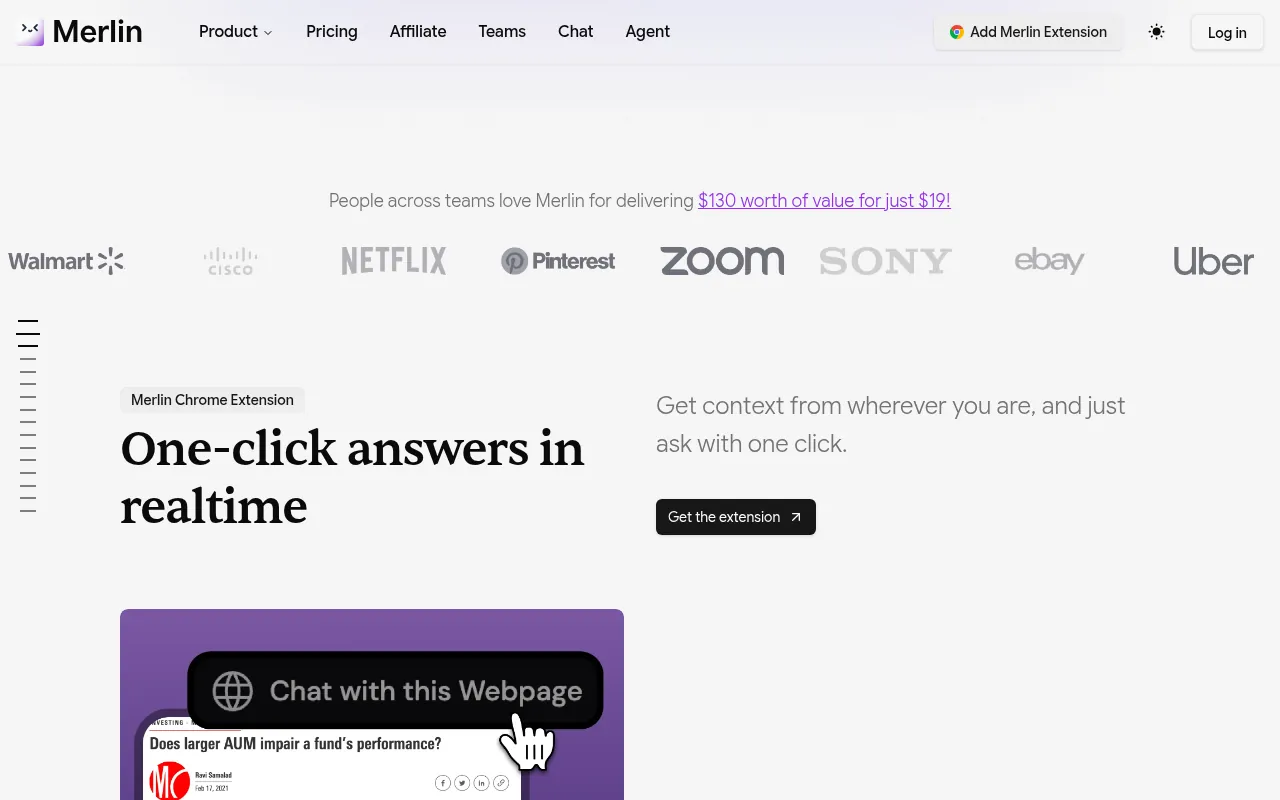
The extension is what makes Merlin different from a normal chatbot. Once installed, you open Merlin on any website with Ctrl+M or ⌘+M. On X, LinkedIn, YouTube and Gmail, Merlin adds its own buttons so you can act in one click.
Here is what the extension can do, according to Merlin’s site:
- Summarize any page. Get a summary of a blog, article or search result without reading the whole thing.
- Answer on Google Search. Merlin shows an AI summary next to the results so you can skip opening ten tabs.
- YouTube summaries. Summarize and transcribe videos, then chat with the video or turn it into a blog or X post.
- Write emails in Gmail. Compose new emails and generate replies in the context of the earlier email.
- Social posts and replies. Draft posts and comments on X and LinkedIn, and save prompts for repeat use.
- Prompt library. Store your own prompts and run them with one click.
Merlin’s FAQ says it does not track your actions on websites unless you send it a request.
How to Use Merlin AI: Step by Step
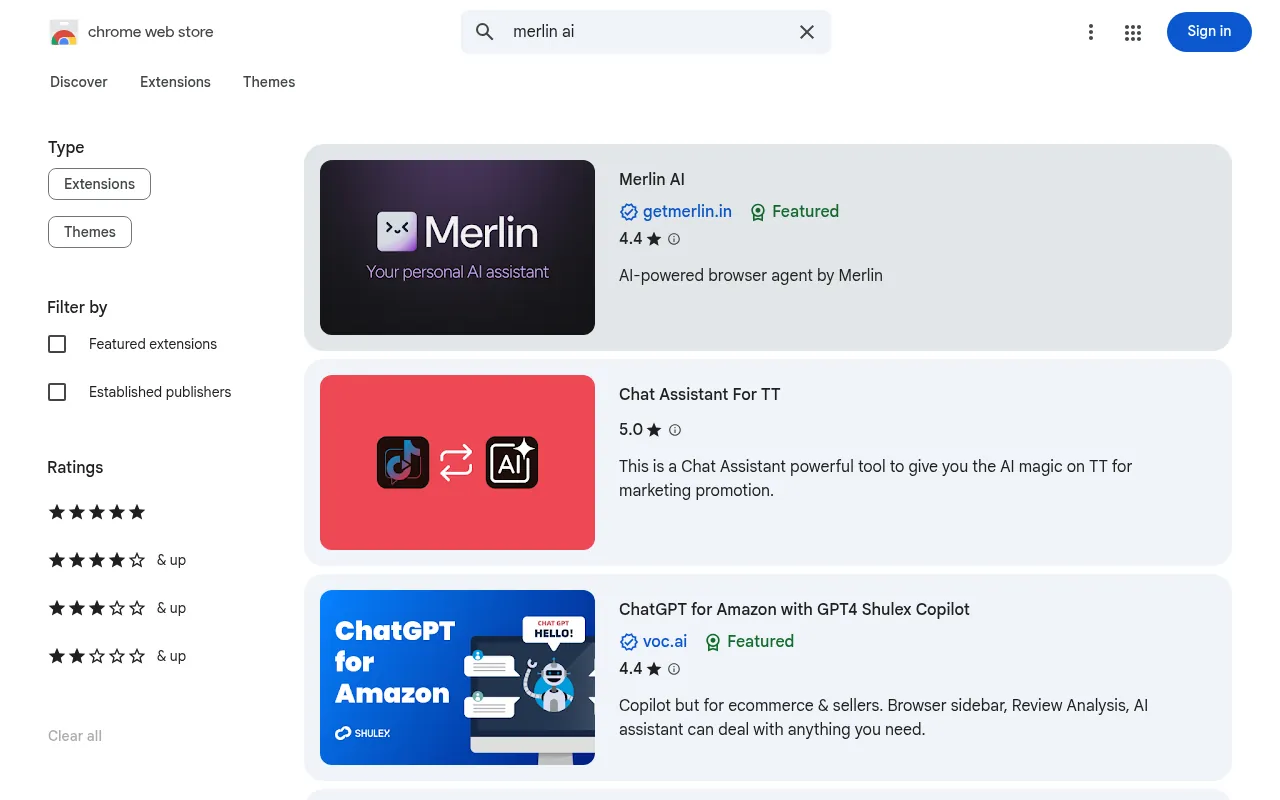
- Install the extension. Open the Chrome Web Store, search for Merlin and click “Add to Chrome”. Merlin also offers a web app, Mac app and iOS and Android apps if you prefer.
- Create a free account. Sign up at getmerlin.in. No ChatGPT account is needed.
- Open Merlin on any page. Press Ctrl+M or ⌘+M, or click the Merlin button that appears on Gmail, YouTube, LinkedIn or X.
- Pick a model and ask. Type your question, choose a model or keep the default, and send.
- Add context. Upload a PDF or document, or use a Project, so Merlin answers from your own material.
- Use the site tools. Click “Summarize” on a YouTube video, “Reply” in Gmail, or write a LinkedIn comment from the Merlin button.
- Watch your usage. On Free you get a daily query allowance. On Pro, fair-use limits apply.
Merlin Chat and Pro Features
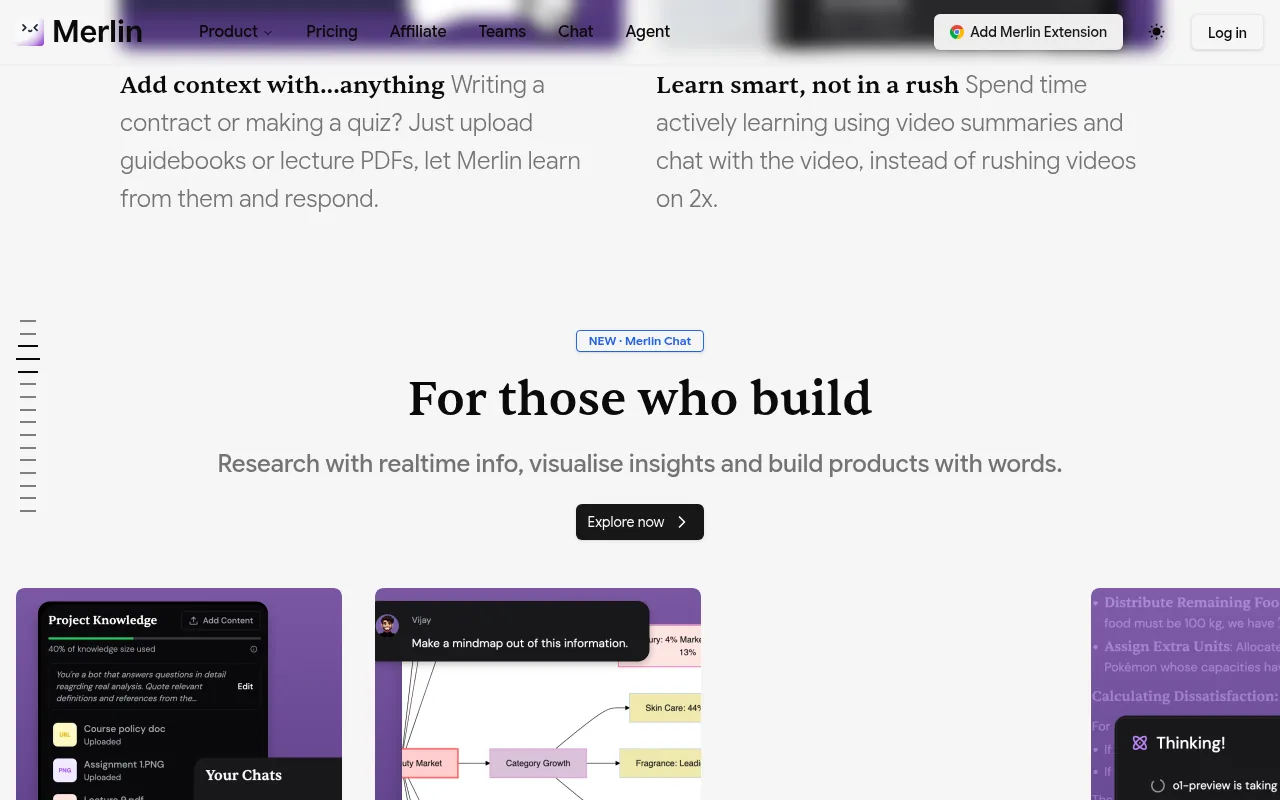
1) Multiple AI Models
Merlin gives you models from OpenAI, Anthropic, Google, DeepSeek, Mistral, Meta and xAI in one place. The pricing page names exclusive models on Pro and says Merlin adds new models as soon as they go live. The exact lineup changes often, so check the site for the current list.
2) Projects (Your Own Knowledge Base)
Projects let you add context, build reusable knowledge bases and query them repeatedly. Merlin suggests using them for brand voice content, course bots and codebase documentation. For content teams, this is the feature I would test first.
3) Crafts: Diagrams and Infographics
Crafts turn a prompt into diagrams and interactive charts, including flowcharts, mind maps and 20+ infographic types.
4) App Snippets and Code
Merlin can create working app snippets with React and Shadcn, and you can edit the code in the chat.
5) Live Web Search and Reasoning
Merlin combines reasoning models with real-time web sources for research. Its consultant use case pairs Live Search with website and document sources to write up-to-date reports.
6) Chat with PDFs, Documents and Spreadsheets
Upload guidebooks, lecture PDFs or XLS/CSV files and ask questions about them.
7) Image and Video Generation
Merlin says you can generate images with 20+ image models and aspect ratios for web and social media. Pro adds advanced image and video generation.
8) Custom Bots
String together instructions, context and knowledge to create custom chatbots.
9) 70+ AI Tools
Merlin bundles 70+ AI tools for academic, marketing and tech research. Its student use case mentions AI detection and humanizing tools. If you care about AI detection, compare them against the dedicated tools in my best AI detector tools list.
10) Merlin Agent on Mac
The Mac desktop app includes Merlin Agent, one shortcut away.
Merlin AI Pricing 2026
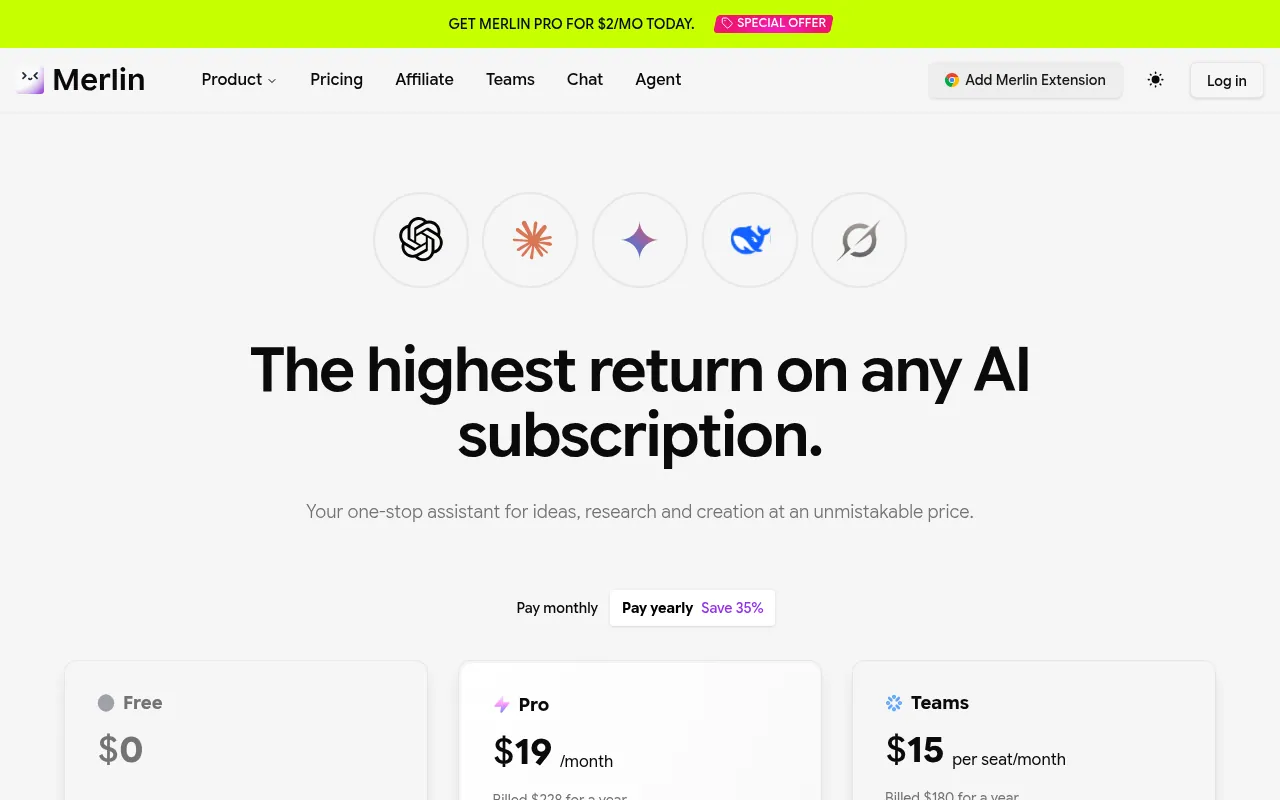
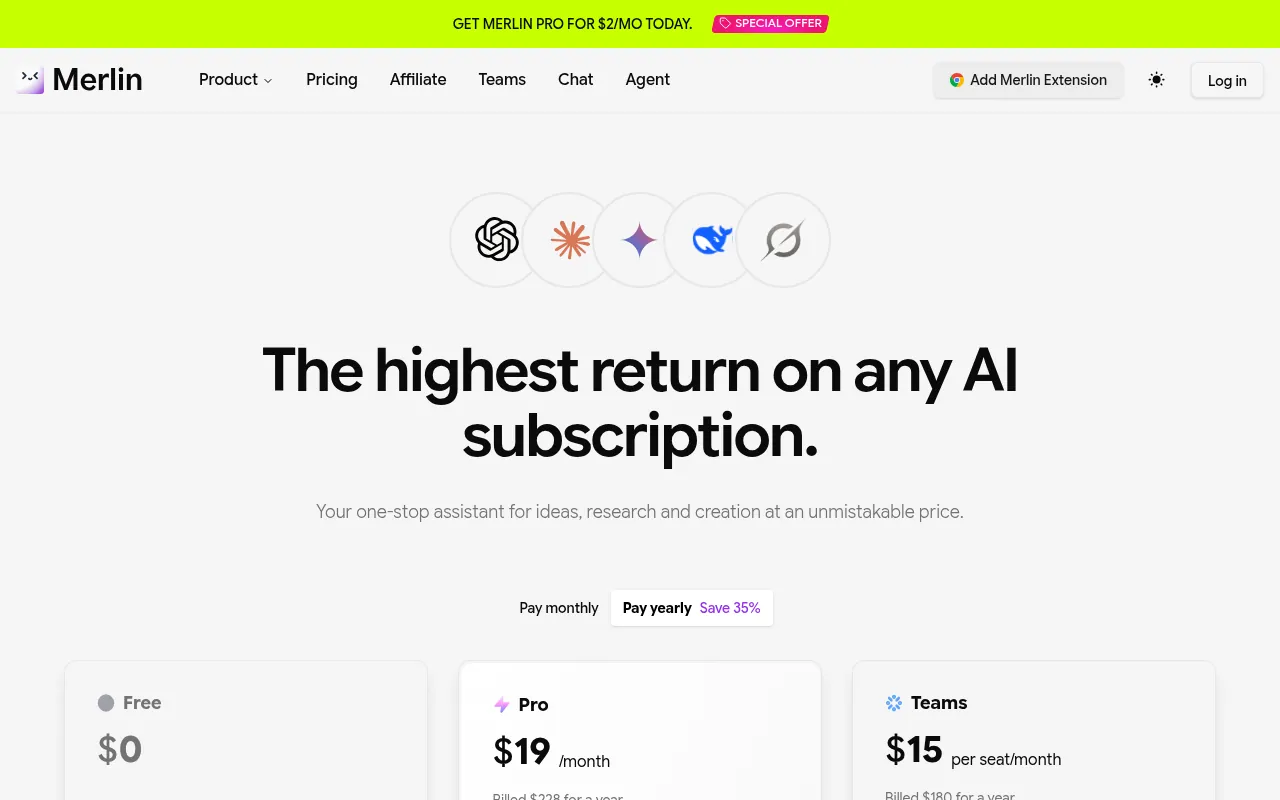
| Feature | Free | Pro | Teams |
|---|---|---|---|
| Price (yearly billing) | $0 | $228/year ($19/month) | $180 per seat/year ($15/month) |
| Basic models | Limited | Unlimited (fair use) | Everything in Pro |
| Plus-level models | Limited | 50x usage | Everything in Pro |
| Exclusive models | No | Yes | Yes |
| Image generation | Basic | Advanced image and video | Advanced image and video |
| 70+ AI tools | Limited | Unlimited | Unlimited |
| Chrome extension features | Limited | Unlimited | Unlimited |
| Sync across devices | Yes | Yes | Yes |
| Support | Standard | Fast-track | Fast-track |
| Team admin and usage dashboard | No | No | Yes |
| Larger context window | No | No | Yes, on all models |
Notes from the official pages:
- Monthly vs yearly. The toggle says yearly billing saves 35%. In my capture, the monthly dollar figure did not render as text, so confirm the month-to-month price at checkout.
- Promotions. On October 26, 2026 the pricing page showed a banner: “Get Merlin Pro for $2/mo today. Special offer.” Merlin says fair-use limits are directly proportional to the price you pay after discount. A cheaper promo plan means lower limits.
- Teams minimum. The pricing card says the minimum team size is 2. The homepage FAQ still says Teams is for teams of 5 or above. Check with Merlin before you buy seats.
- Payment. Merlin accepts all major credit cards.
Is Merlin Pro Unlimited?
No. Merlin’s own FAQ answers this directly: Merlin Pro gives at least 30x the usage of Merlin Free, but it is bound by Fair Use Limits. If you hit a limit, you can buy top-up credits. So “unlimited access to Basic models” means you will not count messages for normal use, not that there is no ceiling at all.
Is the Free Plan Worth Using?
Yes, for light use. Merlin’s FAQ says free users get 102 queries credited every day. Premium models use more of that allowance than basic ones, so the free plan works best for summaries, quick replies and basic chat.
Merlin AI Privacy and Security
Merlin says it stores data on the cloud in compliance with GDPR, SOC 2 and ISO standards, never sells user data, and that users own their data and can have it deleted on request. The FAQ also says all data is stored in the United States. On Teams, admins see surface-level usage metrics, not the research each member does.
Merlin AI Pros
- Works where you already work. Gmail, YouTube, LinkedIn, X and Google Search, without switching tabs.
- Generous free plan. 102 queries a day is enough to test properly.
- Many models in one account with new models added quickly.
- Projects and Crafts add real value for content and research teams.
- Every device. Chrome, web, Mac, iOS and Android with synced history.
- Strong security claims. SOC 2, GDPR and ISO 27001.
- Available in 200+ countries.
Merlin AI Cons
- Fair-use caps on Pro. “Unlimited” has limits, and discounted plans get lower limits.
- Confusing pricing page. The monthly price did not render as text, and the Teams minimum differs between the pricing card (2) and the FAQ (5).
- Extension built around Chrome. Merlin’s site promotes the Chrome Web Store version. Users of other browsers should check support first.
- Credit cards only, per the FAQ. No UPI or wallet mentioned.
- No API access. Merlin says it does not provide direct API access.
Merlin AI Alternatives
1) Monica AI
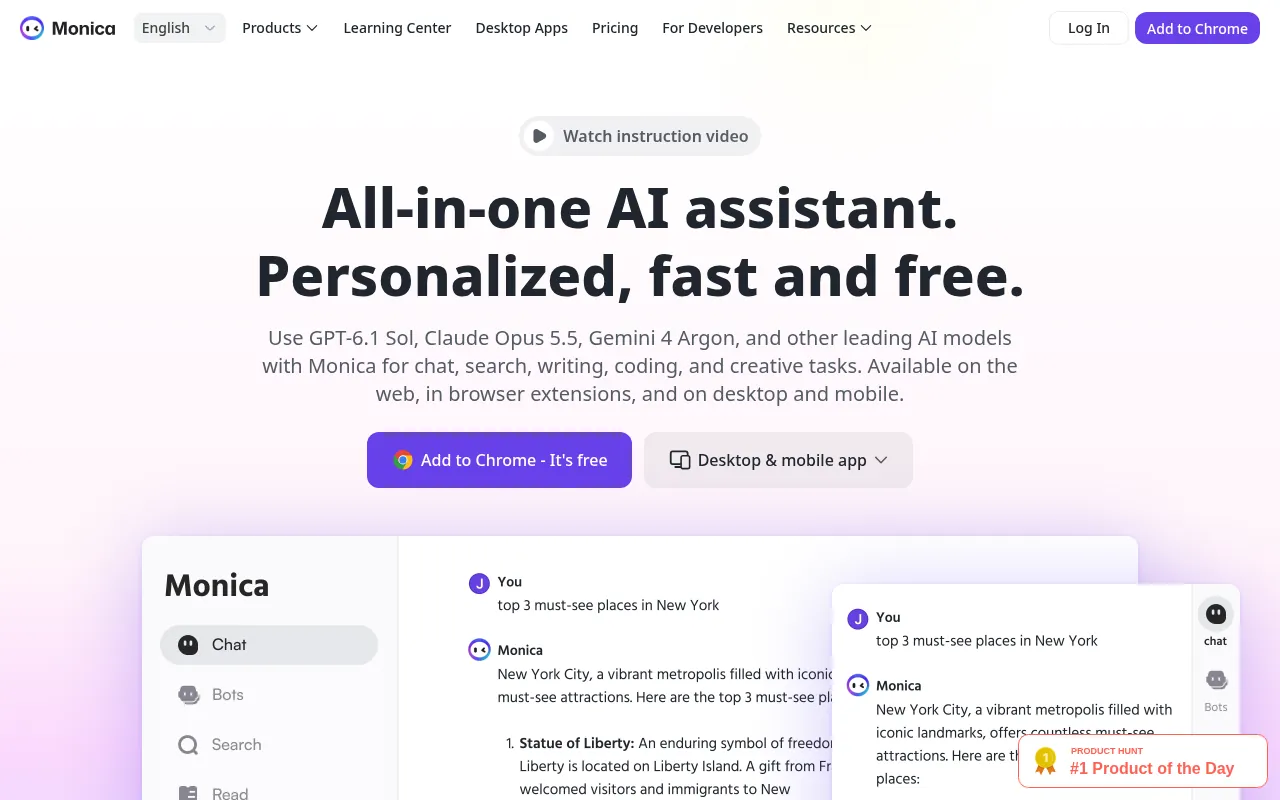
Monica is the most similar tool. Its homepage describes an all-in-one AI assistant with leading models for chat, search, writing and coding and it runs as a browser extension. Check its site for current plans and limits.
2) Perplexity
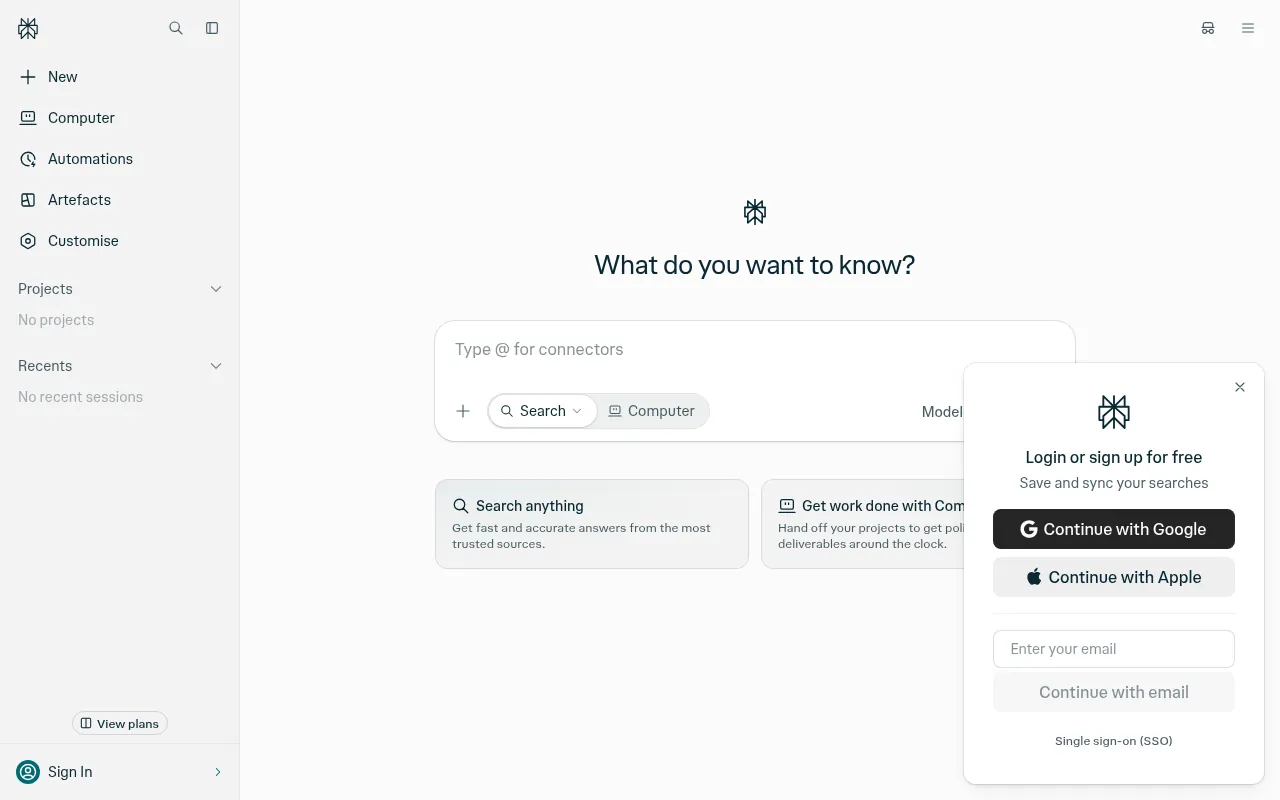
Pick Perplexity if your main need is research with sources. It is a search-first assistant rather than a writing sidebar. I also cover it in my best free AI apps roundup.
3) AI Fiesta

AI Fiesta, owned by Dhruv Rathee’s Fiesta Labs, bundles 100+ models with a side-by-side Compare mode. Basic costs $12 a month with 3M tokens, and payments are non-refundable. It suits people who want to compare answers, while Merlin suits people who want AI inside the websites they use.
| Feature | Merlin AI | Monica AI | AI Fiesta |
|---|---|---|---|
| Browser extension | Yes (Chrome) | Yes | Not mentioned |
| Free plan | Yes, 102 queries/day | Check site | Not listed |
| Entry paid price | $19/month billed yearly | Check site | $12/month |
| Compare models side by side | Not a stated feature | Check site | Yes |
| Mobile apps | iOS and Android | Check site | iOS and Android |
Who Should Use Merlin AI?
- Marketers and creators who write emails, LinkedIn posts and X replies all day.
- Students who summarize lectures, PDFs and YouTube videos.
- Researchers and consultants who want live search plus their own documents in Projects.
- Small teams that want shared billing and admin controls.
It is less ideal if you need predictable heavy use of the most expensive models, API access, or a payment method other than a credit card.
Why Should You Trust Me?

I am Jitendra Vaswani. I have worked in SEO and digital marketing since 2013. I founded BloggersIdeas that year, built DigiExe into an agency that has worked with more than 1,400 clients in 28 countries, and I run AffiliateBooster and SchemaNinja. I wrote Inside A Hustler’s Brain (more than 20,000 copies) and speak at Affiliate Summit and Affiliate World.
Most of my day still happens in Chrome: Search Console tabs, client docs, Gmail, LinkedIn, X, and YouTube research for the podcast. A sidebar AI that can summarize a page or draft a reply without a new tab is useful in that mess. When I write about Merlin, I am describing that kind of workday, not a lab benchmark. Prices, fair-use notes and feature lists below come from Merlin’s homepage, pricing page and FAQs, checked on October 26, 2026. Model names change often, so confirm the live list on getmerlin.in before you buy. I do not invent speed scores or income claims.
How Merlin Fits My Real Chrome Workday
I do not need Merlin to replace every writing tool I own. I need it to cut the tab tax. Here is where it earns a place next to Search Console and Docs:
- YouTube research for podcast guests. I open a long interview, hit the Merlin summarize path, and skim the outline before I write questions. That does not replace watching the important parts. It tells me where the useful chapters are.
- Gmail replies. Client threads repeat. Merlin’s Gmail tools help draft a first reply in the tone of the thread. I always edit before send. AI-sent email without a human pass is how agencies lose trust.
- LinkedIn and X drafts. I use Merlin to break a blank page, then rewrite in my voice. If the draft sounds like a press release, I scrap it.
- Page summaries while SEOing. When I land on a long vendor docs page, a summary helps me find the pricing or limit section faster. I still open the original for numbers I will publish.
- Projects for brand voice. For BloggersIdeas or DigiExe notes, a Project with past posts and product blurbs keeps answers closer to how we already write.
On the free plan, Merlin’s FAQ lists 102 queries a day. That is enough to test the extension for a week on real tasks. It is not enough for a full-time writer who leans on AI for every paragraph. Pro is the plan I tell serious users to price against ChatGPT Plus, Claude Pro and a separate Gemini sub. Merlin’s pitch is one bill and a Chrome layer on top.
What Google’s Top Merlin Reviews Cover, and What They Miss
I checked the first page of Google for “merlin ai review”, “merlin ai chrome extension” and “merlin ai pricing” in early November 2026. Strong pages usually include:
- A short definition (Chrome extension plus chat)
- A pricing table with Free, Pro and Teams
- Pros and cons
- A ChatGPT comparison
- FAQs about safety and free limits
Common gaps:
- Soft treatment of fair-use limits on “unlimited” Pro marketing language
- Little detail on Projects as a knowledge base
- Weak coverage of Crafts, app snippets and spreadsheet tools
- Almost no walkthrough of Ctrl+M / ⌘+M on a live site
- Few notes for users in countries where ChatGPT is restricted, even though Merlin’s FAQ says it works worldwide
- Thin talk about top-up credits when you hit limits
This review fills those gaps. If you only need the yearly Pro number, use the glance table. If you are deciding whether Merlin replaces three other subs for an SEO team, read the fair-use, Projects and Teams sections.
Merlin Pricing Reality Check (Free, Pro, Teams)
Merlin’s public pricing has moved before and will move again. On October 26, 2026 the site showed:
| Plan | What Merlin listed | Who it fits |
|---|---|---|
| Free | 102 queries a day (FAQ) | Testing the extension on real tabs |
| Pro | $228 a year ($19/month equivalent) | Solo operators who live in Chrome |
| Teams | $180 per seat a year, minimum 2 seats on the pricing card | Small content or SEO teams |
Merlin also advertised about 35% savings on yearly vs monthly billing on the pricing toggle. Pro is not a blank cheque. Merlin’s own FAQ says Pro gives at least 30x Free usage and is still bound by fair-use limits, with top-up credits if you hit them. If a sales page says “unlimited” and the FAQ says fair use, believe the FAQ for planning.
Teams adds seat management, a usage dashboard and the security posture Merlin markets for companies (SOC 2, GDPR, ISO 27001 on its materials). Team admins see surface usage metrics. Merlin’s FAQ says teammates do not see each other’s full research history. For DigiExe-sized teams, that matters more than another chatbot skin.
Before you buy, open getmerlin.in/pricing yourself. Confirm the live Pro and Teams numbers for your currency. This article will not pretend a scraped animation on a marketing page is a forever price.
Fair Use, Top-Ups and Why “Unlimited” Needs a Footnote
Heavy AI users learn this the hard way on every aggregator: shared capacity gets rules. Merlin is open about fair use in its FAQ even when marketing copy sounds wider. My rule for clients:
- Run your real week on Free first and count the queries you actually send.
- Multiply by 30 as a rough Pro floor (Merlin’s “at least 30x” language), then assume you will spike on launch weeks.
- Budget for top-ups if your team dumps long PDFs into Projects every day.
- Do not promise an intern “unlimited Merlin” in a job offer. Promise a Pro seat plus a documented fair-use note.
If your workload is one model all day for coding, a native ChatGPT or Claude plan may be cleaner. Merlin wins when you want many models plus in-page tools, not when you need a single vendor’s highest rate limits for one workflow.
Projects, Crafts and Spreadsheet Work for SEO Teams
Projects are the feature I care about most after the extension itself. Upload brand guidelines, offer sheets and sample posts, then ask for drafts that stay closer to your voice. For SchemaNinja help docs or AffiliateBooster onboarding emails, a Project beats a blank chat that forgets your product name.
Crafts turn prompts into diagrams and infographics. Useful for quick SEO process maps and client explainers. I still redraw anything that goes into a paid deliverable. AI diagrams are a draft, not art direction.
Spreadsheet and data helpers (as Merlin markets them) help when a CSV of keyword ideas or a small budget sheet needs a fast summary. I do not let AI invent revenue figures. I let it reshape tables I already trust.
App snippets with React and Shadcn are for founders who want a UI sketch in chat. They are not a replacement for an engineering sprint. I treat them like throwaway prototypes.
Merlin vs Monica vs Perplexity vs AI Fiesta
| Need | Better first try |
|---|---|
| In-page Chrome help on Gmail, YouTube, LinkedIn, X | Merlin |
| Research answers with citations as the main job | Perplexity |
| Another all-in-one extension with many apps | Monica (compare live pricing) |
| Side-by-side multi-model compare plus image and video studios | AI Fiesta |
| One premium model at maximum limit | Native ChatGPT / Claude / Gemini plan |
Merlin’s own marketing leans on Ali Abdaal-style quotes and Chrome Web Store ratings (4.8 on the homepage copy I checked). Ratings help. They do not replace a week on your own tabs. Install Free, bind it to the sites you actually use, and see if Ctrl+M becomes a habit. If you forget it exists after three days, do not buy Pro.
For a wider Chrome shortlist, see my best AI Chrome extensions guide. For multi-model chat with creation studios, see my AI Fiesta review once it is live on your schedule.
Privacy, Safety and Countries Where ChatGPT Is Blocked
Merlin states SOC 2, GDPR and ISO 27001 alignment, says it stores data in the United States, says it does not sell user data, and says it does not track browsing unless you send a request. Read the live privacy policy before you drop client contracts into a Project. Agency rule: no unpaid NDAs, no passport scans, no card numbers in any AI box.
Merlin’s FAQ says you can use it in countries where ChatGPT is restricted, and that you do not need a ChatGPT account. That matters for some of DigiExe’s international clients. It still does not override local law or employer policy. If your company bans browser AI extensions, Merlin is not a loophole.
Step-by-Step: My Merlin Setup for a New Hire
- Install the Chrome extension from the official Chrome Web Store listing linked on getmerlin.in.
- Create a free Merlin account. Skip random third-party “merlin ai login” clones.
- Pin the extension. Learn Ctrl+M or ⌘+M until it is muscle memory.
- Turn on only the site integrations you need (Gmail, YouTube, LinkedIn, X) so the UI stays calm.
- Create one Project named after the brand, add three sample posts and the offer one-pager.
- Run ten real tasks on Free. Log which ones helped and which ones wasted a query.
- If Free feels tight and the wins are clear, move to Pro on yearly billing after you confirm the live price.
- For a two-person content team, compare two Pro seats vs one Teams pair on the pricing card.
Common Mistakes With Merlin AI
- Buying Pro on day one before testing the extension on your real sites.
- Pasting confidential client data into a Project with no internal policy.
- Treating fair-use Pro as infinite weekend rendering for a whole agency.
- Publishing Merlin drafts to LinkedIn without a human voice pass.
- Trusting a YouTube summary so much that you skip the video and misquote a guest.
- Paying for ChatGPT Plus, Claude Pro, Gemini and Merlin Pro at once with no plan for which tool owns which job.
Merlin for BloggersIdeas and DigiExe: Where I Say Yes or No
Yes: summarizing vendor docs, first-pass email replies, LinkedIn draft starters, YouTube chapter skims, translating a paragraph into another language for a quick check (Merlin markets 25+ languages), building a Project for a single product line.
No: final legal copy, final pricing tables for publication without opening the source page, unsupervised outreach mail merges, storing customer personal data, replacing a junior writer’s training with autopilot posts.
That split keeps Merlin in the helper lane. Helpers save time. They do not get the agency letterhead.
Keeping Pricing and Models Honest Over Time
Merlin adds models often and changes packaging. A review that freezes one model list ages in weeks. I name families (OpenAI, Anthropic, Google, DeepSeek, Mistral, Meta, xAI) and point you at the live app for the exact SKUs. Context window on Pro was listed at 100k tokens in Merlin’s FAQ on October 26, 2026. Teams was described as getting a larger context window. If those numbers move, the FAQ on getmerlin.in wins.
Same rule for money. $228 a year Pro and $180 a year per Teams seat were the figures on that October check. If your billing page shows something else on the day you subscribe, your billing page is the contract.
Merlin Agent and Multi-Device Sync
Merlin markets a Mac desktop app with an agent-style shortcut, plus iOS and Android apps that sync chat history with the web and Chrome extension. For my work, the Chrome extension remains the centre. The phone app helps when I want to dictate a follow-up question away from the desk. The Mac app helps if you live in a single-shortcut workflow and hate browser clutter.
Sync is only useful if you treat Projects as the durable layer. Chats alone get noisy. Name Projects by client or product, not by date, so a search six weeks later still makes sense. Delete Projects that held temporary vendor PDFs once the decision is made. Less leftover context means less risk and less confusion for the model.
Writing Quality Control When Merlin Drafts for You
AI drafts fail in predictable ways in SEO content:
- Soft claims with no date and no source
- Synonym cycling that reads like a brochure
- Fake personal stories
- Outdated pricing copied from training data
My fix is boring and it works. Merlin may draft. I replace every price, limit and date from the brand’s live page. I cut promotional adjectives. I add the personal angle only when it is something I actually do in DigiExe, BloggersIdeas or the podcast. If Merlin invents a customer story, it gets deleted, not edited.
For AffiliateBooster emails, I keep a Project with three winning emails and ask Merlin for a structural variant, not a new promise. The offer stays what we already sell. That keeps compliance calmer and the brand voice steadier.
Merlin Teams Rollout Checklist for a 5-Person Content Squad
- Decide who is admin and who only needs a seat.
- Confirm the live per-seat yearly price and the minimum seat count on the pricing card.
- Write a one-page internal rule: no customer PII, no unpaid legal docs, no card data, human edit before publish.
- Create shared Projects for house style, not one giant junk Project.
- Review the usage dashboard weekly for the first month so fair-use surprises show up early.
- Keep one native ChatGPT or Claude seat for work that needs that vendor’s newest model the same day it ships, if Merlin’s listing lags.
Research Workflow: From SERP to Outline With Merlin
When I brief a review article, I still open Google myself. Merlin helps after I have tabs:
- I collect official pricing and docs URLs.
- I ask Merlin to summarize each official page while I look at the page.
- I ask for an outline that mirrors gaps I already saw on page one of Google.
- I write the personal and verdict sections myself.
- I send the draft through a human edit pass for rhythm and banned AI tics.
Merlin does not get to invent the SERP gaps. I do, because I opened the results. That split is how you keep E-E-A-T signals honest while still saving time on summaries.
What I Still Pay For Beside Merlin
Merlin does not end my stack. Search Console stays. WordPress stays. SchemaNinja stays. A native model subscription may stay for coding or long-context writing spikes. Stock media stays on Mixkit and friends. Merlin’s job is Chrome-native help and multi-model chat under one login. When a tool tries to be everything, I shrink its job description until it is good at one lane.
Merlin Crafts and Code Snippets in Practice
I use Crafts when I need a quick flowchart for an SEO process, such as how a DigiExe content brief moves from keyword to published Rank Math post. The chart is a meeting aid. It is not the deliverable. A designer still owns anything that goes into a sales deck.
Code snippets are the same story. Merlin can sketch a React block for a landing experiment. An engineer still reviews it before it touches production. Treat AI code like a junior PR: helpful, never blindly merged.
Browser Extension Hygiene
Only install Merlin from the official Chrome Web Store entry Merlin links on getmerlin.in. Fake AI extensions are a real problem. After install, open Chrome’s extension settings and confirm the permissions match what you expect. If your company uses a browser management policy, request Merlin through IT instead of shadow-installing it on a work profile.
Merlin Projects for Rank Math and SchemaNinja Docs
I keep separate Projects for:
- BloggersIdeas house style samples
- SchemaNinja help tone
- AffiliateBooster onboarding emails
Each Project gets three to five real samples, not a novel. Short context beats dumping an entire Drive folder. When Merlin drafts, I still replace every price and limit from the live product page before publish.
Chrome Extension Permissions Hygiene
Install only from the official Chrome Web Store path Merlin links on getmerlin.in. After install, review permissions. On a work Chrome profile, follow company policy. Shadow IT extensions are how agencies get security mail.
Fair-Use Planning Spreadsheet
Columns I use:
- Date
- Task type (summary, Gmail, outline, code)
- Model family if I picked one
- Rough query count
- Did a human edit before send?
After seven days on Free (102 queries/day per Merlin FAQ on the October 2026 check), you know whether Pro’s “at least 30x” framing is relevant. Top-ups exist when you spike. Budget them for launch weeks, not for endless toy chats.
Merlin for YouTube Guest Research Without Misquoting
Summaries help me find chapters. I still scrub the timeline myself before I write podcast questions. Misquoting a founder because an AI summary smoothed a hedge is how you lose a guest. Merlin is a map. The video is the territory.
When Native ChatGPT or Claude Still Wins
If a single model vendor ships a feature Merlin has not listed yet, I open the native app for that job. Merlin’s value is aggregation plus Chrome. It is not a religion. Dual subscriptions are fine when the revenue from speed is obvious. Dual subscriptions for FOMO are not.
Team Rollout Mistakes to Avoid
- One shared Pro login for five writers
- No written data policy
- Pasting customer personal data into Projects
- Measuring success by prompts sent instead of posts shipped
Seat math on Teams ($180 per seat per year on the October 2026 check, minimum seats on the card) is cheaper than chaos, not cheaper than discipline.
Prompt Patterns That Work in Merlin for SEO Ops
- “Summarize this help doc into a pricing table with plan names only, no guesses”
- “Draft a polite reply to this sponsor email, keep my fee vague, ask for brief”
- “Outline FAQ questions from this page; do not invent answers”
Notice each prompt forbids invention. Merlin still needs that leash.
Keyboard Habit Formation
I tell writers to use Ctrl+M / ⌘+M for a week on every research tab. If they forget the shortcut, the product is not part of their muscle memory and Pro is optional. Habits beat licenses.
Closing Note on Model Whiplash
Model names on aggregator UIs change monthly. This review dates its pricing check and points you to getmerlin.in for the live list. That is deliberate. A frozen model name list would be wrong by the time you read this in 2026.
Worked Example: Briefing a Surfshark-Style Review Section
- Open official pricing and help tabs myself
- Ask Merlin to list plan names only from the text I paste
- Ask for an outline of FAQs readers ask on forums, then I verify each
- Write personal VPN travel notes myself
- Run sounds-human style edits before publish
Merlin touched steps 2-3. I own 1, 4, 5. That split keeps jitendra.co reviews trustworthy.
Extension Conflicts
Other AI extensions can fight for selection menus in Chrome. If Ctrl+M stops working, disable sibling extensions before reinstalling Merlin. Simple, often ignored.
Final Operator Advice
Pay for Merlin when Chrome-native multi-model help clearly saves billable time. Skip it when you already live inside one model vendor and barely open other tabs. Your calendar and browser history tell the truth better than any affiliate comparison table.
Merlin AI as Part of a Chrome SEO Workstation
My workstation for editorial work is boring on purpose: Chrome, Notion or Docs, Search Console, analytics, and a small set of AI helpers. Merlin sits in the extension layer so I can highlight text on a help center page and ask for a clean outline without copy-pasting into a separate chat tab. That convenience is the product.
I still verify every price and policy on the official page. Merlin summarizing a stale tab does not make the stale tab true.
Teams Seat Thinking for DigiExe
If writers share one Pro login, you get chaos and broken fair-use expectations. If each writer gets a seat, cost rises and quality control must rise with it. My rule: seats for people who publish. Interns learning prompts can share a supervised sandbox with no client data.
Privacy Habits With Any Page-Reading Extension
Do not open banking, payroll, or client confidential admin panels with aggressive AI extensions enabled. Use a separate browser profile for sensitive admin. This is basic hygiene I repeat in training because people forget.
Merlin Versus Standalone ChatGPT, Claude, Gemini Tabs
Standalone tabs win for long multi-file reasoning and heavy projects. Extensions win for lightweight in-page tasks. I use both. Paying for both can be rational if each removes real friction. Paying for both as status is not.
Extended Merlin FAQ
Is Merlin free enough for students?
Free tiers exist with limits. Students should assume limits are real and avoid pasting confidential assignments into any cloud AI if school policy forbids it.
Does Merlin replace Surfer or other SEO writing tools?
No. Different job. Merlin helps thinking and drafting. On-page SEO tools score content structure. I still want human editors.
Can Merlin browse everything?
It can help with pages you can open. It cannot magically fetch paywalled content you cannot access. Do not invent otherwise.
Merlin AI for SERP Tab Reviews
When I open the top four results for a SaaS review keyword, Merlin helps me extract claimed pricing from each page quickly. Then I ignore those claims until I confirm on the vendor site. Competitor blogs are often stale. Merlin makes stale faster if you skip verification. The personal habit that matters is verification, not the shortcut.
Teaching the Shortcut the Right Way
Writers may use Merlin to outline. Writers may not paste Merlin output straight into WordPress. Our sounds-human pass and personal experience inserts remain mandatory. That is how we keep jitendra.co from reading like generic AI slurry.
Reader Scenarios for Merlin
Scenario A: SEO writer in Chrome all day
High fit. Shortcut muscle memory matters.
Scenario B: Researcher who lives in one model vendor app
Lower fit. Your primary app may be enough.
Scenario C: Team of ten writers
Teams plan plus training on verification. Without training, Merlin multiplies hallucinations.
Scenario D: Sensitive industries
Separate browser profiles. Do not run page AI on confidential admin screens.
Personal Workflow Snapshot
Morning: Search Console and analytics without Merlin.
Midday: SERP and help-center reading with Merlin outlines.
Evening: Final article edits with sounds-human principles and my own stories. Merlin stays out of the personal story paragraphs. Those stay mine.
What I Tell Writers About Merlin Versus Thinking
Merlin is a highlighter with models behind it. It is not a substitute for reading the pricing page. On every jitendra.co upgrade in this audit cycle, writers are told: AI may outline, humans must verify, and personal experience paragraphs stay human. That rule is how we keep personalized depth instead of generic sludge.
Pairing Merlin With Rank Math Workflows
I draft in Markdown or Docs, paste to WordPress, then tune Rank Math. Merlin helps while researching. It does not set focus keywords. Humans choose focus keywords from search intent and coverage maps. That separation keeps SEO strategy intentional.
Budget Conversation Template
“Writers who publish weekly get Merlin Pro if Ctrl+M is part of their daily flow after a two-week free or low-tier test. Writers who forget the shortcut do not get a seat.”
Usage evidence again. Personalized operations beat blanket licenses.
Final Verdict: Is Merlin AI Worth It in 2026?
Merlin AI is worth it if you live in your browser. The Chrome extension, Gmail and YouTube helpers and the free plan of 102 queries a day make it easy to try. Pro at $19 a month on yearly billing is fair value for most people, as long as you understand the fair-use limits and avoid deep-discount promos if you are a heavy user.
My advice: use the free plan for a week on your real tasks, then decide. If you mostly want free AI tools, my list of the best free AI apps is a good next read. For writing help, my ChatGPT vs Grammarly comparison may help too.
FAQ
Is Merlin AI safe to use?
Merlin says it complies with SOC 2, GDPR and ISO 27001, never sells user data, stores data in the United States and does not track your browsing unless you send it a request.
Is Merlin AI free?
Yes. Merlin has a free plan with 102 queries a day, according to its FAQ. Pro and Teams are paid.
How much does Merlin AI cost?
Pro is billed at $228 a year, which works out to $19 a month. Teams is billed at $180 per seat a year. Merlin says yearly billing saves 35% compared with monthly.
Is Merlin Pro unlimited?
No. Merlin Pro gives at least 30x the usage of the free plan but is bound by fair-use limits. You can buy top-up credits if you hit them.
Is Merlin AI a good Chrome extension?
It is one of the more complete AI Chrome extensions, with page summaries, Gmail replies, YouTube summaries and social post tools. Merlin’s homepage shows a 4.8 rating on the Chrome Web Store.
What payment options does Merlin AI accept?
Merlin’s FAQ says it accepts all major credit cards.
Do I need a ChatGPT account to use Merlin?
No. You only need a free Merlin account.
What is the Merlin AI context window?
Merlin says the context window for Pro is currently 100k tokens. Teams gets a larger context window on all models.
What is the Merlin extension shortcut?
Press Ctrl+M on Windows or ⌘+M on Mac to open Merlin on any website.

Jitendra Vaswani is a globally recognized expert in SEO and AI-driven digital marketing. He has spoken at leading international events and is the founder of Digiexe, a results-driven digital marketing agency; Venuelabs, a platform that helps brands amplify their voice with expert PR and marketing solutions; and AffiliateBooster, an affiliate marketing news site. With over a decade of hands-on experience, Jitendra has empowered countless businesses to thrive online. His bestselling book, Inside A Hustler’s Brain: In Pursuit of Financial Freedom, has sold more than 20,000 copies worldwide, reflecting his influence and dedication to helping digital marketers achieve success. Follow Jitendra on Instagram, X/Twitter, Facebook, and LinkedIn.